

A guided walkthrough of finding and revealing a customer's reward code from their profile.
See each step in detail
See each step in detail
1
Open the Customers Section
Go to the Customers section in the Mention Me platform.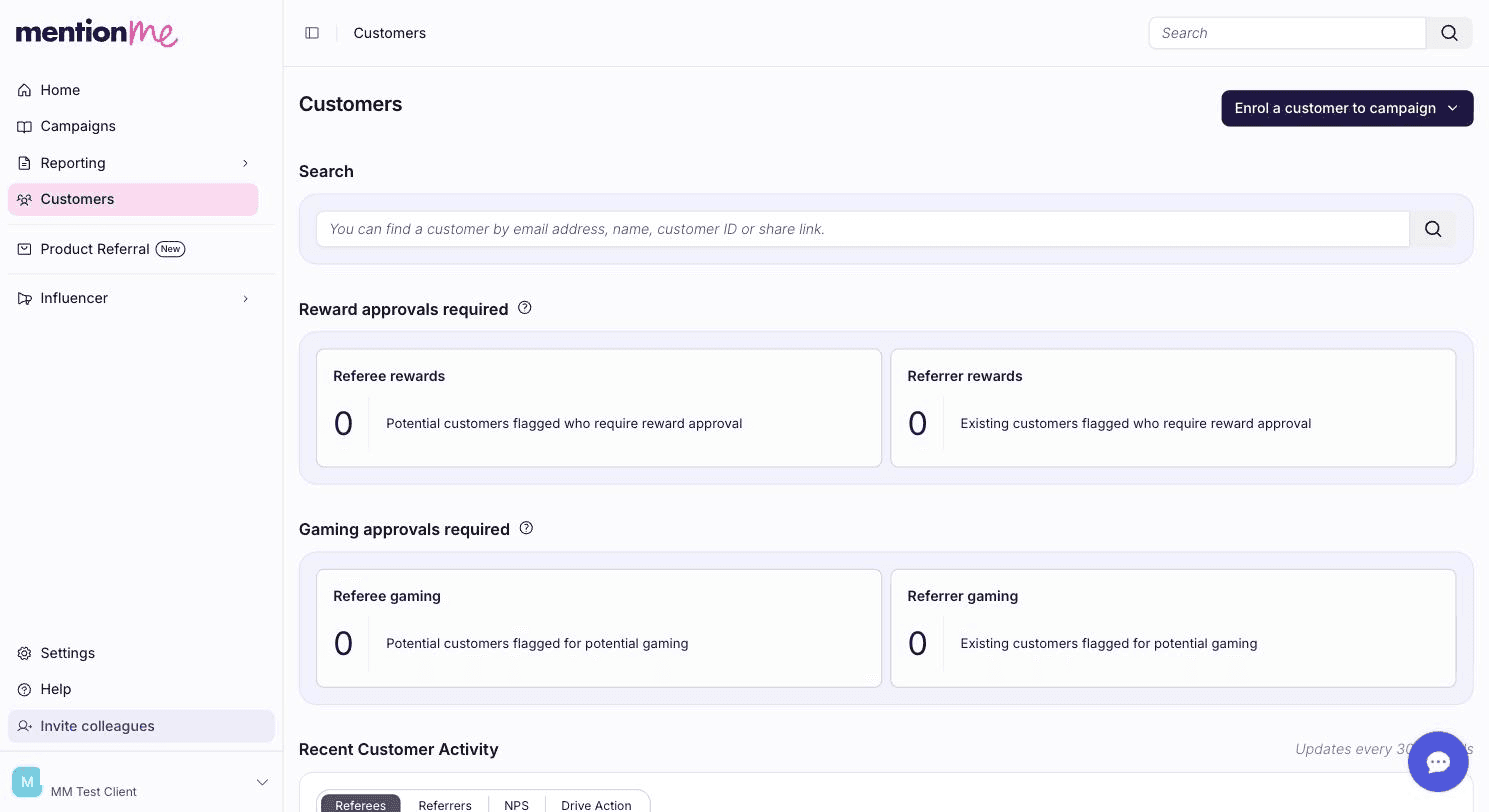
Accessing the Customers section from the platform navigation.
2
Search for the Customer
Search for the customer using their name, email, customer ID, or share link, then click the matching result to open their profile.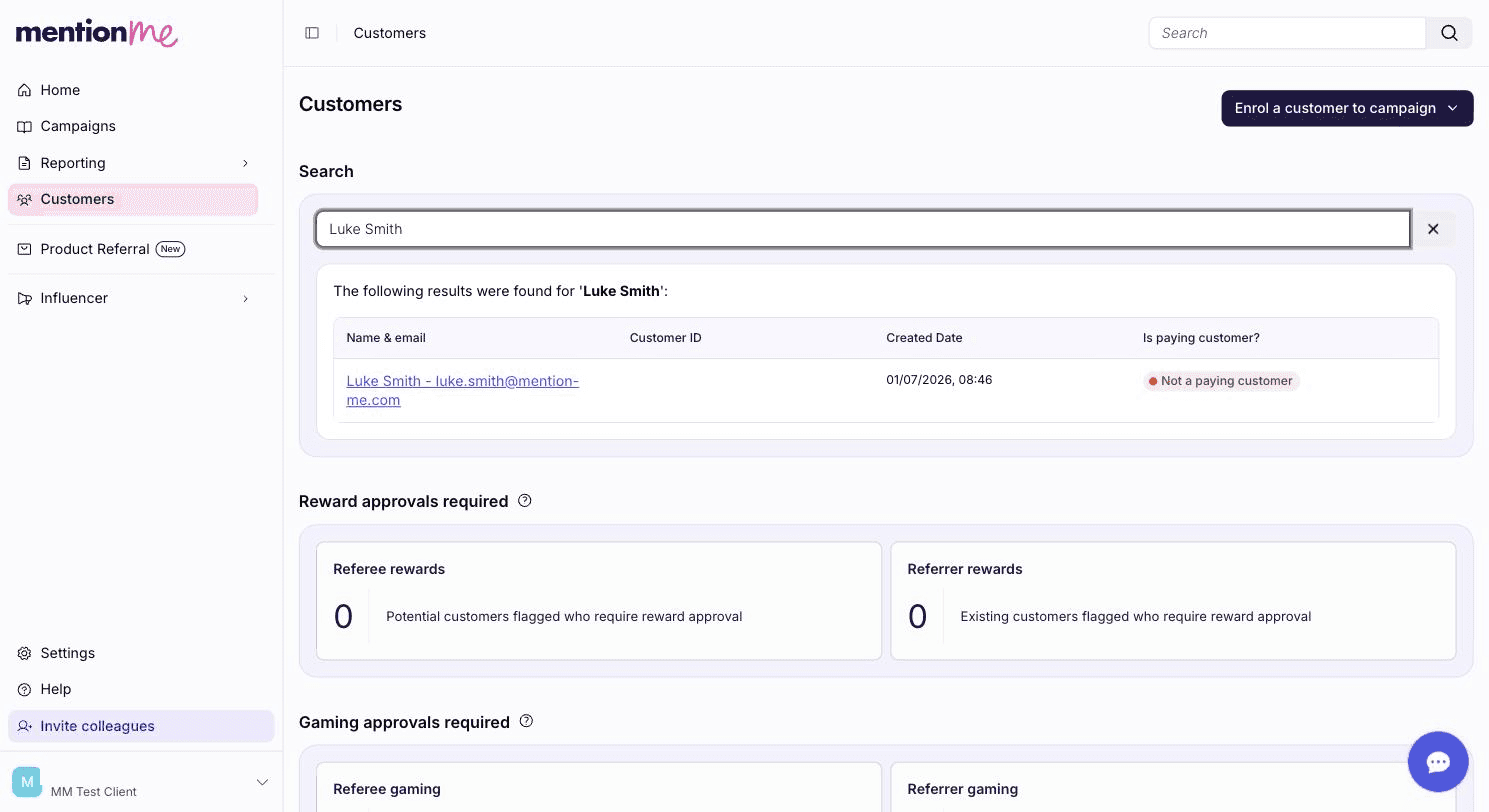
Searching for a customer's details.
3
Reveal the Reward Code
Scroll to the Rewards section, find the code that was issued, and click Reveal to display it.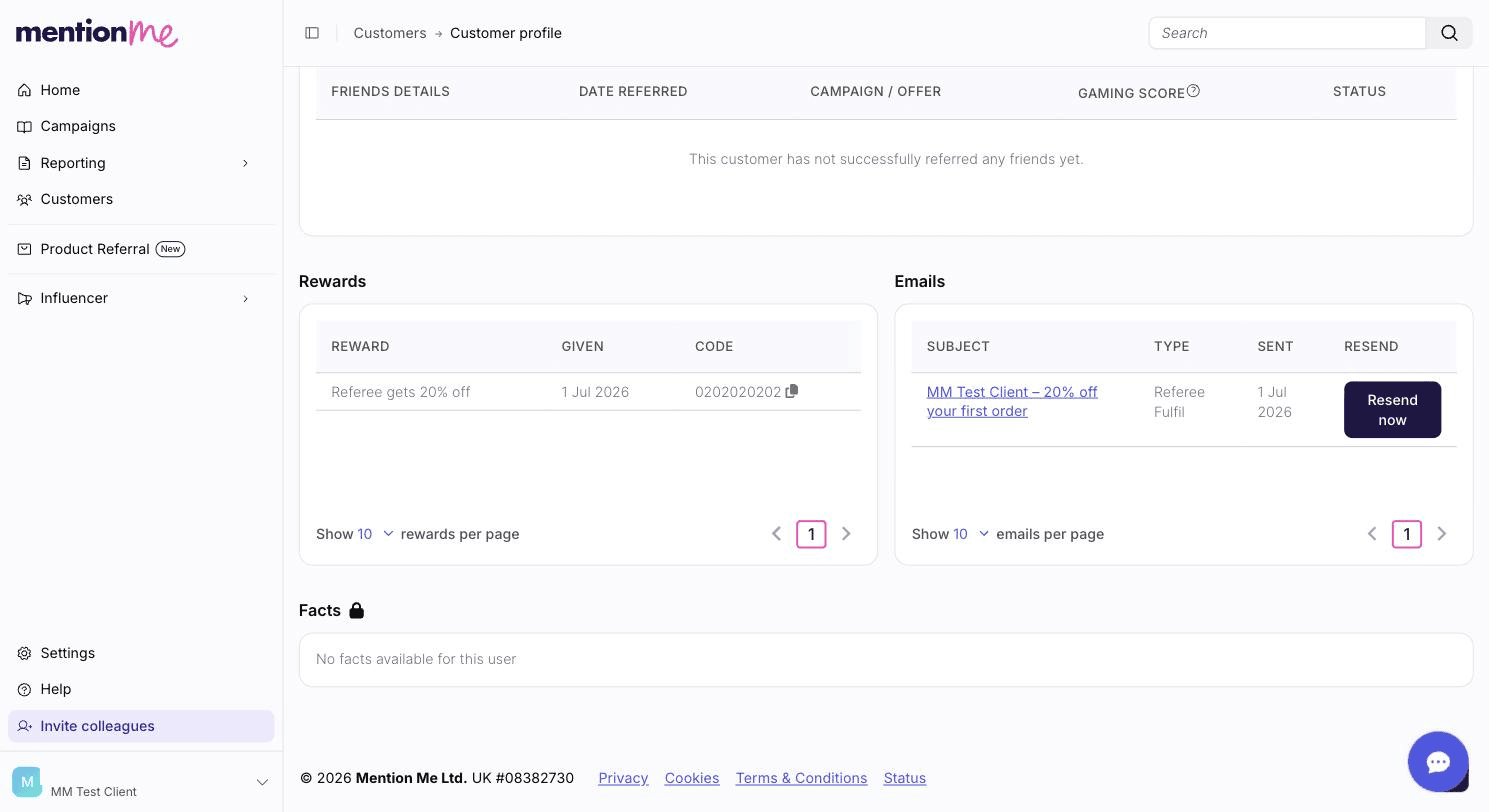
The reward code, revealed on the customer's profile.
See Also
How to Redeem a Customer's Reward
Redeem a customer’s reward from their Claim Reward email instead of revealing it directly.
How to Confirm a Referral Purchase
Manually confirm a referee’s purchase so a reward is issued in the first place.