

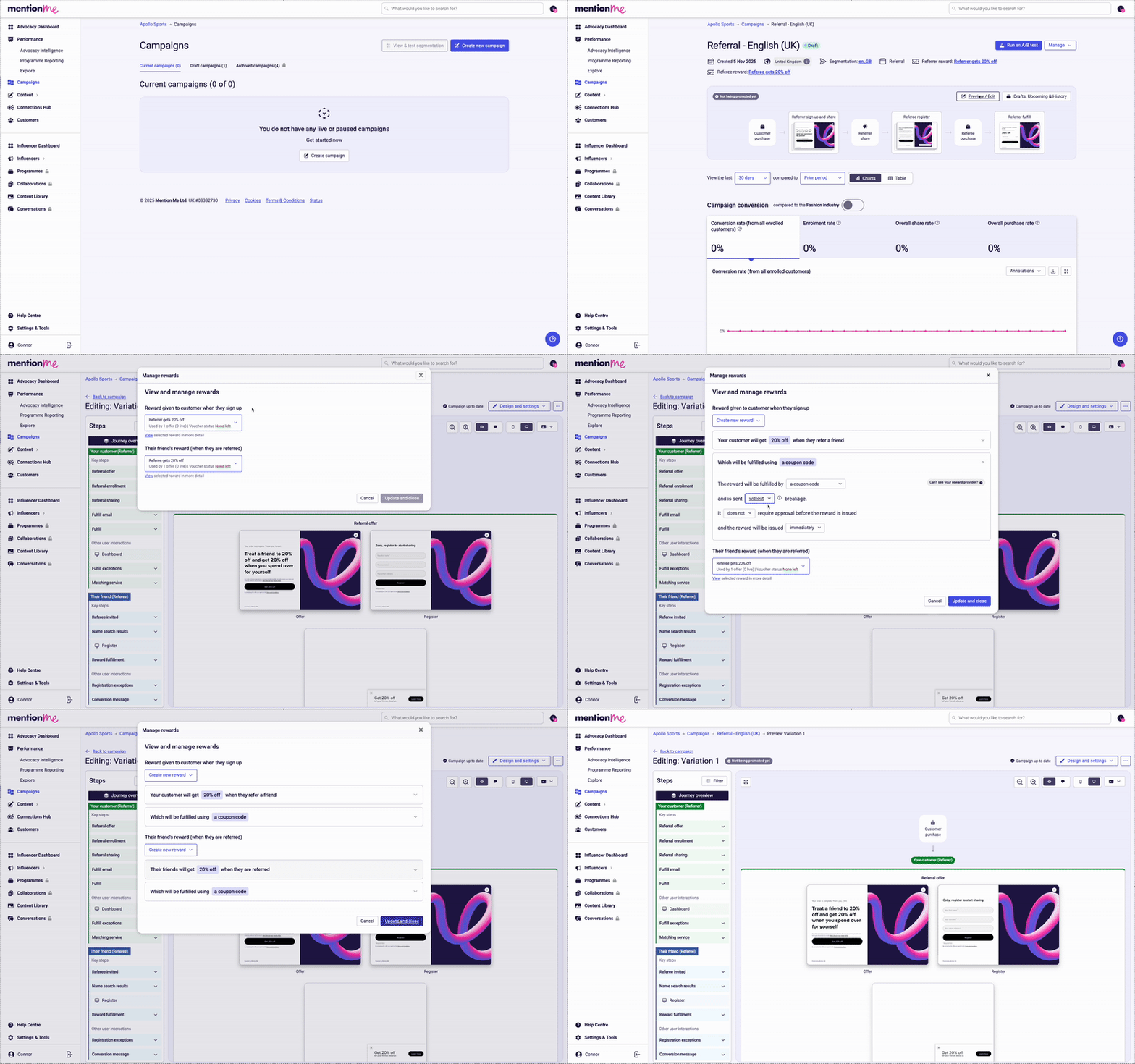
Reviewing and updating rewards on a referral campaign.
1
Navigate to campaigns
Follow the link provided during onboarding, or navigate to the Campaigns section in the Mention Me platform.
2
Open your campaign
Click into your pre-created referral campaign.
3
Open the preview editor
Click the Preview / Edit button above the campaign flow preview.
4
Access reward settings
Select the Design and Settings dropdown in the top right corner of the page.
5
Update rewards
Click Update Rewards and make any changes as necessary.