Documentation Index

Fetch the complete documentation index at: https://docs.mention-me.com/llms.txt

Use this file to discover all available pages before exploring further.

Steps to Update a Customer’s Name

1

Find the customer

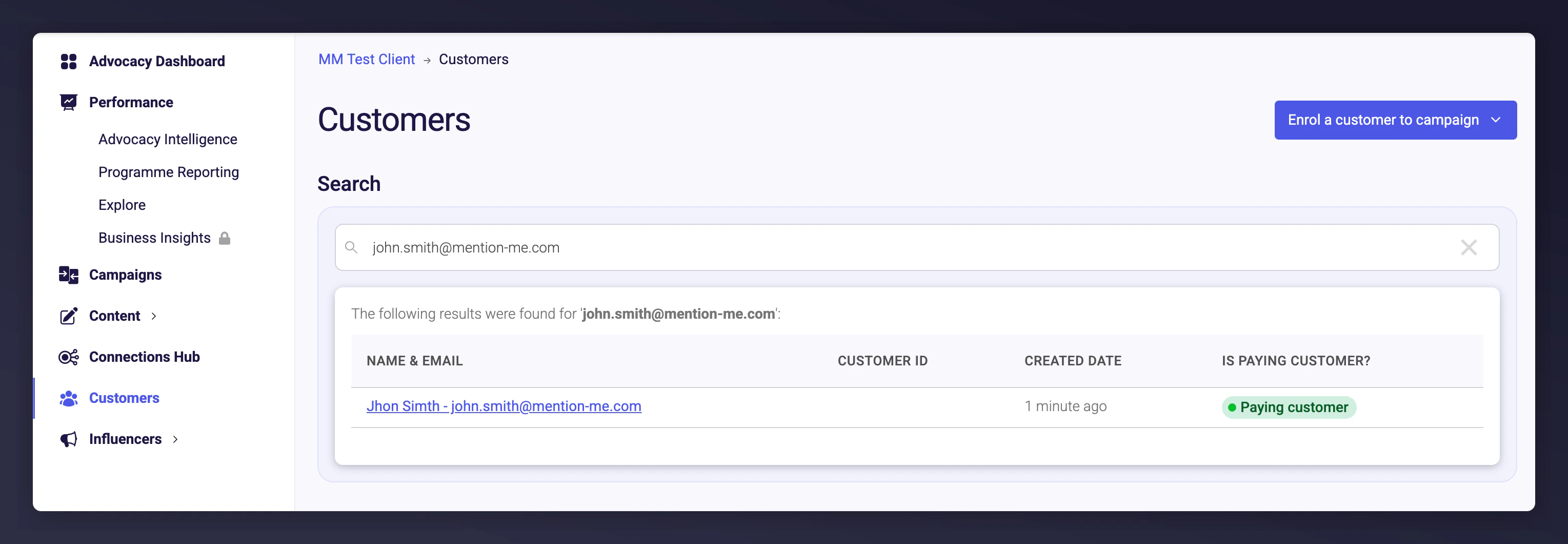
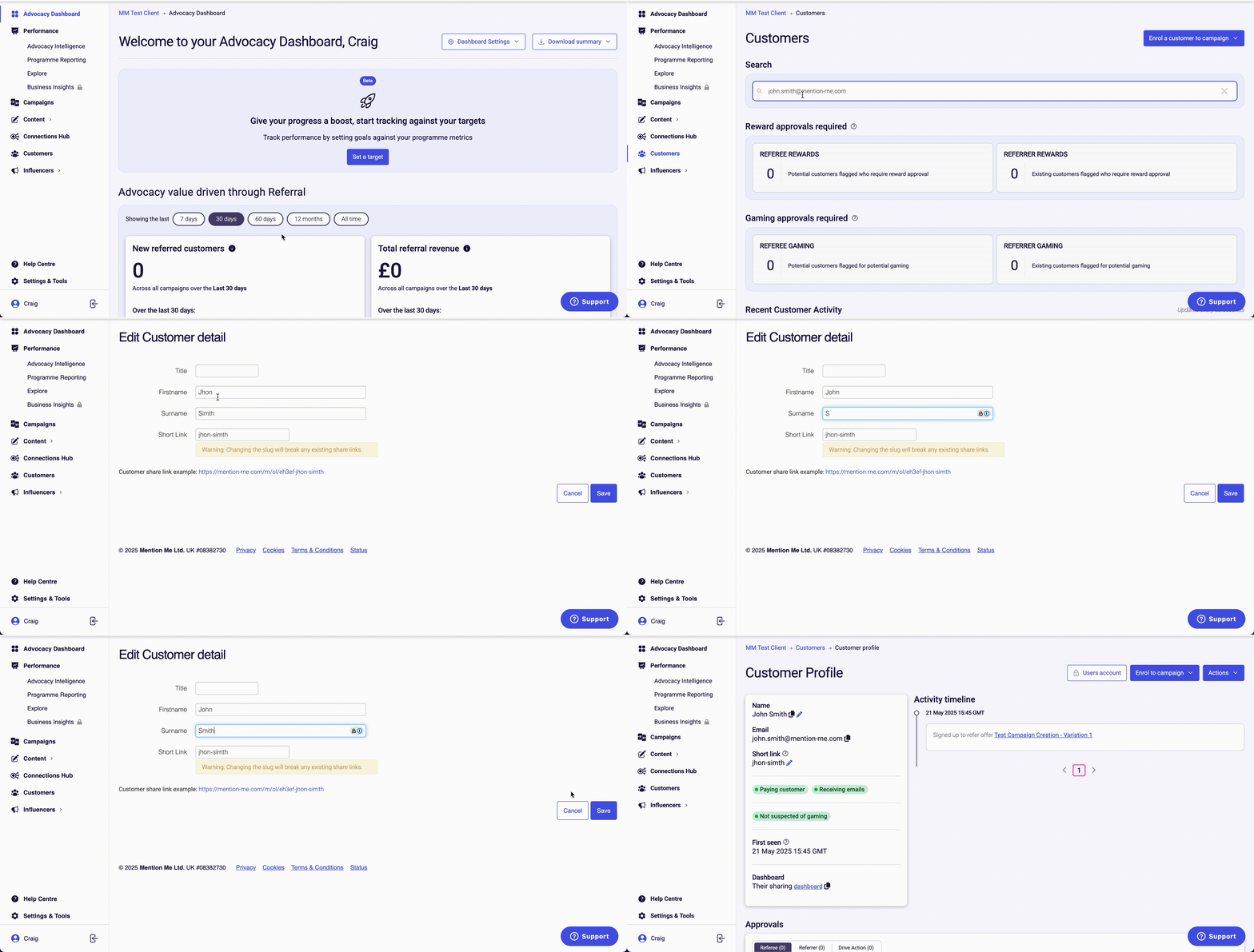
Navigate to the Customers tab in the left navigation panel. Use the search function to find the customer by their name or email address.Customer search results by name or email
2

Edit their name

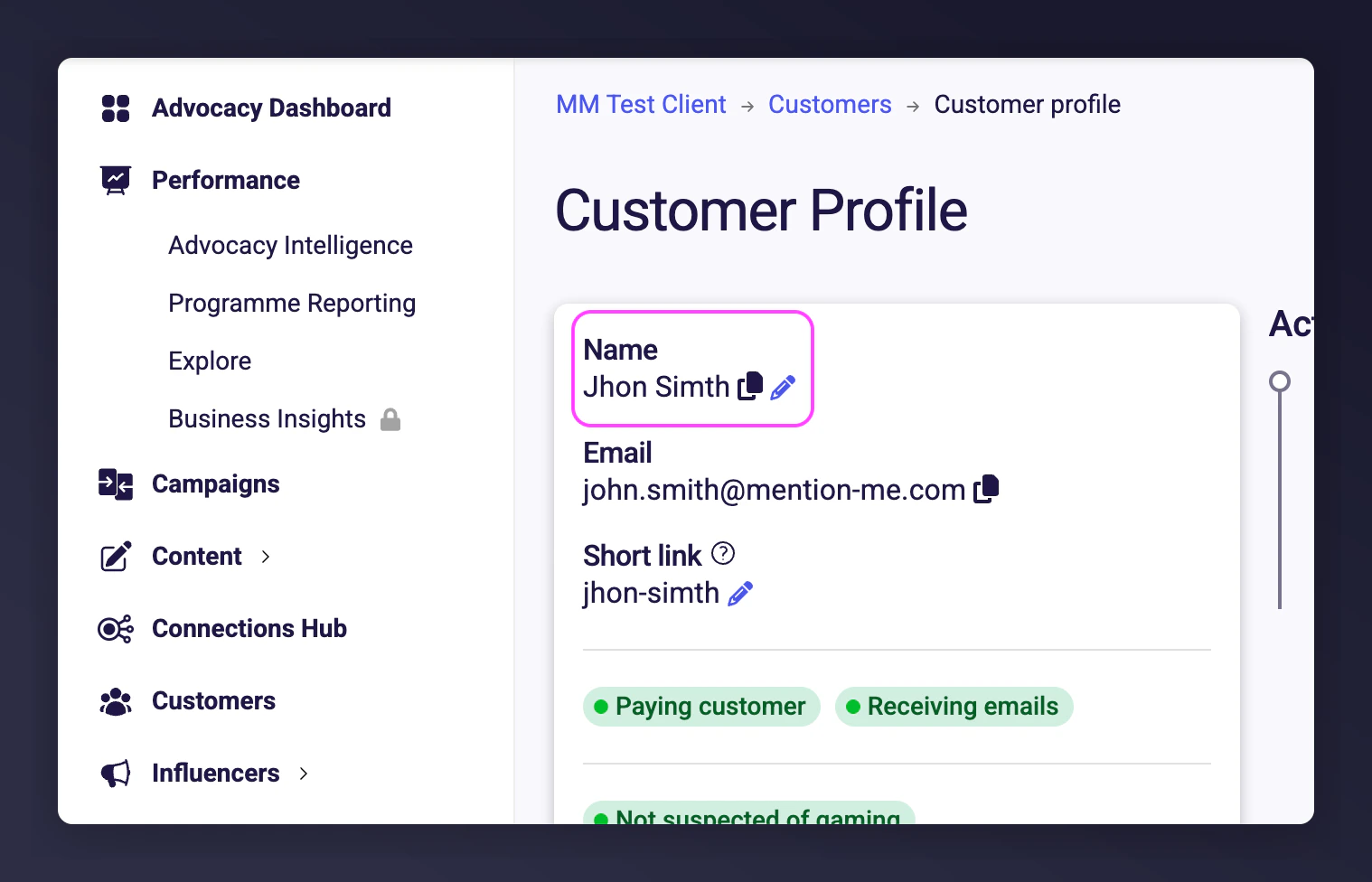
Click on the pencil icon next to their name. Modify the Firstname and/or Surname fields as needed.Pencil icon to edit customer first name and surname
3

Save changes

Click Save to apply the changes.Saving customer name changes
The Short Link field cannot be changed directly within the dashboard. If you or the customer needs this field to match their name, please contact the Support team for assistance.

Email Address Handling

Email addresses cannot be changed within the platform. If a customer has signed up using the wrong email address, advise them to sign up again with the correct email. Alternatively, you can manually enrol them using the correct details.
Last modified on March 31, 2026