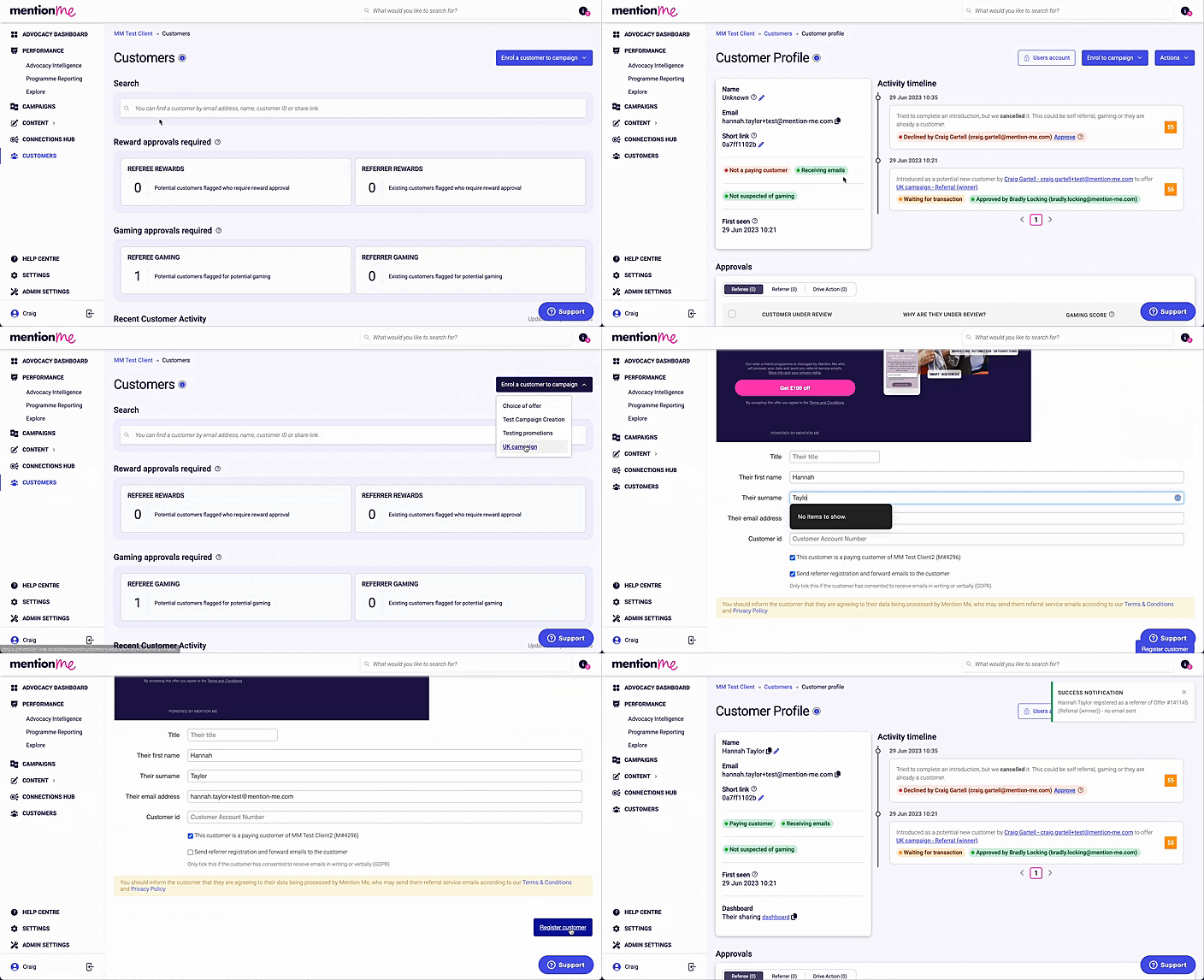
Change a customer’s status from non-paying to paying in the Mention Me platform.
You will need to do this when your customers must be labelled as an existing customer to share a referral with their friends. In some cases, it is also required to reward a referral that has already taken place.
For background on why a referrer doesn’t need to be a paying customer, and what happens once they register, see Understanding Non-Paying Referrers.
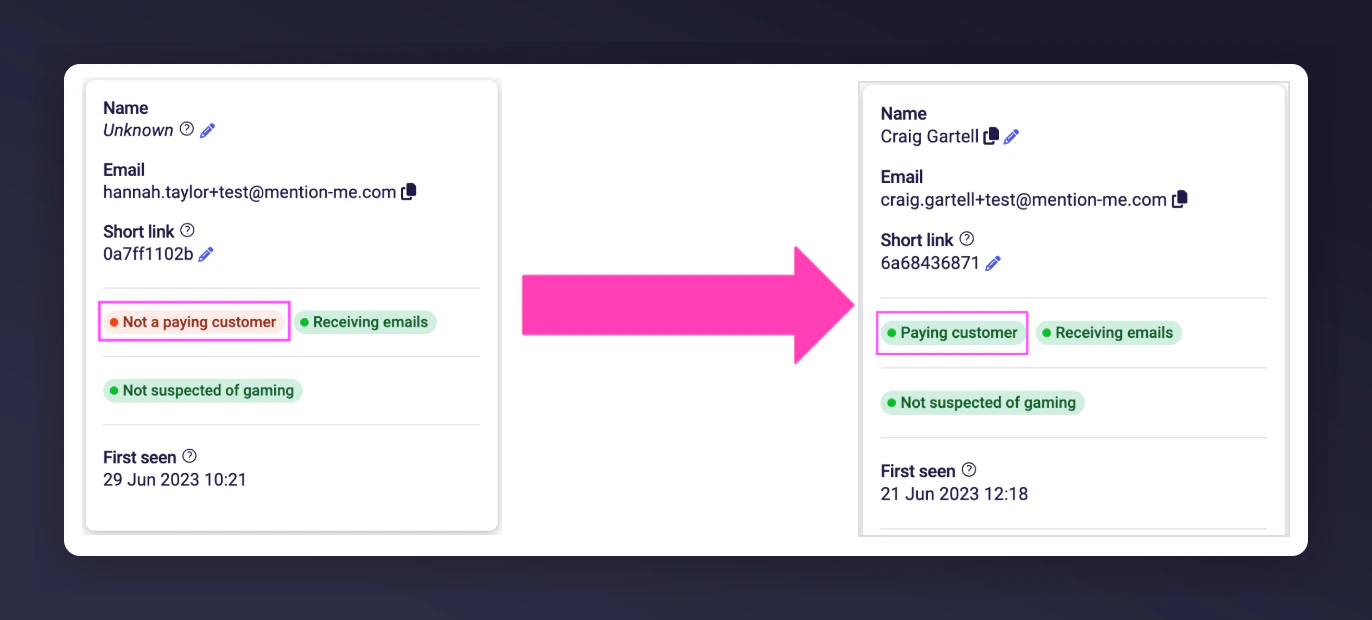
A customer's status showing the non-paying versus paying distinction.
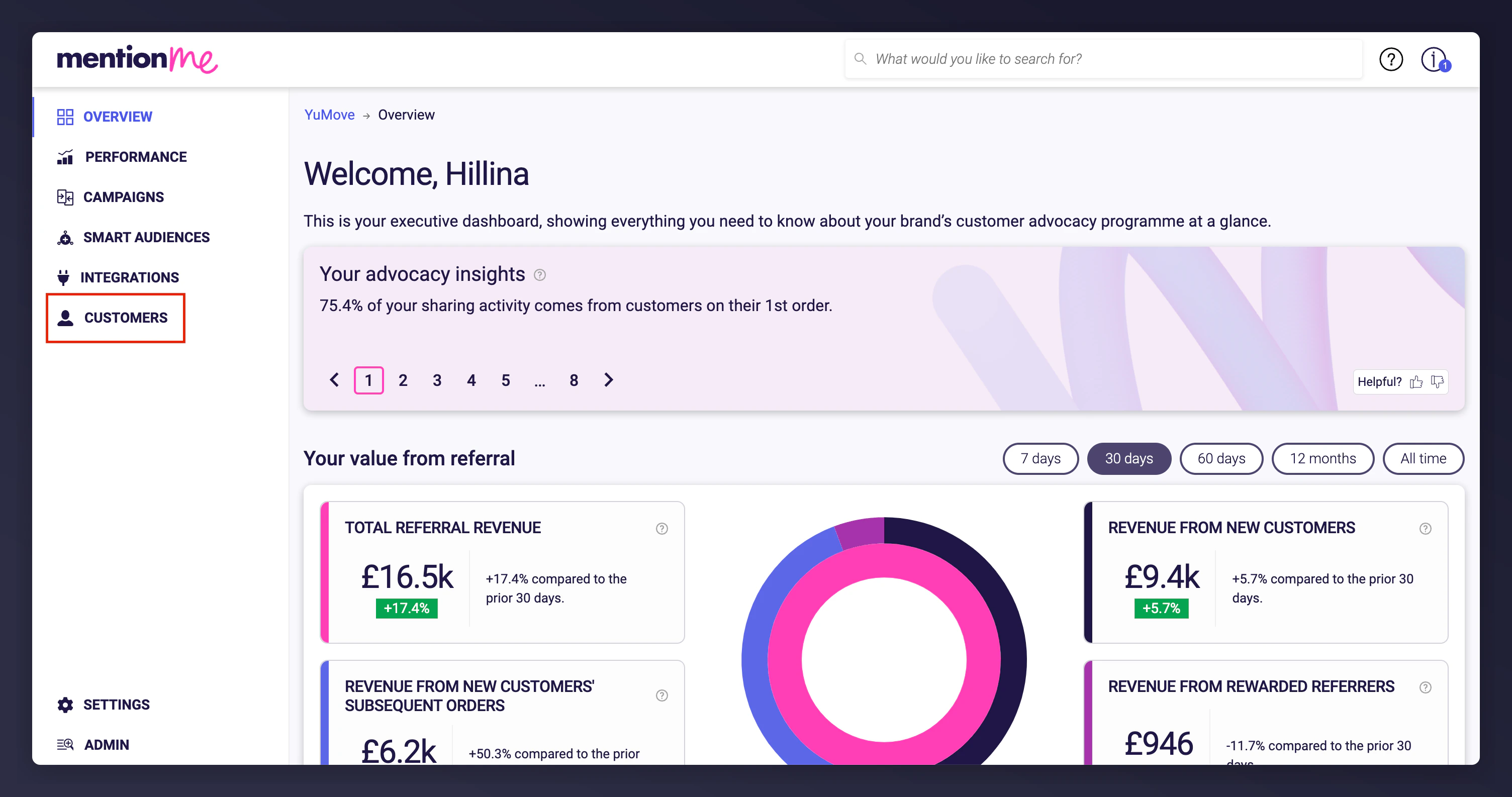
Go to the Customers section in the platform. Search for your customer’s details and open their account.
The Customers section in the platform navigation.
2
Identify their campaign
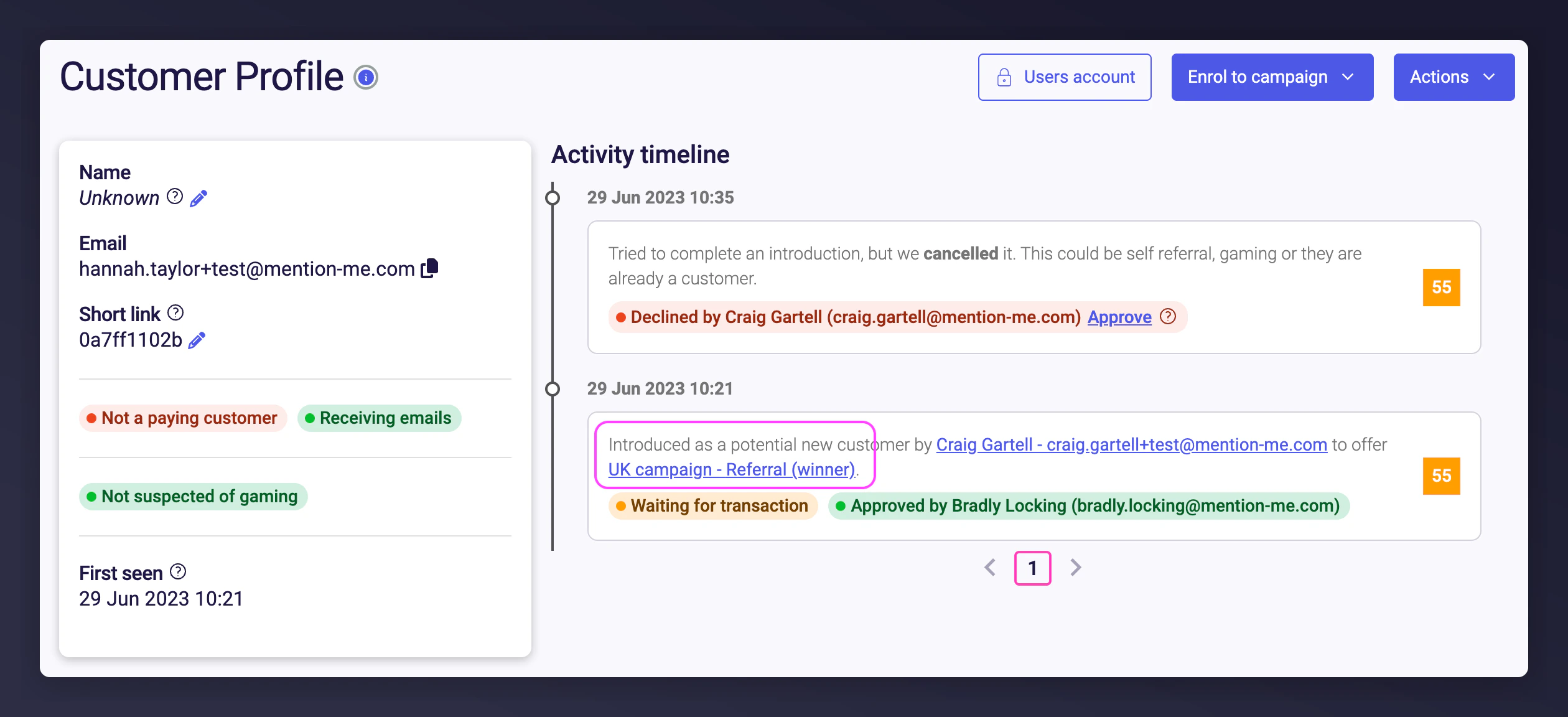
Inside the account, identify the campaign they’ve enrolled in from their activity timeline or the Sharing section. Ensure the campaign you select matches the details on the customer profile.
A customer profile showing campaign enrolment and the activity timeline.
3
Re-enrol as paying customer
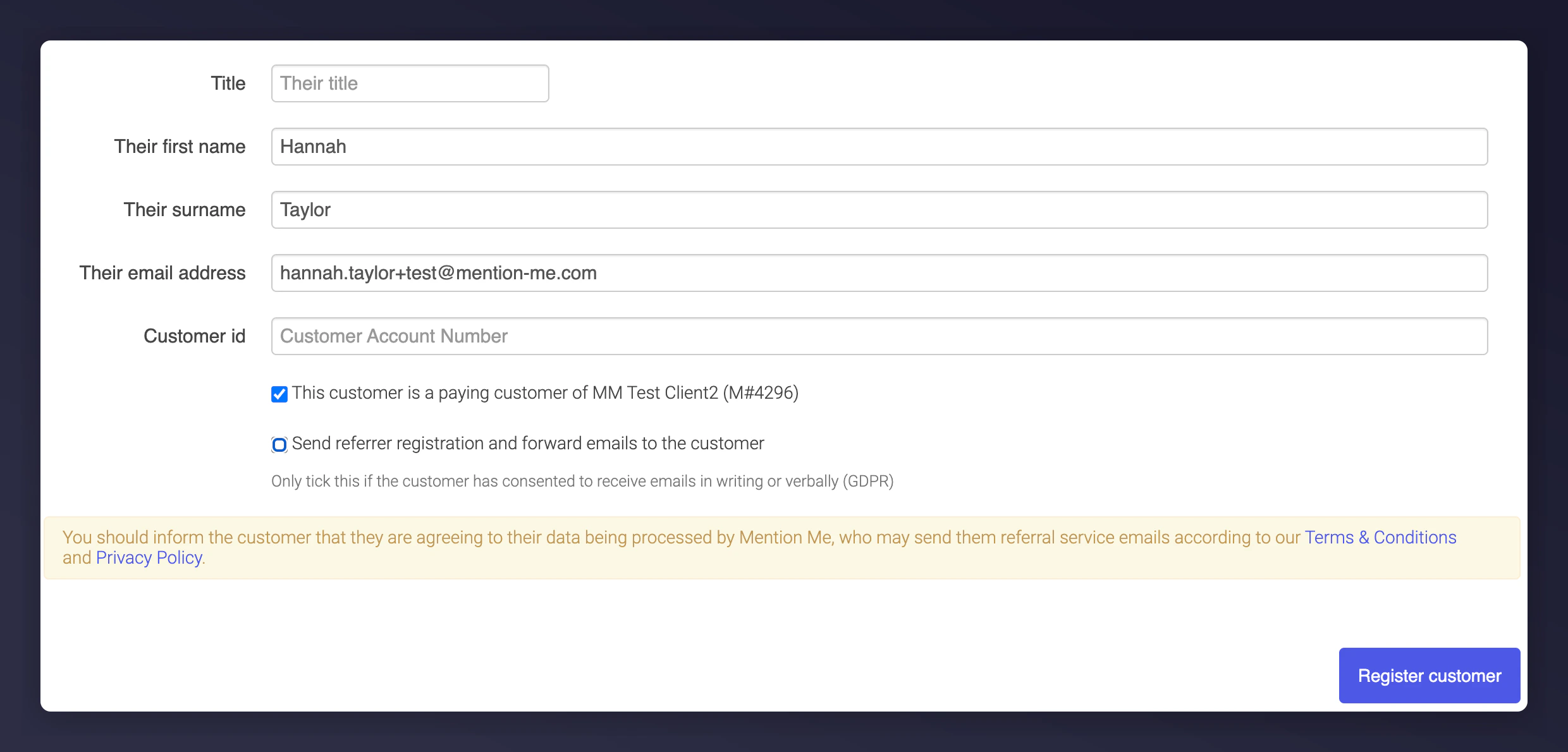
Click Enrol a customer to campaign and select the matching campaign. Re-enter your customer’s details (first name, surname, and email address). Tick the box for This customer is a paying customer of…, untick the box for Send referrer registration and forward emails, and click Register customer.
The registration form with the paying customer checkbox ticked.