

Referrer Tag on the Post-Purchase Page
This tag performs two essential roles. It promotes referral to customers on the post-purchase page (the most effective touchpoint) and collects order details so rewards can be issued as applicable.
The referrer tag as it appears on the post-purchase page.
Referee Tag in the Checkout
This tag inserts a link (or form) that says: “Been referred by a friend?”. Customers who click this link will be asked to identify their referrer to receive their reward. You can control where the link appears, what it says and how it looks in the platform.The link copy itself can’t be edited directly in the offer preview - to change the wording, request this from the Mention Me support team.
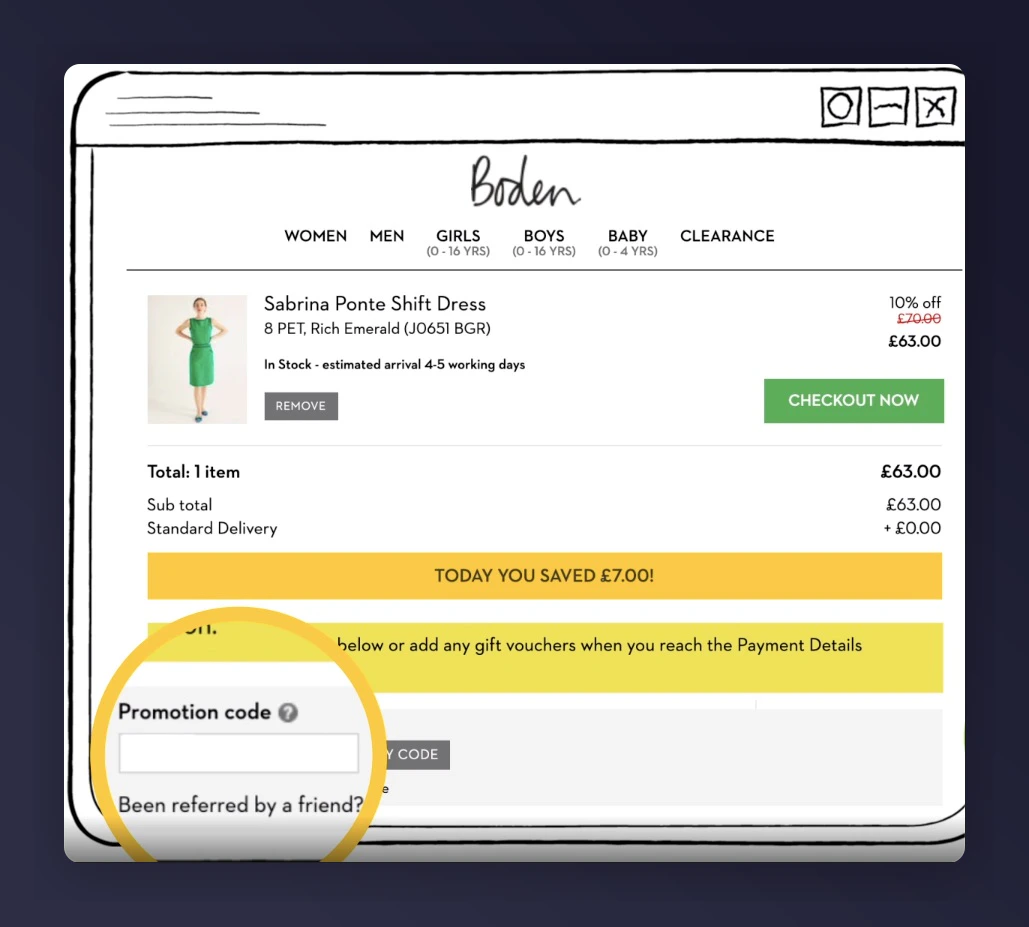
The referee tag in the checkout, showing the "Been referred by a friend?" link.
Developer Integration Guides
For technical implementation details, including all parameters, code snippets, and integration modes, see the developer tag integration guides:Referrer Tag
Full parameter reference and implementation options for the referrer tag.
Referee Tag
Full parameter reference and implementation options for the referee tag.