

A redesigned Customers experience is available in beta. If you see a
“Customers beta” banner on your Customers pages, click it to try Mention Me.
It includes richer customer profiles, improved fraud discovery, and easier
approvals. See the Mention Me Customers
documentation for details.
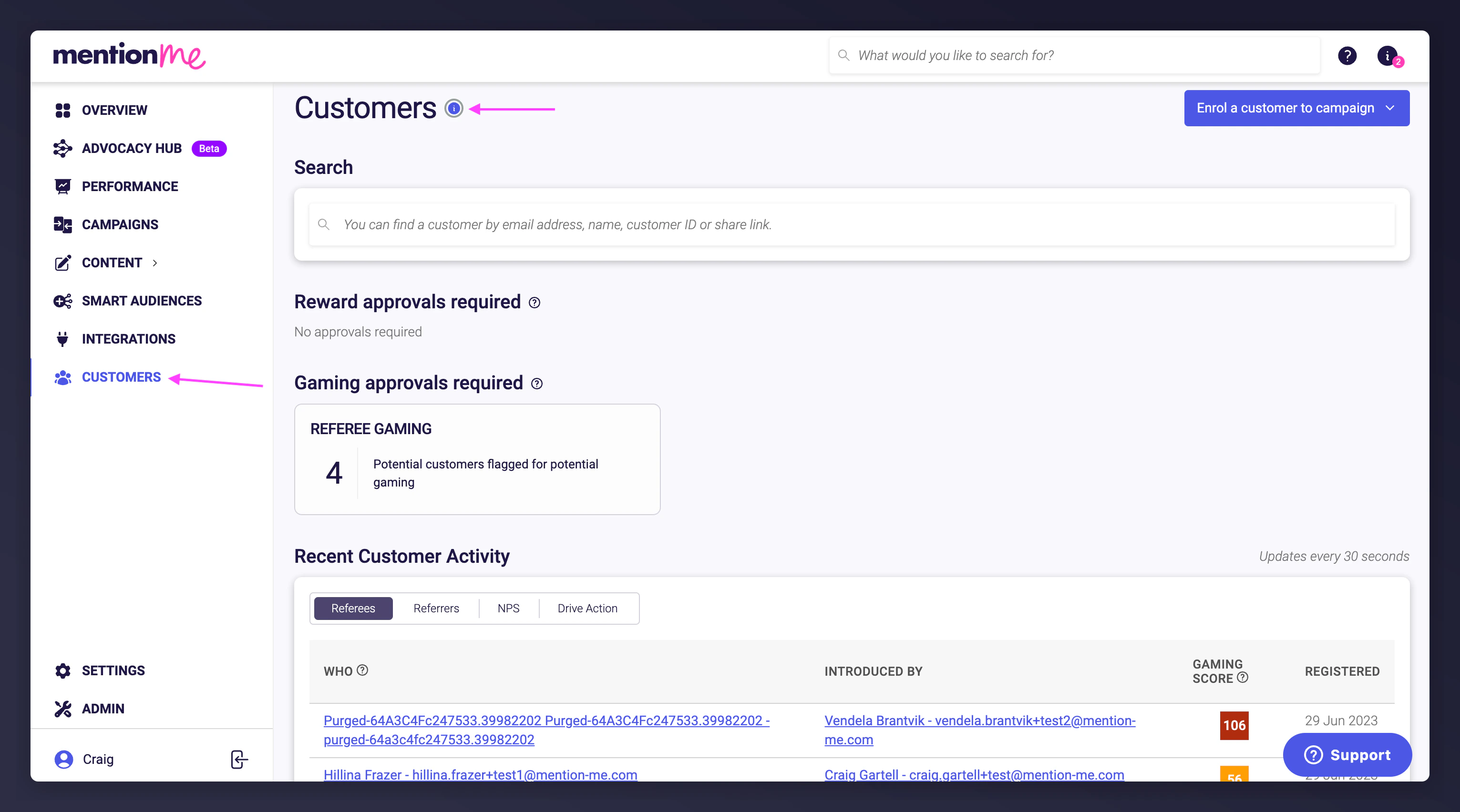
The Customers section overview in the Mention Me dashboard.
Available Actions
Search for a Customer
From a customer’s profile, you can:- Enrol them into an offer
- Mark as suspected of gaming
- Turn emails off for them
- Confirm purchase
- Reissue a coupon code for a reward that has expired, been barred, or is fully used
- Purge them (GDPR deletion)
- Add a friend under their name
View Customer Information
- Basic info - name, email, short link for their share links, customer type, date first seen in Mention Me, who introduced them and on which offer
- Activity timeline - dates and times of their interactions with any offers
- Active offers - current and expired offers being shared with the customer
- Offer views - how many times they have seen an offer
- Rewards - reward and voucher codes issued to them
- Emails - emails sent to them
- Pending approvals - any approval pending for them as referrer, referee, or to drive action
Related Guides
Customers
Search, Add & Link Customers
Search for customers, manually add them to campaigns, and link referrers to referees.
How to Check Referral Status
Review a customer’s referral activity timeline, confirm purchases, and handle reward or gaming approvals.
Rewards
Reward Fulfilment
How to manage reward fulfilment, including self-fulfilment, changing fulfilment methods, and managing email notifications.
How to Resend a Reward Email
Resend a previously sent reward, registration, or reminder email to a customer from their profile.
Reward Upload
How to Upload Vouchers
Upload new voucher codes to a campaign reward.
How to Assign Vouchers to Offers
Assign listed and non-listed voucher batches to campaign rewards.
How to Extend Vouchers
Extend the validity period for existing referral campaign vouchers instead of uploading new codes.
Gaming
Approve or Decline Suspects
Mark customers as suspected of gaming, and approve or decline referrals
individually or in bulk.
Data
How to Purge Customer Data
Permanently delete customer data individually, in bulk via CSV, or automatically via SFTP.
How to Unsubscribe a Customer from Emails
Stop all Mention Me referral-related emails for a customer, or re-enable them later.
Copy
How to Manage Your Referral Campaign Copy
Edit your referral campaign copy, leave comments for the Mention Me team,
and find and fix hardcoded placeholders.
Account
User Management
Add, unlock, and manage user accounts and permissions.
Revoke User Access
Revoke or change user access to maintain data security.