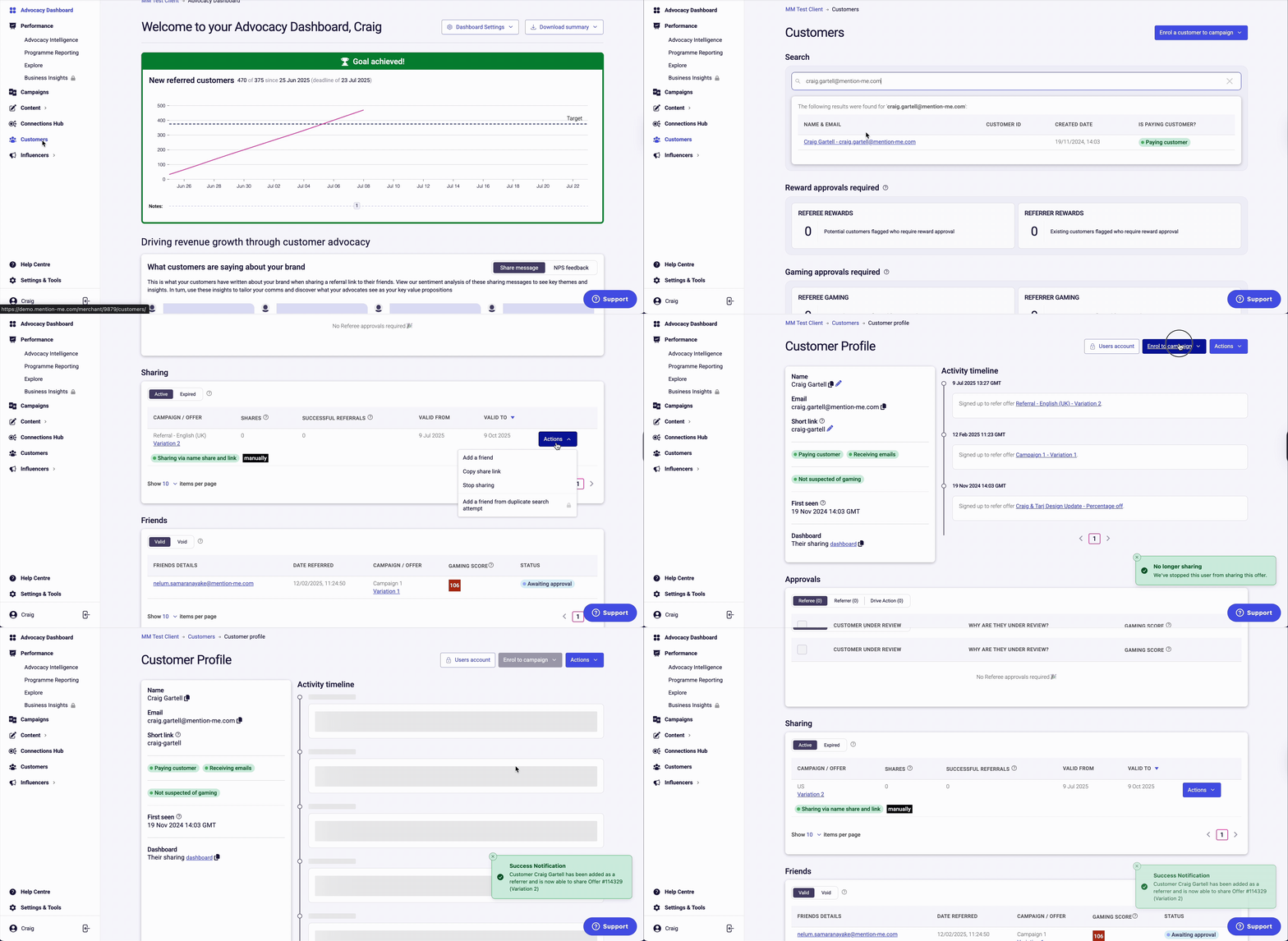
Go to the Mention Me Merchant Platform. Click on Customers and search for the customer by email, name, customer ID, or share link. Click to open the customer’s profile.
2
Stop current sharing
Under Sharing, click Actions and select Stop Sharing to remove them from their current campaign.
3
Enrol in new campaign
Click Enrol to Campaign and choose the correct campaign from the drop-down menu. You’ll get a confirmation that the customer has been enrolled.
Moving a customer to a different campaign using Stop Sharing and Enrol.
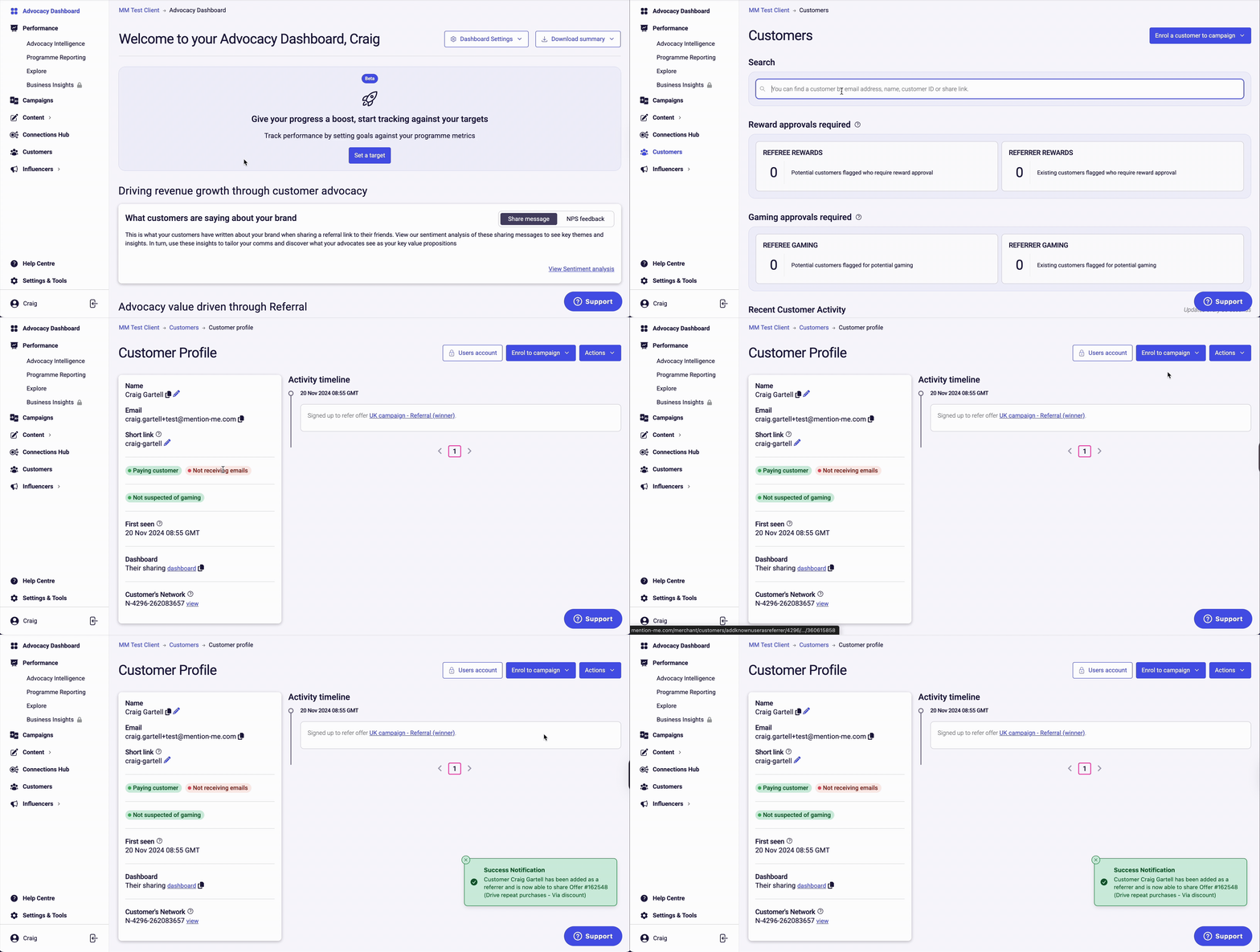
Go to the Mention Me Merchant Platform. Click on Customers and search for the customer by email, name, customer ID, or share link. Click on the customer’s profile to open it.
2
Enrol to latest campaign
Click Enrol to Campaign and select the latest referral campaign from the drop-down menu. You’ll see a notification confirming successful enrolment.
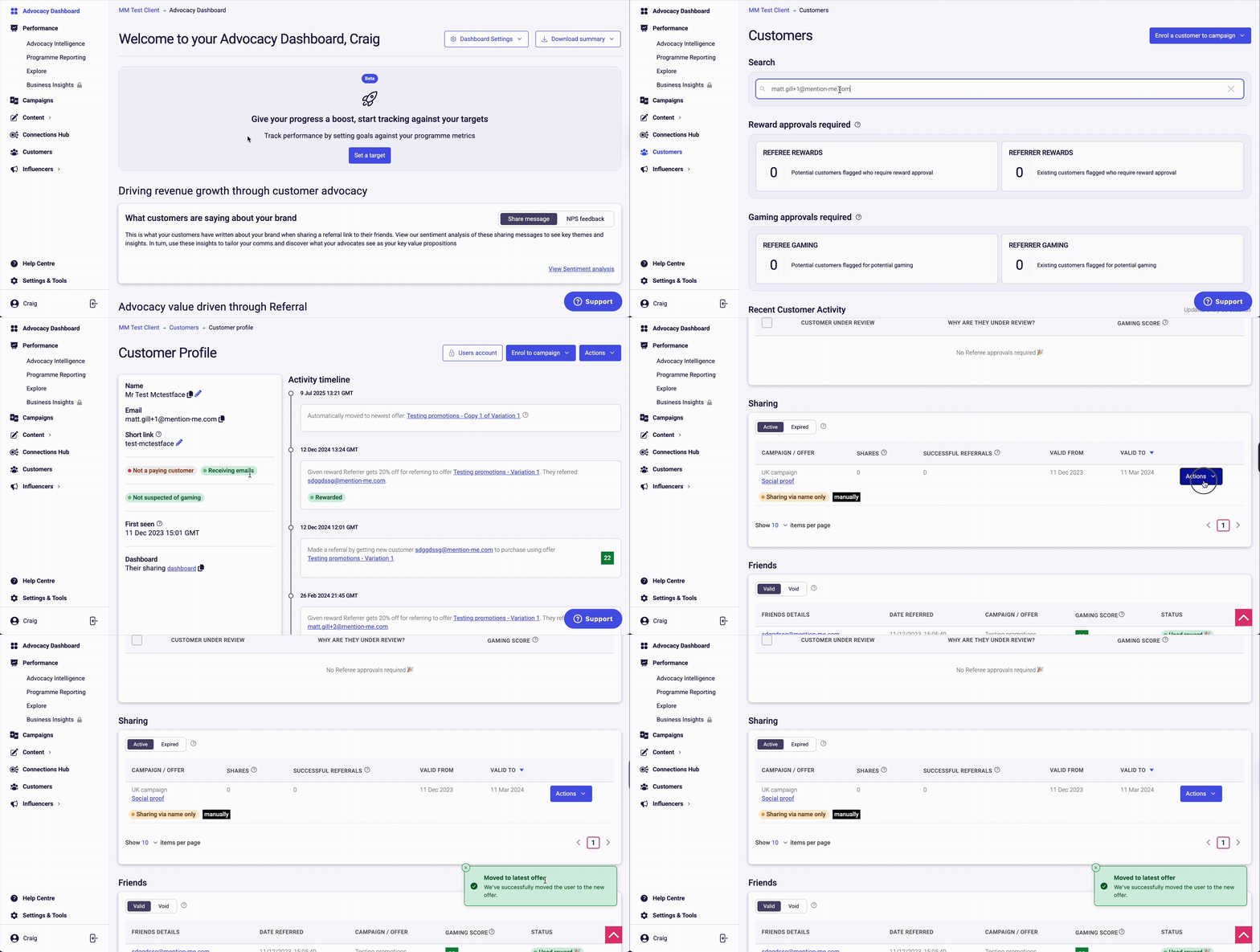
Inside the customer’s account view, scroll to the Sharing section, click Actions, and choose Move to Latest Offer. An info notification will confirm they’ve been rolled forward to the current campaign.
The Move to Latest Offer option under Sharing Actions.
Last modified on July 10, 2026
Was this page helpful?
Assistant
Responses are generated using AI and may contain mistakes.