

1
Open the Customers Section
Go to the Customers section in the Mention Me platform.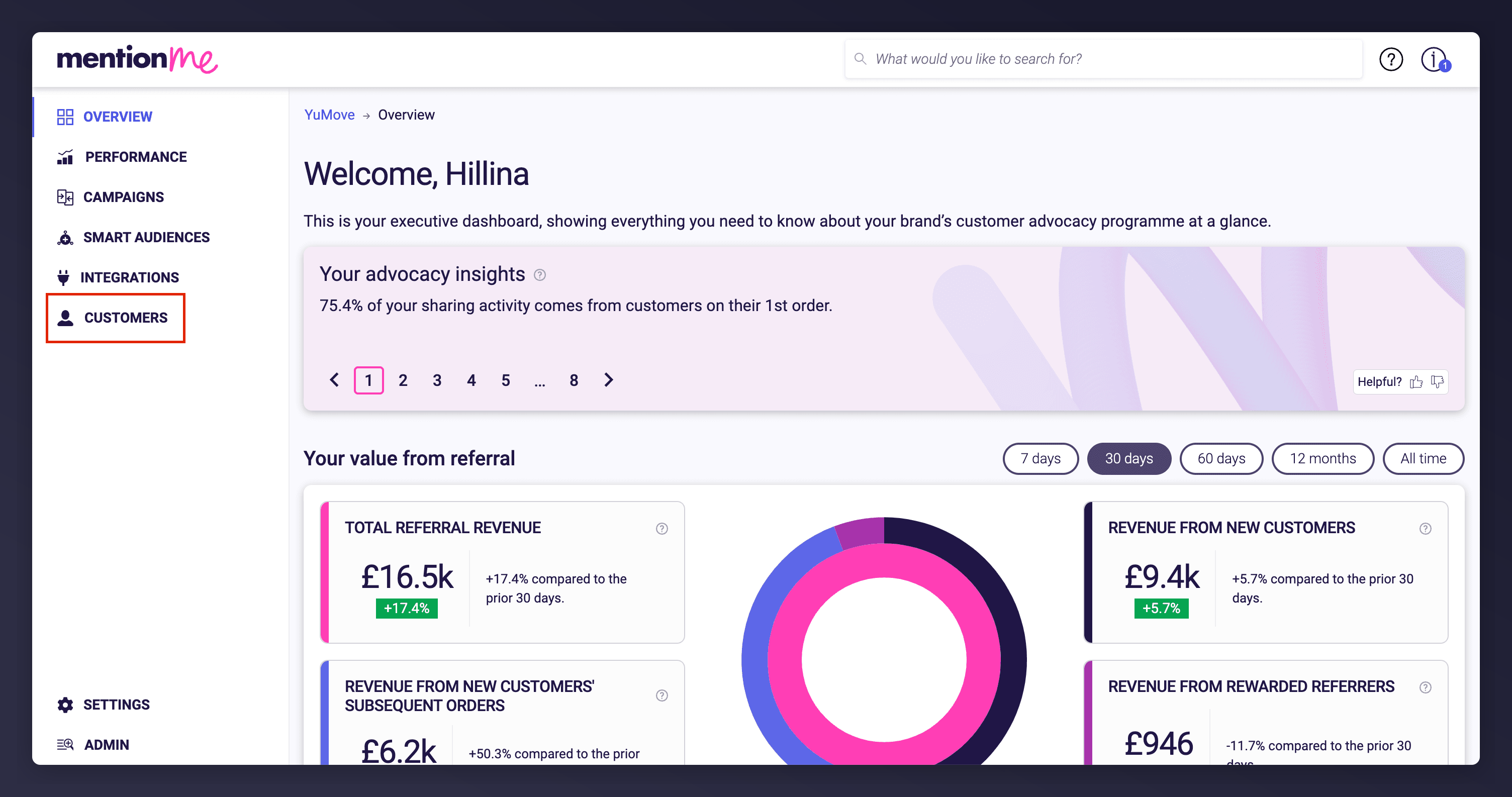
Accessing the Customers section from the platform navigation.
2
Search for the Customer
Search for the customer using their name, email, customer ID, or share link, then click the matching result to open their profile.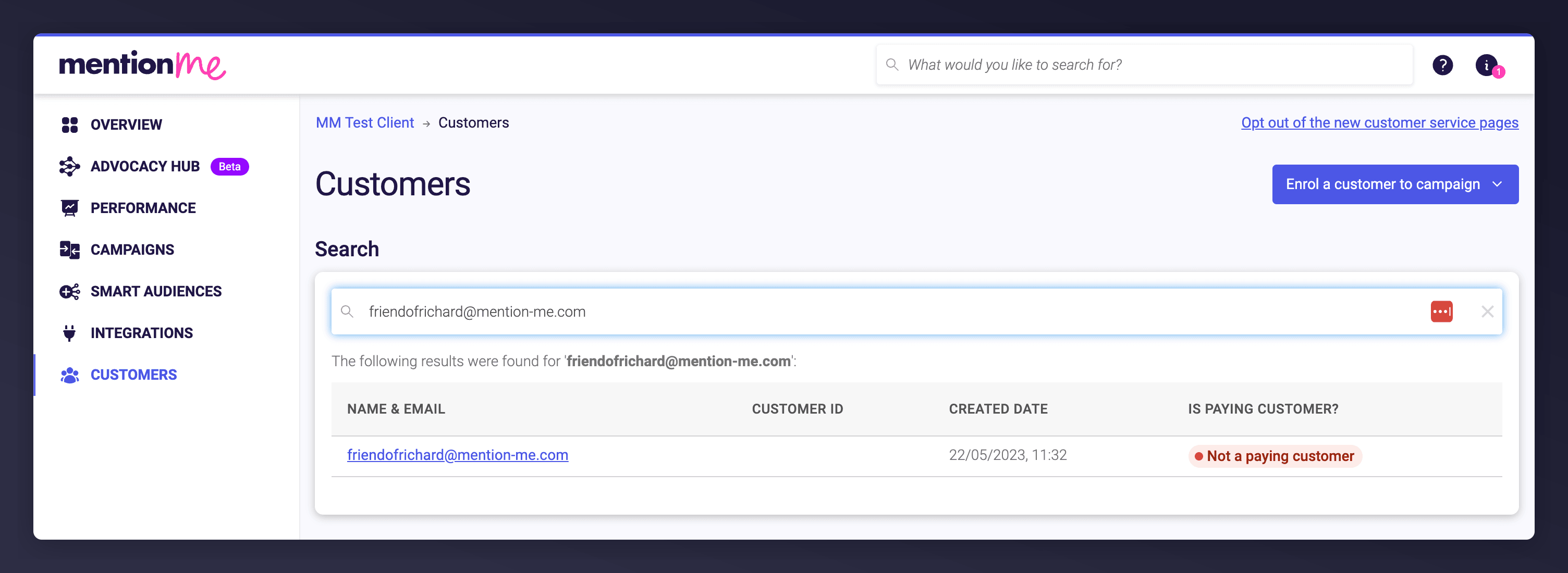
Searching for a customer's details.
3
Open the Claim Reward Email
Scroll to the Emails section and click on the ‘Referrer/Referee Claim Reward’ email link.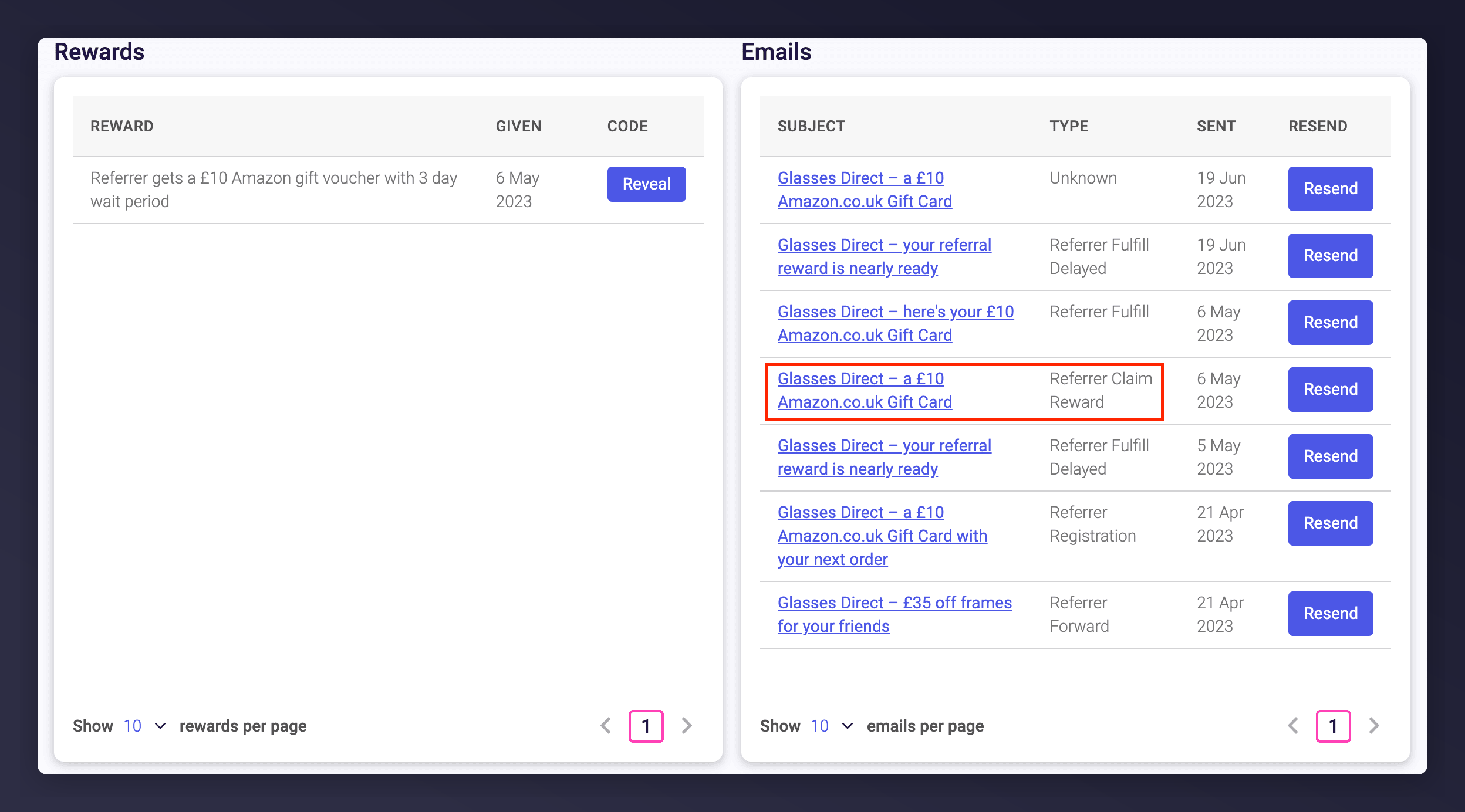
Locating and opening the Claim Reward email.
4
Click the Call to Action in the Email
Click the call to action (for example, ‘Claim your reward’) in the email.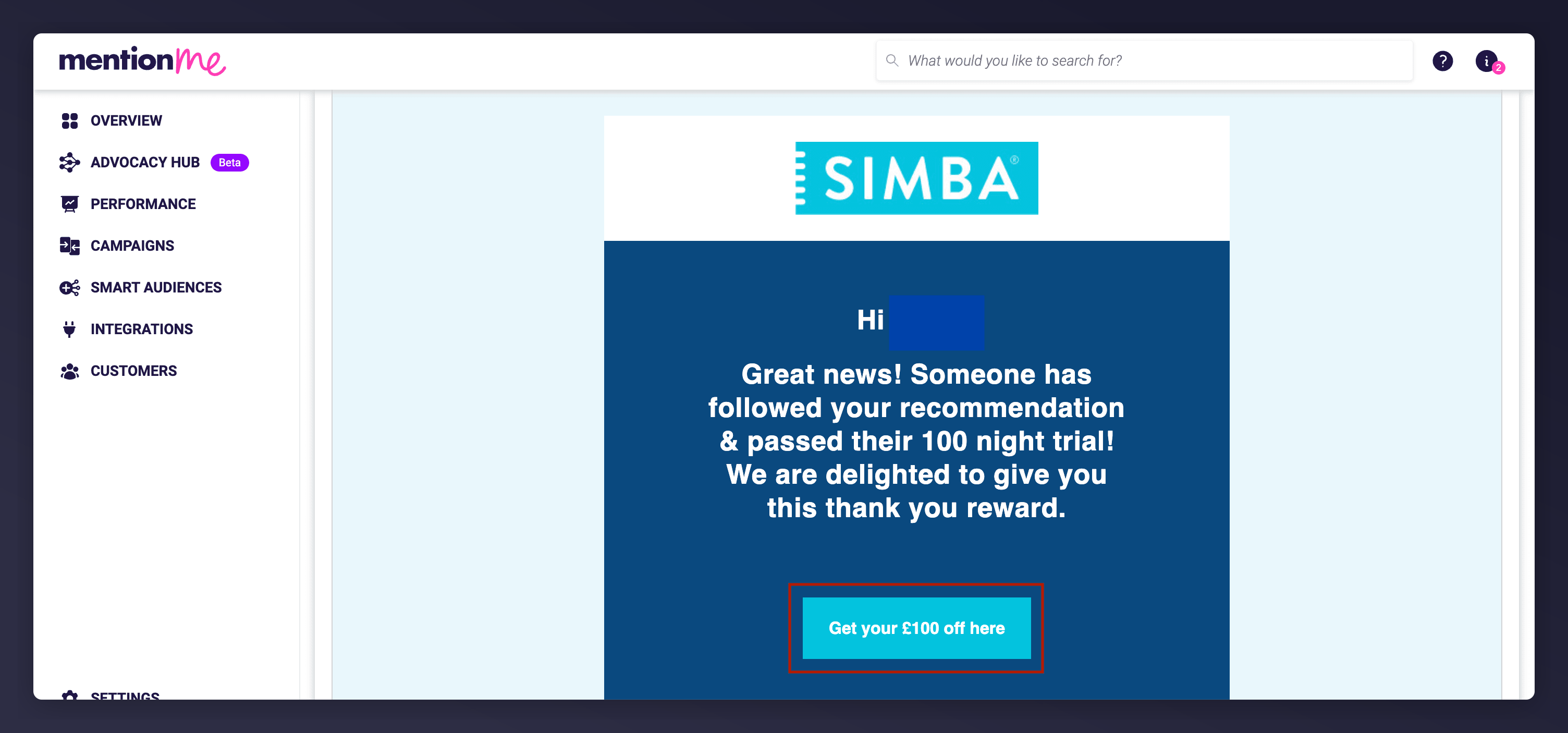
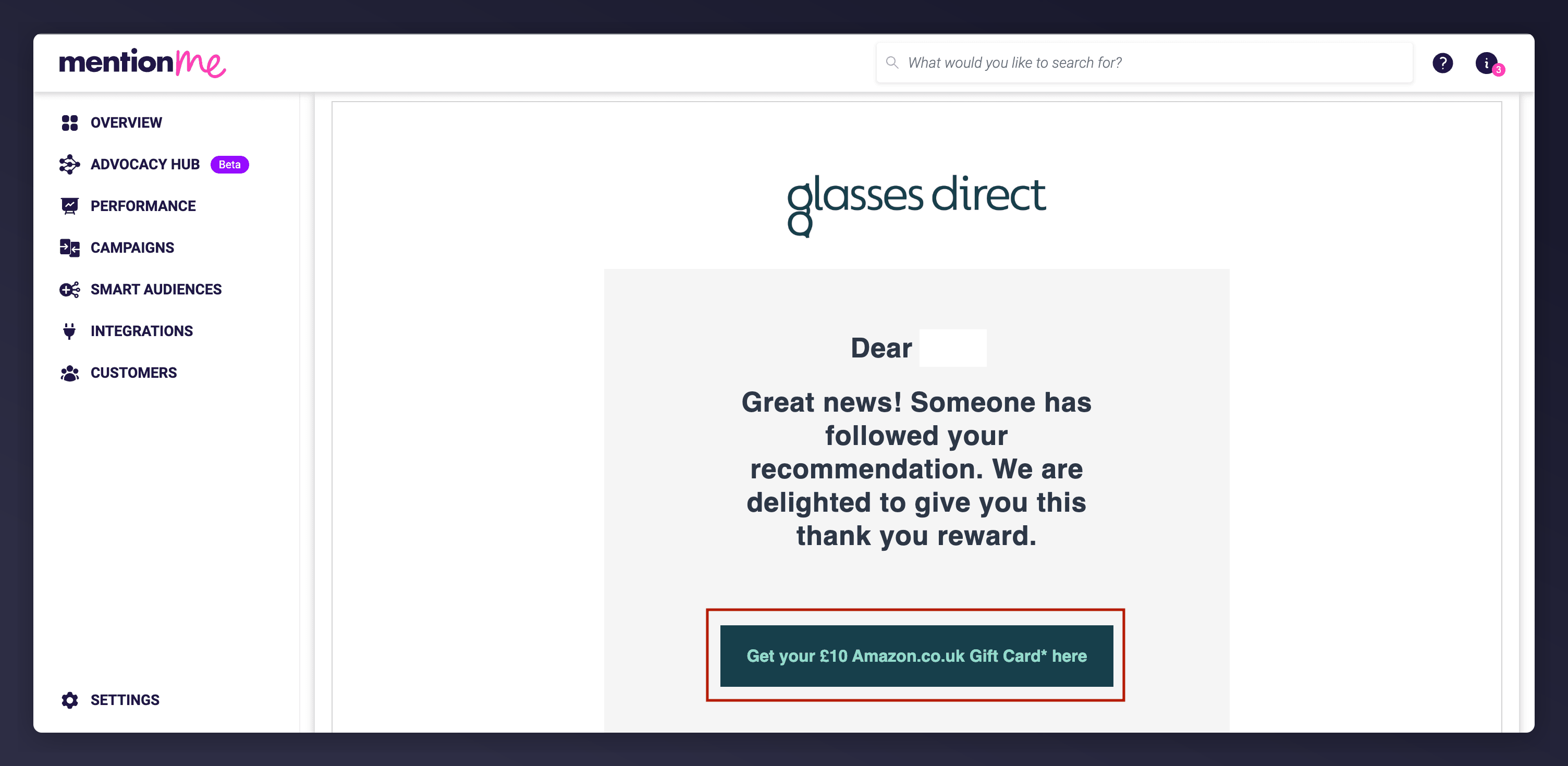
Clicking the main call to action in the customer email.
An alternate example of where the call to action appears in the email.
5
Confirm the Claim
You’ll be redirected to a Claim page. Click the call to action to confirm (‘Claim your reward’ or ‘Claim code’).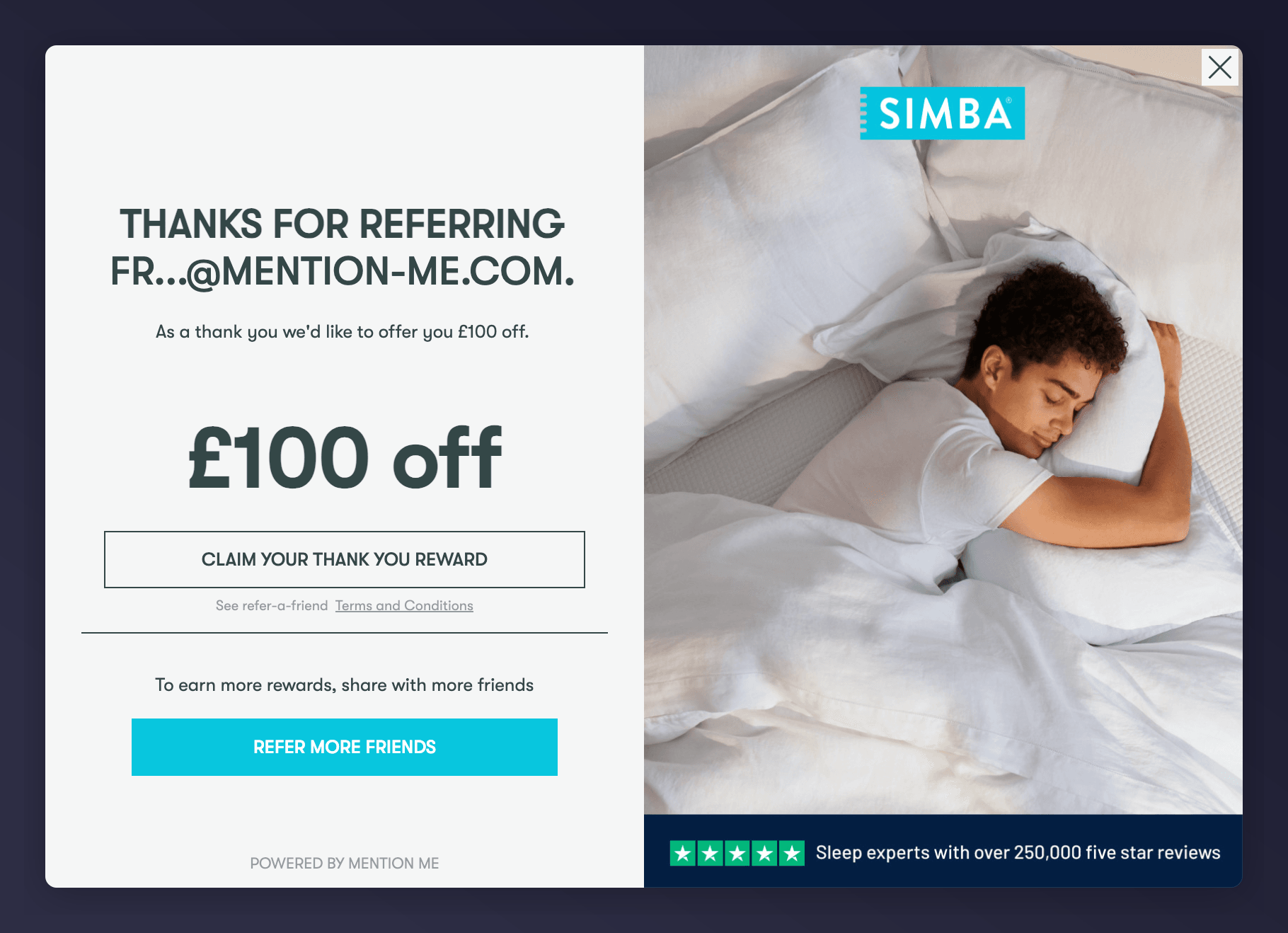
The Claim page where reward confirmation happens.
6
View the Reward Code
You’ll be directed to the Fulfil page, showing the reward code.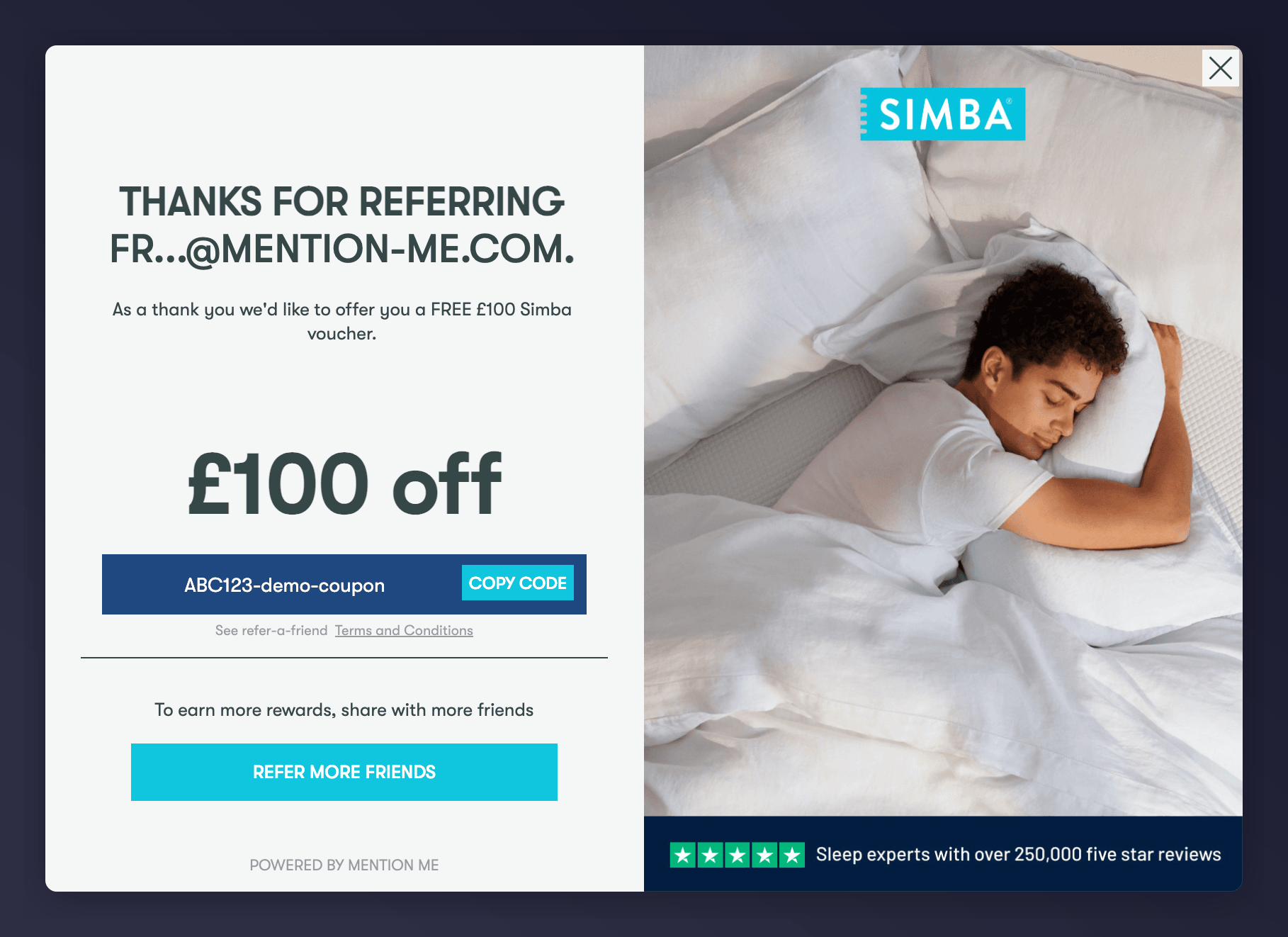
An example of a successful reward issuance.
7
Share the Reward Code
The customer will also receive a fulfilment email containing the code, or you can copy the code manually and send it to them.
Quick Demo GIFs
Steps 1-3: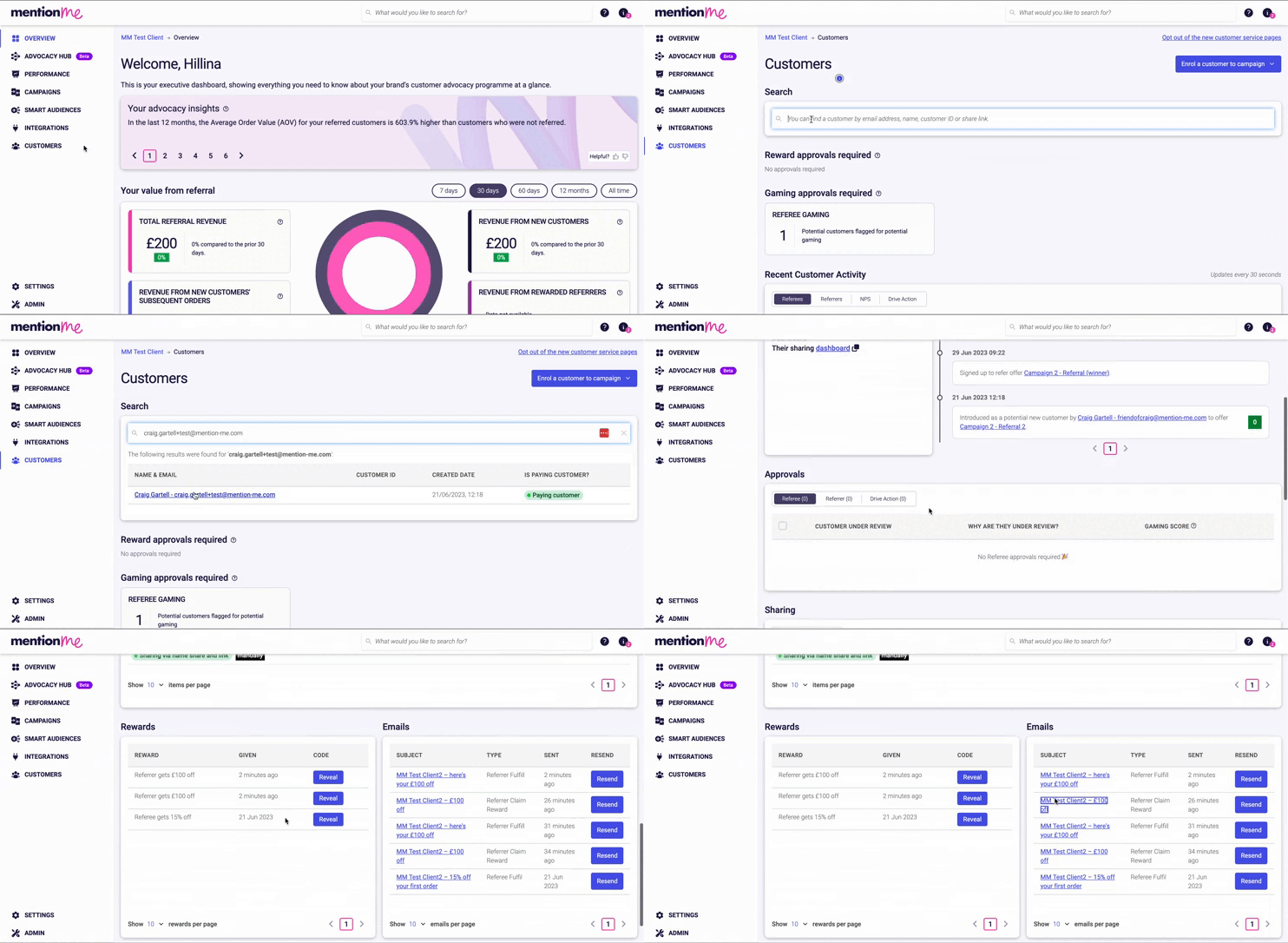
Locating and opening the Claim Reward email.
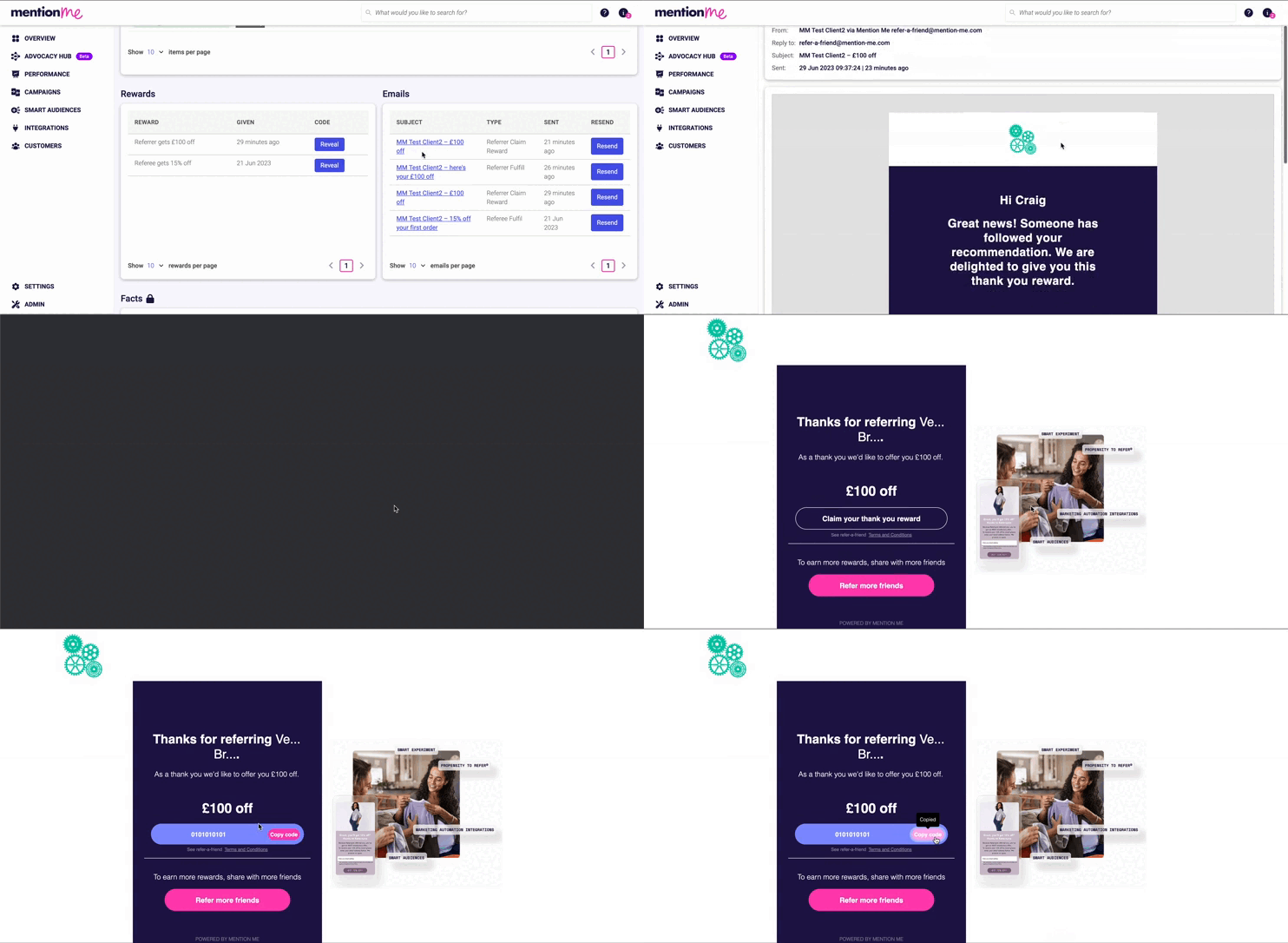
Redeeming the reward from the claim email through to the reward code screen.