Documentation Index

Fetch the complete documentation index at: https://docs.mention-me.com/llms.txt

Use this file to discover all available pages before exploring further.

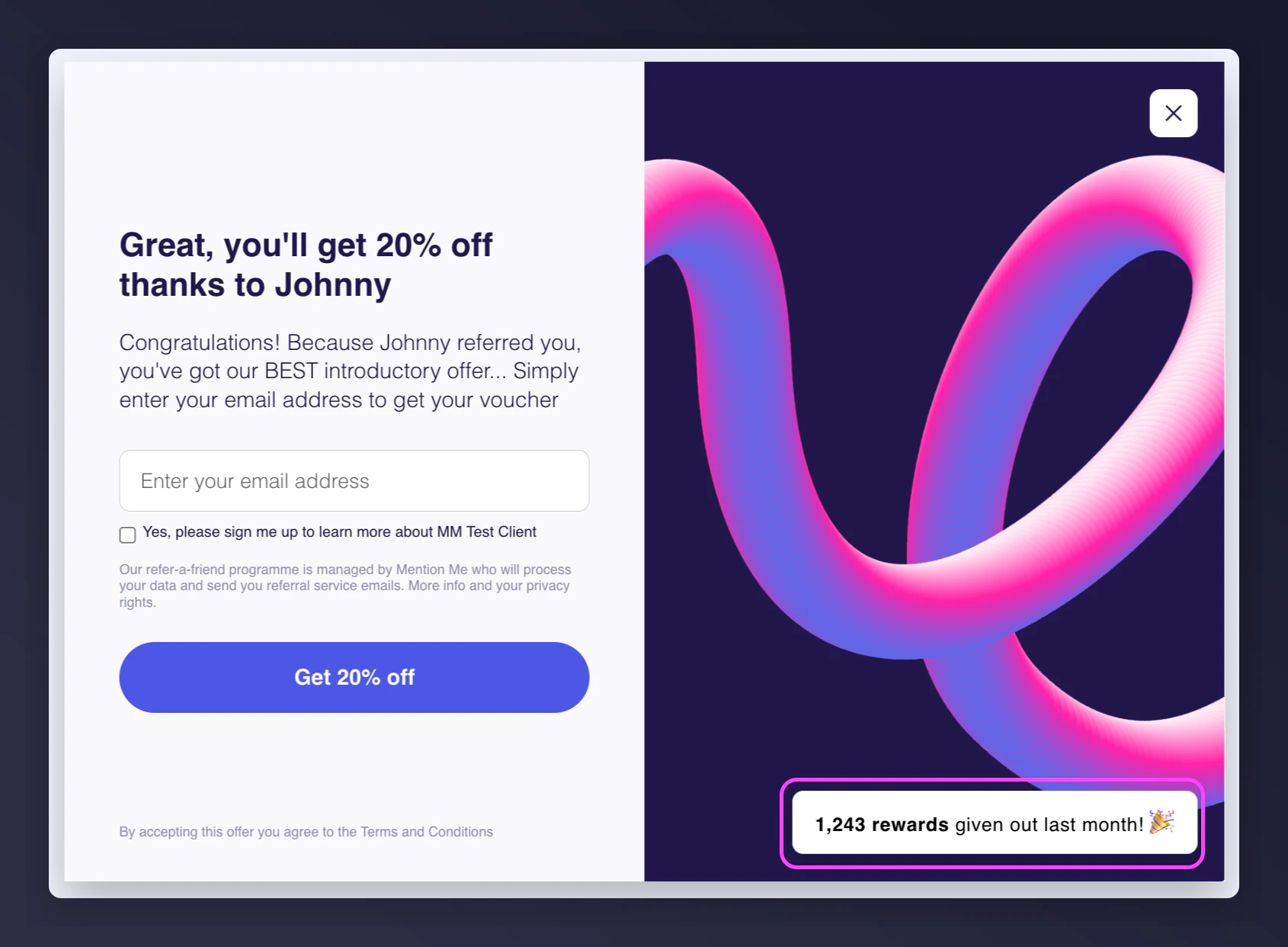
Social proof is a powerful way to increase trust and drive higher conversion rates in your referral programme, particularly for referees. By displaying how many referral rewards were given out last month, you build instant credibility and encourage referees to complete their purchase.

What Is Social Proof for Referees?

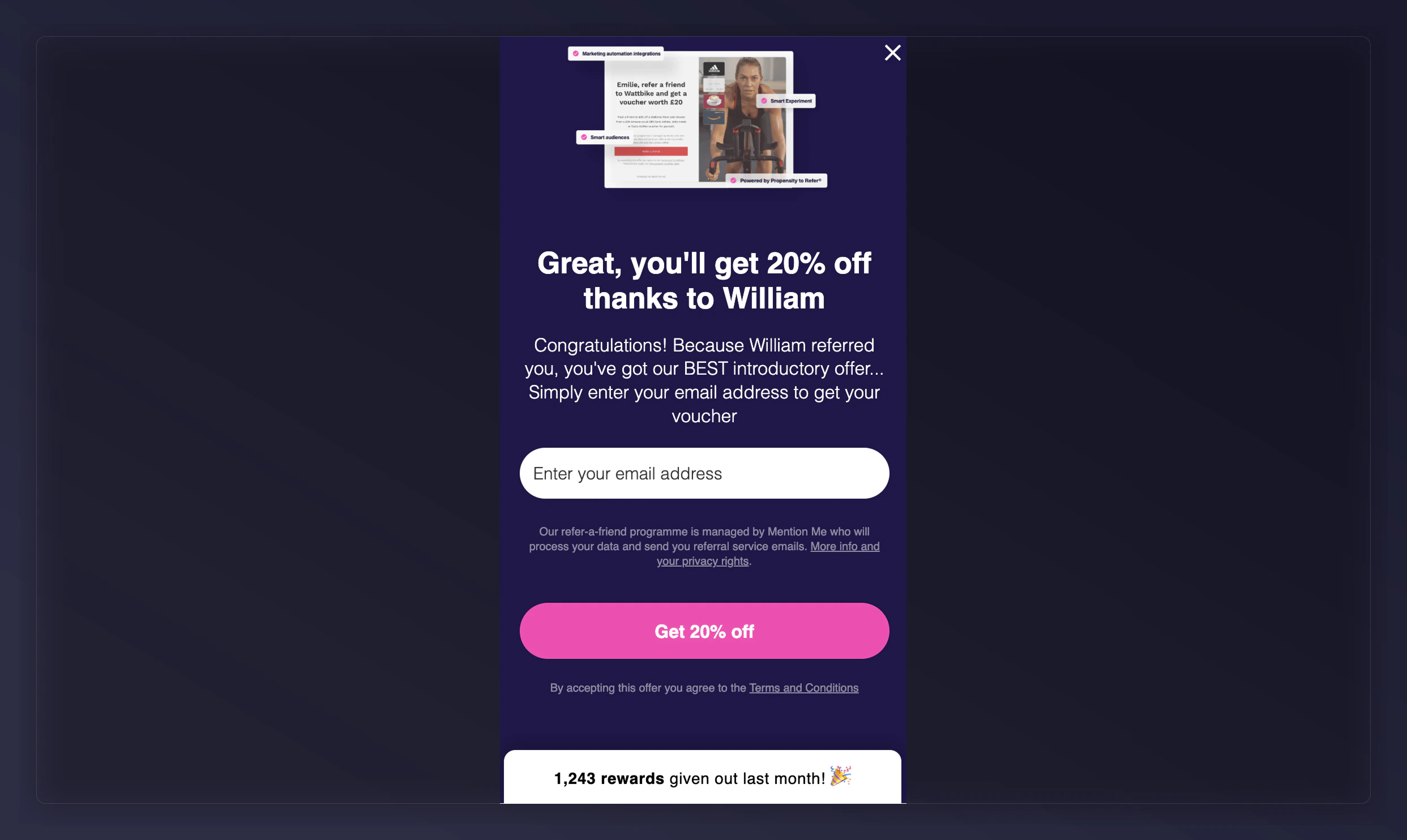
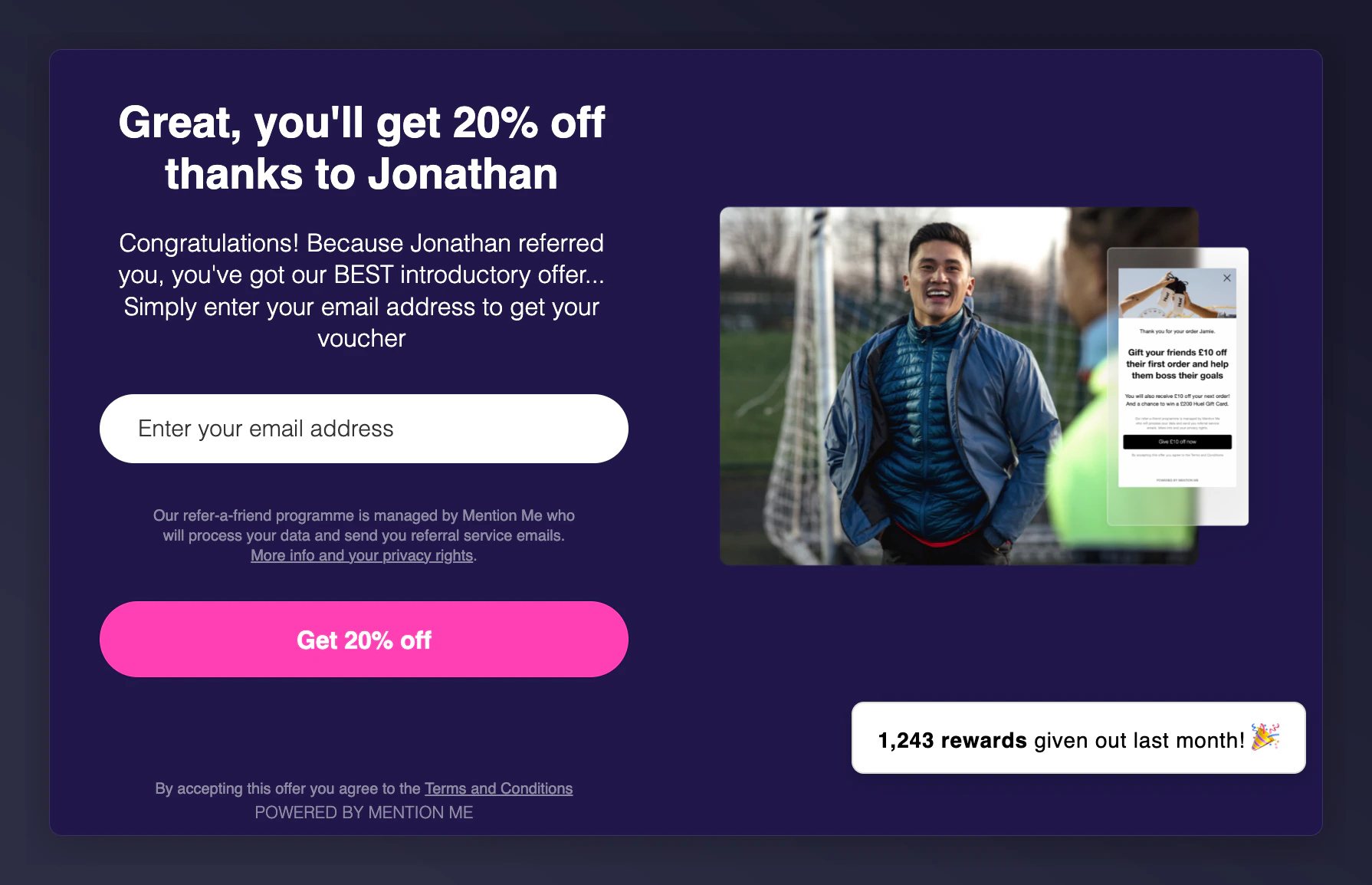
Social proof displays the number of rewards issued in the previous calendar month (e.g. “2,417 rewards given out last month”). It appears on these referee-facing pages:
  • Referee registration (mobile & desktop)
  • Referral fulfilment pages
  • Fulfilment exceptions (e.g. reward already fulfilled)
  • Name search variations: no match, duplicate, final no match
Social proof on referee registration showing rewards count on mobile Social proof on referee registration showing rewards count on desktop

Performance

A/B tests show that social proof can increase referee conversion rates by 10-20%. It doesn’t impact the referrer experience.

How to Set Up Social Proof

1

Request setup via form

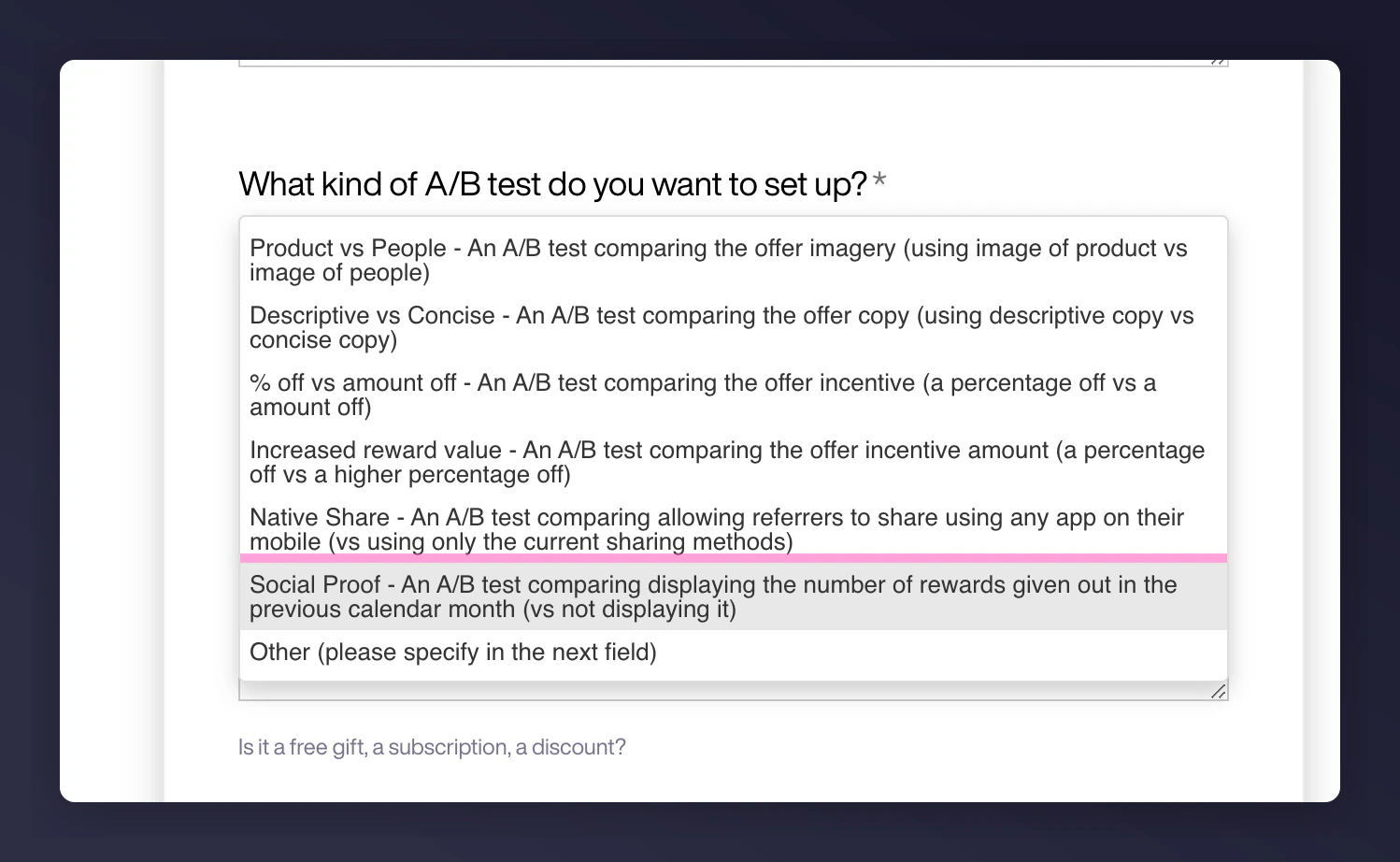
Submit your request via this form. Select “Social Proof” under the A/B test type dropdown. To set a custom threshold (default = 100 rewards/month), specify it in the request description.A/B test type dropdown with Social Proof option highlighted
2

Preview and manage in dashboard

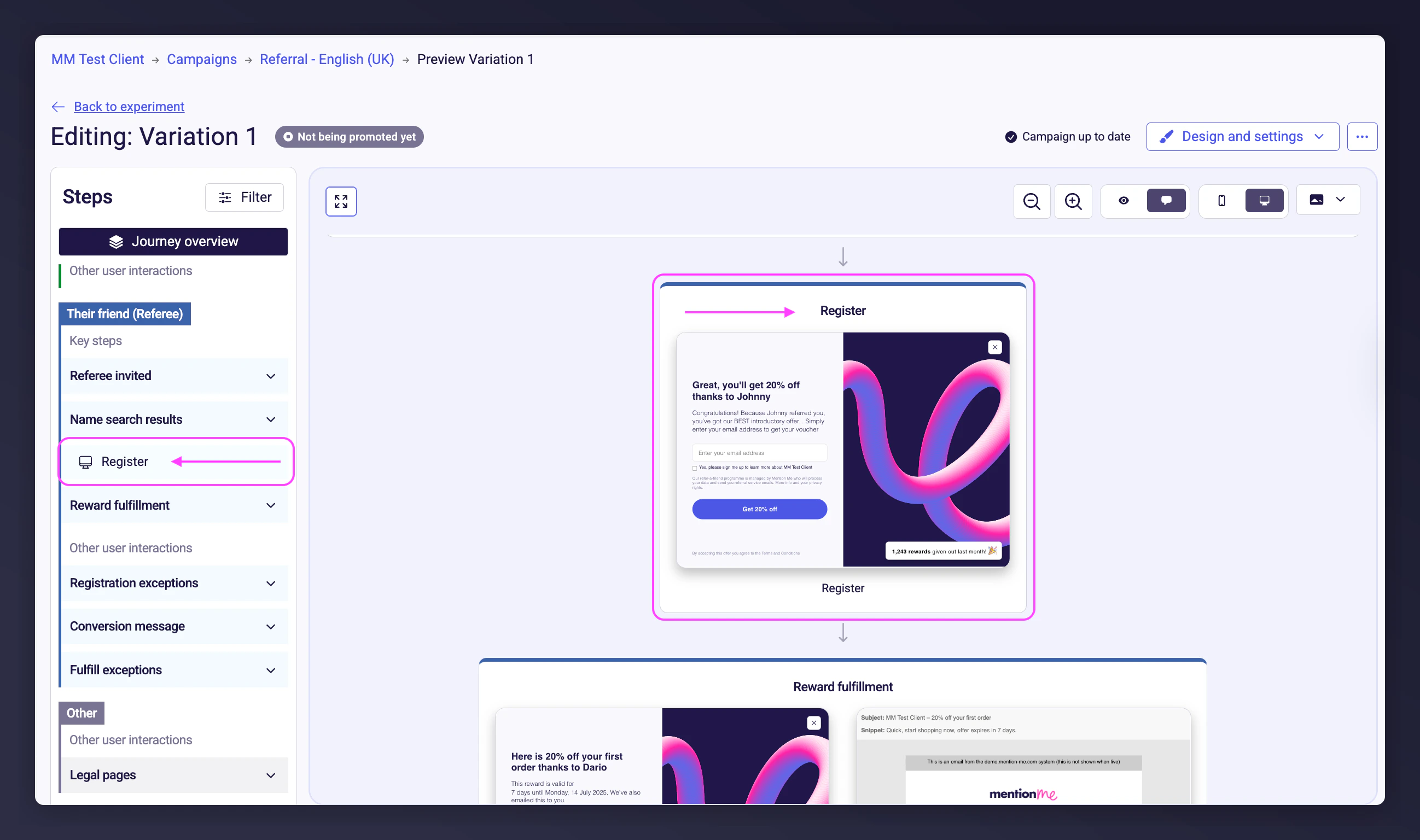
Open an affected referee page from your campaign’s journey to preview social proof. Social proof displays only after your campaign meets the reward threshold.Campaign preview showing social proof on referee registration pageSocial proof displayed on referee page in the dashboard preview

Best Practice

Run social proof as an A/B test before rolling out to measure uplift and effectiveness at scale.

Customisation Options

Copy

  • The default copy (e.g. “2,417 rewards given out last month”) performs well
  • To customise, use the form above and A/B test your copy changes

Styling

  • Defaults to white background and primary brand font/colour
  • To change background or text colour, contact the Operations team

Positioning

  • Default positions are optimised for best performance
  • Custom positioning is possible — please A/B test before finalising

Supported Languages

Social proof messages support: French, Polish, German, Dutch, Italian, Swedish, Norwegian, Japanese, Korean, Chinese, Arabic, Portuguese, and Spanish. For design or styling requests, contact the Operations team.

FAQs

Why don’t I see social proof in my journey?

This typically means your monthly reward threshold hasn’t been reached. Contact Mention Me to confirm or adjust it.

What’s the count based on?

It’s based on incented friends (rewarded referrals) from the last calendar month, segmented by region/locale.

Why is the number split by locale?

It ensures the customer sees a region-specific reward total for accuracy and relevance. Need more help? Contact your Client Success Manager or the Mention Me Operations Team.
Last modified on March 31, 2026