Documentation Index
Fetch the complete documentation index at: https://docs.mention-me.com/llms.txt
Use this file to discover all available pages before exploring further.
How to Add Your Custom CSS
Brand CSS
Brand CSS styles the frontend of Mention Me journeys, ensuring the design aligns with your brand’s visual identity. It applies across multiple touchpoints, including the Referrer Journey, Referee Journey, Dashboards, and more. With Brand CSS, you can:- Customise styles across all brand themes
- Use media queries for responsive design
- Implement specific requirements, such as right-to-left text alignment for certain locales
Onsite Content CSS
On-site content refers to content directly integrated into a website or platform, often used for customisation and enhancing user experience. This can include elements like text, images, CSS styles, and scripts embedded within the site.Where to Add CSS
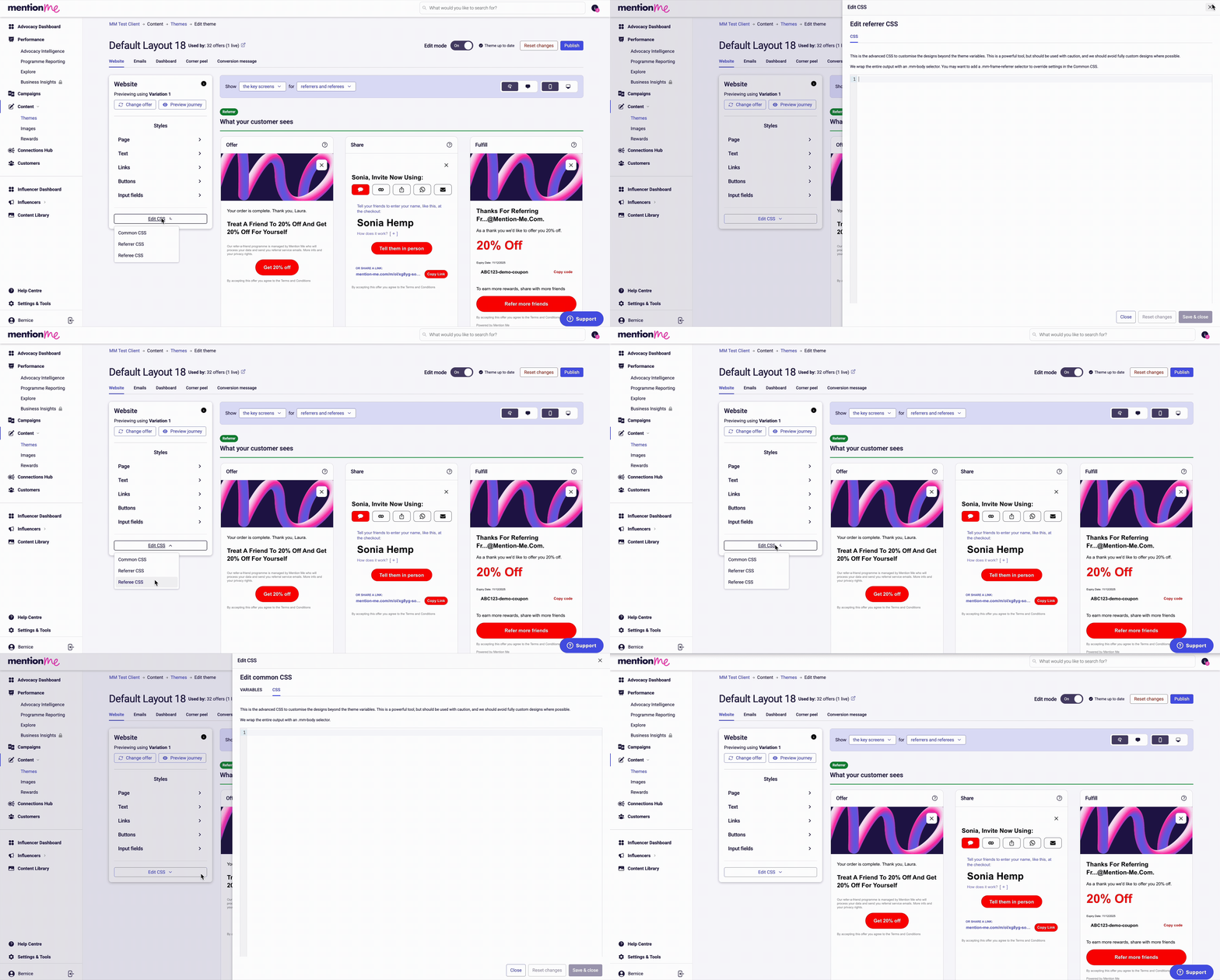
Different parts of the platform require CSS to be added in specific locations:| Component | CSS Location | Requires Europium? |
|---|---|---|
| Referrer Journey | Theme > Edit CSS > Referrer CSS | Yes (except fulfil page) |
| Referrer Fulfil Page | Theme > Edit CSS > Referrer CSS | No |
| Referee Journey | Theme > Edit CSS > Referee CSS | No |
| Dashboard | Theme > Edit CSS > Dashboard CSS | No |
| Corner Peel | Theme > Edit CSS > Corner Peel CSS | No |
| Brand CSS | Content > Brand CSS | No |
| Onsite Content | Settings & Tools > Onsite Content | No |
Targeting Elements in CSS
All elements are wrapped in a class called.mm-body. When targeting elements, remove .mm-body from your selectors and start with the next class in the hierarchy.
- Correct:
.mm-section .mm-button { ... } - Incorrect:
.mm-body .mm-section .mm-button { ... }
Labelling Custom CSS
Always add comments to label any additional CSS you’ve added:Referrer Journey Styling with Europium
What is Europium?
Europium is a behind-the-scenes tool built by Mention Me that helps you customise how your referrer journey looks while keeping the structure and layout consistent. It allows you to make visual changes without affecting the rest of your referral program or causing layout issues. Europium is only required for the referrer journey, and does not apply to the referrer fulfil page.How Europium Works
Styling changes using Europium must be wrapped in a block:Best Practices
- Always label your CSS with comments explaining what each section does
- Remove
.mm-bodyfrom your CSS selectors when targeting elements - Use browser developer tools to inspect elements and test styles before adding to the platform
What Not to Do
- Don’t use Europium outside of the referrer journey (it won’t work)
- Don’t include Europium for the referrer fulfil page
- Don’t add new HTML or JavaScript — this is for CSS styling only
- Don’t include
.mm-bodyin your CSS selectors when targeting elements - Don’t add CSS without proper comments and labels
- Don’t put CSS in the wrong section — each component has its designated place