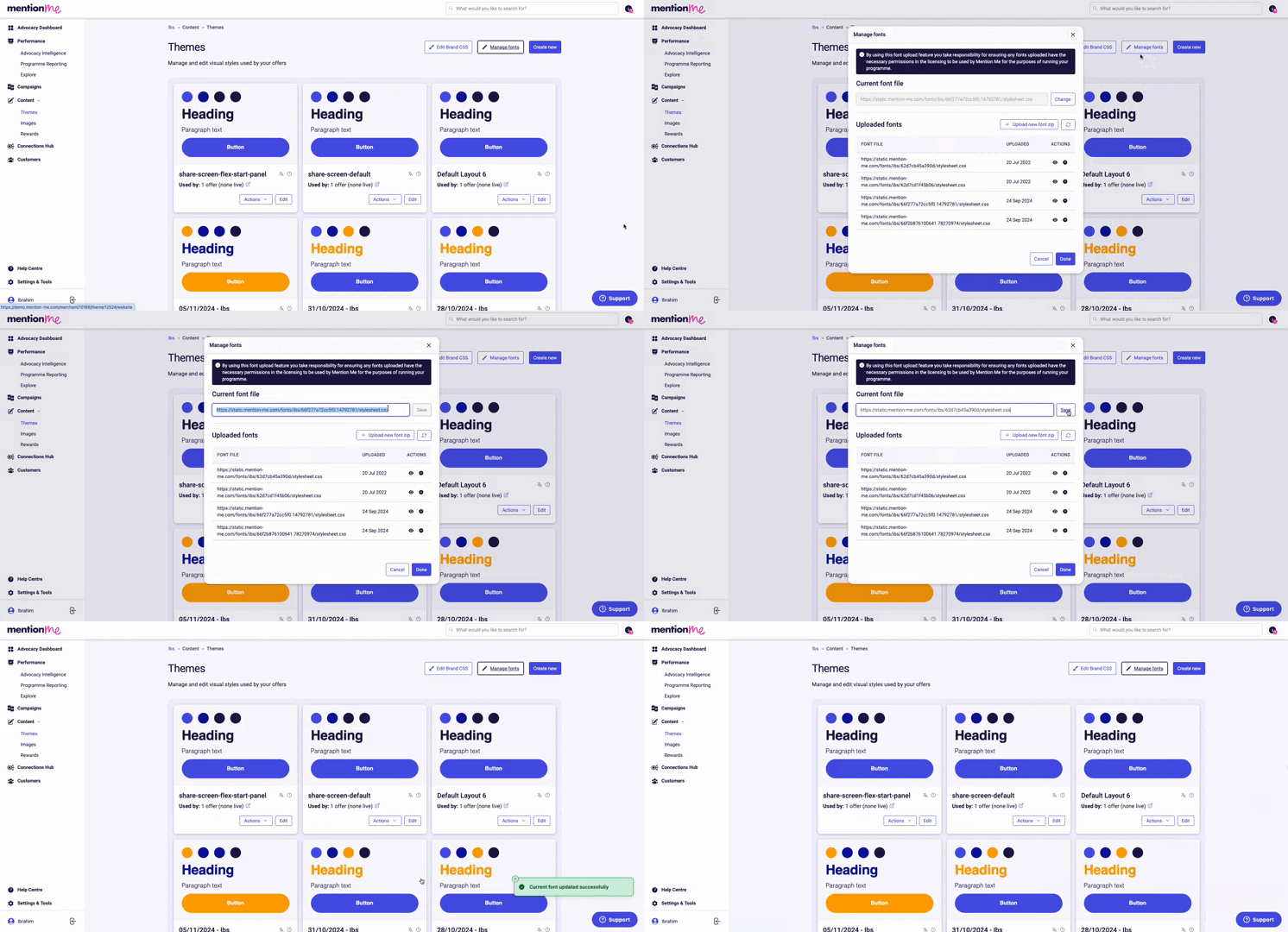
Use custom fonts across your referral journey via font URLs or ZIP file uploads.
You can use custom fonts across your referral journey on the website screens, but not on emails. This can be done via font URLs or by uploading a ZIP file.
Name the font file(s) accordingly. This is how they will appear in the theme editor. Ensure the custom font is in a supported format (.ttf file) and zip the file before uploading.
fontname-fontweight.ttf
1
Navigate to Font Settings
Go to Content > Themes in the left-hand side navigation and select the Manage fonts button.
2
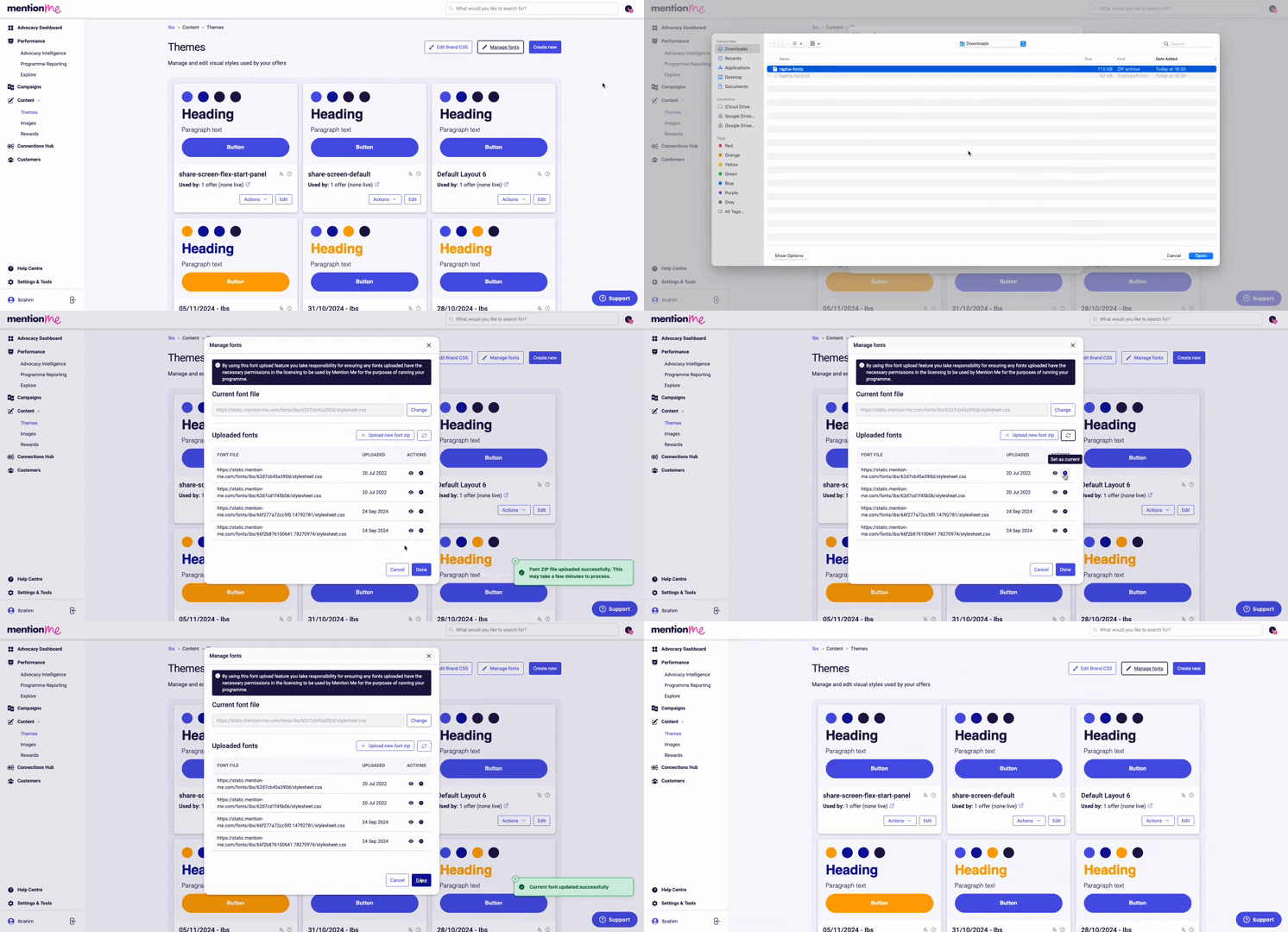
Upload the ZIP File
Select the Upload new font zip button and select your zip file (may take a few minutes).
3
Set as Current
Click the arrow button and confirm by clicking the Set as current button.
The Share by email and the Forwarded email don’t have any styling including fonts because they are plain text. When the customer shares these emails, the customer’s email client controls the styling.
In styled emails (the other referrer and referee emails), we don’t add custom fonts as we can’t guarantee they will be received as designed.Adding a font to an email is fundamentally different to adding a font to the normal referral flow. With emails, the email will search the environment it lands in for that font (the individual customer’s inbox). If the customer doesn’t have that font installed on their system, the email will display a default font and may cause other design breakages.We use web safe fonts to guarantee emails will be received as intended.