By uploading your customers’ historical order data, you can access advanced features such as Extended Customer Revenue (ECR) and Predicted ECR sooner, as the algorithms will have enough data to start segmenting and predicting.Documentation Index
Fetch the complete documentation index at: https://docs.mention-me.com/llms.txt
Use this file to discover all available pages before exploring further.
Standard upload
To upload order data to Mention Me:- Create a CSV file
- Populate it with data from the past three years using the fields below
- Important: Ensure the merchant order IDs match exactly the IDs passed via other integrations
| Field | Type | Example |
|---|---|---|
| Customer Email | Email (can be hashed) | name@xyz.com |
| Merchant Order ID | Text | Test001 |
| Total | Numeric | 123.00 |
| Currency | ISO 4217 | GBP |
| Order Date String | ISO 8601 | 2023-01-19T12:41:43+00:00 |
- Upload the CSV via Secure Document Transfer
- Name the file:
Brand name - Historical Order - The Mention Me team will perform the upload and contact you when complete
Hashed emails
If you prefer to send historical order data with hashed emails, see Hash Historical Customer Emails.Shopify export
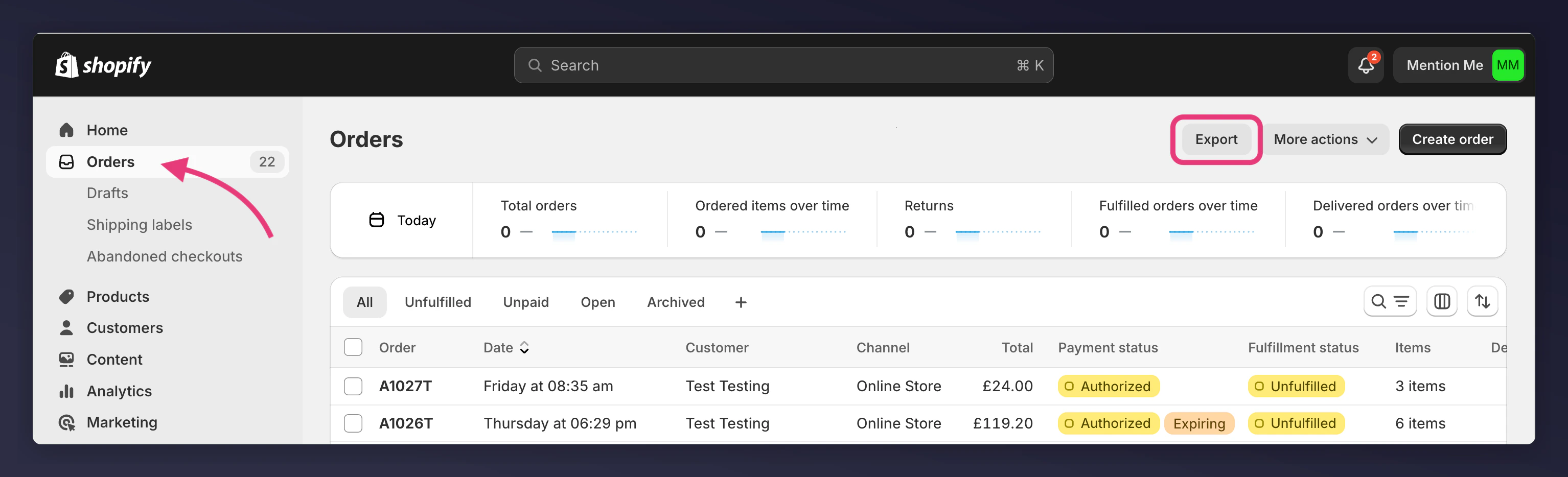
If you use Shopify, follow these steps to export order data:1. Navigate to Orders and export
Go to Orders in the left menu of your Shopify Store. Click Export above the orders list.
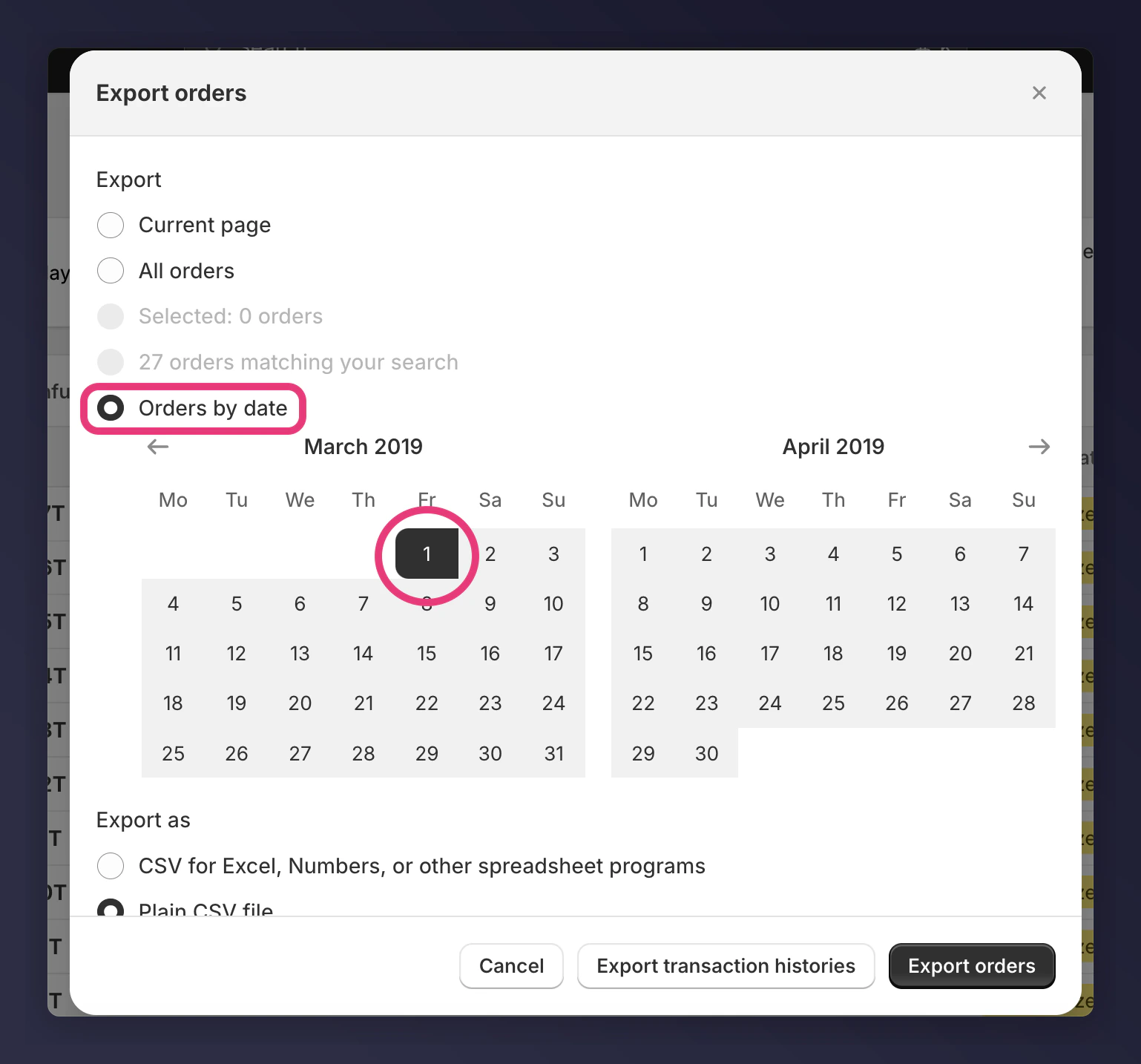
2. Select export options
- Export: Orders by Date
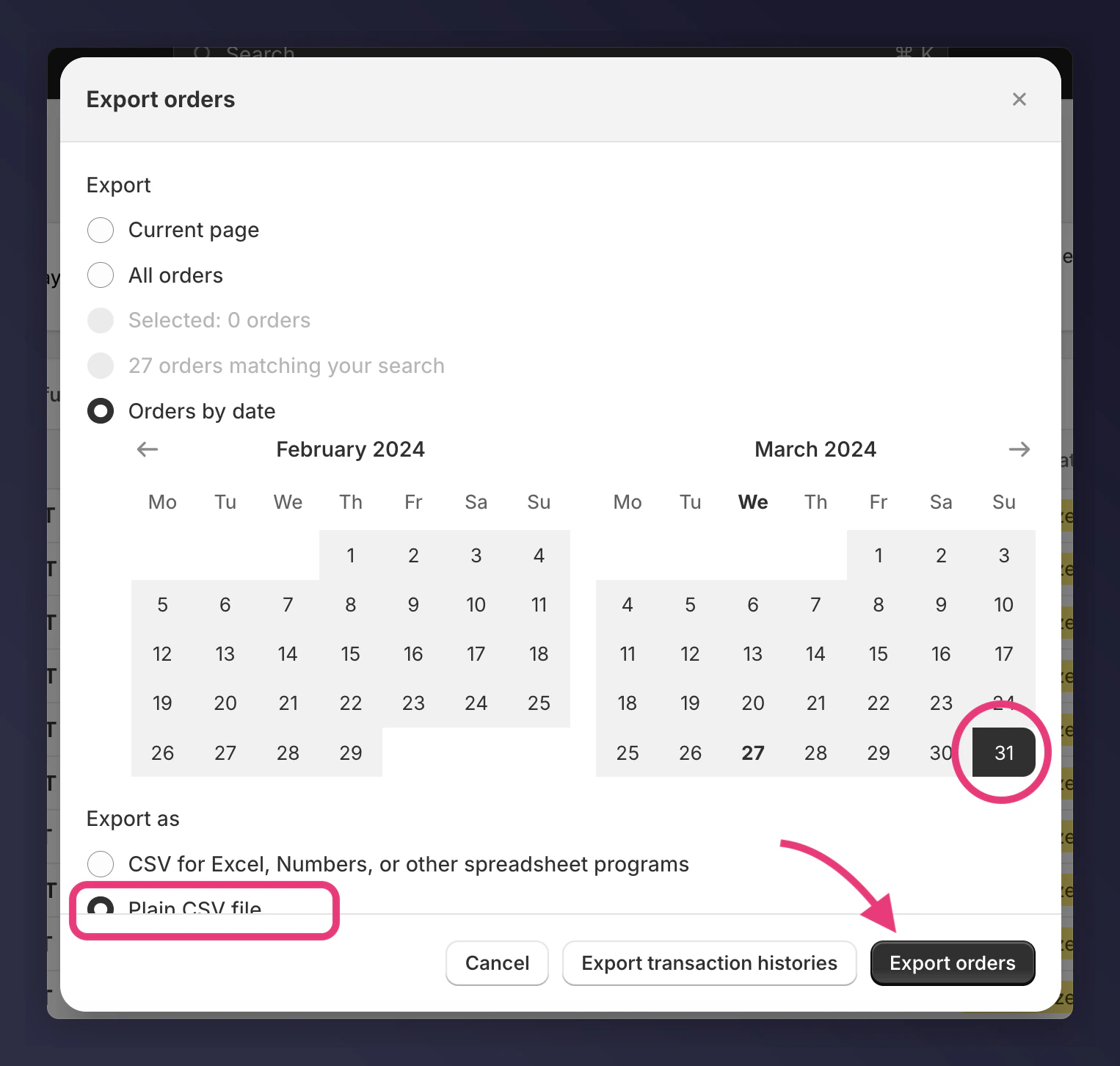
- Date range: Select the start of the month three years ago through to the most recent order date (previous day).
- Export as: Plain CSV File
- Click Export Orders