Documentation Index

Fetch the complete documentation index at: https://docs.mention-me.com/llms.txt

Use this file to discover all available pages before exploring further.

When sharing sensitive information such as personally identifiable information (PII) or protected data, use the Secure Document Transfer feature within the Mention Me platform instead of email or unsecured attachments.

Access Secure Document Transfer

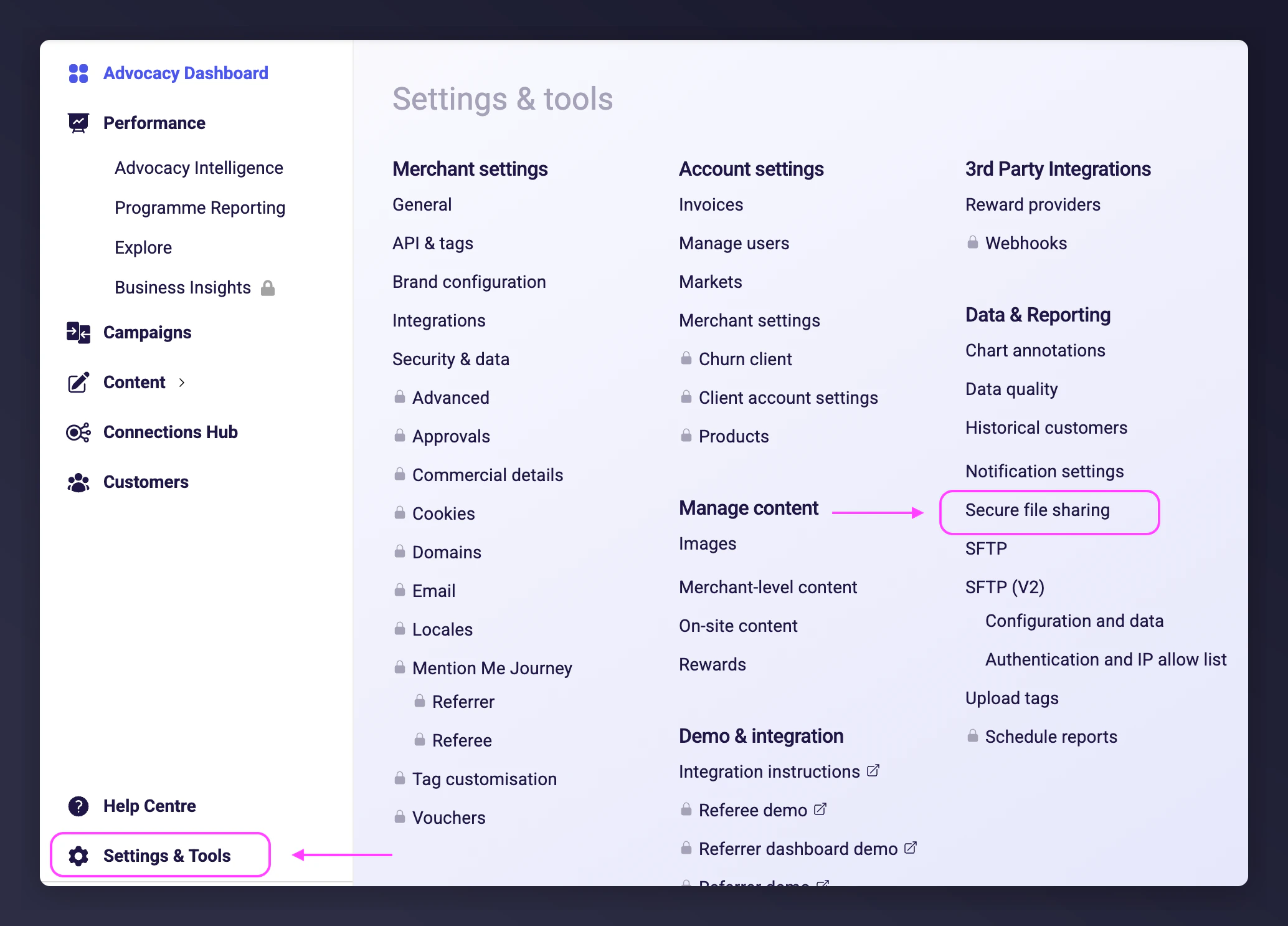
Once logged in, go to Settings & Tools > Data & Reporting > Secure file sharing.
Navigating to Secure File Transfer in Settings and Tools

Upload files

1

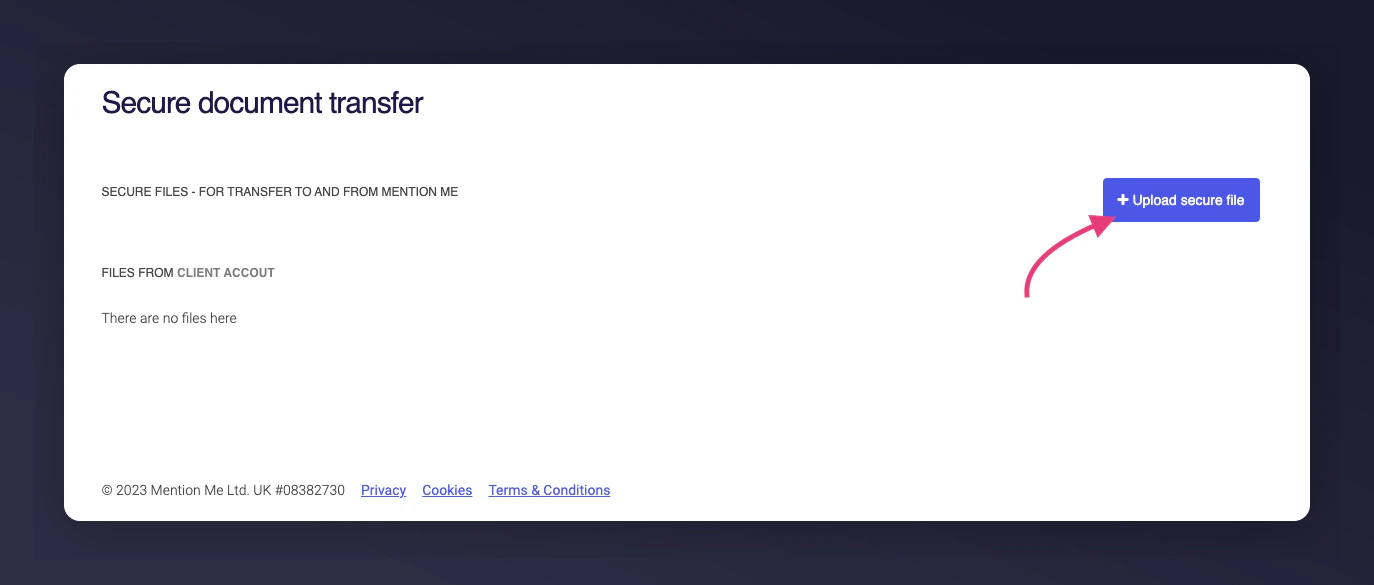
Start a new upload

On the Secure Document Transfer page, click + Upload secure file.Upload secure file button
2

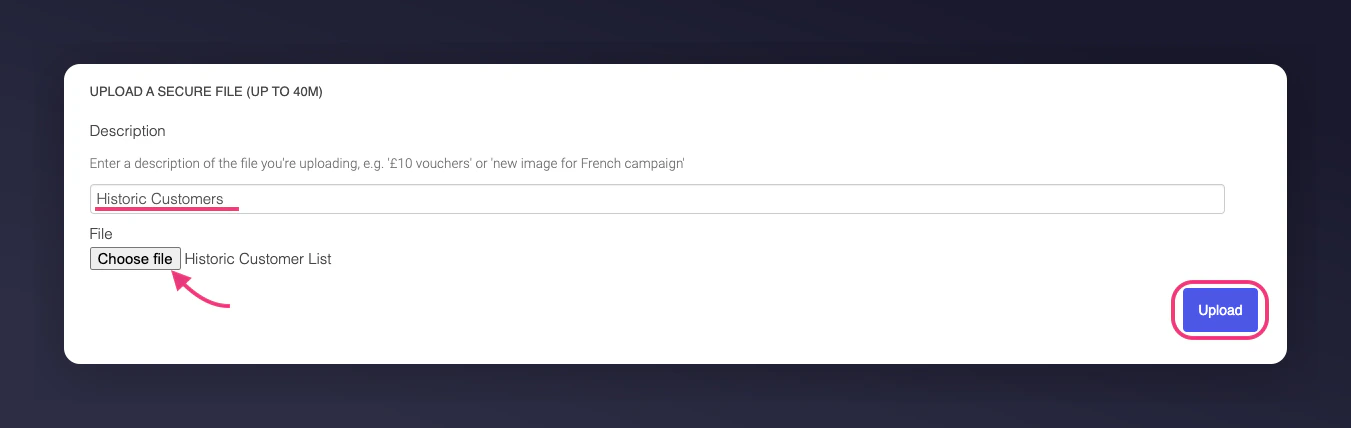
Select and describe the file

Click Choose file to select the file you want to share. Enter a description to help Mention Me identify and process the file.File upload form with description field
3

Upload

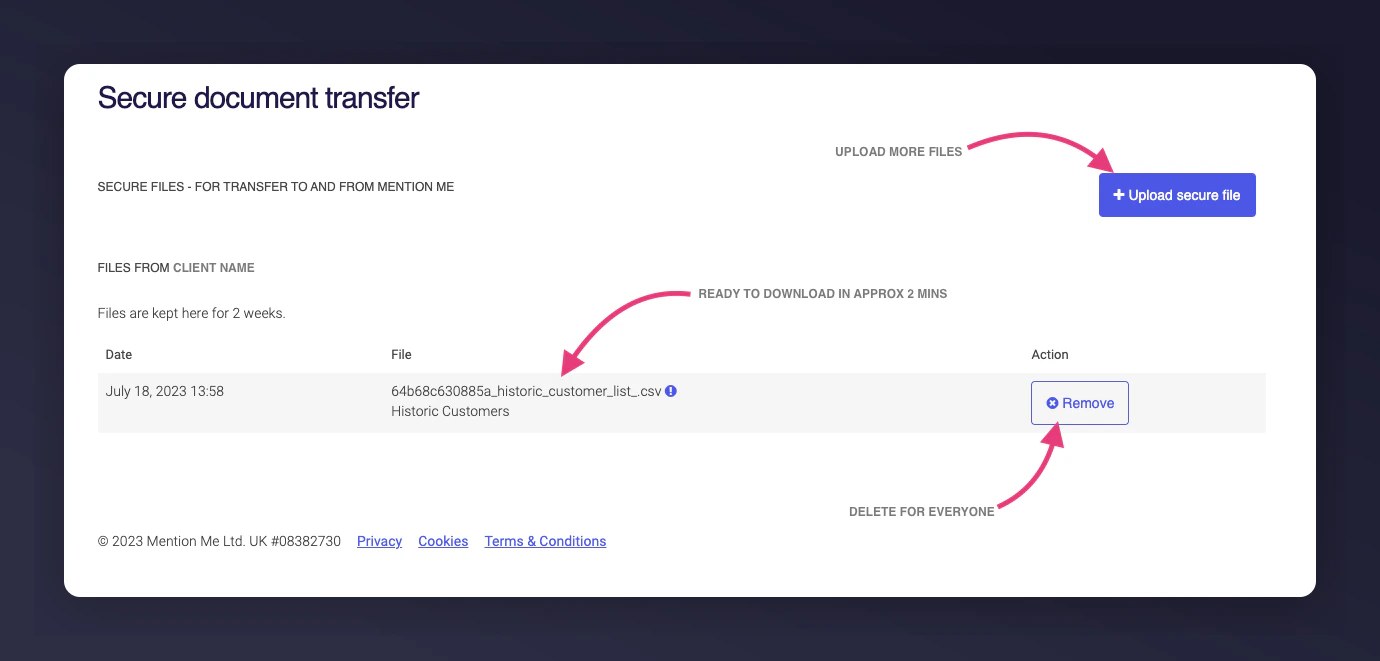
Click Upload. You are redirected back to the Secure Document Transfer page where the file shows as it is processed.File processing status after upload
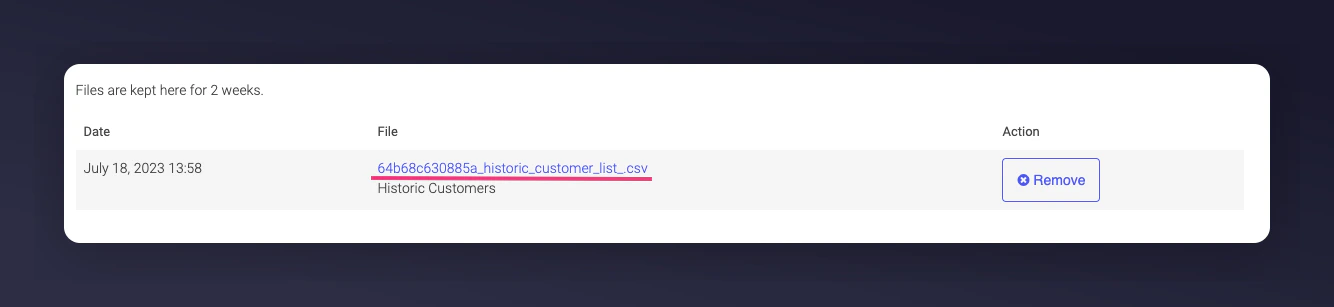
Once processed, the file becomes a downloadable link. You can also download files added by your team or by Mention Me. Processed file available as downloadable link

File retention

Files added to this area are only available for 2 weeks before being automatically removed.
Last modified on March 31, 2026