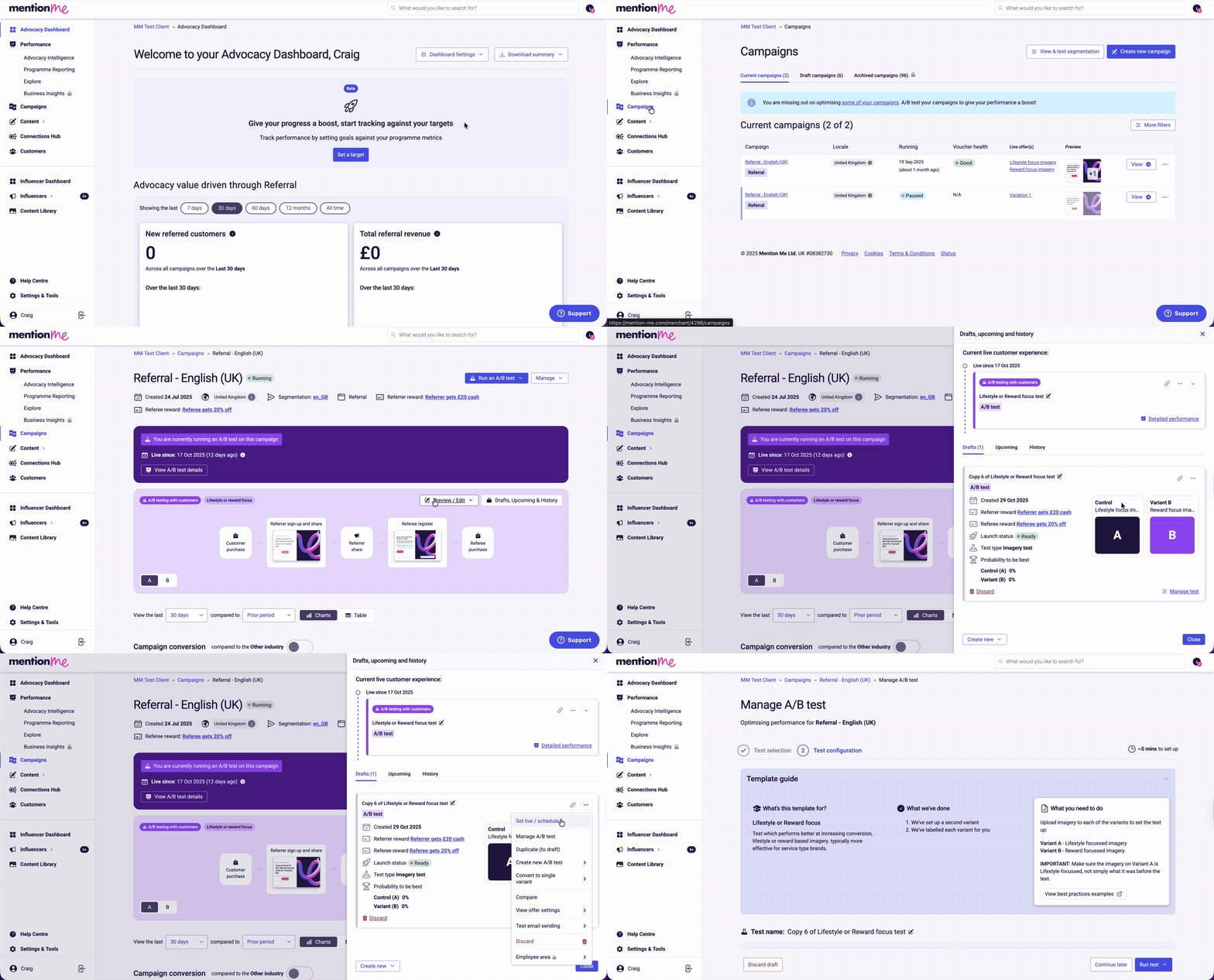
Click Campaigns in the platform menu. Select the campaign you want to go live, then click Drafts, Upcoming & History.
2
Select Set live / schedule
Click Experiment actions (three dots) and choose Set live / schedule.
Navigating to experiment actions and selecting Set live or schedule.
3
Check the test parameters
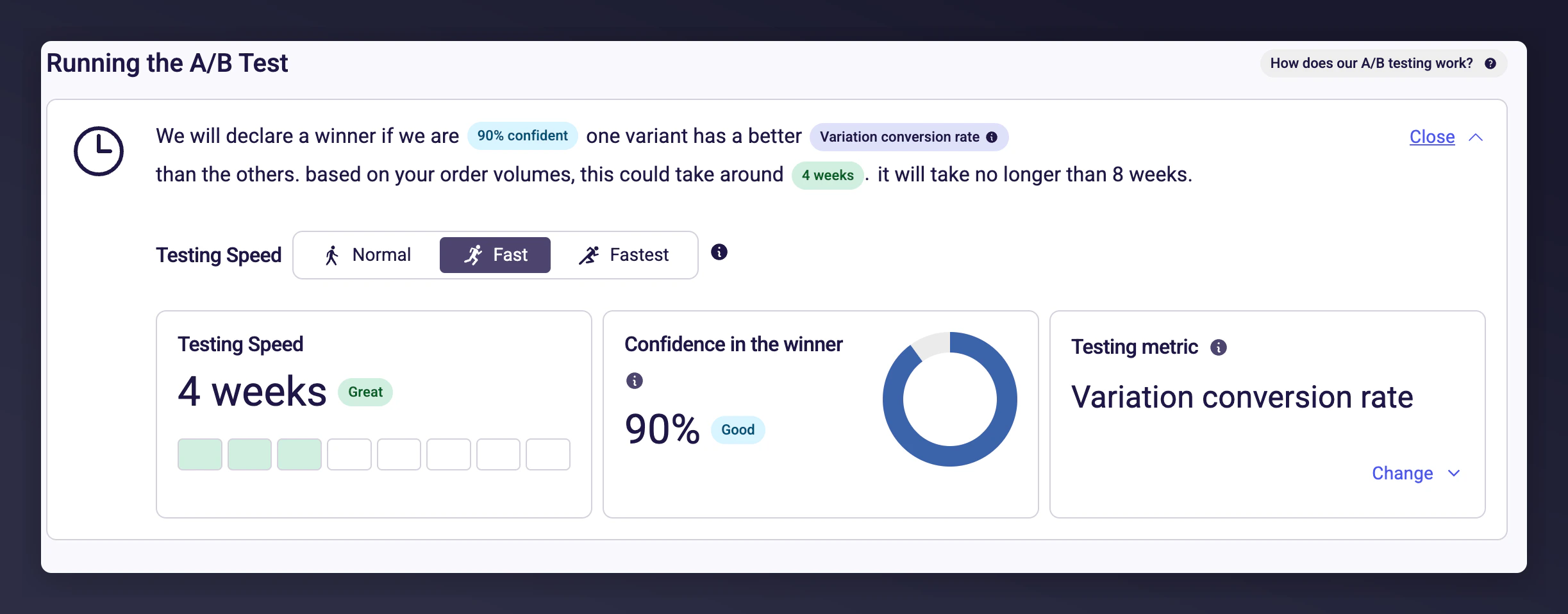
Configure how your A/B test will run. Smart defaults are applied:
Confidence Level: Automatically selected based on your campaign traffic (e.g. 90%)
Success Metric: Defaults to variation conversion rate
Estimated Duration: Depends on traffic and goals (e.g. 4 weeks)
A/B test parameters showing confidence level, success metric, and estimated duration.
Click Adjust Speed and Metrics for more control:
Change confidence level (speed vs. reliability)
Select a custom testing metric
Adjust speed and metrics options for A/B test configuration.
4
Check test outcomes
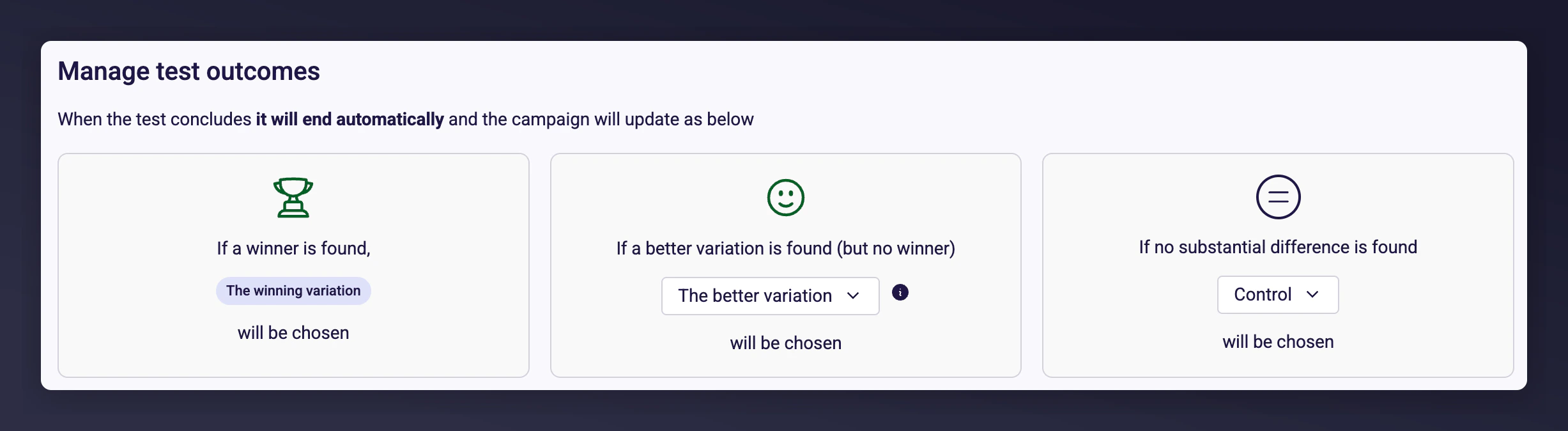
Control what happens when the test ends. By default:
The test auto-concludes after 8 weeks, finding a statistically significant winner, or determining no meaningful difference
All traffic is directed to the best-performing variant
After the test ends, you can manually switch which variant receives 100% of traffic.
Test outcome settings showing auto-conclude behaviour.
5
Run or schedule the test
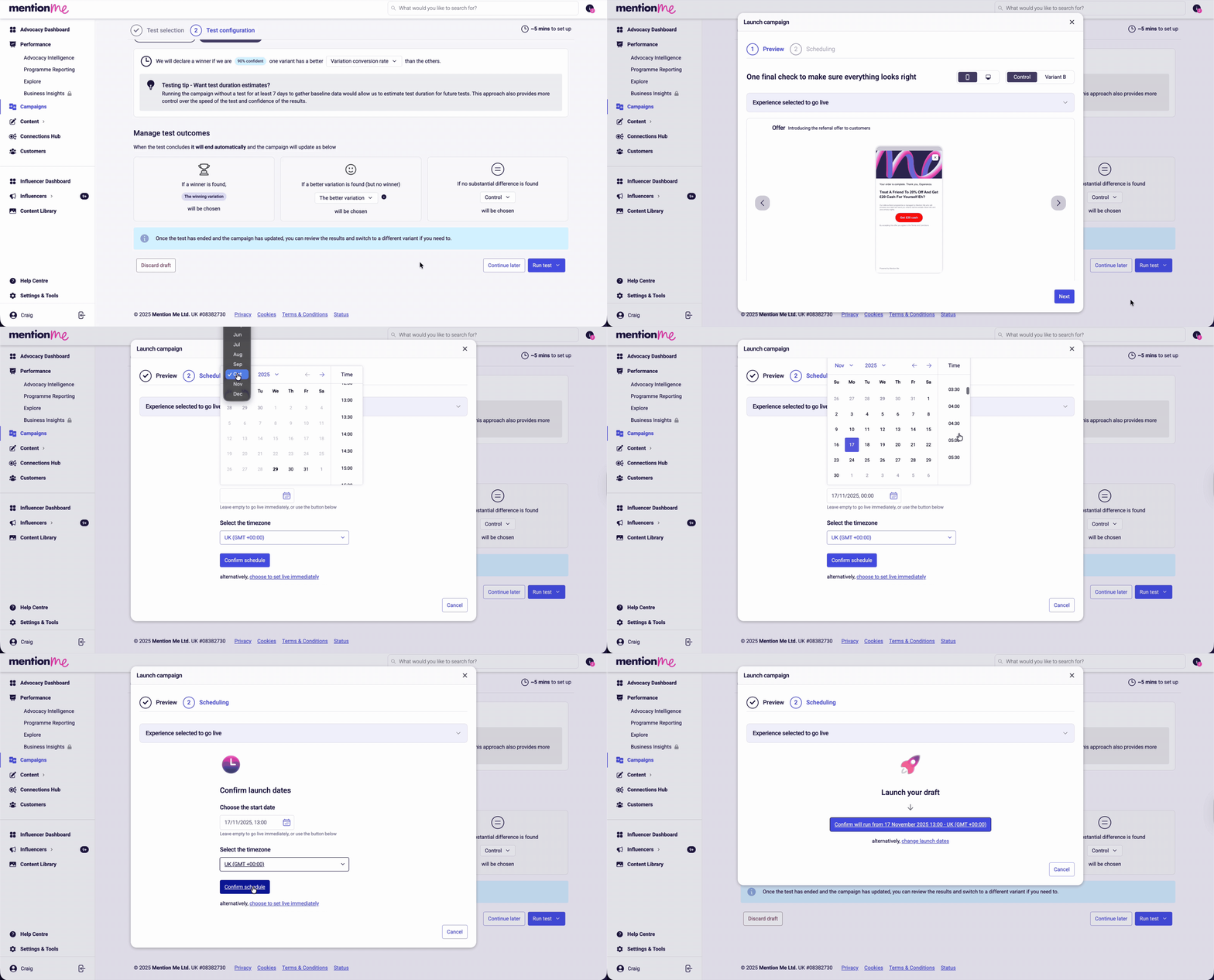
Click Run test. Choose to set the draft live immediately or select Schedule for later. If scheduling, preview the full flow before continuing.Press Next, choose your start date, start time, and timezone, then press Confirm schedule.
Scheduling a draft offer with date, time, and timezone selection.
Last modified on July 10, 2026
Was this page helpful?
Assistant
Responses are generated using AI and may contain mistakes.