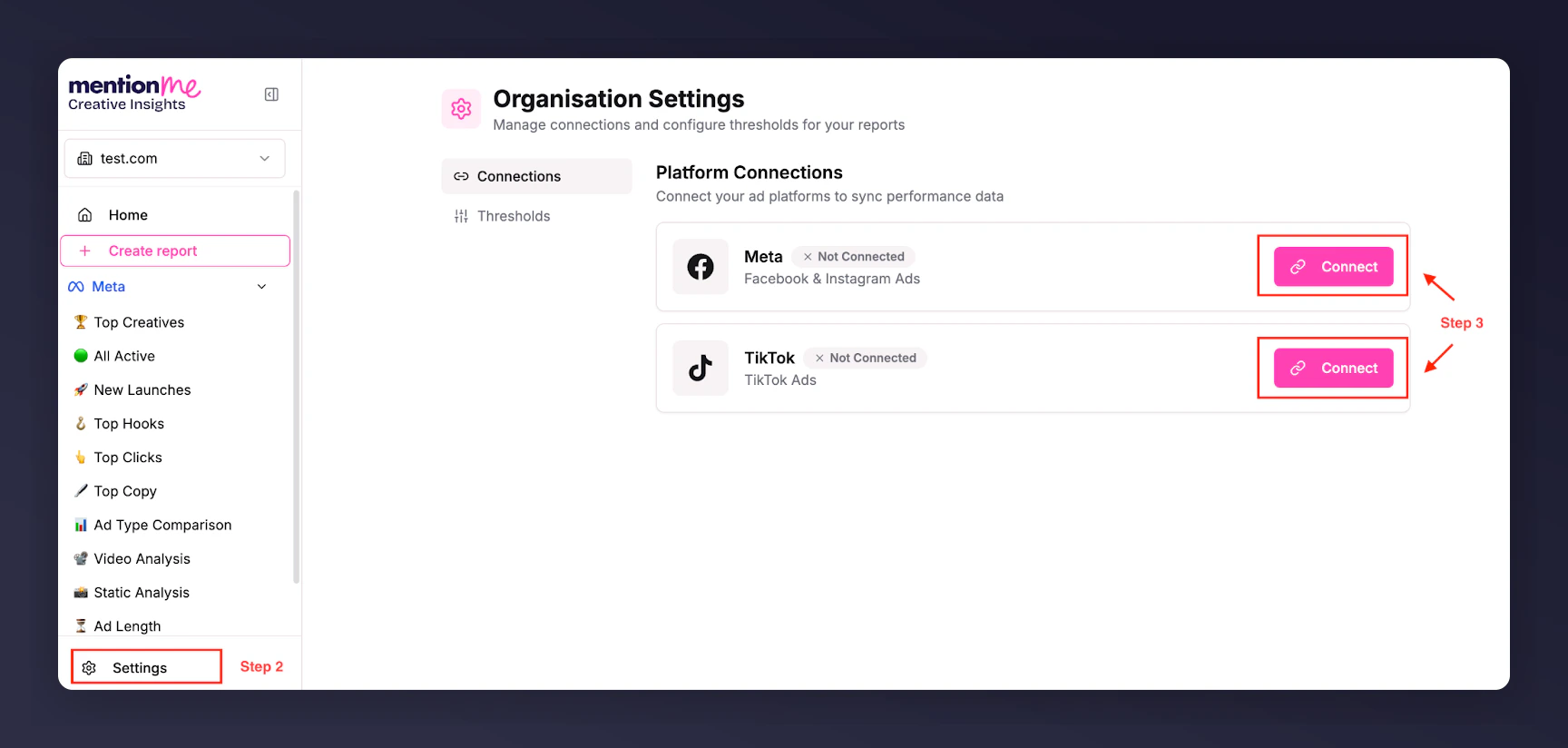
Click Settings in the lower left of the side panel, then click Connect next to the platform you wish to connect.
The Settings panel with Connect buttons for each platform.
3
Authorise access
Login to the platform you are connecting. Meta or TikTok will ask you to authorise Creative Insights for access to your Business Accounts and request the permissions needed to connect and sync your data.
4
Select Ad Accounts
Once authorisation is complete, you will be redirected back to Creative Insights and prompted to select the Ad Accounts you want to display. Select the accounts you wish to connect.
Once account connection is complete, you will see a confirmation prompt and data syncing will begin. The data syncing process can take around 48 hours. Once it has completed successfully, you will be contacted so you can log in and start using Creative Insights.
Last modified on July 11, 2026
Was this page helpful?
Assistant
Responses are generated using AI and may contain mistakes.