A consistent naming convention is crucial because the details in your ad names allow you to filter, compare, and analyse variables not available directly on paid ad platforms. A good convention lets you analyse what matters most, such as which products, creative concepts, or influencers perform best.
A Naming Rule Tag works by identifying a specific part of your ad name and extracting that parameter.Example:In the ad name below, “Harry” is the influencer’s name:HK: the problem with_DUR: 13_INF: Harry_SRC: XYZ AgencyBy knowing the position of the influencer’s name in the ad name, or using a code identifier (like INF:), Creative Insights can create an “Influencer” breakdown that groups performance data by all the different influencers in your campaigns.
Once set up, access your Naming Rule Tags from any report:
1
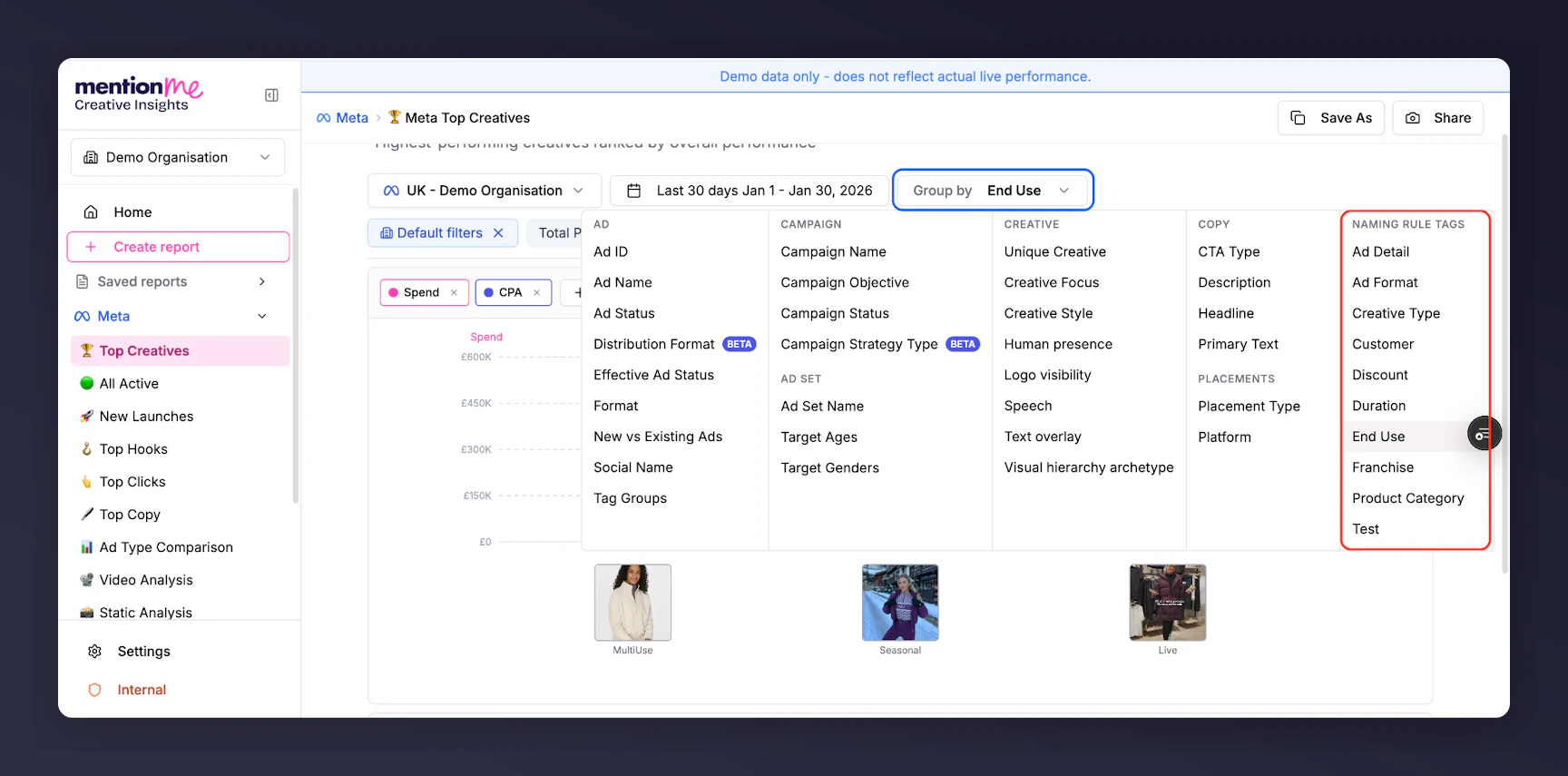
Click Group by
Open the Group by dropdown in your report.
2
Select a Tag
Select the desired Tag from the list.
The Group by dropdown showing available Naming Rule Tags.
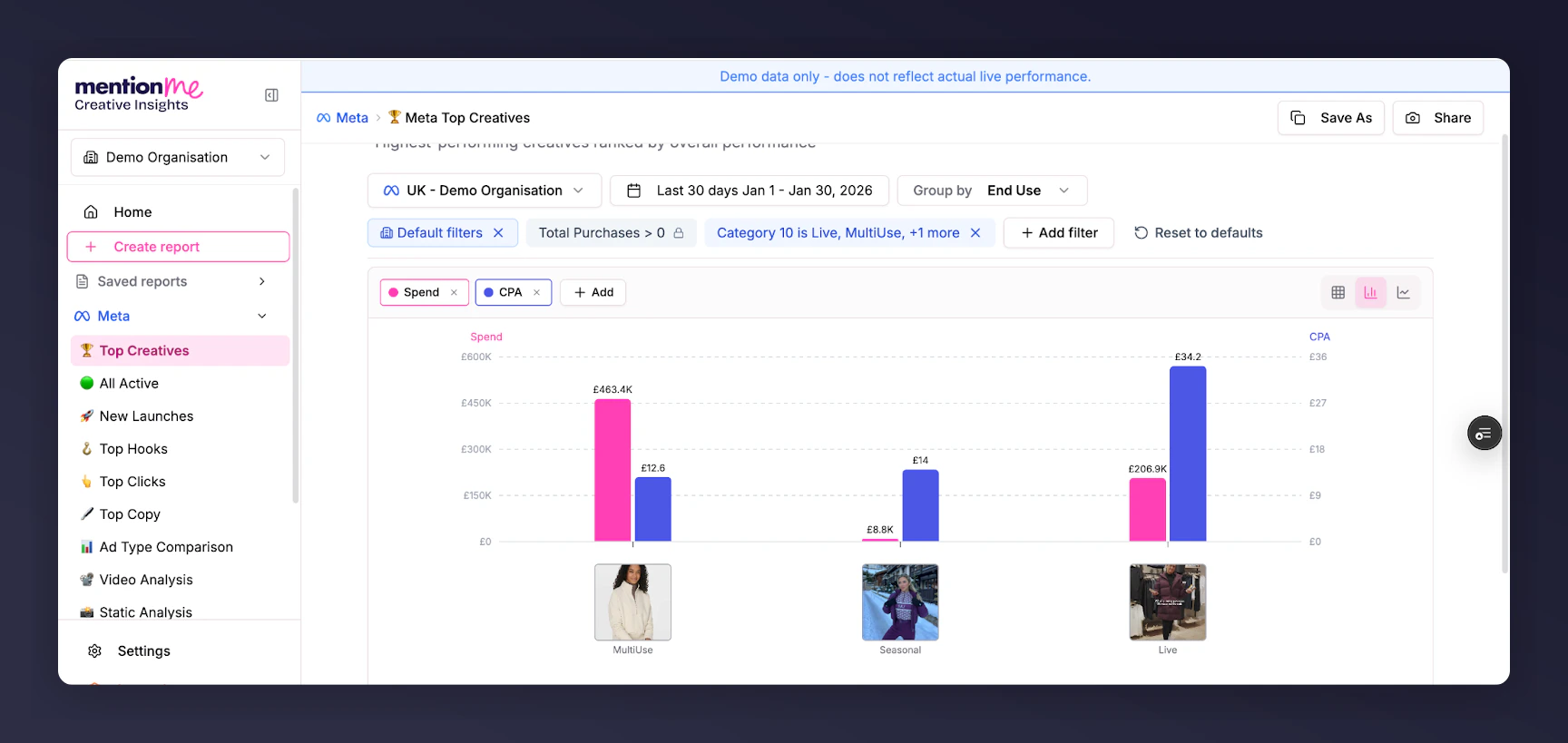
These can then be viewed using any of the visualisations or in the data table. They’re particularly useful in bar chart format for clear visual comparison of segment performance.
A bar chart view showing performance comparison by Naming Rule Tag segments.