Shopify merchants on new customer accounts should add the Mention Me
Referral Dashboard block instead of this tag. See Referral
Dashboard. This page is for the
JavaScript / Liquid tag.
- Demo
- Live
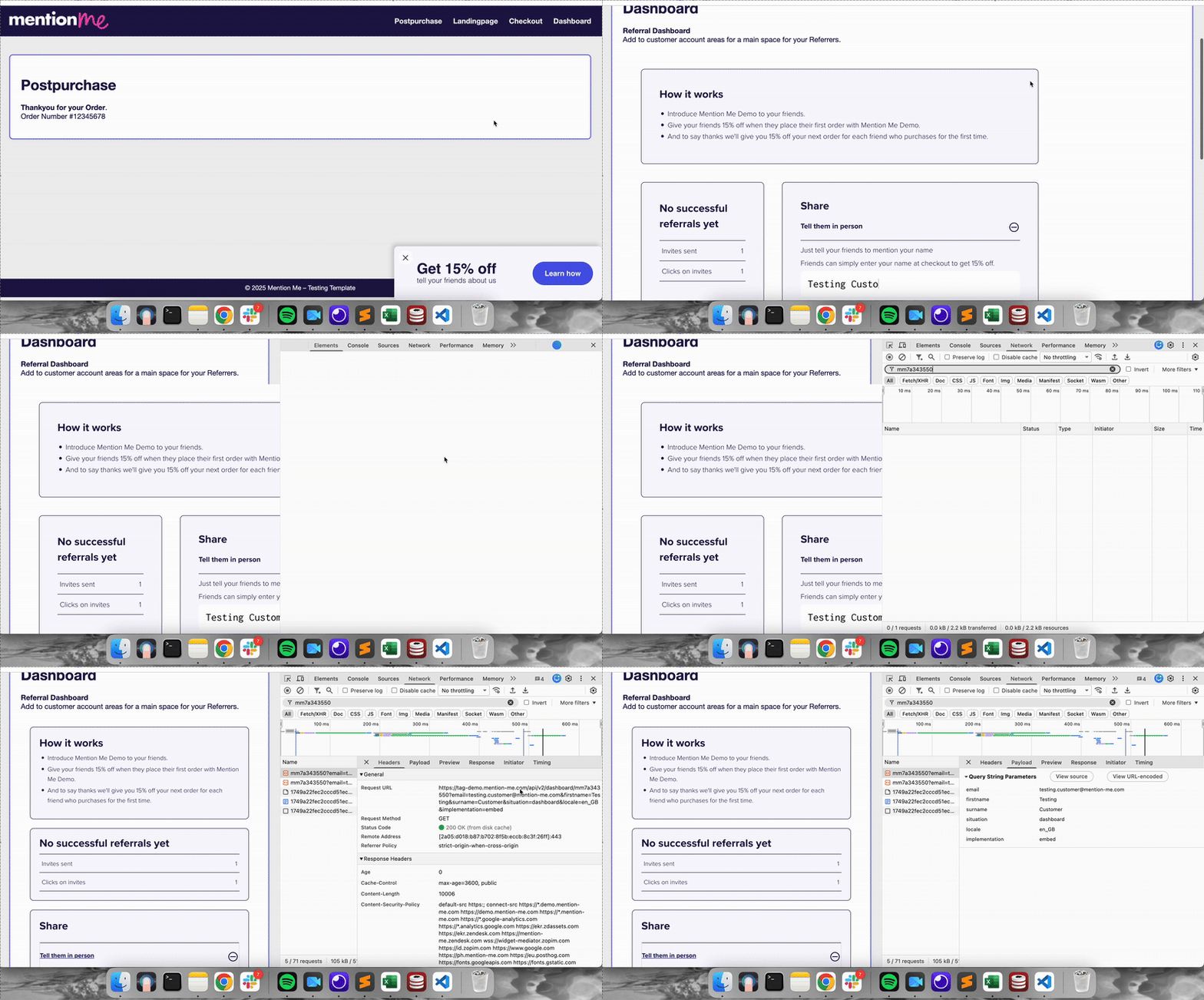
Testing the dashboard tag in the DEMO environment.
Website Test
1
Open a private browser window
Open an incognito or private browser window.
2
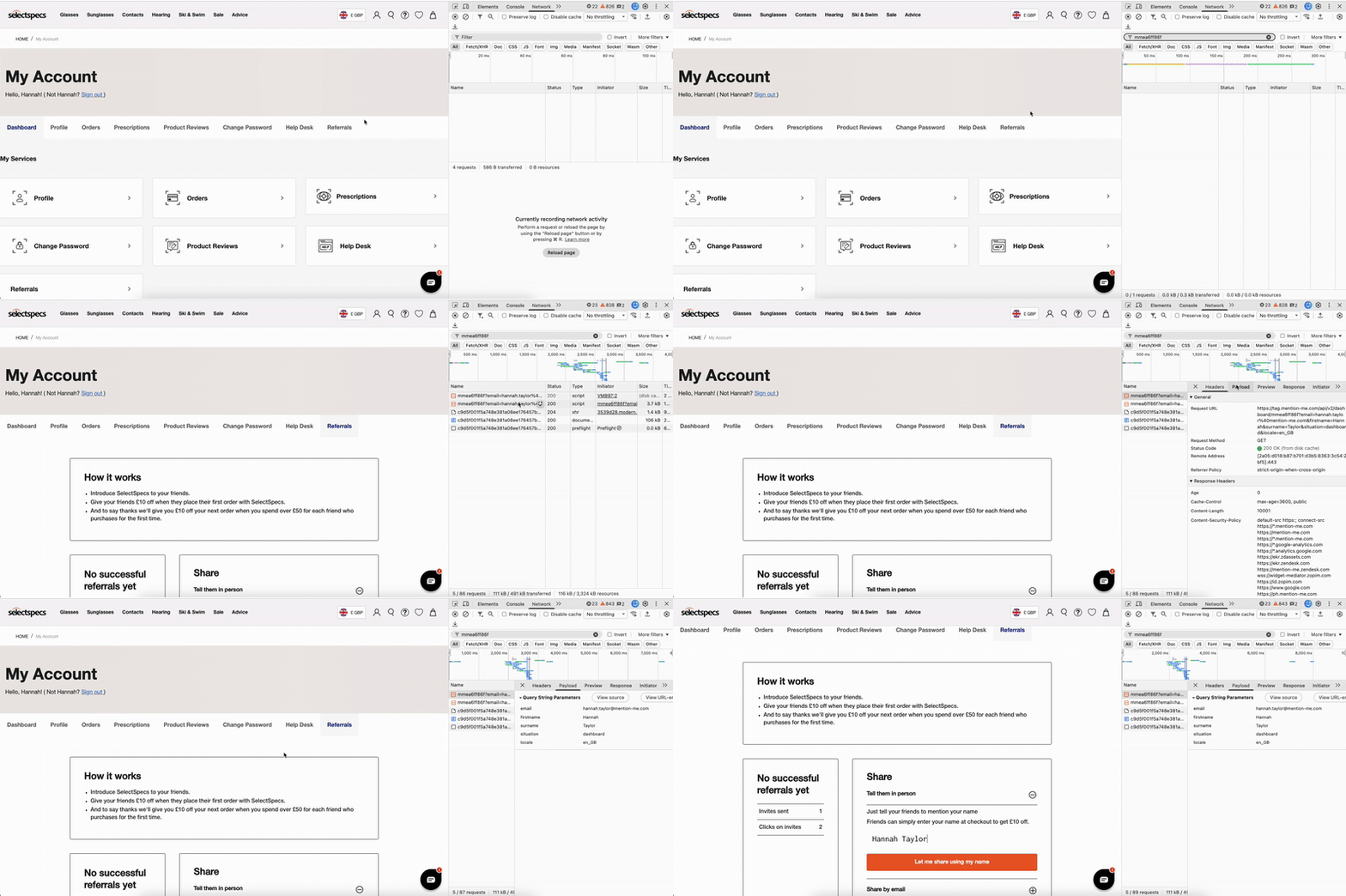
Navigate to My Account
Log in with a test customer account and go to your My Account (customer dashboard) section.
3
Check the embedded dashboard
Check the embedded referral dashboard is displayed within
<div id="mmWrapper"> or the correct container.4
Inspect network requests
Right-click anywhere on the page, select Inspect, then open the Network tab. Reload the page and filter by your partnerCode.
5
Verify request details
Click the request and confirm:
- Headers: environment is demo
- Payload: situation is dashboard, email matches the logged-in customer, and localeCode matches the account page language

The Network tab showing DEMO dashboard tag request details.
Troubleshooting
- Dashboard not visible — check
<div id="mmWrapper">is present and the correct tag is implemented. Look for JavaScript errors in the browser console. Ensure you are using the DEMO tag. - No request to tag-demo.mention-me.com — check you are using the DEMO tag; reload after clearing cache/cookies.
- Email/locale missing in request — check your Mention Me tag initialisation includes customer email and locale.
Need Help?
Start a conversation with the in-platform Support widget in the bottom-right corner of your dashboard - it can usually answer this straight away. If it can’t, raise a request via the request form.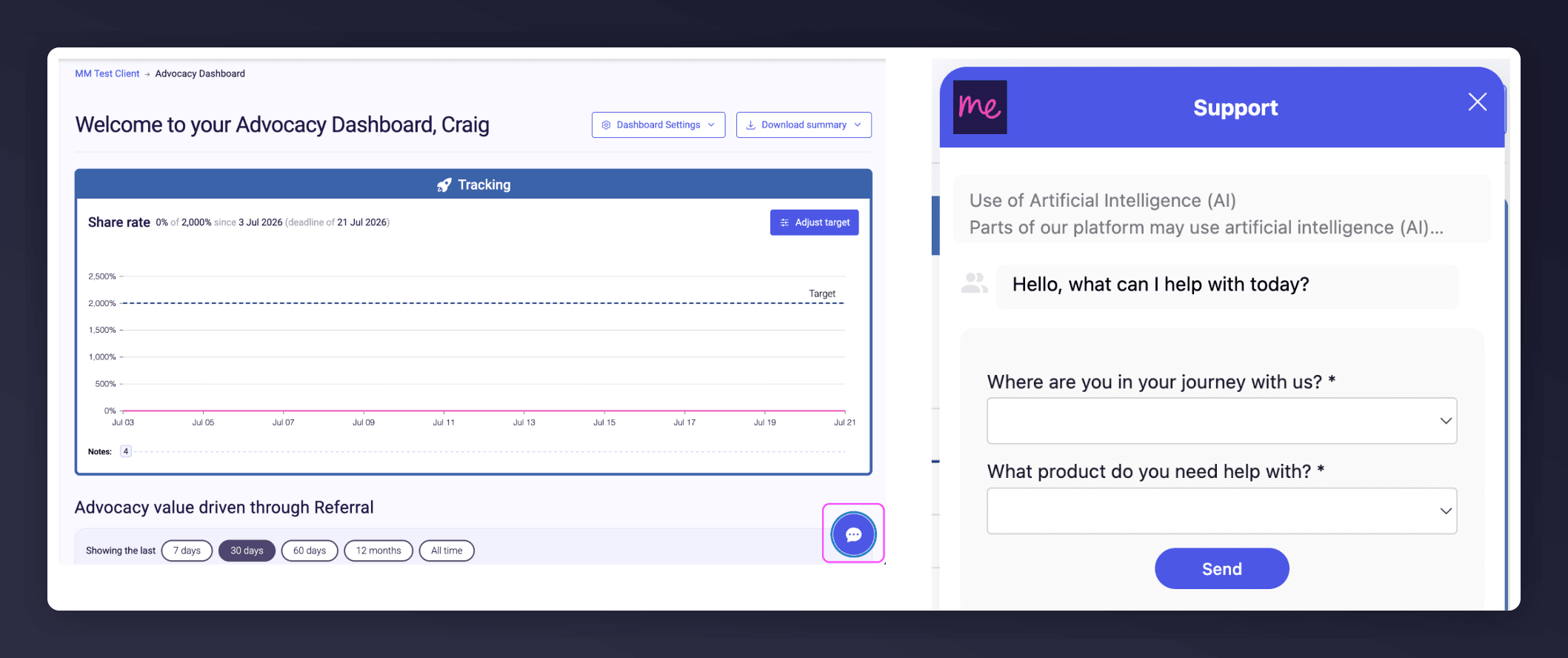
The in-platform Support widget starting an AI-assisted conversation.