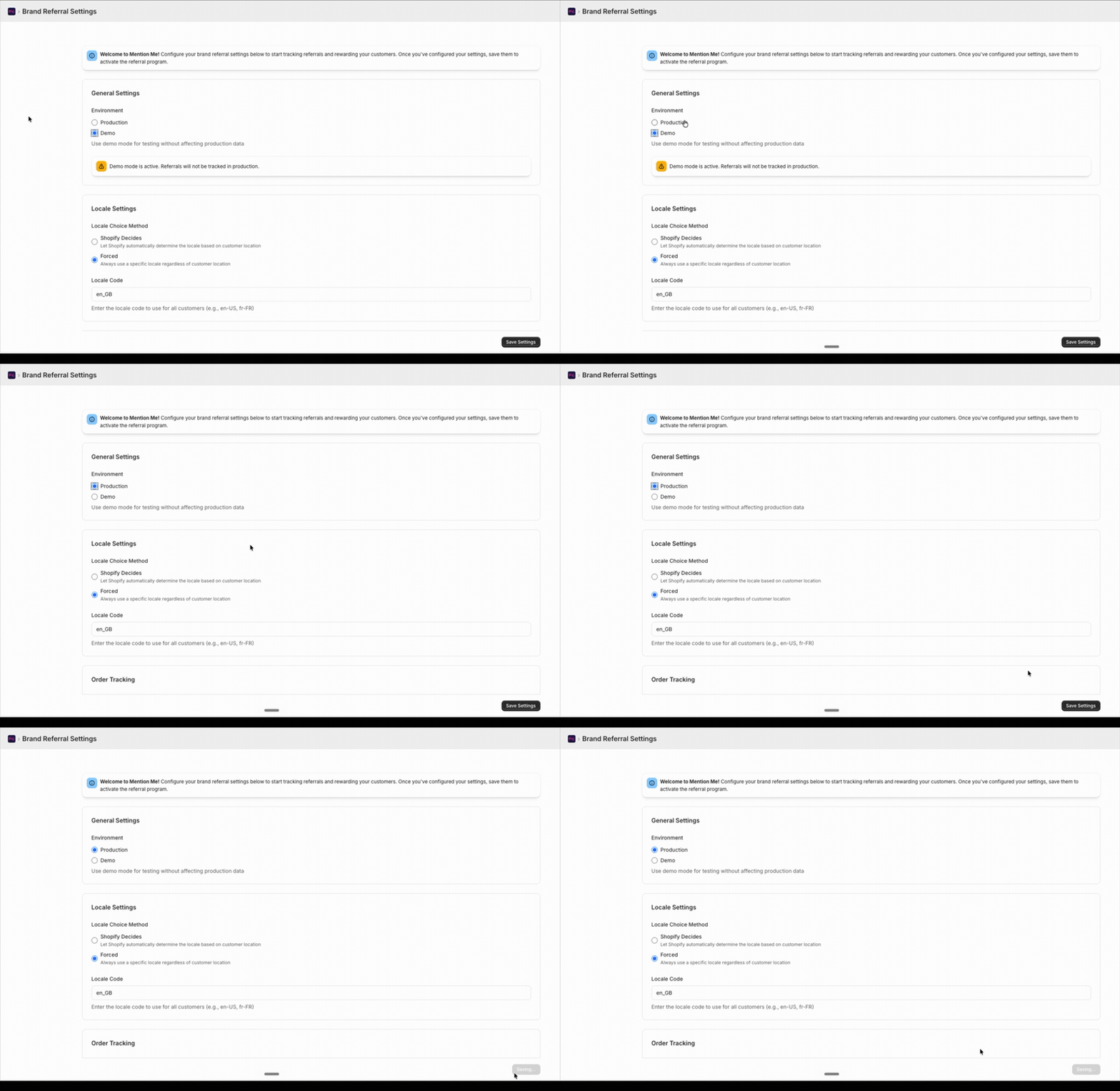
tag-demo.mention-me.com) to the live (tag.mention-me.com) environment depends on how Mention Me is installed. Pick your integration below.
- Shopify
- Google Tag Manager
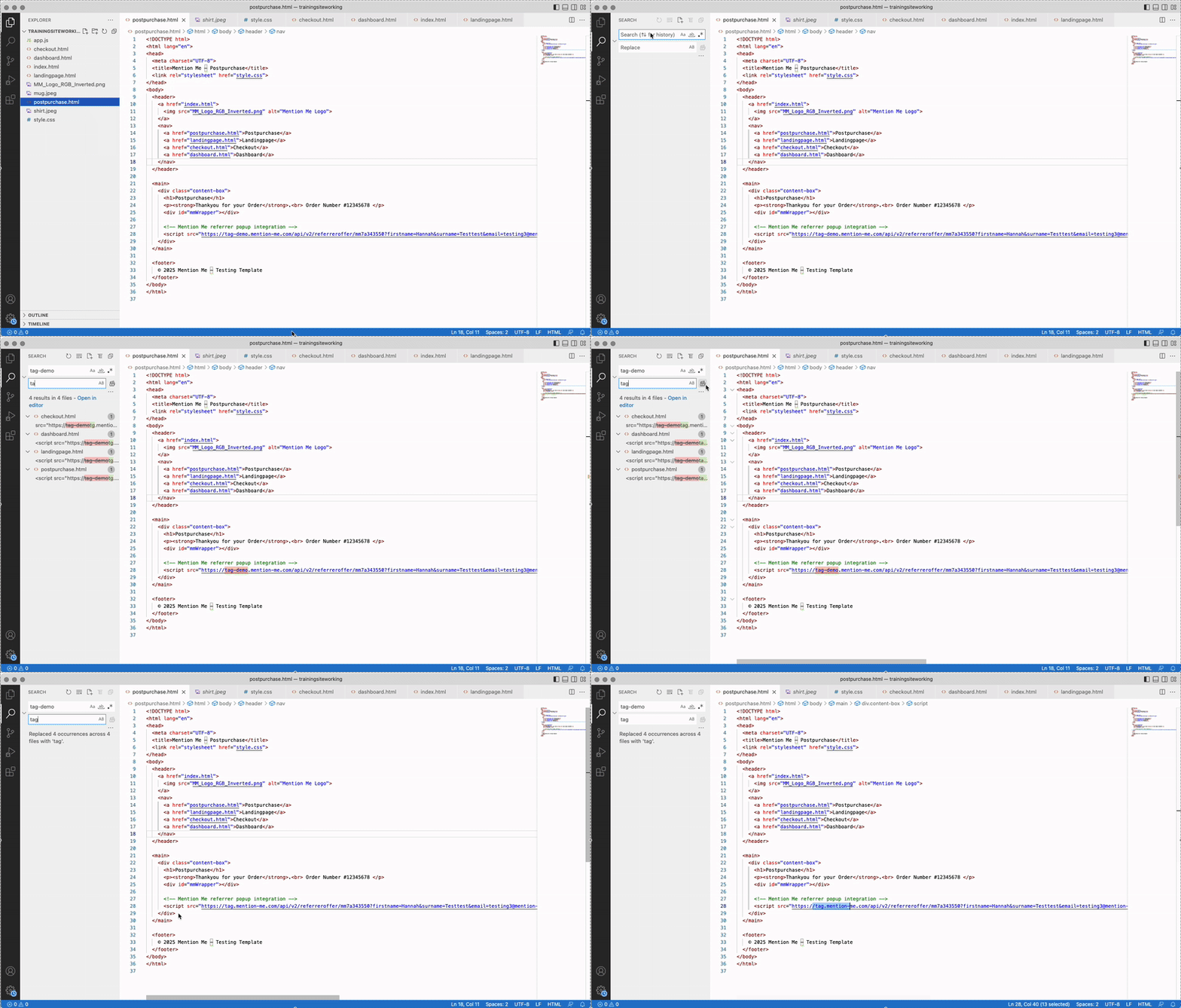
Switching from DEMO to LIVE Mention Me tags.
1
Update your tag URLs
Remove
-demo- from your Mention Me JavaScript tag URLs wherever they appear in your code. For example, change tag-demo.mention-me.com to tag.mention-me.com in all relevant script links.2
Publish your changes
Save and publish your changes to your live website.