Understanding Referee Eligibility
The referee eligibility tag communicates reward approval status to Mention Me. When you pass a referee-eligible tag, you’re telling the system one of the following:- Referee reward is pending approval — you’re confirming the referee has met your criteria and their reward can be fulfilled. Most common in the “after purchase” case (e.g. waiting to confirm the referee has completed an action before issuing a reward).
- Referee is approved but referrer reward is pending — you’re saying the referee introduced by the referrer has met eligibility criteria, and the referrer can now be rewarded. Most common in the “before purchase” case where the referee has already received their reward.
- Both referee and referrer require approval — only the referee approval is processed automatically. The referrer approval is handled separately (e.g. the referee gets a subscription credit automatically while the referrer gets a manually-approved reward).
- Demo
- Live
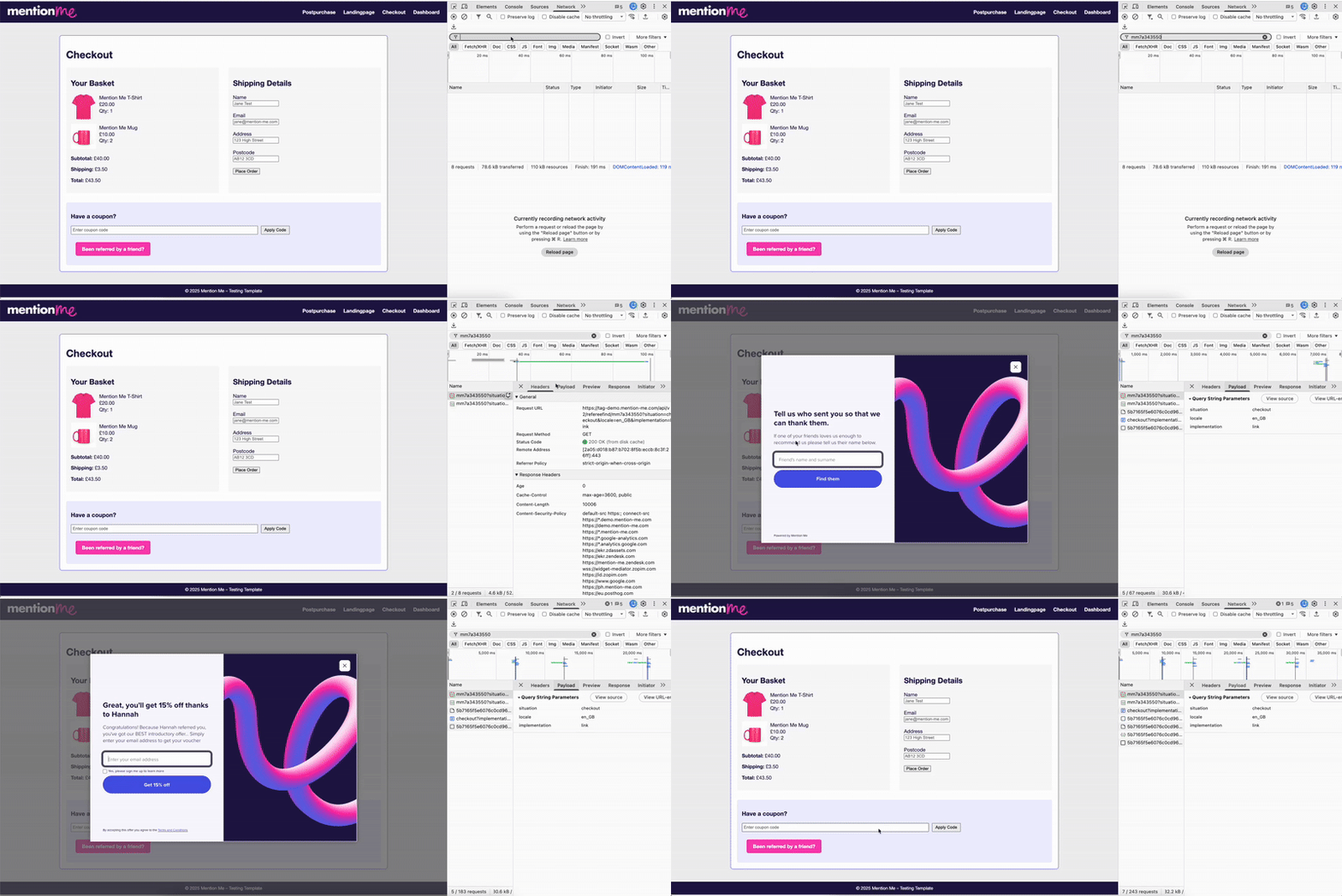
Testing the referee tag in the DEMO environment.
Website Test
1
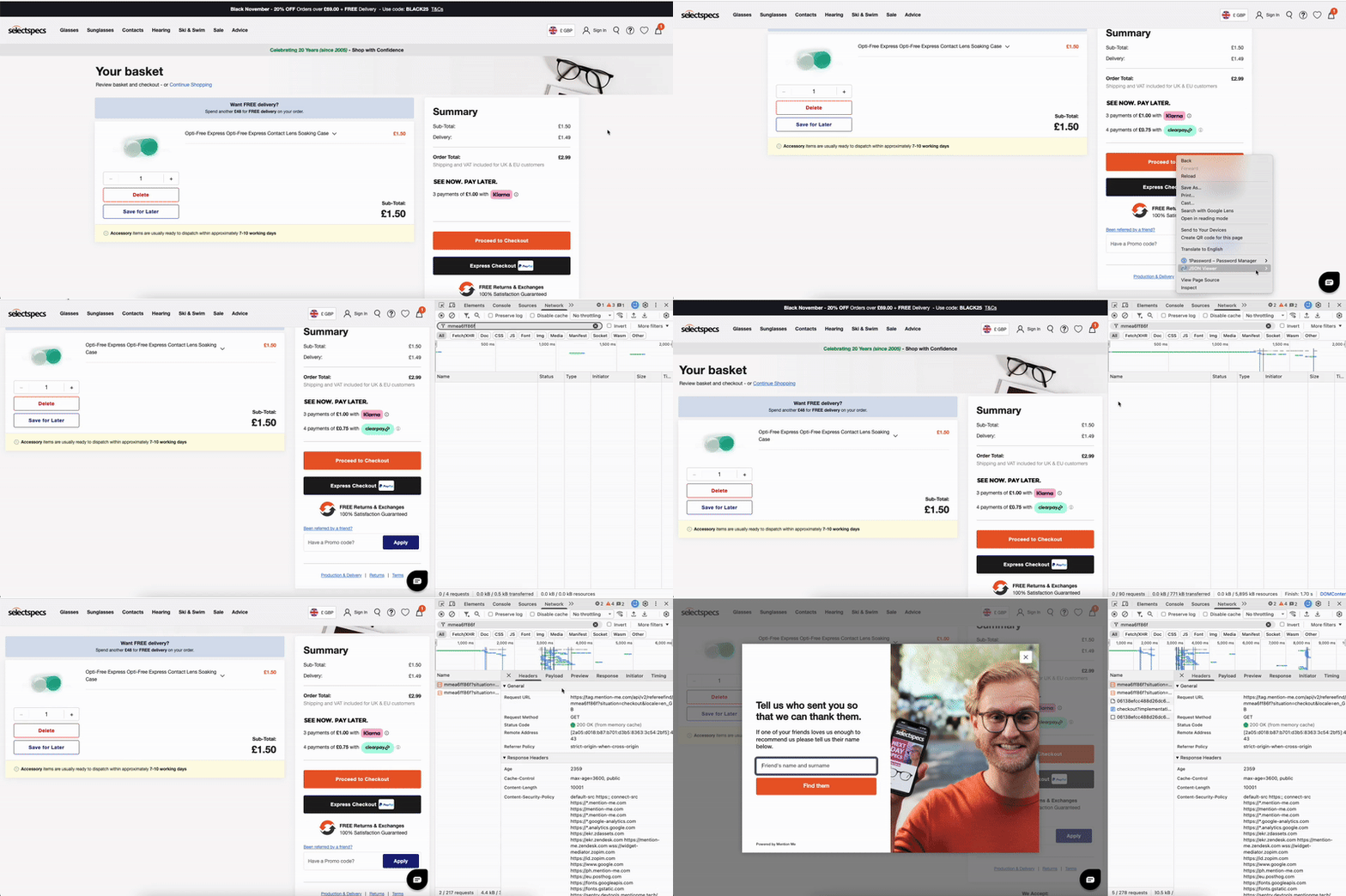
Navigate to checkout
Go to your site, add an item to your basket, and proceed to checkout (don’t submit payment).
2
Check for the referee link
Check for the visible referee link: “Been referred by a friend?” near the email, promo, or form field.
3
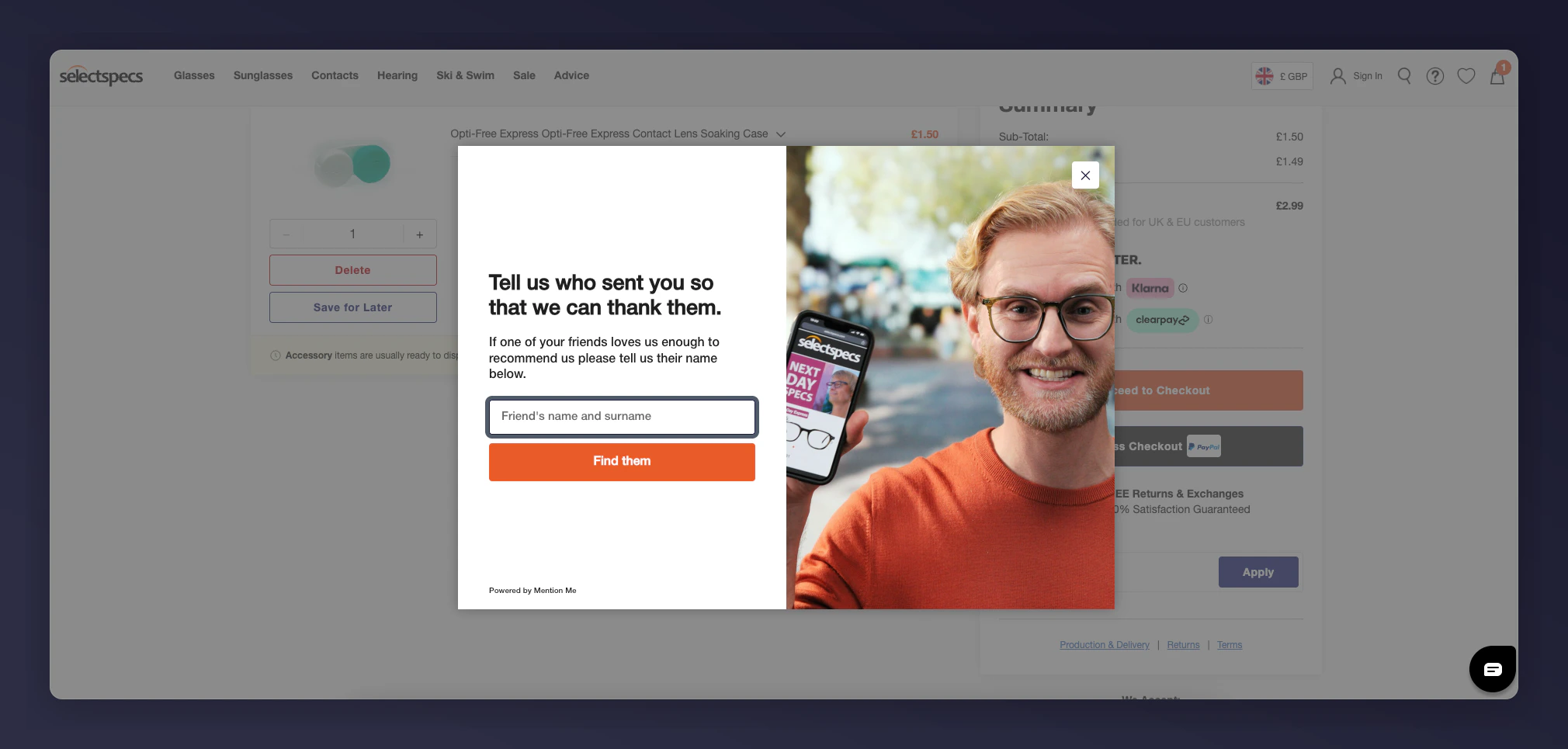
Complete the referral overlay
Click the link, complete the overlay (enter the referrer you created and your test referee email), and submit. Note the code or reward that displays.
4
Verify network requests
Open DevTools, go to the Network tab, reload the page, and filter for your partnerCode. Confirm a request to tag-demo.mention-me.com with:
- environment: demo
- partnerCode and localeCode are correct
- situation: checkout

The Network tab showing DEMO referee tag request details.
Platform Verification
1
Open the Customers page
Go to the Customers page in the Mention Me platform.
2
Search for your referee
Search for your referee.
3
Confirm the profile
Open the profile and confirm:
- The referee is created and status shows “awaiting purchase”
- Details match your campaign and locale
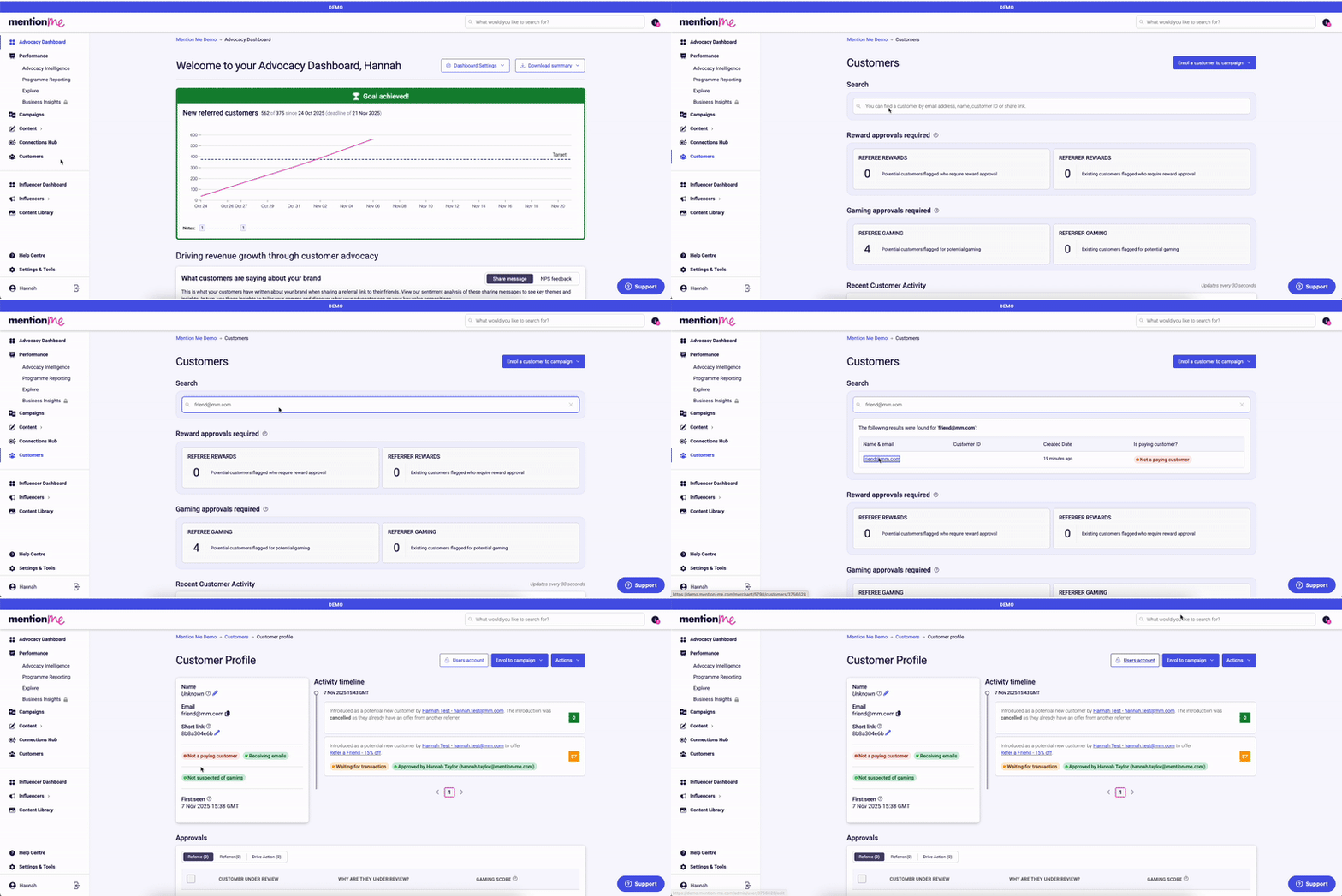
Verifying the referee profile status in the platform.
Troubleshooting
- Link not displaying — confirm JavaScript and wrapper are present, and the referee tag is enabled for this page.
- Overlay doesn’t appear — check for the correct page element (
<div id="mmWrapper">) and install errors in the console. - No profile created — use a completely new test email and check that you’re searching the demo environment.
- Requests go to tag.mention-me.com (not DEMO) — update your script for DEMO testing.
Need Help?
Start a conversation with the in-platform Support widget in the bottom-right corner of your dashboard - it can usually answer this straight away. If it can’t, raise a request via the request form.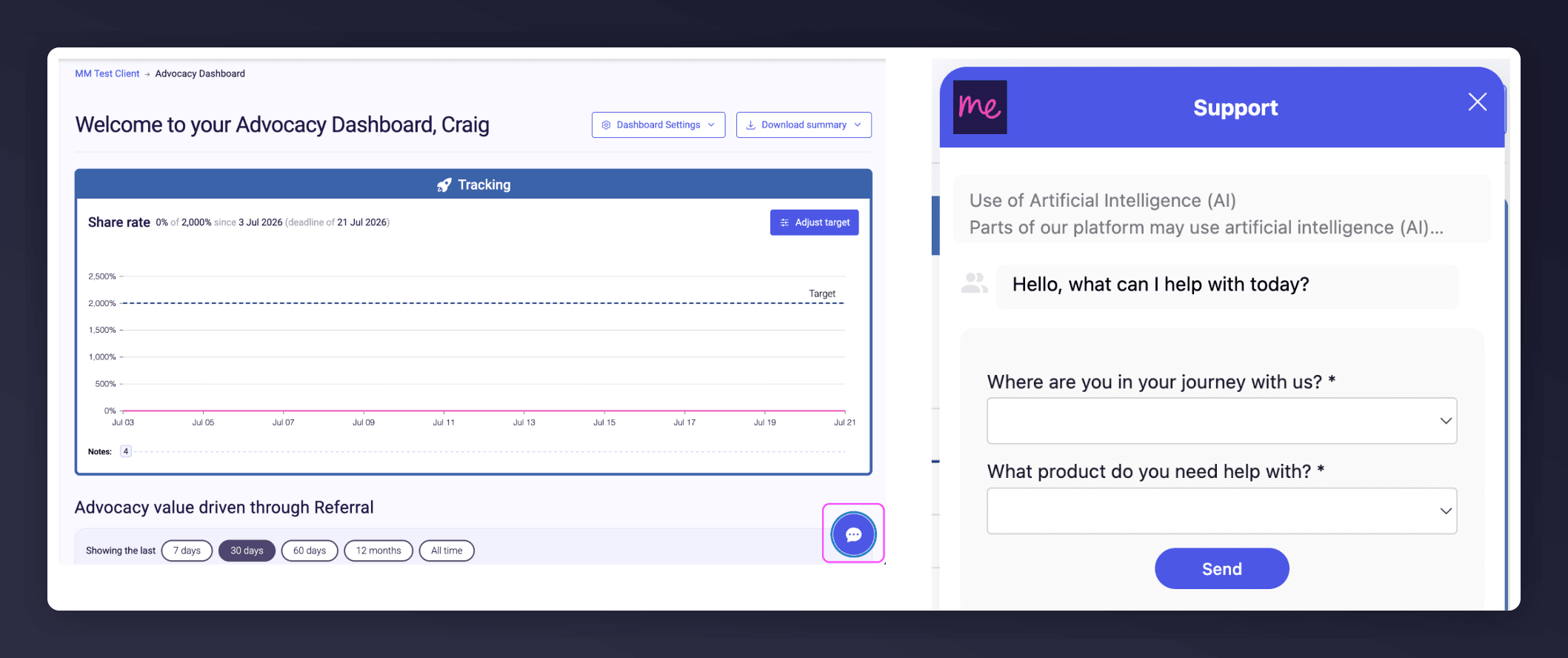
The in-platform Support widget starting an AI-assisted conversation.