

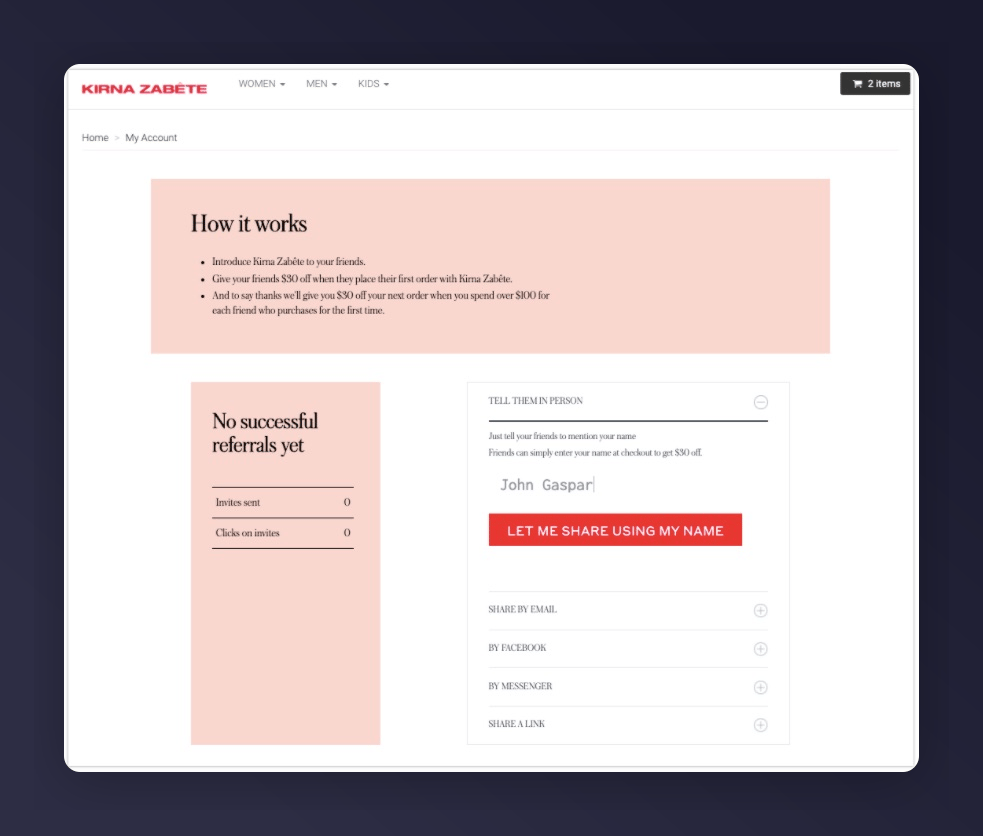
Referral dashboard in a Shopify store
Add the dashboard in customer accounts
Install the Mention Me Shopify app, then add the Mention Me Referral Dashboard block to the Profile page. No theme code. Shopify’s new customer accounts cannot embed our dashboard in the page, so the block opens the hosted dashboard for the logged-in customer.1
Open the customer account editor
In Shopify Admin, go to Settings > Customer accounts and click
Customise.
2
Open the Profile page
Switch to the Profile page in the editor.
3
Add the block
Click Add block and select Mention Me Referral Dashboard.
4
Save
Click Save so the block is on the published customer account.
5
Test
Log in as a test customer, open the Profile page, and click through to the
dashboard.
Classic customer accounts (old way)
Use this Liquid snippet only if you still run classic customer accounts, or you have not migrated. New customer accounts should use the Profile block above.1
Create a Page
Navigate to Online Store > Pages > Add Page, title it Referral Dashboard.
2
Create a Page Template
Navigate to Online Store > Themes > Edit code. Under Templates, create page.refer.liquid.
3
Add the Template Code
4
Assign the Template
Go to the page, under Theme Template select refer, click Save.
5
Test
Visit
/account/login, log in as a test customer, then go to /pages/referral-dashboard.Promoting the classic page
- Add the page to your website navigation menu
- Include a “Refer a friend and earn” CTA in transactional emails linking to this page