

Pre-Launch Shopify Integration Check
1
Check your campaigns
In your Mention Me dashboard, make sure your referral campaigns are set to Running with the offers you want to use.
2
Open Shopify checkout settings
In Shopify, go to Settings > Checkout and select Checkout extensibility.
3
Verify Mention Me blocks
Confirm that your Mention Me blocks are placed and active for the Checkout, Thank You, and Order Status pages, with correct positioning and content set to appear for each stage.
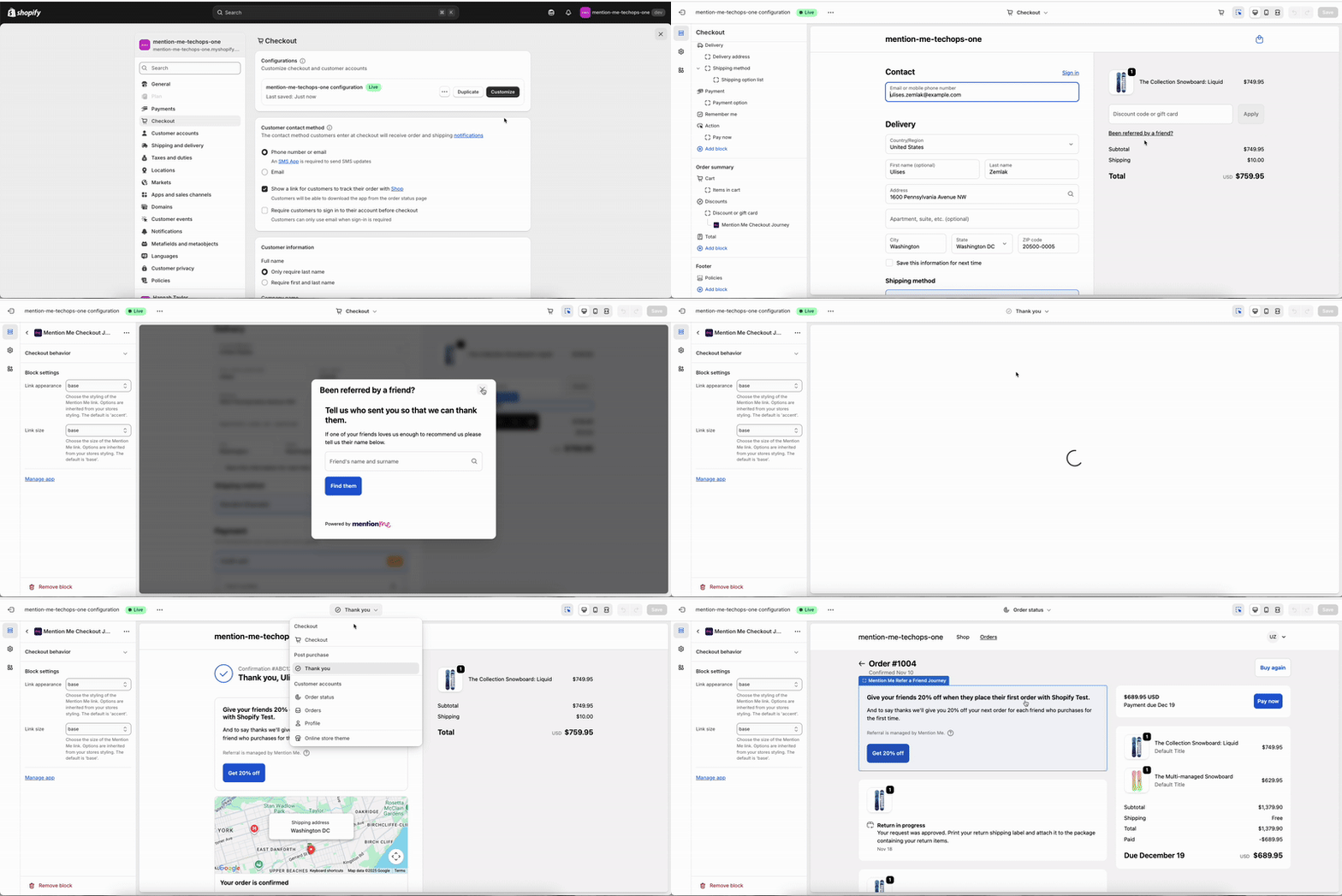
Shopify checkout extensibility settings showing the Mention Me blocks.
Platform Verification
Once the blocks are in place, live data should start to flow into Mention Me, though customers won’t see the Mention Me experience.- Go to your Mention Me Debug Dashboard. Filter by situation
shopify-thank-youandshopify-order-statusto confirm data is flowing in from your test transactions.
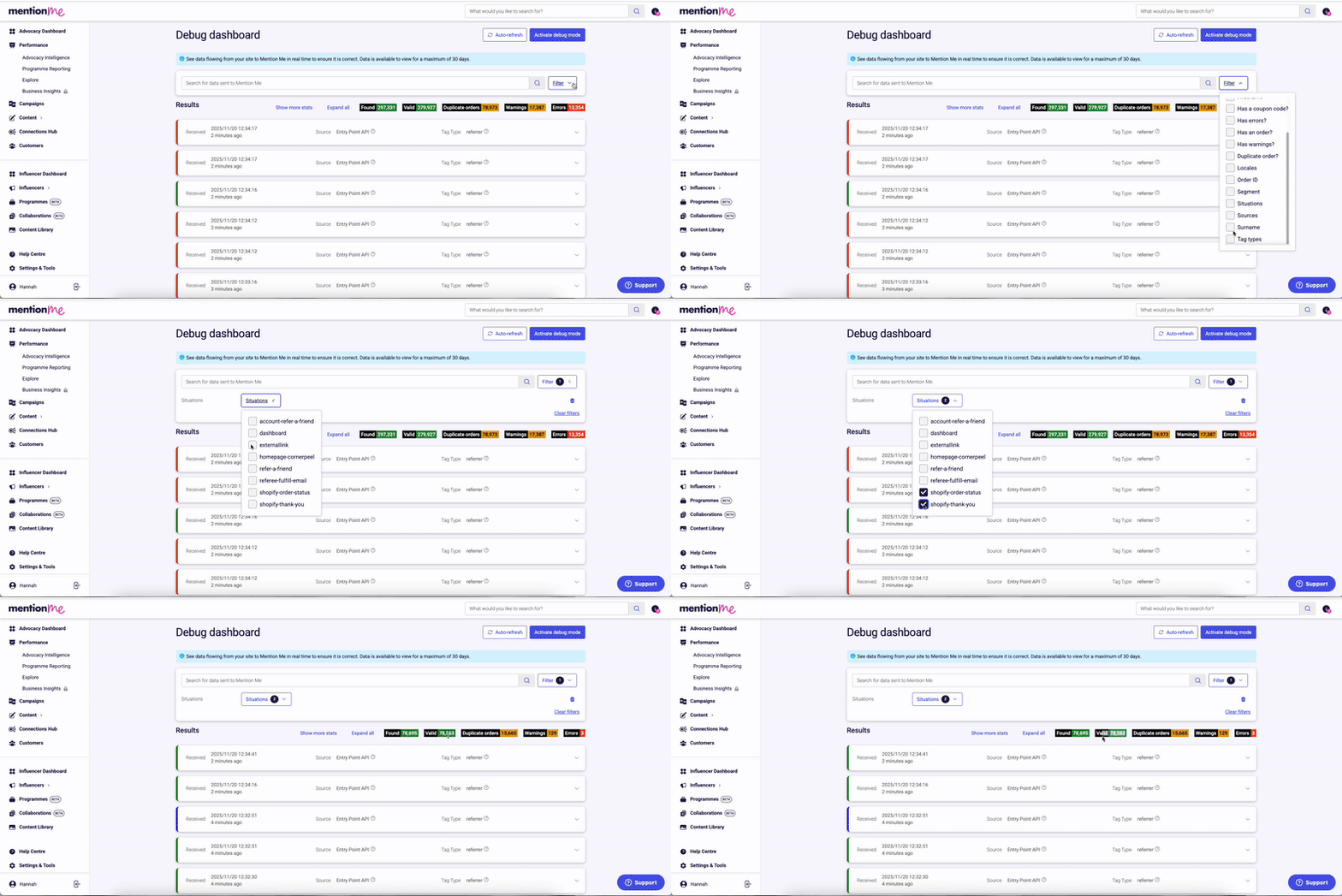
The Debug Dashboard filtered by Shopify checkout situations.
Need Help?
Start a conversation with the in-platform Support widget in the bottom-right corner of your dashboard - it can usually answer this straight away. If it can’t, raise a request via the request form.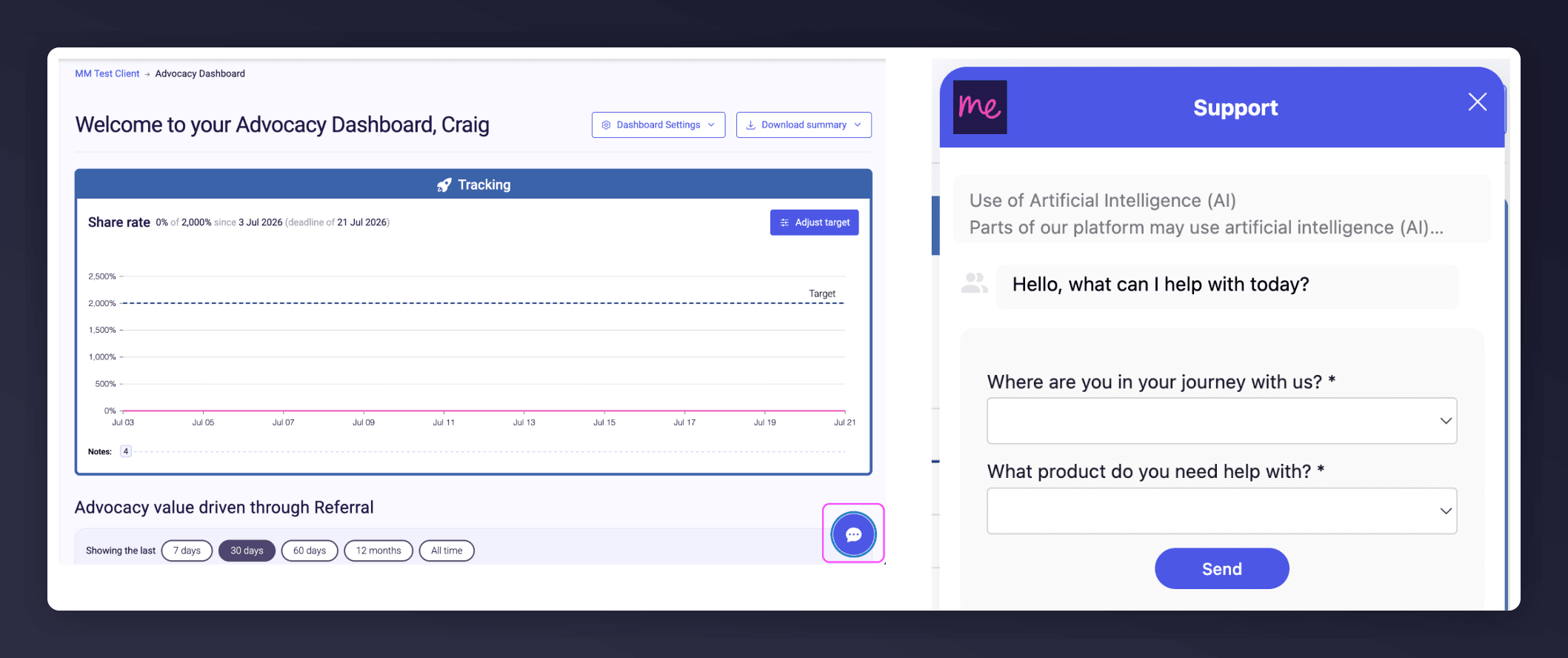
The in-platform Support widget starting an AI-assisted conversation.
Next Steps
Test the referral landing page
Verify the landing page tag renders correctly in your test environment.
Test the dashboard tag
Confirm the referrer dashboard appears in your customer account area.