How to extract, generate, and export data from the Mention Me platform, including manual downloads, automated reports, and order/transaction exports.
This guide covers all the ways to get data out of Mention Me, whether you need a quick one-time export, a recurring automated report, or a transaction-level data extract for reconciliation.
Many of the reports under Reports for Download can be automatically generated and delivered, along with others not listed in that section.These reports can be sent to:
The Secure File Transfer area of the Mention Me platform
Via email to nominated team members (sending customer data via email is not recommended)
Via SFTP to your own systems
You can choose how often data is delivered (e.g. daily, weekly, monthly).To arrange automatically generated reports, contact your Client Success Manager.
Order/Transaction Exports give you visibility into the transactions Mention Me has received and recorded. Use them alongside your own database to identify:
Differences in transaction volume
Order value discrepancies
Missed orders
Integration issues where Mention Me may not be receiving expected data
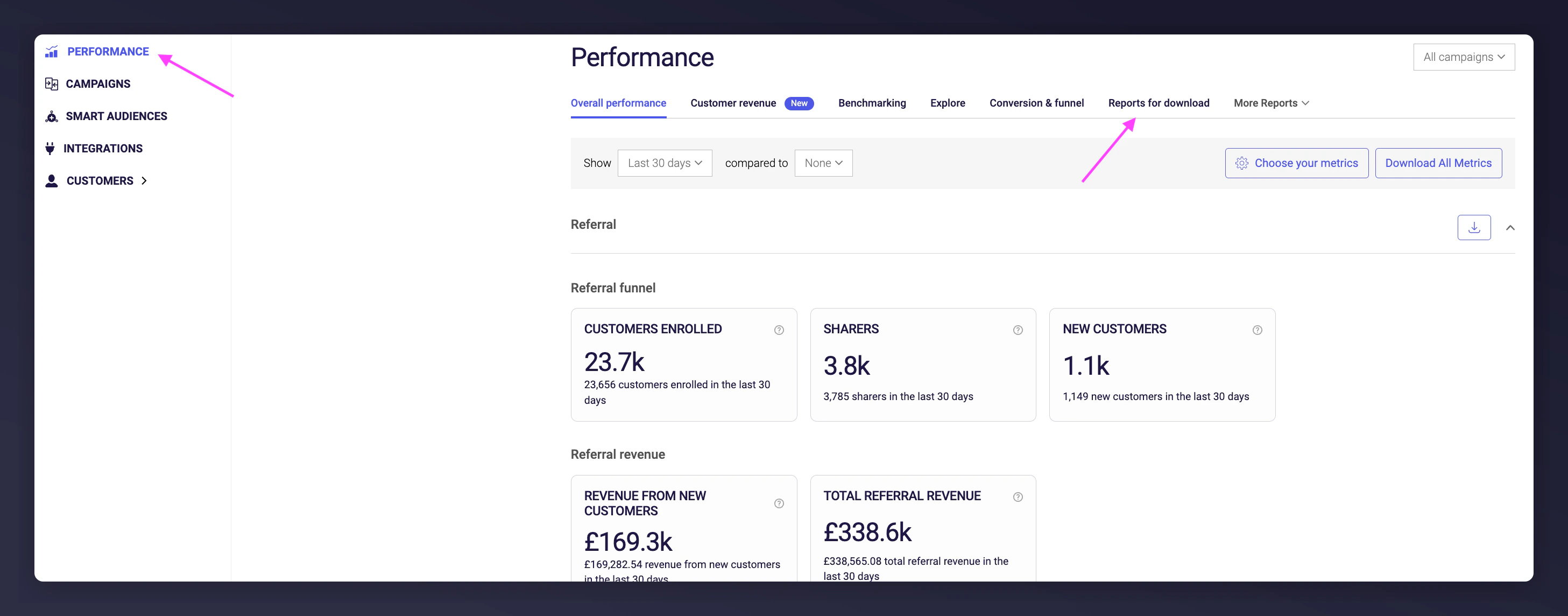
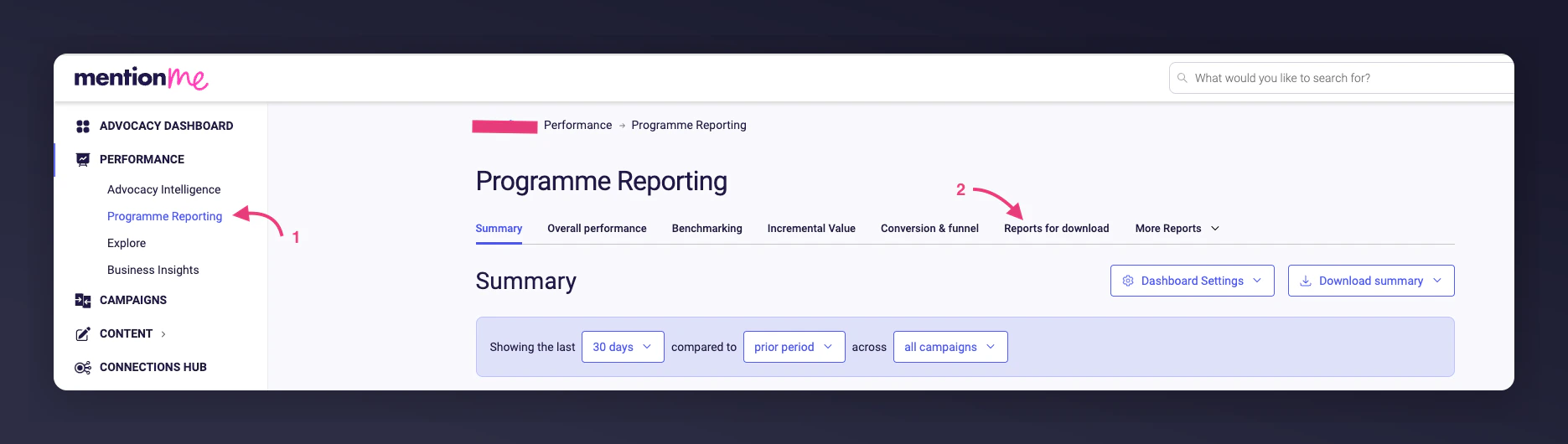
Go to Performance > Programme Reporting > Reports for Download.
The Reports for Download page.
2
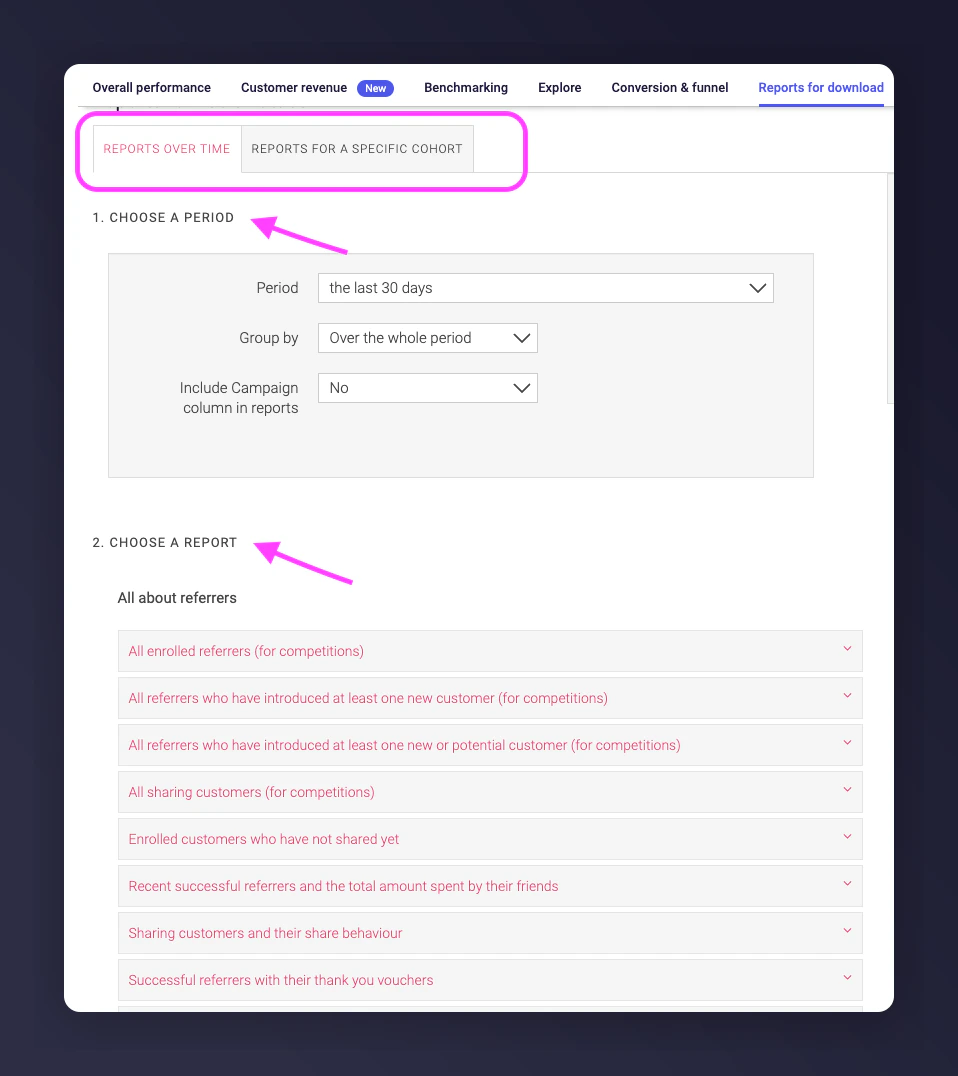
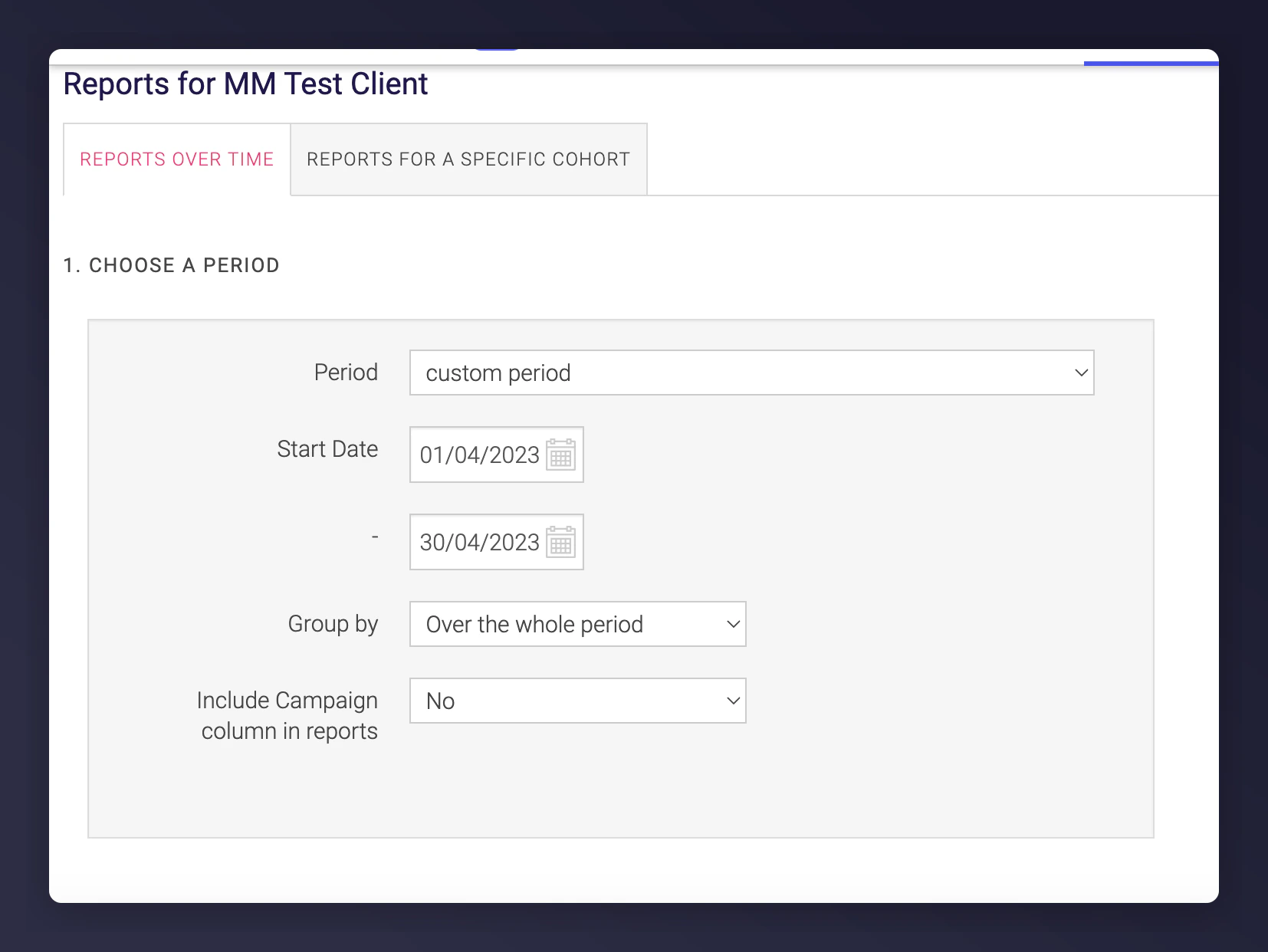
Select a time frame
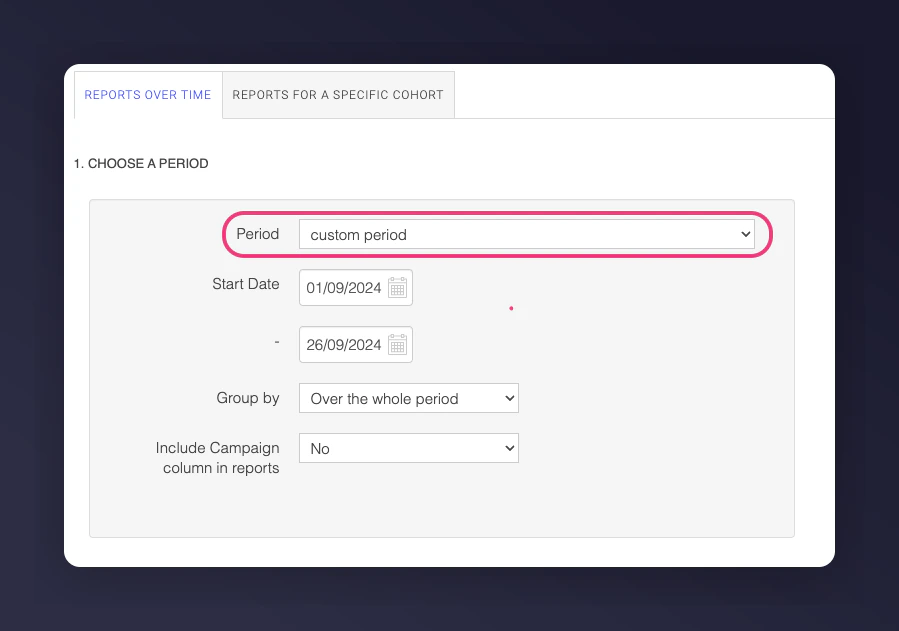
Use the Period selector to choose a time frame (e.g. last 7 days, last whole x months, or a specific range). Ensure dates reflect when orders were placed for accurate alignment with your data.
The Period selector.
3
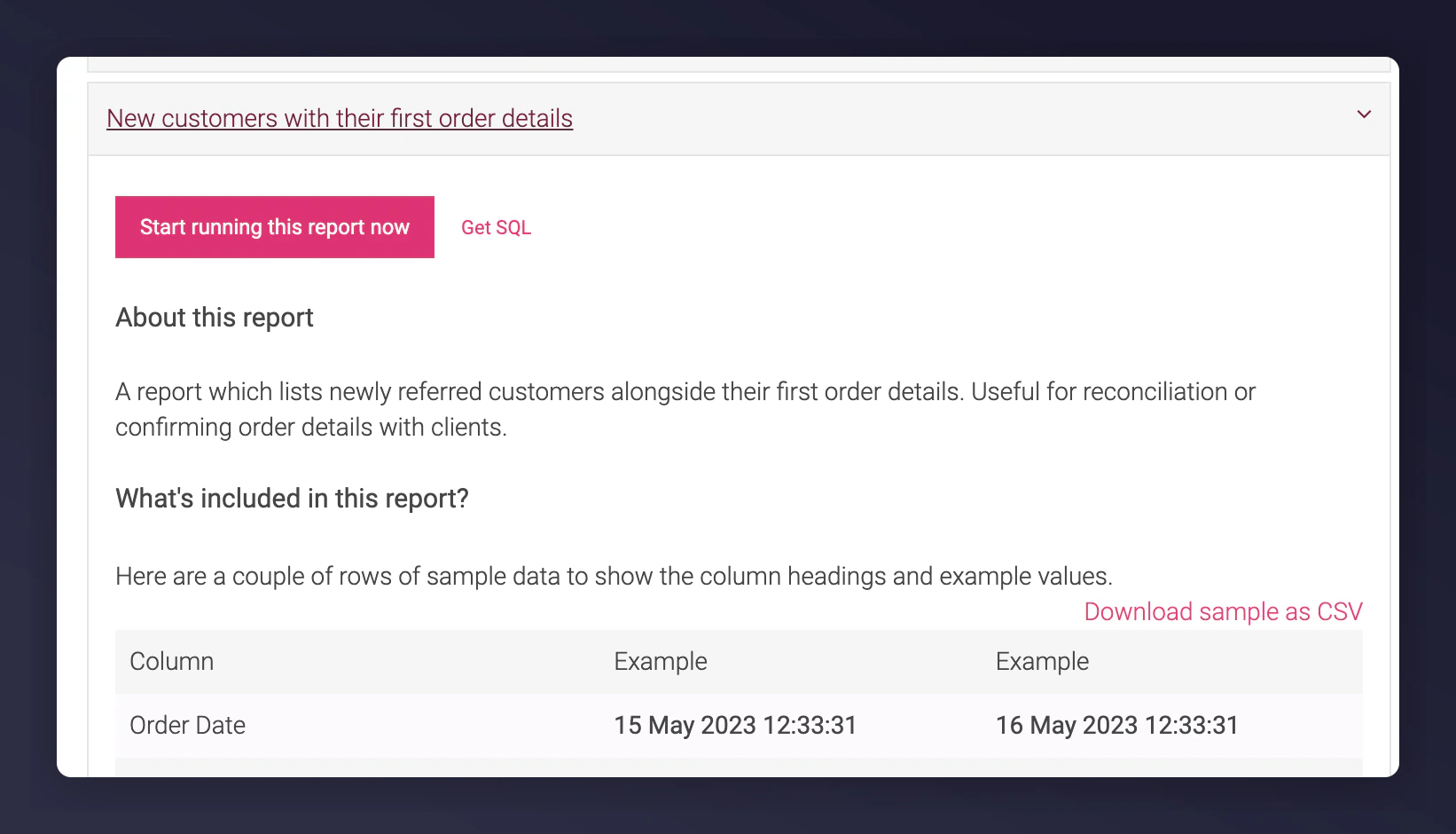
Choose the Orders & transactions report
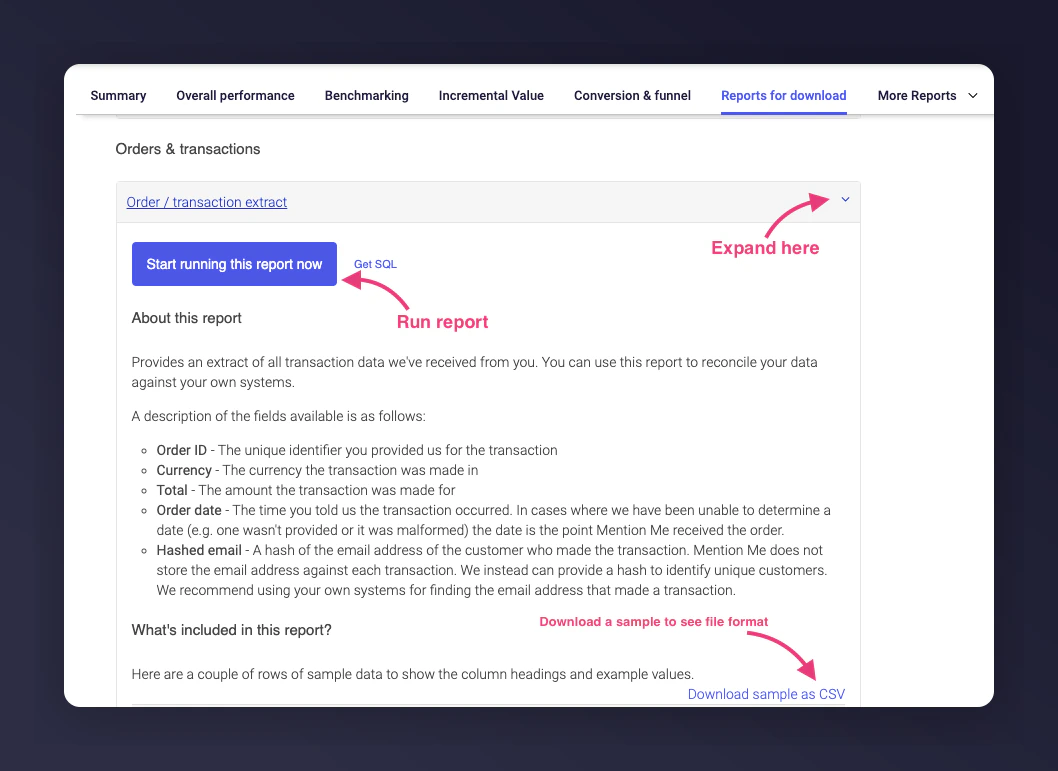
Scroll to Orders & transactions, expand to view available fields. Choose your period or download a sample file to check formatting.
The Orders and transactions section.
4
Download the report
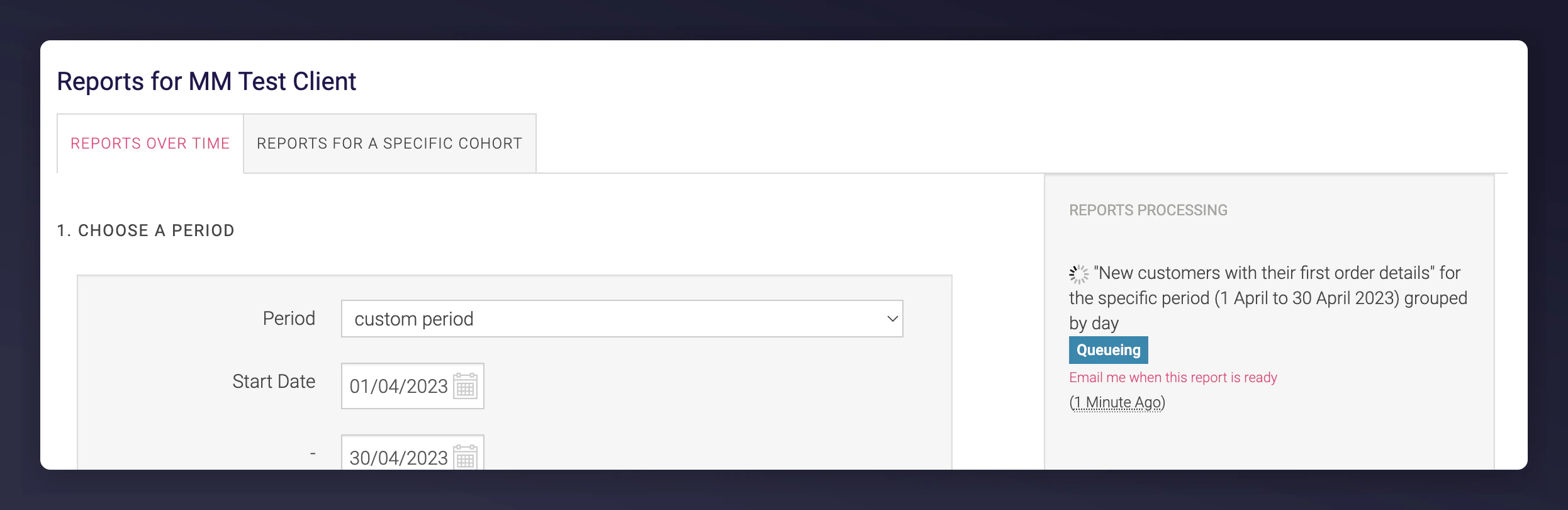
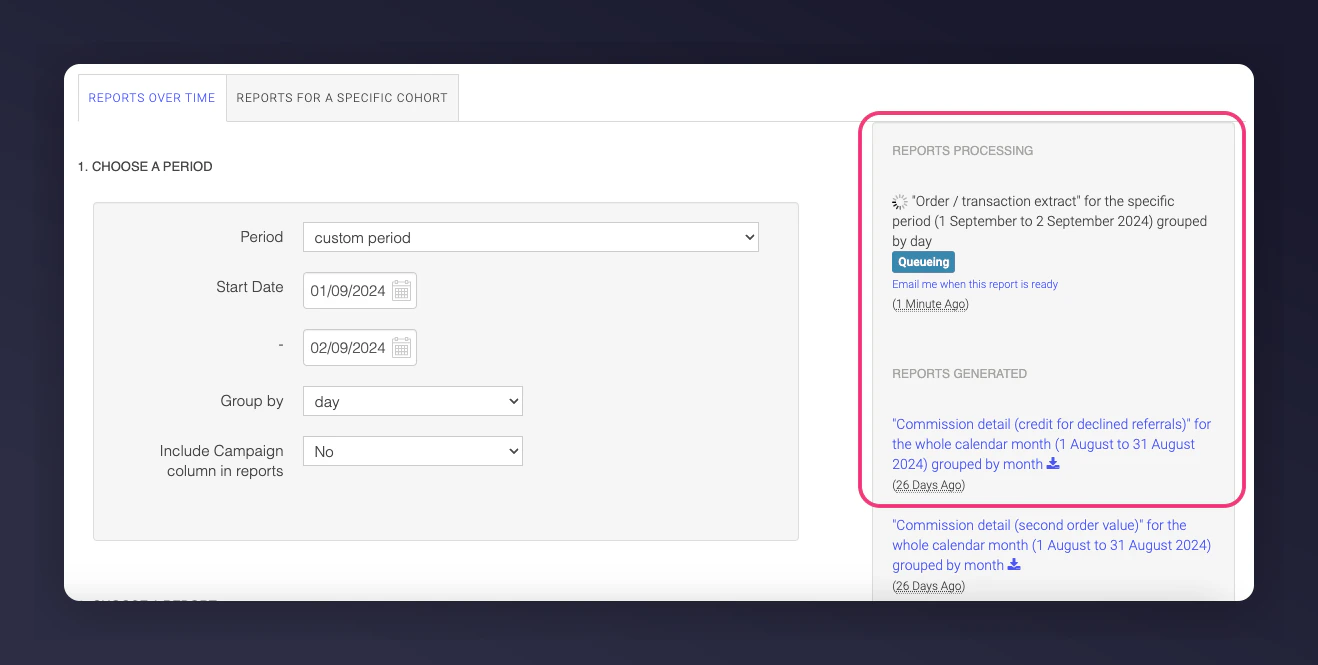
Once started, the report appears under REPORTS PROCESSING. On completion, it moves to REPORTS GENERATED for download.
The Reports Processing and Reports Generated sections.