

- Understand key referral funnel stages
- Build custom reports in the Explore section
- Break down data by promotion point, share method, customer segments, and more
- Measure the value of experiments, campaigns, and device usage
- Gain actionable insights to improve referral conversion
The Referral Funnel: Key Stages
The referral funnel tracks a customer’s journey from being enrolled as a referrer through to a purchase made by their friends (referees). You can view performance across this funnel in the Benchmark tab under Performance, including how each metric compares to the industry average. For test ideas based on these metrics, see Understanding Referral Intelligence Benchmarks.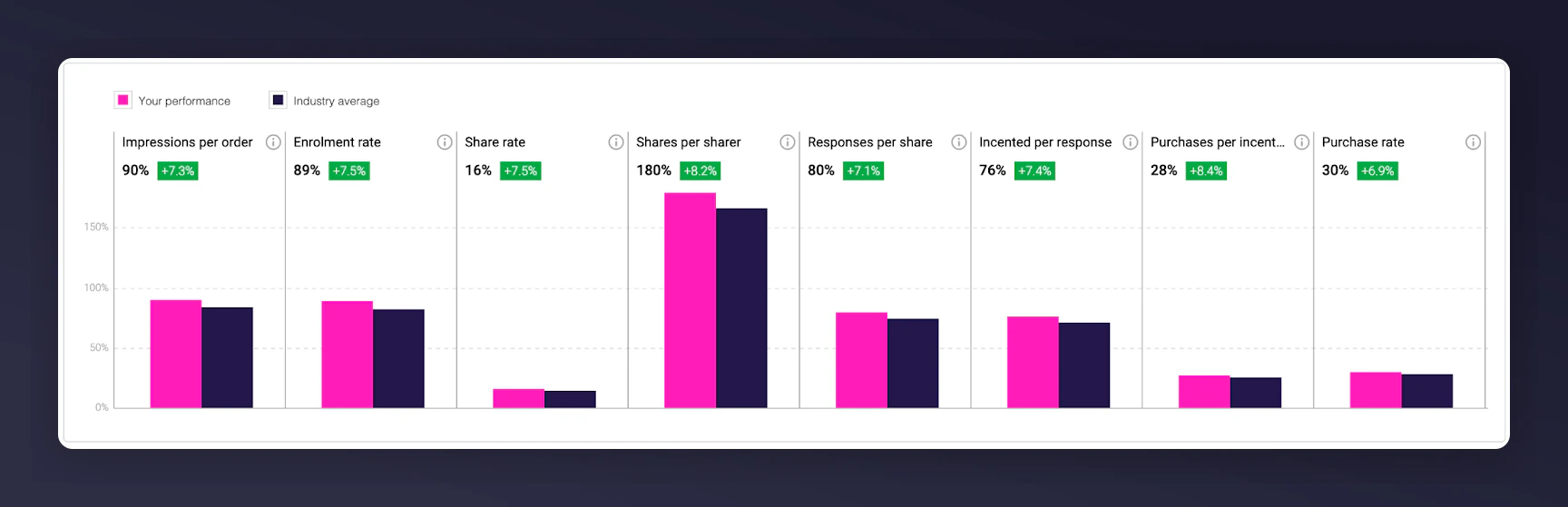
The referral funnel from enrolment to purchase in the Benchmark tab.
1
Impression
Referrer makes a purchase and sees the referral offer.
2
Share
Referrer chooses to share and sends an invite via email, social, etc.
3
Click
Referee clicks the share link and visits the referral landing page.
4
Registration
Referee registers their email and unlocks the referral incentive.
5
Purchase
Referee completes a purchase and becomes a qualified new customer.
6
Reward
Referrer receives their reward.
Using Explore for Deeper Insights
To uncover deeper insights:1
Open Explore
Navigate to Performance > Explore in the platform.
2
Select metrics
Choose the metrics you want to analyse (e.g. impressions, clicks, shares, registrations, purchases).
3
Create a report
Click Create Report to generate a chart or data table.
4
Add breakdowns
Choose your breakdown (called “splits”) to filter and segment your data.
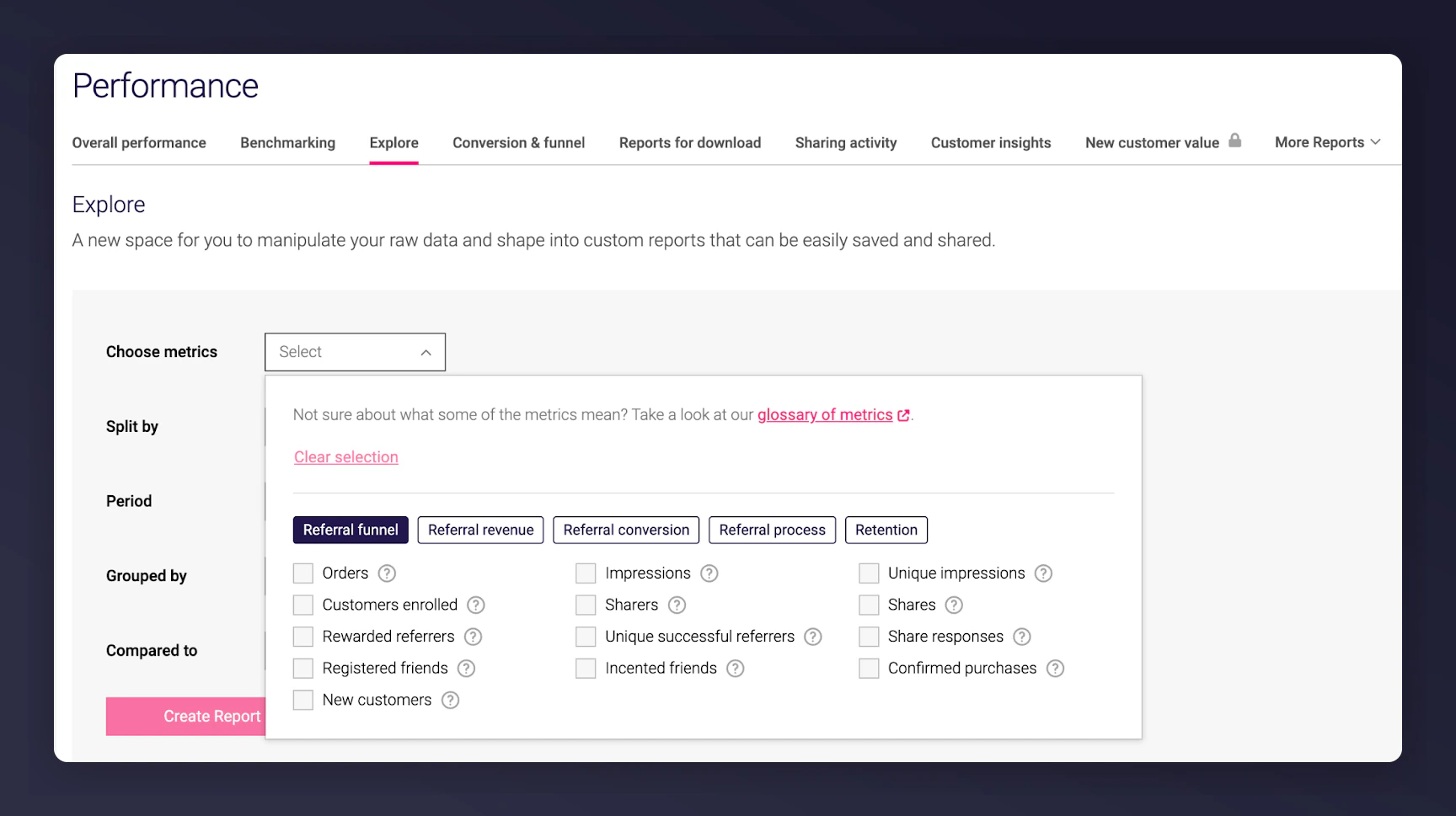
The Explore interface with metric selection, chart creation, and split options.
Key Dimensions to Split Data by
Promotion Point (Situation)
- Shows where the referrer first saw your referral offer (e.g. post-purchase page, email campaign, homepage banner).
- Mention Me tracks this via the “situation” parameter in your referral links.
- Use this dimension to assess the performance of different marketing channels and placements.
- Learn more about tracking situations.
Share Method
- See how referees engaged via different sharing channels (e.g. email, Facebook, WhatsApp, Messenger).
- Only tracked after the referrer has actively shared.
Segment
- Set up via the Mention Me tag on your pages.
- Define your own values (e.g. VIPs, loyalty tier, country, product type).
- Enables campaign targeting and reporting by customer group.
Campaign / Experiment / Offer
- Break down performance by the specific referral Campaign, Experiment, or Offer.
- The labels reflect your in-platform naming at the time of analysis.
Other Filters and Splits
Currency
- Orders
- Revenue from new customer first orders
- Revenue from new customer subsequent orders
- Revenue from rewarded referrers
Device Type (Mobile/Desktop)
- Tracked from “Customers Enrolled” onwards.
- Helps you optimise user experience based on where users interact most (e.g. if enrolment occurs mostly on desktop but purchases on mobile, optimise accordingly).
Tips for Effective Analysis
- Start at the top of the funnel with Impressions, and work your way down to Revenue.
- Use time-based filters to identify month-over-month or seasonal trends.
- Tie performance insights back to customer value.
- Use A/B experiments to test ideas, based on your findings in Explore.