Understanding share message sentiment analysis and NPS sentiment analysis in Mention Me, including setup, AI insights, and how to drive action from customer feedback.
Mention Me provides two forms of sentiment analysis:
Share message sentiment analysis: Analysis of what referrers say to their friends (the sharing message), giving unique insights into what your brand advocates really think. Use this to optimise your referral and wider marketing.
NPS sentiment analysis: Analysis of what customers think about your brand via Net Promoter Score surveys. Use this to identify pain points and improve customer experience, which drives advocacy.
Share Message Analysis gives you real insights shared by your customers when they recommend your brand — insights you cannot get elsewhere. For the first time, you can monitor and analyse how customers speak to their friends and learn what messages resonate.Mention Me’s generative AI-powered sentiment analysis analyses share messages and pulls out key insights, giving you instant feedback on your USPs to improve tone of voice, marketing campaigns, and positioning.
“Native share message capture” set up as one of your sharing methods
At least 20 share messages of 5 words or longer
To request native share message capture setup, use this form and the Operations team will be in touch.More information on native share message capture is available.
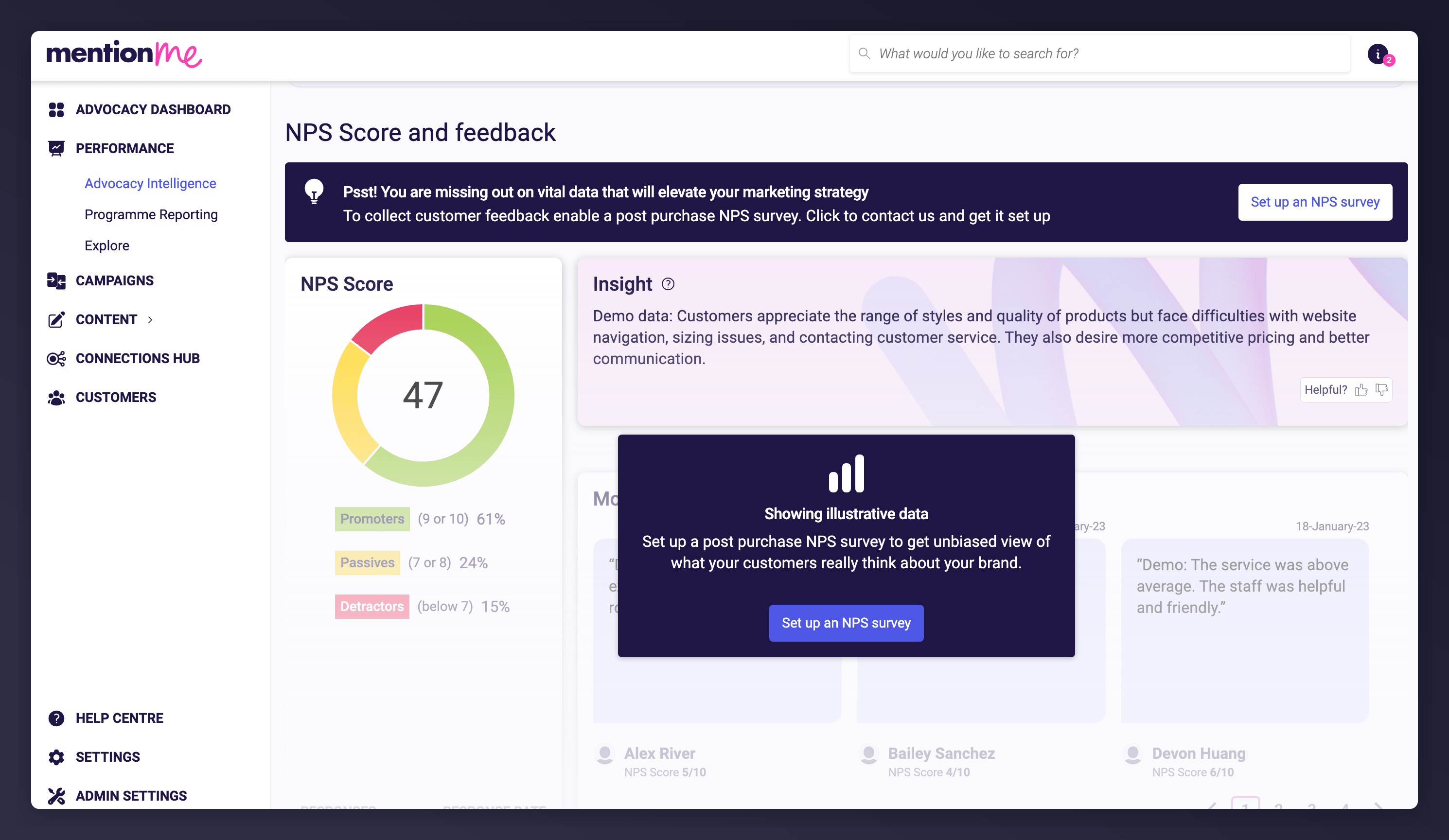
Net Promoter Score (NPS) is a customer satisfaction metric that measures how likely customers are to recommend a product or service to others.Customers are asked: “How likely are you to recommend [your brand] to a friend?” and score on a scale of 0-10. Based on responses, customers are categorised into:
Promoters (9 or 10): Highly satisfied customers likely to recommend.
Passives (7 or 8): Neutral customers.
Detractors (6 or below): Dissatisfied customers.
The NPS score is calculated by subtracting the percentage of detractors from the percentage of promoters.
NPS helps you understand what customers think about your brand so you can take action to address pain points and improve the customer experience.Mention Me’s generative AI-powered sentiment analysis summarises customer comments into themes with areas to explore, so you can start improving the customer experience straight away.
Use the “Key Customer Insights” section to understand customer pain points (e.g. website navigation, customer service, price, delivery). Themes are prioritised by comment volume.
2
Explore improvement ideas
Review the provided suggestions for addressing pain points, and examine customer sentiment to understand exactly what customers are saying.
3
Take action
Address the identified pain points.
4
Track impact
Monitor NPS score by month. Use NPS distribution charts to check whether the percentage of promoters is increasing and detractors decreasing over time.
Go to Performance > Advocacy Intelligence in the left-hand navigation.
2
Open Sentiment Analysis
Select Sentiment Analysis from the top navigation.
3
Set up an NPS survey
Scroll down to the “NPS score and feedback” section and click Set up an NPS survey. This opens a wizard that guides you through the steps to get the NPS survey live. Setup should take around 3 minutes.
When setting up an NPS survey, you need to balance populating your dashboard quickly against the impact on your referral scheme.20 responses of at least three words are required to produce AI insights. The platform estimates this timeline based on:
Predicted monthly returning customers
The percentage split selected during survey setup
Historical response rate data from other merchants
The estimated timeline for AI insights, based on survey response predictions.
Customers who see a survey before a referral offer are slightly less likely to refer (about 80% of typical conversion rate). During setup, you can set the NPS threshold for seeing a referral offer to either 7 or above or 9 or above. The recommendation is 7 or above to maximise the number of customers who see referral.Customers who leave a low NPS score are generally not shown a referral offer, as seeing one after leaving a low score can make the customer feel unheard.
The NPS threshold setting for referral offer visibility.
Last modified on July 10, 2026
Was this page helpful?
Assistant
Responses are generated using AI and may contain mistakes.