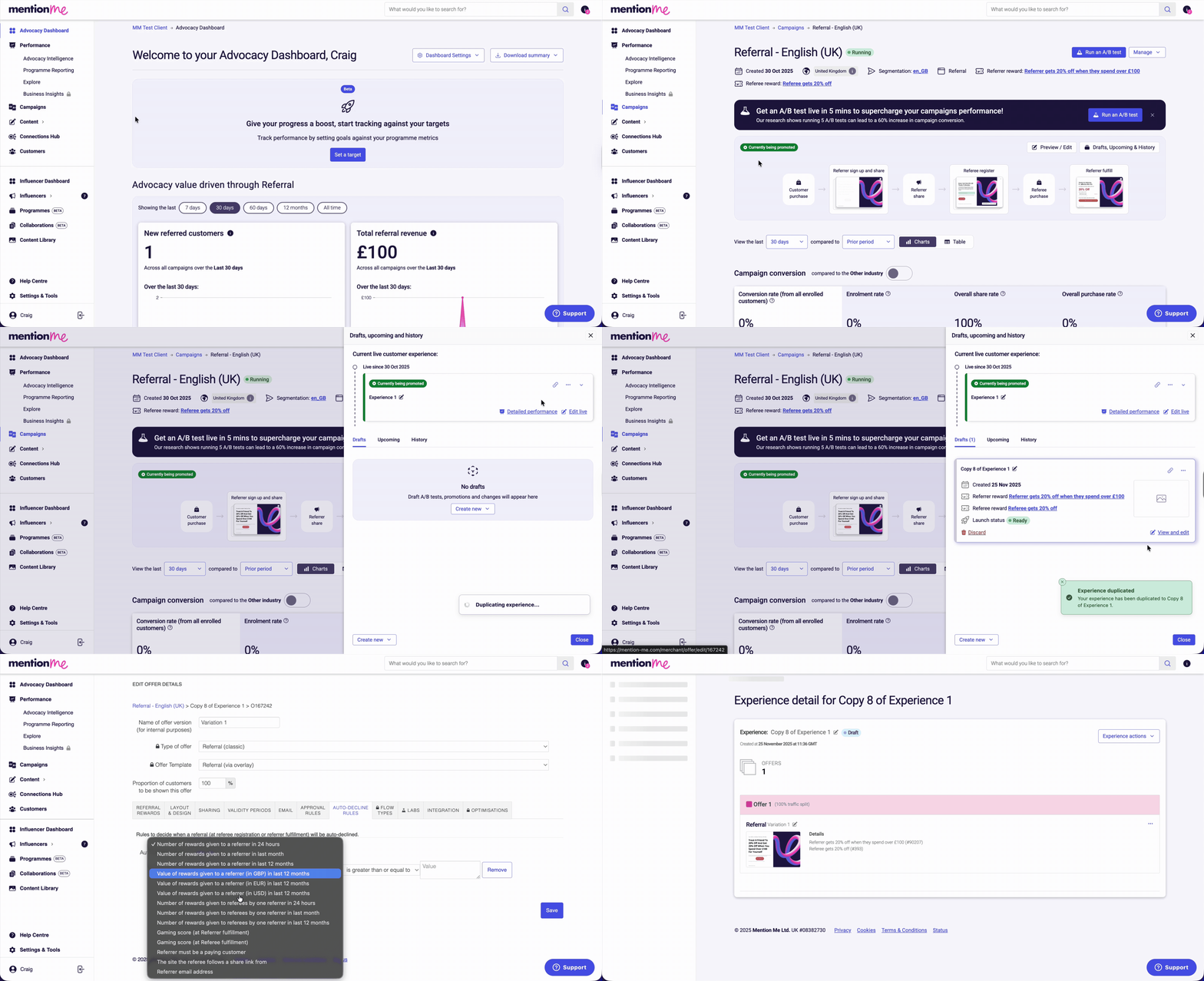
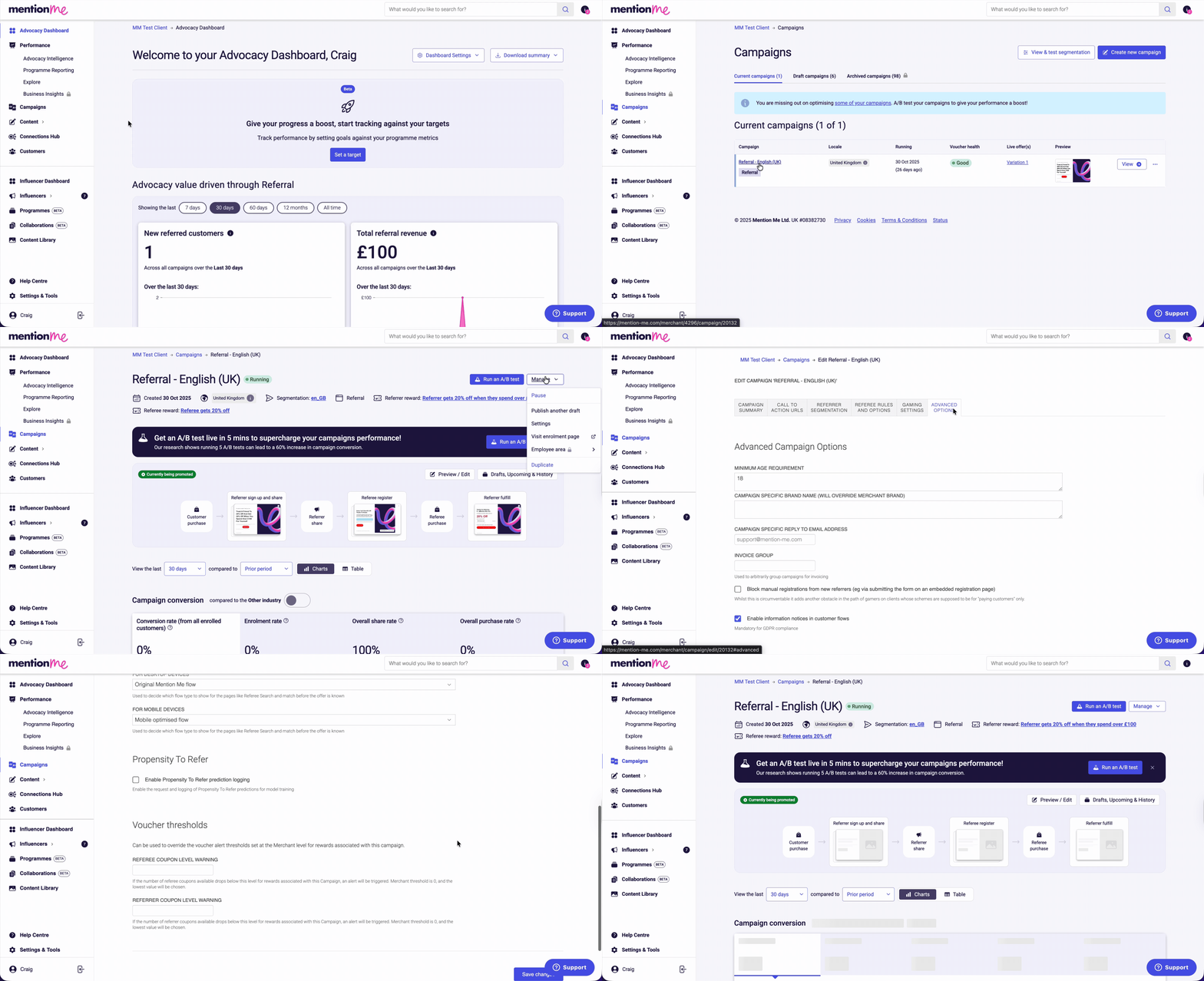
Follow these steps to ensure only paying customers can refer friends.
1
Duplicate the Offer
Click Campaigns, then click the name of the campaign you wish to amend. Click Drafts, Upcoming & History, then click the experiment actions menu (three dots) and select Duplicate (to draft) or Create New A/B Test.
2
Open Offer Settings
Click the offer actions menu (three dots), then click View Offer Settings.
3
Add the Auto-Decline Rule
Click the Auto-Decline Rules tab, then click Add Rule. Select the Referrer Must Be a Paying Customer option.
The 'Referrer must be a paying customer' rule selected in Offer Settings.
You can block manual registrations for new referrers via the embedded registration page in the campaign settings.
1
Open Campaign Settings
Click Campaigns, then click the name of the campaign you wish to amend. Click Manage, then click Settings.
2
Block Manual Registrations
Click the Advanced Options tab, then click the checkbox for Block manual registrations from new referrers (eg via submitting the form on an embedded registration page).
The 'Block manual registrations from new referrers' checkbox selected in Campaign Settings Advanced Options.
3
Save Your Changes
Click Save Changes.
Last modified on July 10, 2026
Was this page helpful?
Assistant
Responses are generated using AI and may contain mistakes.