

What Is Gaming?
Gaming refers to attempts by customers to get referral rewards without referring genuine new customers. Common forms include:- Self-referrals and fake accounts - Creating multiple accounts using different emails to refer themselves
- Collusion - Groups of individuals referring each other to inflate numbers
- Incentive misuse - Signing up multiple times to access welcome offers
- Broadcasting referral links - Posting links on public forums or coupon sites
Core Tools to Manage Gaming
Mention Me provides three core tools, plus a handful of more targeted controls for specific situations (see Further Prevention Options below):- Gaming Controls - Algorithmic scoring that evaluates referrals via IP address, cookies, email similarity, and more
- Velocity Controls - Limits on how many rewards a referrer can earn or distribute in a set time
- Eligibility Controls - Business-specific criteria that must be met before rewards are issued
Gaming Controls
Our gaming algorithm evaluates referrals via factors such as IP address, cookies, and email similarity to prevent self-referral. You can:- Apply controls to referrer and referee flows independently
- Manually review or automatically decline high-scoring referrals
- Use recommended defaults or customise for each offer
- Enhance scoring using additional data (e.g. postcode)
- Blacklist suspicious emails or IPs
Components of the Gaming Score
Each triggered fraud rule adds to the score. Higher scores mean increased likelihood of dishonest behaviour.
The gaming score components, showing fraud rules and their point values.
Configuring the Gaming Score
Controls can be applied to either the referrer or referee side, or both:- Referee side: Stops reward until a reviewer approves
- Referrer side: Allows introductory reward; referrer is reviewed only if fraud is detected later

The gaming controls configuration for the referrer and referee sides.
Acting on the Gaming Score
Referrals that exceed thresholds go into an approval queue. These should be reviewed regularly for approval or rejection.
The gaming approval queue, showing flagged referrals.

The gaming score threshold configuration.
How to Switch on or Amend Gaming Controls
Gaming Controls are enabled by default. To update them:A guided walkthrough of switching on gaming score approval rules for an offer.
See each step in detail
See each step in detail
Create a draft experiment
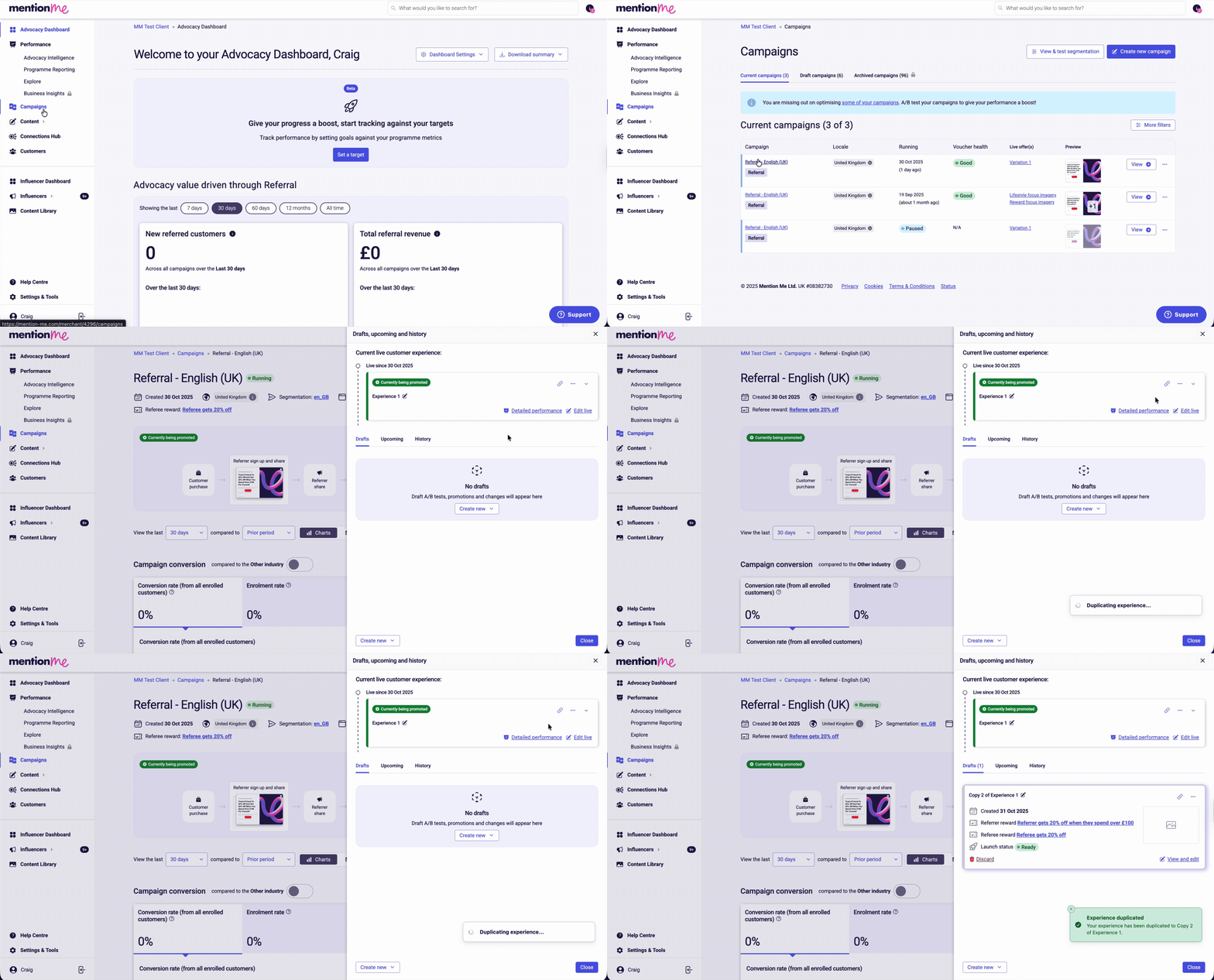
Navigating to offer settings via the experiment actions menu.
Open approval rules
Add gaming rules
- Gaming score (at Referrer fulfillment)
- Gaming score (at Referee fulfillment)
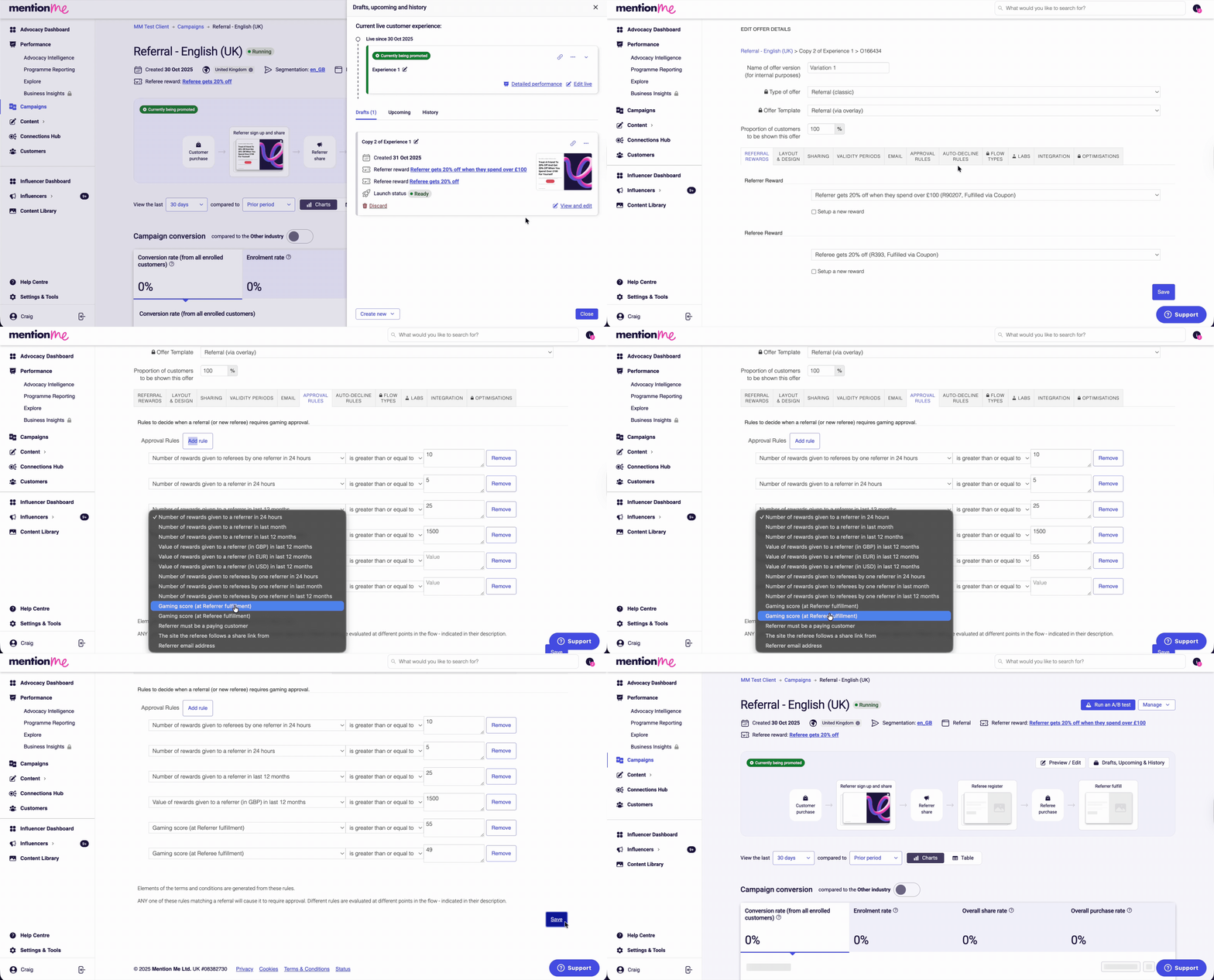
Adding gaming score approval rules to offer settings.
Velocity Controls
Velocity controls prevent disproportionate reward distribution, especially during viral events. They pause referral rewards once limits are reached, requiring manual approval. They can apply to:- Referrers: Cap how many vouchers they send per timeframe
- Referees: Cap how many referrals can come from a referrer
- 5 referrer rewards in 24 hours
- 25 referrer rewards in a year or 12 month period
- 10 introductory offers claimed from the same referrer in 24 hours

The velocity controls configuration, showing reward limits.
Acting on Velocity Thresholds
When scores exceed limits, referrals go to a queue. Review them manually for approval or decline.
The velocity threshold approval queue.
Eligibility Controls
Ensures referrals meet business-specific criteria before rewards are issued. Examples:- Utilities: Reward delayed until supply begins
- Travel: Reward given after trip completion
Further Prevention Options
Beyond the three core tools above, a few more targeted controls are available for specific situations.Voucher Controls
The codes referrers and referees receive can be configured to make them harder to exploit:- Single-use - a code can only ever be redeemed once, so it can’t be copied and reused
- Non-stackable - codes can’t be combined with other codes on the same order
- Minimum spend - a code only unlocks a reward once an order reaches a value you set, protecting your margin on low-value test purchases
- Market or product restrictions - codes can be limited to specific markets or product ranges
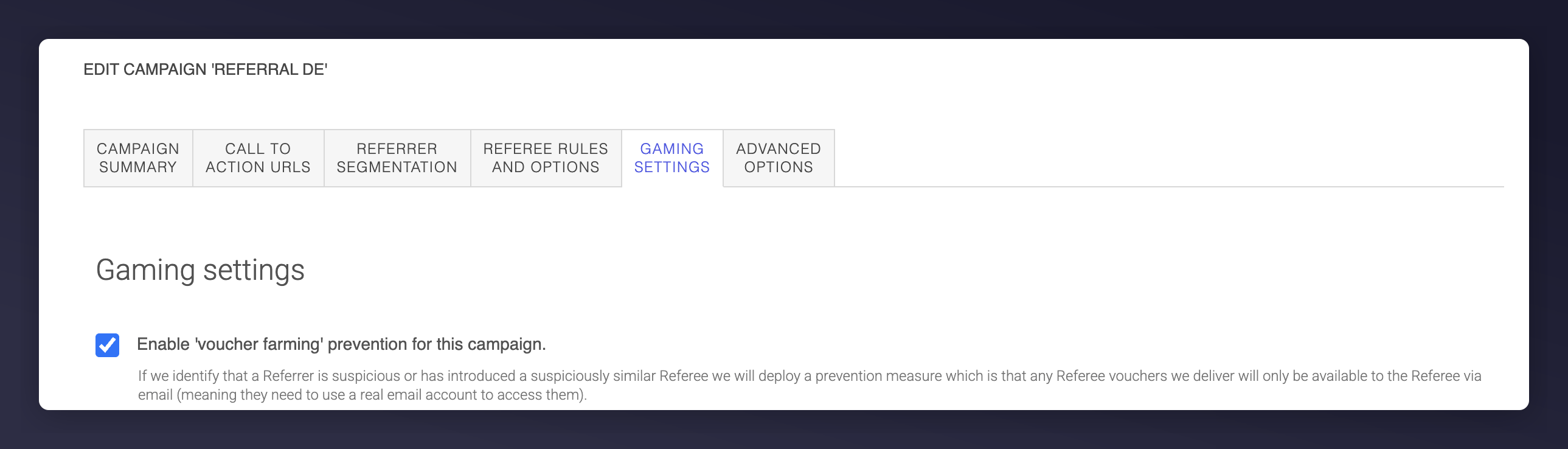
Enabling email verification for suspicious referees in the Campaign Gaming Settings tab.

What a referee sees when their voucher code is sent to their email instead of shown immediately.
Account and Link Blacklisting
Sometimes it’s obvious a specific person or link is being used to abuse your programme: an affiliate promoting your referral offer instead of their own, say, or a reseller running the same trick repeatedly.- Blacklist an account - flag a specific customer as a suspected gamer. Every referral connected to them, and their associated IP address and cookie, is then scored more harshly.
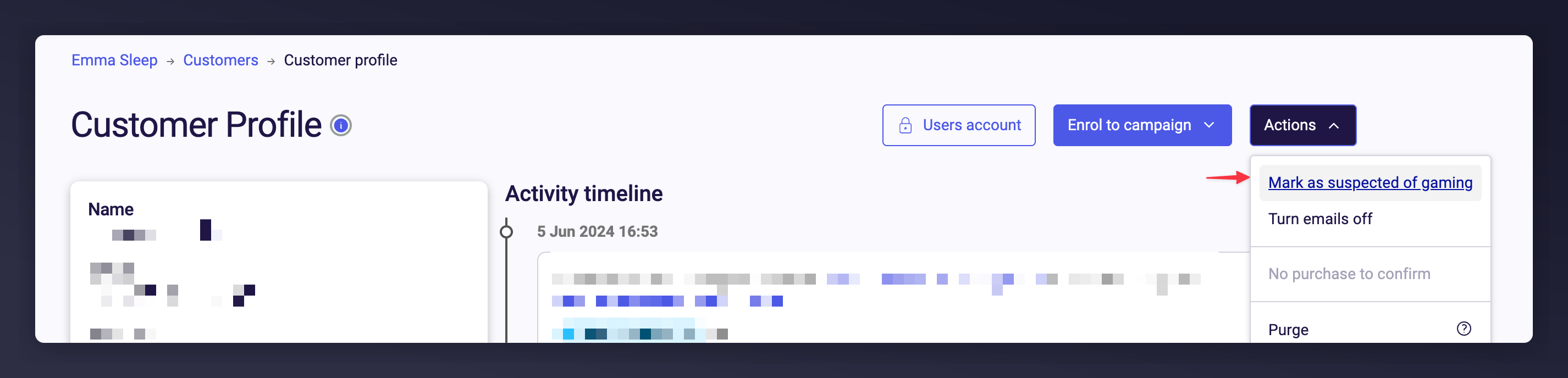
Marking a customer account as suspected of gaming.
- Blacklist a referring URL - withhold rewards for anyone arriving via a specific website, such as a coupon site your sharing links have ended up on without your permission.
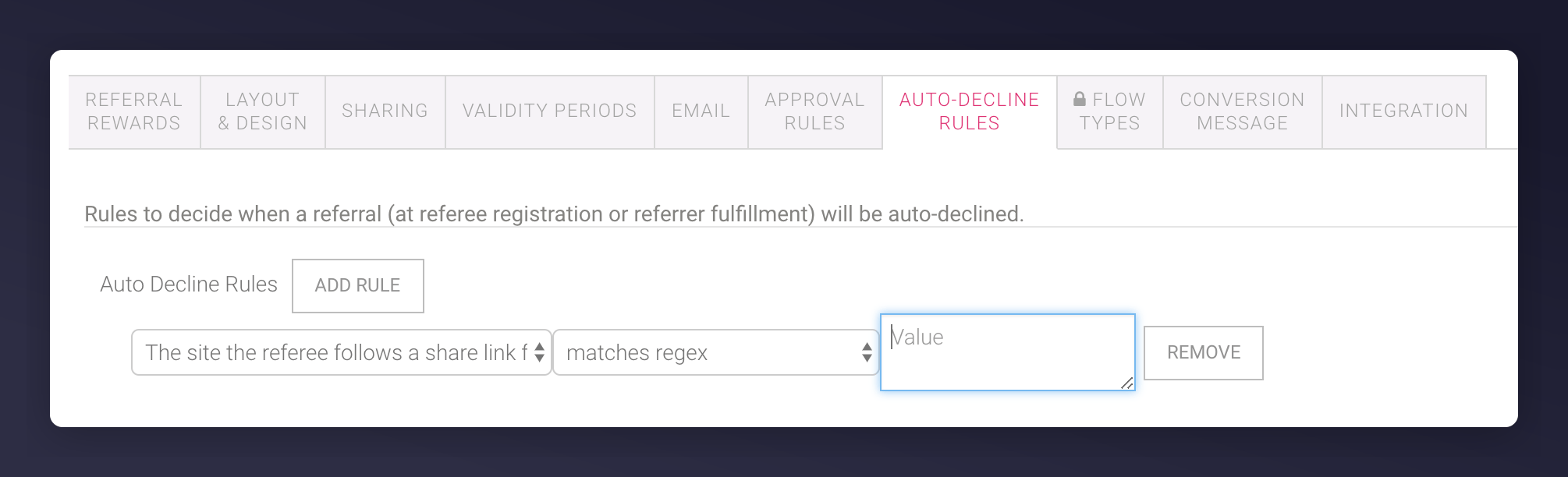
Blocking a specific referring URL from earning rewards.
Referrer Eligibility
By default, anyone who registers as a referrer can earn a reward, whether or not they’re a paying customer. If you’d rather only reward existing customers, subscription and membership businesses often do, you can require referrers to have a matching order on file before they can earn anything.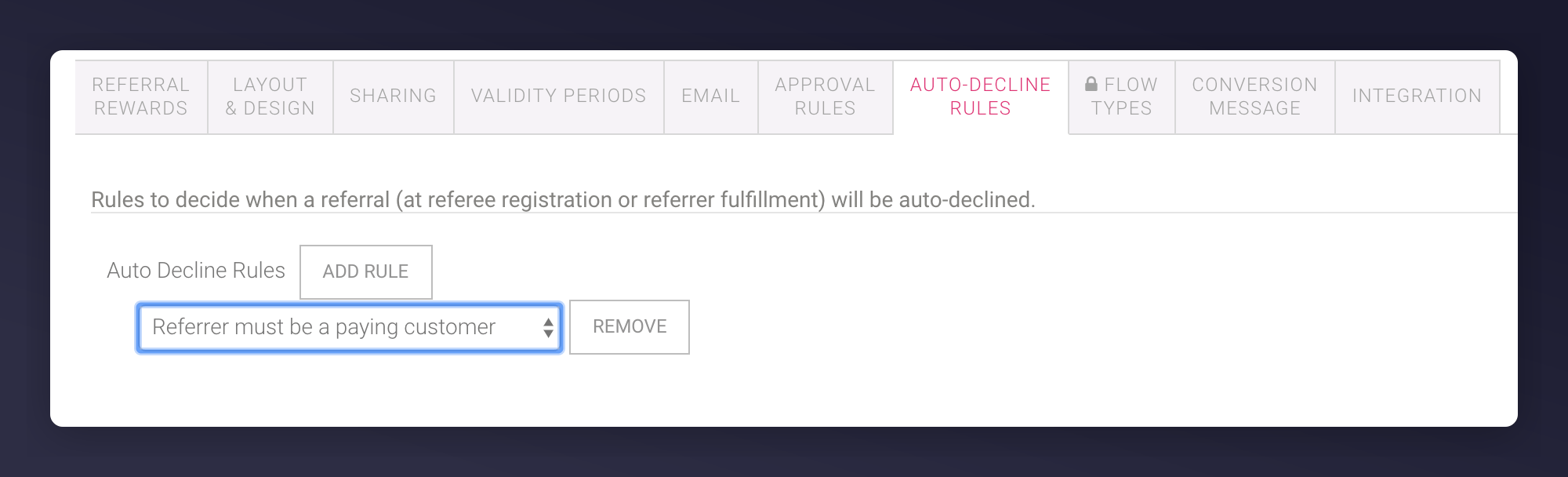
The auto-decline rule requiring referrers to be existing customers.
Enrolment Controls
Referral landing pages are usually open to anyone who lands on them, good for reach, but it means people can register as a referrer without ever having interacted with your brand. If you’d rather restrict registration to customers who arrive through a genuine journey, like a post-purchase email or on-site prompt, you can block manual registrations on the open landing page.
Blocking manual registrations on an open landing page.
How Mention Me Detects Gaming
Mention Me uses several methods to identify and address gaming:- Intelligent detection - Machine learning and behavioural analytics identify unusual activity patterns such as repeated referrals from the same device, email domain, or IP address
- Gaming score system - Evaluates referral behaviour based on risk indicators including referral frequency, IP duplication, and account creation patterns
- IP and device tracking - Monitors IP addresses and device fingerprints to detect unusual patterns
- Dynamic rewarding rules - Set specific eligibility criteria such as purchase validation periods or referral thresholds
- Controlled reward distribution - Implement a waiting period before rewards are issued