

- Integrating Web Analytics with your SAP Commerce Cloud Storefront - An Overview
- Implementing Google Analytics with SAP Commerce Cloud
Referrer integration
Configure the referrer JavaScript tag entirely via Google Tag Manager using variables, a trigger, and a tag.Variables
The following variables are needed in the data layer:| Parameter | Description | Example |
|---|---|---|
| Customer firstname | Customer’s first name (URL-encoded) | Monica |
| Customer surname | Customer’s surname (URL-encoded) | Collins |
| Customer email | Customer’s email address (URL-encoded) | monicacollins195@mention-me.com |
| Order subtotal | Value excluding tax/shipping in specified currency | 95.75 |
| Order currency code | Currency in ISO 4217 format | GBP |
| Order ID | Unique order ID (max 50 chars) | 9947550576 |
| Customer locale | language_country format (ISO 639-1 + ISO 3166-1 alpha-2) | en_GB |
Trigger
Create a purchase trigger using the “Page View” trigger type on the order confirmation page.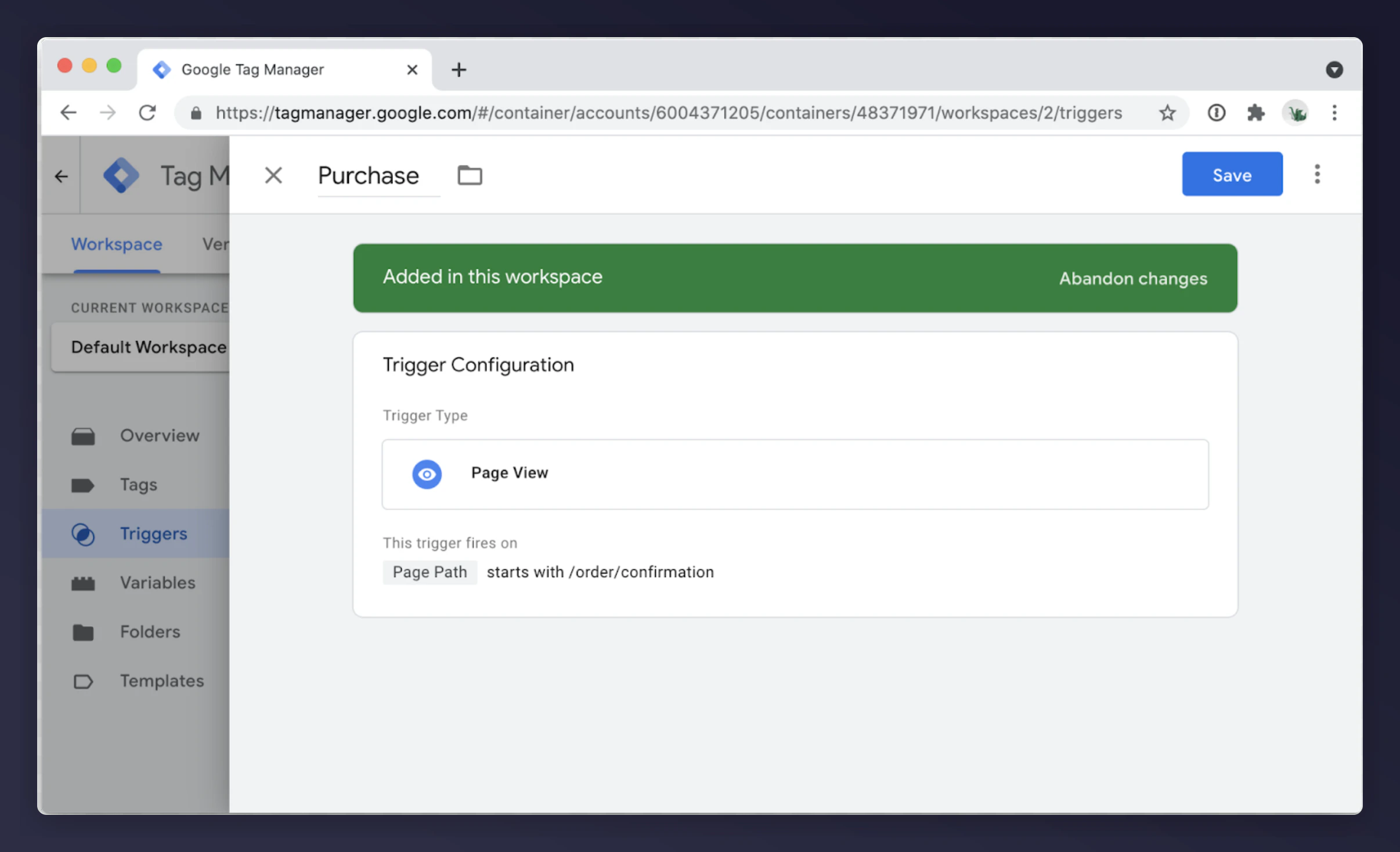
Tag
Create a Custom HTML tag:Replace
PARTNER_CODE with your Mention Me partner code (e.g. mmxxx00000). Ensure the variable names match those defined in your GTM container’s data layer.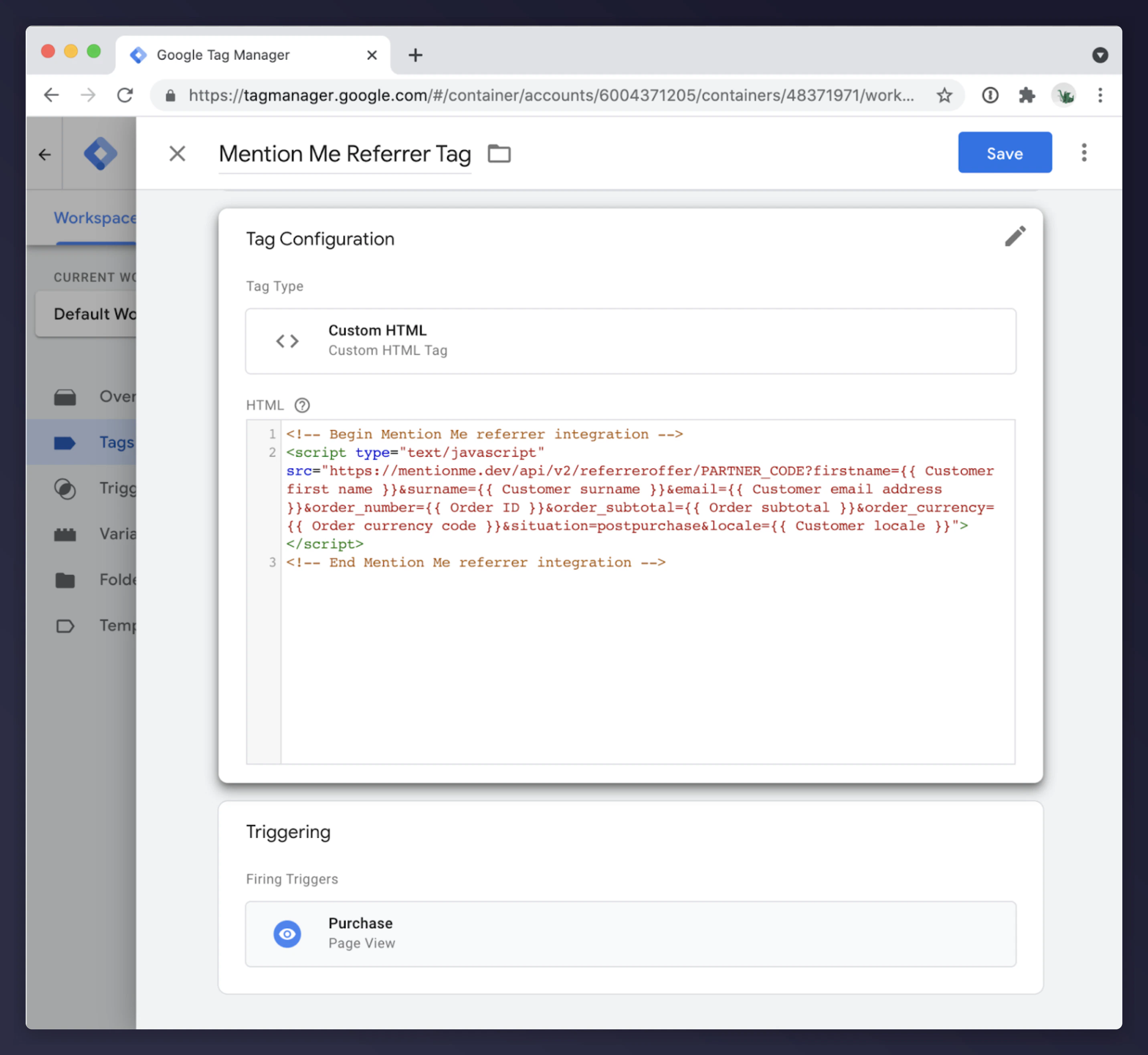
Referee integration
The referee integration enables Name Share: customers enter their friend’s name to claim an introductory reward. Embed the referee tag on the checkout page.Variables
| Parameter | Description | Example |
|---|---|---|
| Customer locale | language_COUNTRY format (ISO 639-1 + ISO 3166-1) | en_GB |
Trigger
Create a page view trigger on the checkout page.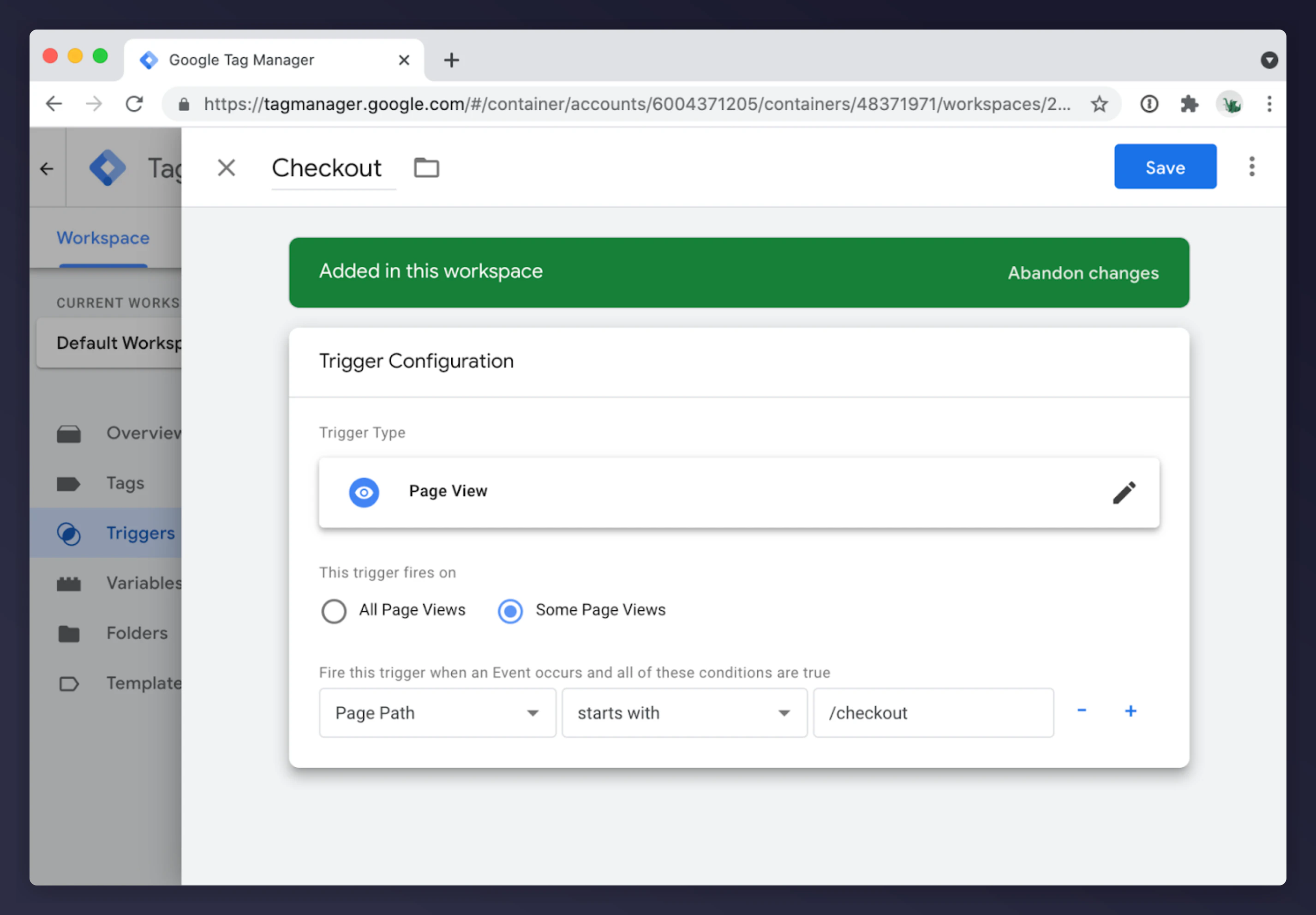
Tag
Create a Custom HTML tag:Replace
PARTNER_CODE with your Mention Me partner code. Update {{ Customer locale }} to match your data layer variable.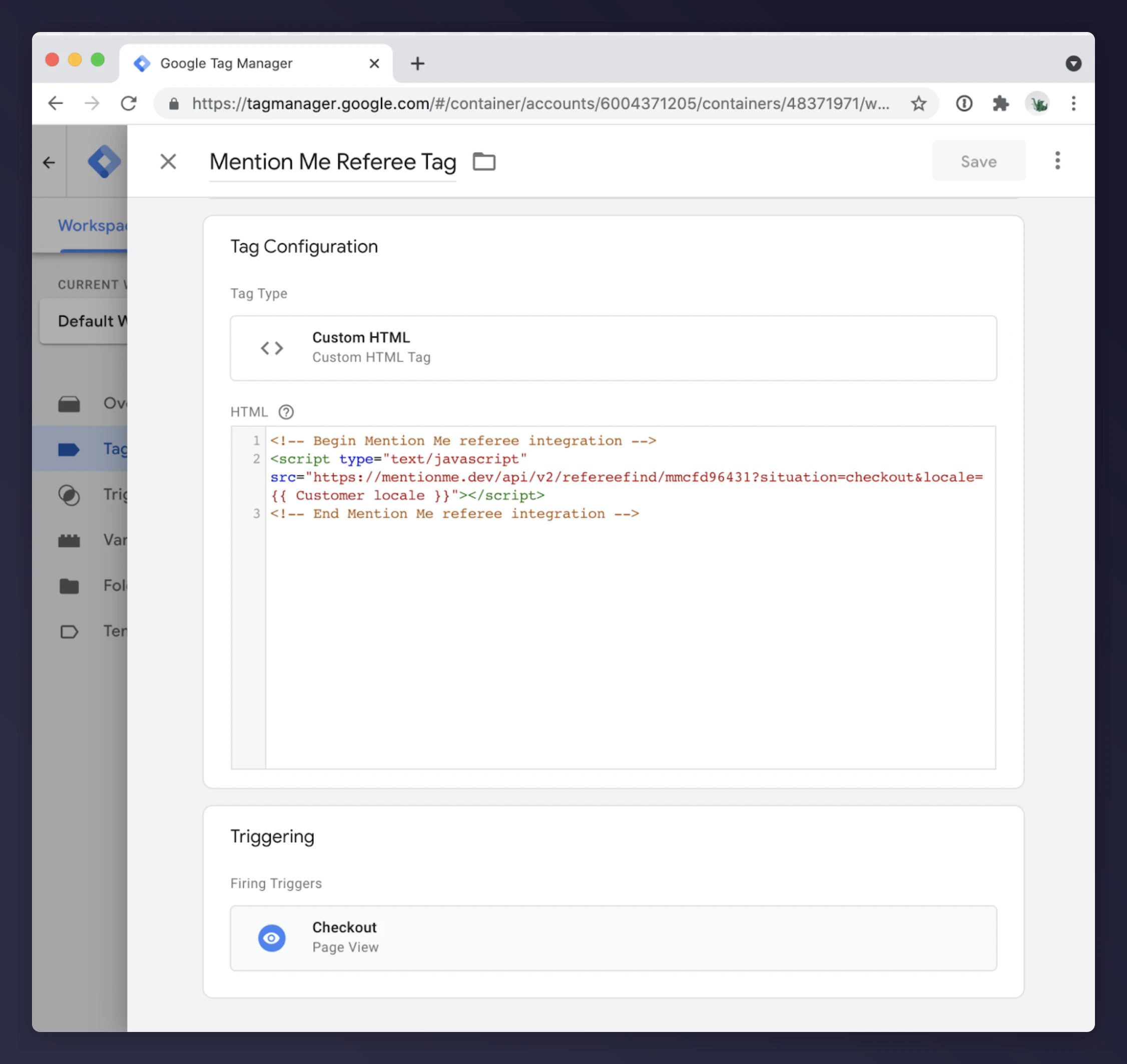
HTML changes
Add the following placeholder to the checkout page (typically above the coupon code field):SAP Commerce Cloud Accelerators
If using the SAP Coupon Module, review the documentation for Coupons in Accelerator. Update the JSP tag at:yacceleratorstorefront/web/webroot/WEB-INF/tags/responsive/cart/cartVoucher.tag
Alternatively, add the integration into: yacceleratorstorefront/web/webroot/WEB-INF/views/responsive/pages/cart/cartTotalsDisplay.jsp
SAP Spartacus
Customise the Cart Coupon component HTML and place the Mention Me div wrapper above<div class="cx-cart-coupon-container">.