

Check Your Connection Status
1
Open General settings
Navigate to Influencers > Settings > General.
2
Select Shopify
Select Shopify as the discount provider.
3
Check the integration card
Check the integration card that appears below.
Issue: “Not Connected”
What you see: A red status badge showing “Not connected” with the message “Shopify is not connected. Connect your Shopify store to use automatic discount codes.” Cause: The Mention Me Shopify app is not installed on your store. Solution:1
Install the app
Click the Install app button on the integration card (or visit the Shopify App Store listing directly).
2
Complete installation
Follow the installation prompts in Shopify and approve all requested permissions.
3
Verify connection
Return to the General settings page and verify the status changes to “Connected”.
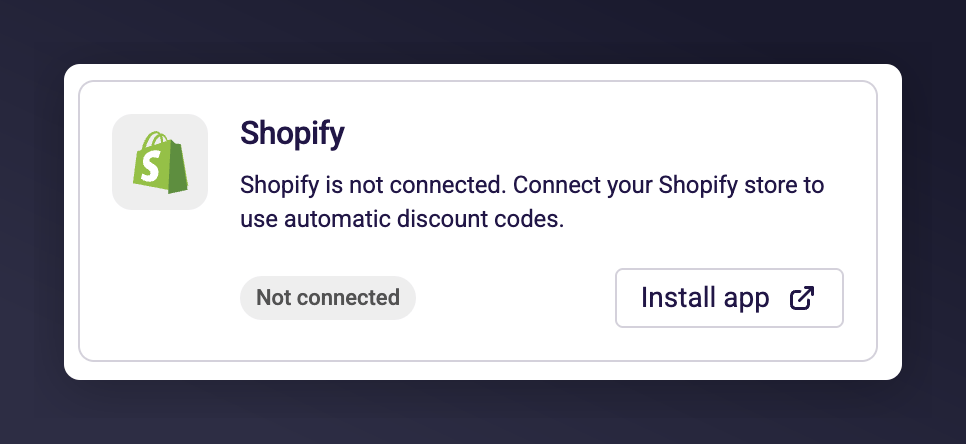
The Shopify integration card showing Not Connected status with the Install app button.
Issue: “Installed, With Warnings”
What you see: An amber status badge showing “Installed, with warnings” with the message “The Mention Me app is missing some permissions. Please go to the app to remedy.” Cause: The app is installed but doesn’t have the permissions needed to manage discounts. This typically happens when the app was installed before the discount management feature was added, or permissions were modified. Solution:1
Go to the app
Click the Go to app button on the integration card. This takes you to the Mention Me app in your Shopify admin.
2
Re-authenticate
You’ll be prompted to re-authenticate and grant the additional permissions. Approve the permissions.
3
Verify connection
Return to the General settings page and verify the status changes to “Connected”.
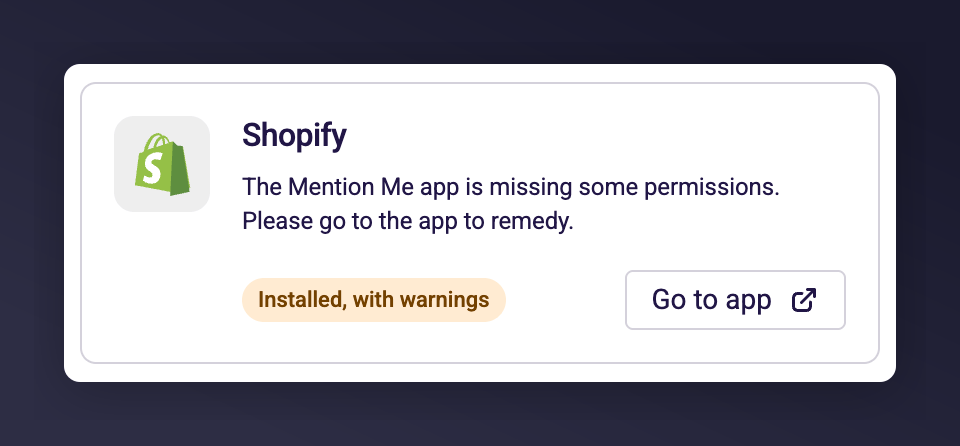
The Shopify integration card showing Installed with warnings status and a missing permissions message.
Issue: Cannot Save “Shopify” as Discount Provider
Cause: The form validates that Shopify is properly connected before allowing you to save it as your provider. Solution: Resolve the connection issue first using the steps above. Once the integration card shows “Connected”, try saving again.Issue: Discount Code Creation Fails for an Influencer
Possible causes:- Connection lost: Your Shopify app connection may have expired. Check the connection status on the General settings page.
- Code already exists: The generated code already exists in Shopify. The system retries automatically up to 3 times with a modified code, but in rare cases all retries may fail. Try editing the influencer’s code manually.
- Shopify API issue: Temporary Shopify API outage. Wait a few minutes and try again.
Issue: “View in Shopify” Shows “Discount Not Found”
Cause: The discount may have been deleted or modified directly in your Shopify admin. Solution:- If the discount was intentionally deleted in Shopify, edit the influencer’s code in Mention Me — this will create a new Shopify discount with the updated code.
- If you didn’t delete it, check your Shopify admin under Discounts to investigate.
Still Having Issues?
Contact Mention Me support with:- Your merchant name
- The influencer and collaboration affected (if applicable)
- The error message you’re seeing
- Screenshots of the connection status card