

Editing a Discount Code
Steps
1
Open the influencer's profile
Navigate to the influencer’s profile page and open the Collaborations tab.
2
Edit the discount code
Find the collaboration, click the actions menu on the right, and select Edit discount code.
3
Enter and save the new code
Enter the new code in the modal and click Save.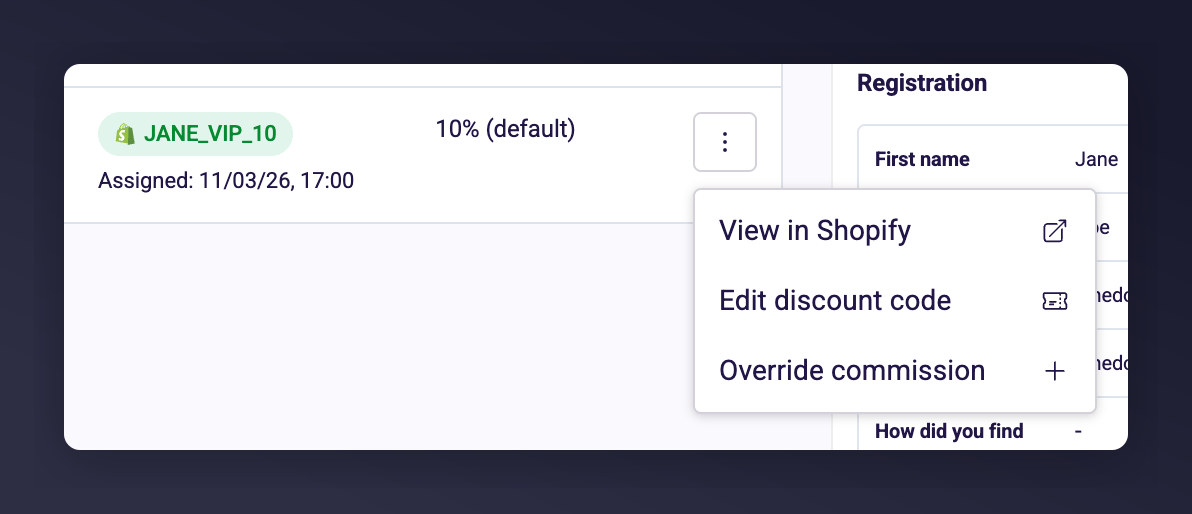
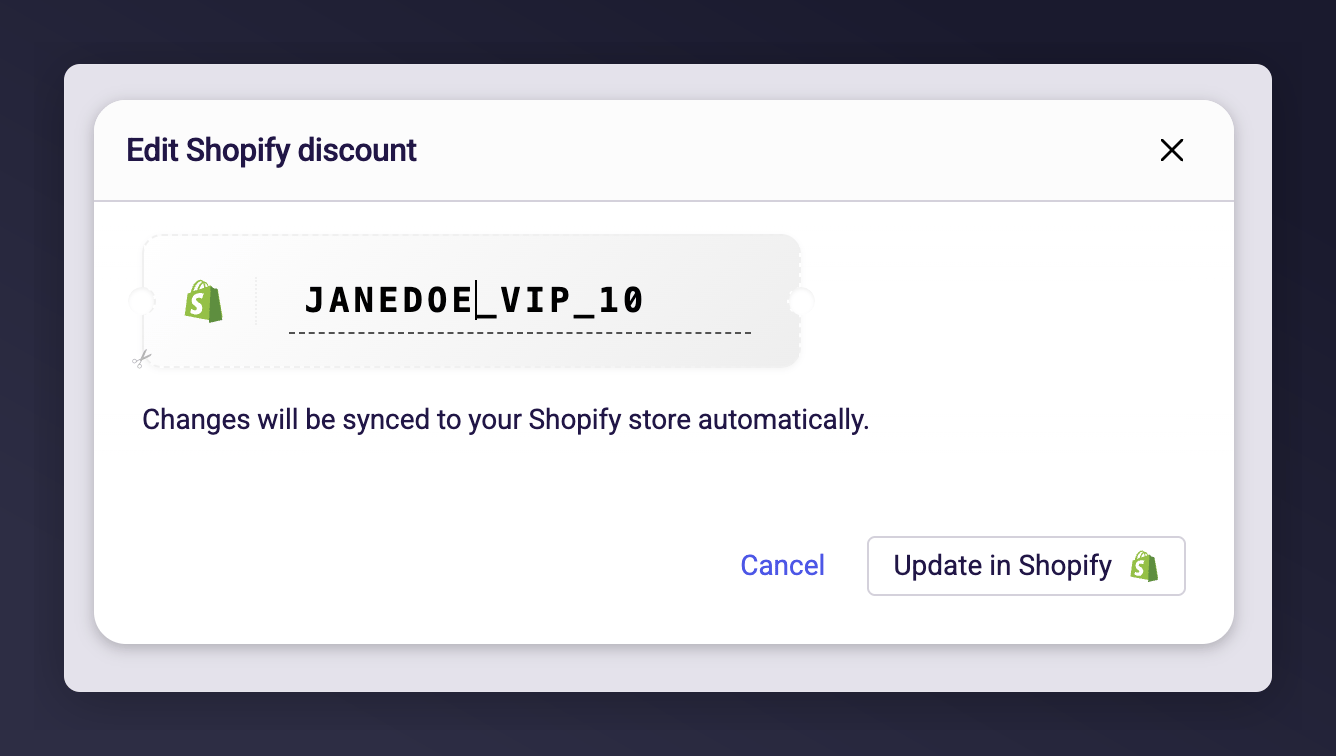
The Edit discount code modal with an input field for the new code.
Discount code validation showing an error when the code already exists in Shopify.
What Happens When You Save
The behaviour depends on the type of discount: Shopify discount codes (green Shopify badge):- If the code exists in Shopify, the existing discount is renamed to the new code.
- If the code doesn’t exist in Shopify (e.g. it was deleted from Shopify admin), a new discount is created with the new code and the original settings.
- The change is reflected immediately in your Shopify admin.
- The code is updated in Mention Me only.
- No changes are made in any external system — you’ll need to update the code in whatever system you manage discounts in.
Things to Know
- If the new code already exists in Shopify, you’ll see an error. Choose a different code.
- Editing a code does not change the discount value, eligibility, or other settings — only the code itself.
- You can assign a code to an influencer who doesn’t have one yet by selecting Assign discount code from the actions menu.
Converting a Manual Code to a Shopify Discount
If you’ve switched your discount provider to Shopify but have influencers with existing manually assigned codes, you can convert them individually to keep them in sync going forward.Prerequisites
- Your discount provider must be set to Shopify in Influencers > Settings > General
- Your Shopify connection must show Connected status
Steps
1
Open the influencer's profile
Navigate to the influencer’s profile page and open the Collaborations tab.
2
Find the manual code
Find the collaboration with a manually assigned code (shown with a grey ticket icon).
3
Convert to Shopify discount
Click the actions menu on the right and select Convert to Shopify discount.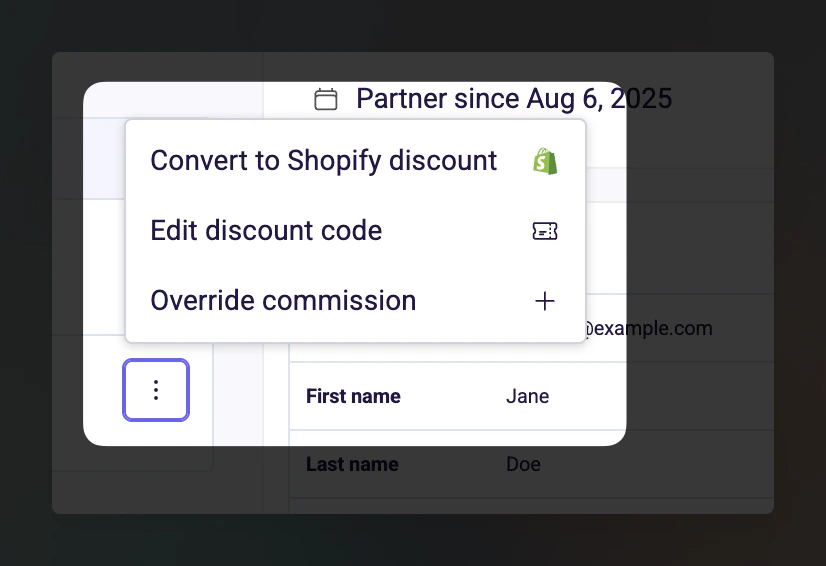
The Convert to Shopify discount option in the collaboration actions menu.
The Code Already Exists in Shopify
The modal shows the code was found in your Shopify store. Click Link discount to connect the existing Shopify discount to this influencer. From this point, edits in Mention Me will sync to this Shopify discount.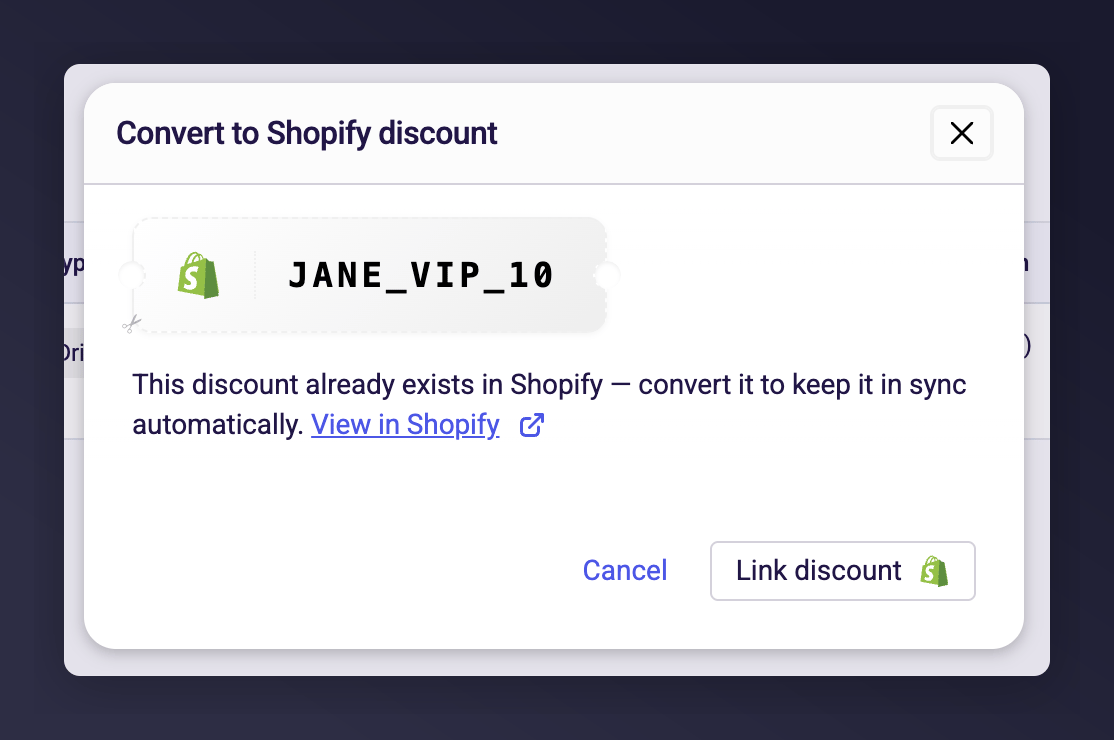
Modal showing an existing Shopify discount found with the Link discount button.
The Code Doesn’t Exist in Shopify
Click Create Shopify discount to create a new discount in your Shopify store with the same code, value, and settings from the collaboration.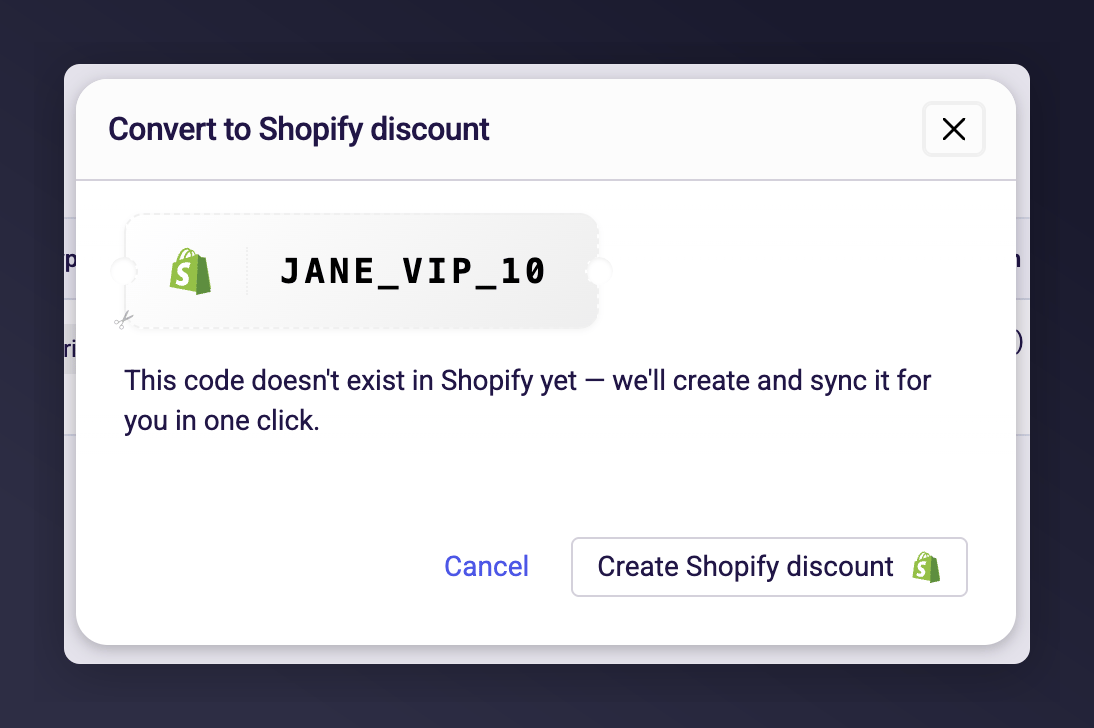
Modal showing the code not found in Shopify with the Create Shopify discount button.
After Conversion
- The code badge changes from grey (manual) to green (Shopify).
- The View in Shopify action becomes available in the actions menu.
- Future edits to this code will automatically sync to Shopify.
- The discount in Shopify will have the value and eligibility settings from the collaboration.
Things to Know
- Conversion is per-influencer, not bulk — you convert one code at a time.
- The discount code itself doesn’t change during conversion, only where it’s managed.
- If the conversion fails (e.g. network issue), no changes are made — you can try again.