

Steps
1
Open the collaboration
Navigate to the collaboration’s edit page.
2
Modify the follower incentive
On the Actions step, modify the Follower incentive settings:
- Incentive type (percentage or fixed amount)
- Discount value
- Minimum spend
- Customer eligibility (Shopify only)
3
Review the coupon source card
Review the coupon source card that appears below the incentive form to understand the impact on existing codes.
4
Save your changes
Save your changes.
Understanding the Coupon Source Card
When a live collaboration has enrolled influencers with discount codes, a card appears showing how the codes break down:
The card shows counts for each type and explains what will happen:
- Shopify codes: Automatically updated to reflect your changes (new value, eligibility, etc.)
- Manual codes: Not updated automatically. You’ll need to update these in your own system and reflect the changes in Mention Me.
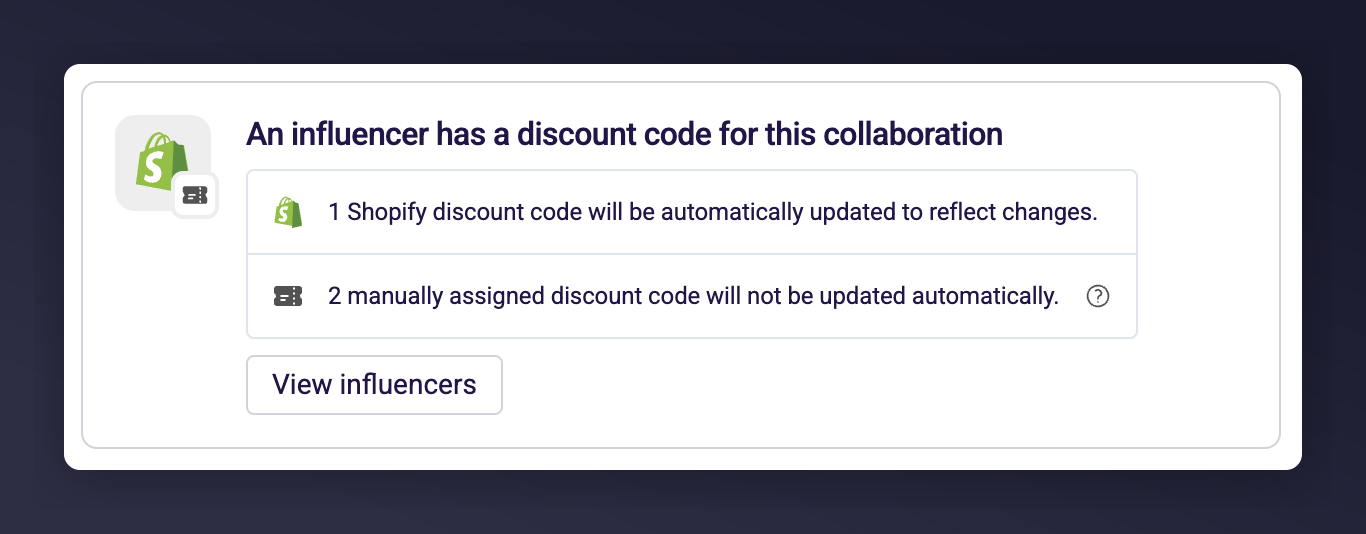
The coupon source card showing Shopify and manual code counts with an update impact summary.
Things to Know
- A notice is displayed when editing a live collaboration to remind you of the impact.
- Changes take effect immediately for Shopify codes — discounts are updated in real time.
- The coupon source card only appears when there are enrolled influencers with assigned codes.
- If all codes are Shopify-managed, you can edit with confidence that everything stays in sync.