

About the Integration
Activate your biggest fans by feeding first-party advocacy data directly into Emarsys to deliver higher engagement, retention, and revenue across your customer base.Integration Capabilities
- Send contact data and opt-ins from Mention Me referred customers to Emarsys in real-time
- Use referral data to create coupon email reminders
- Enhance other marketing channels by using referral and advocacy data to segment and target high-value customers
Prerequisites
- Emarsys - Ability to create private API Users.
- Mention Me - Access to the Mention Me platform. Contact your CSM or submit a support request if needed.
Step 1: Create an API User and Secret for Mention Me
Log in to Emarsys
Navigate to API settings
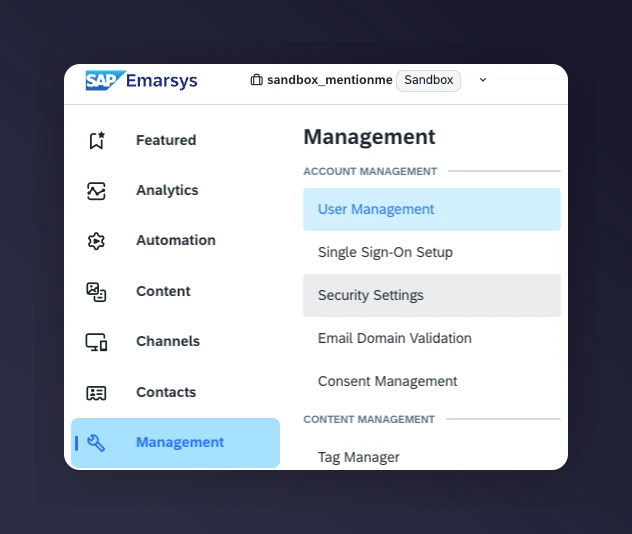
The Emarsys Security Settings API navigation.
Create your API User
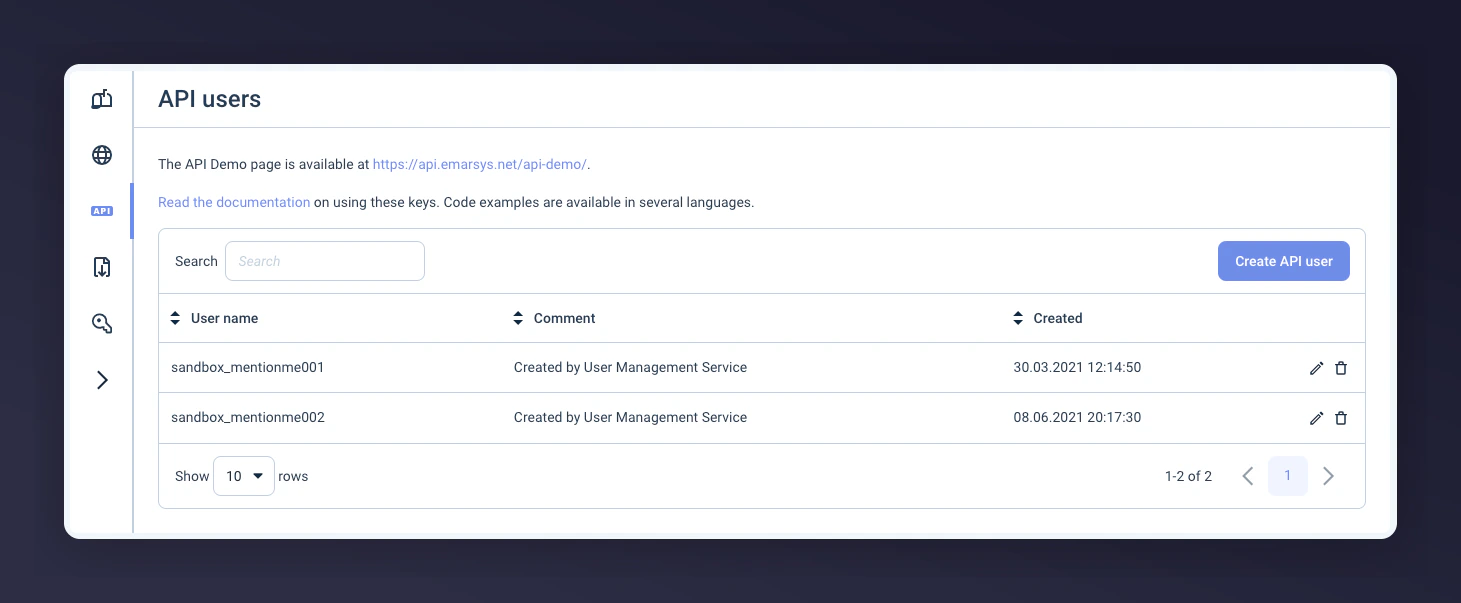
The Create API User button in Emarsys.
Select WSSE authentication type
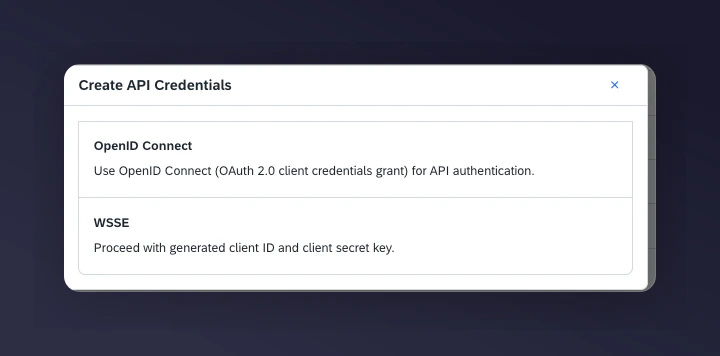
Selecting WSSE as the authentication type in Emarsys.
Set API user permissions
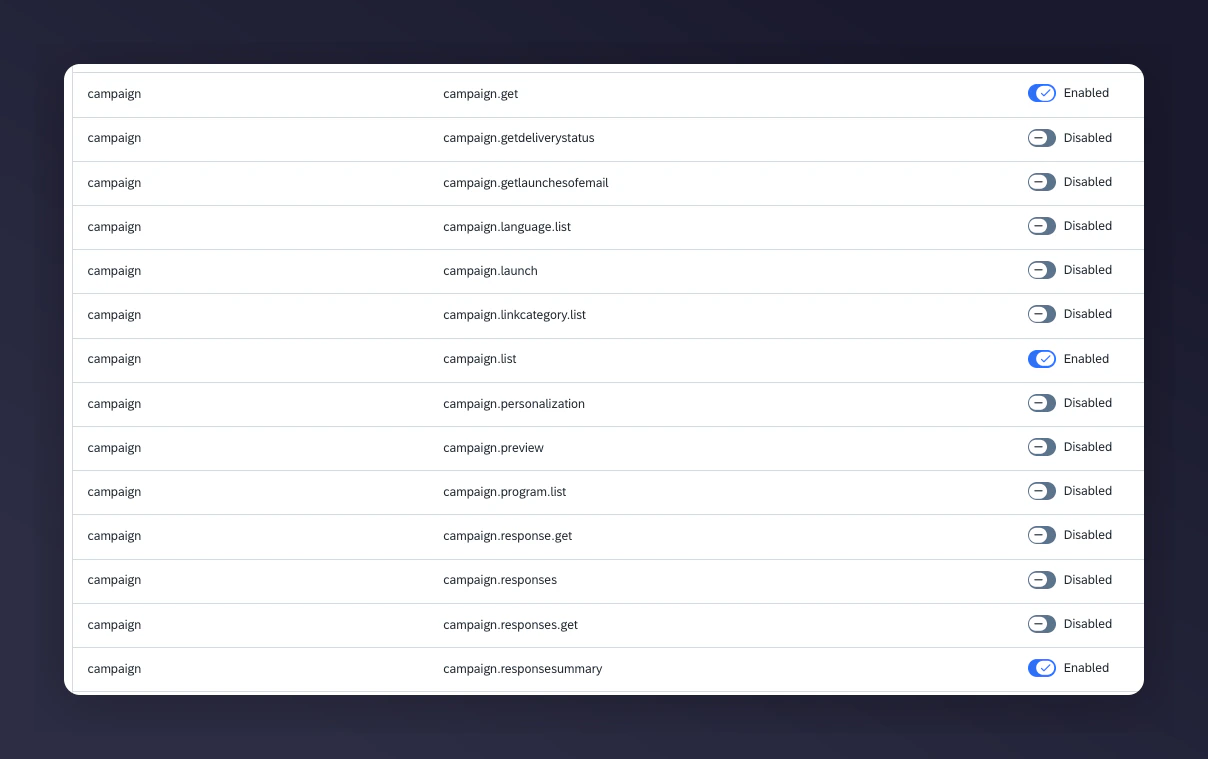
API user permissions configuration in Emarsys, part 1.
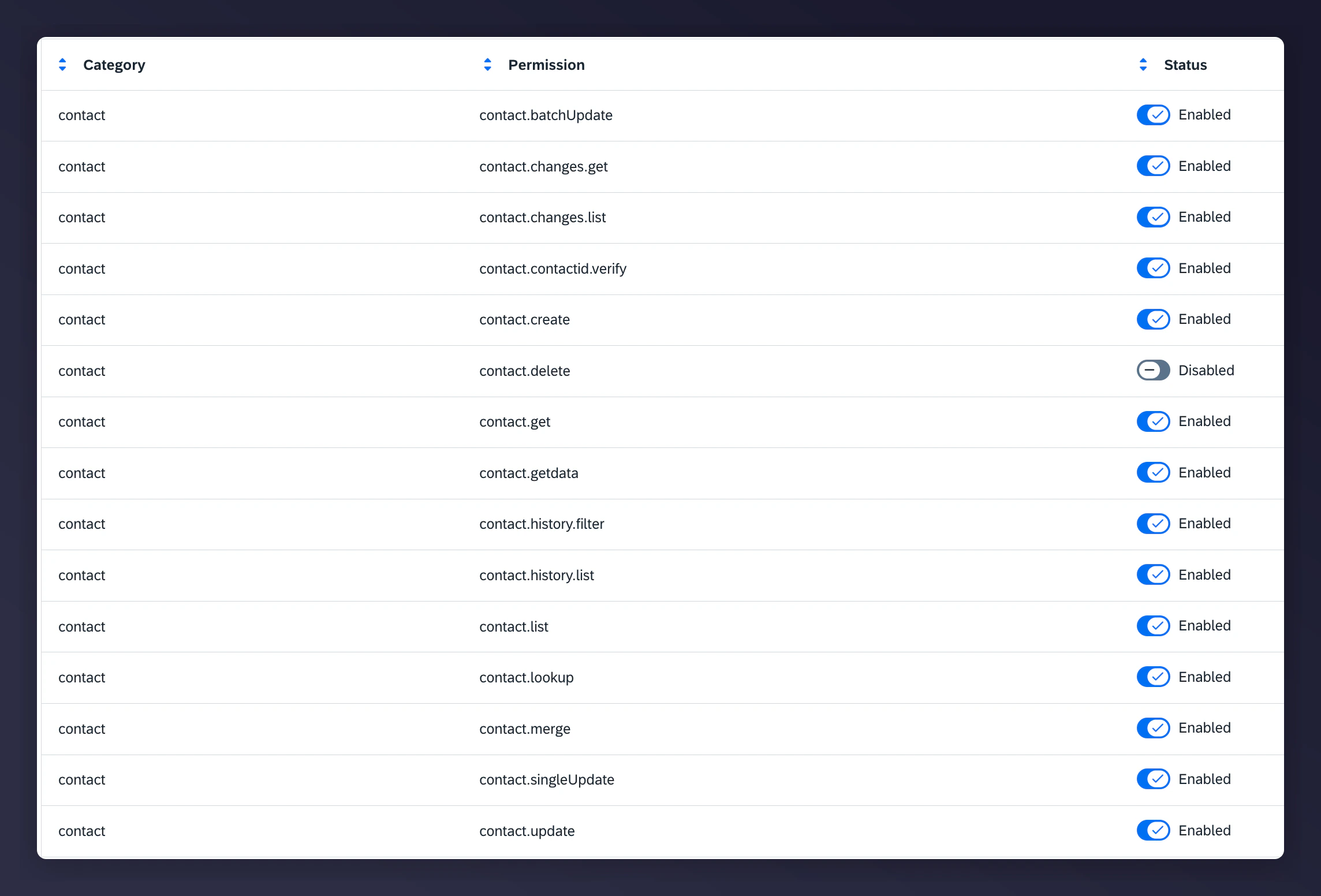
API user permissions configuration in Emarsys, part 2.

API user permissions configuration in Emarsys, part 3.
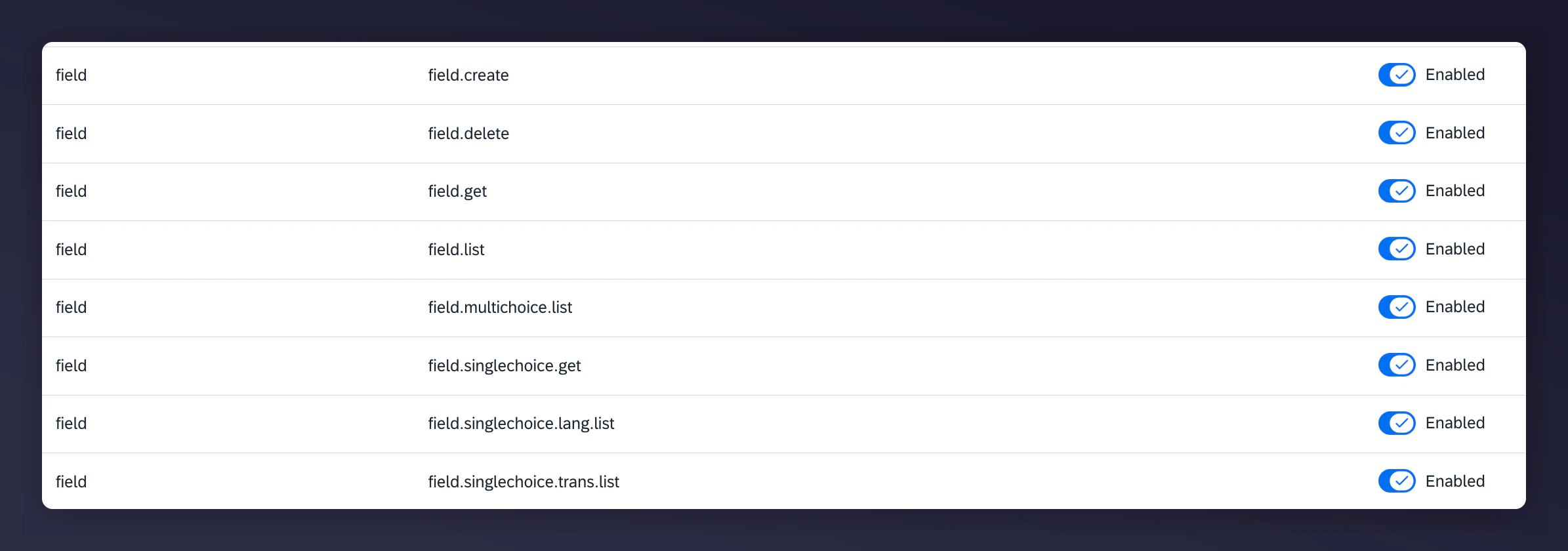
API user permissions configuration in Emarsys, part 4.
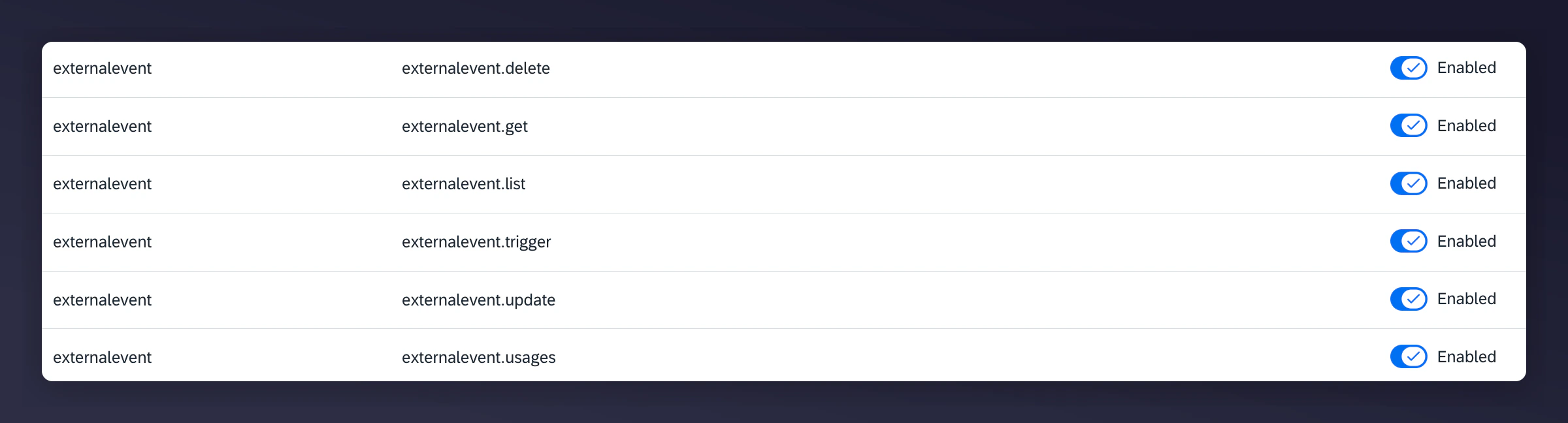
API user permissions configuration in Emarsys, part 5.
Save credentials for Step 2
Step 2: Set Up the Integration in Mention Me
Connect on Mention Me platform
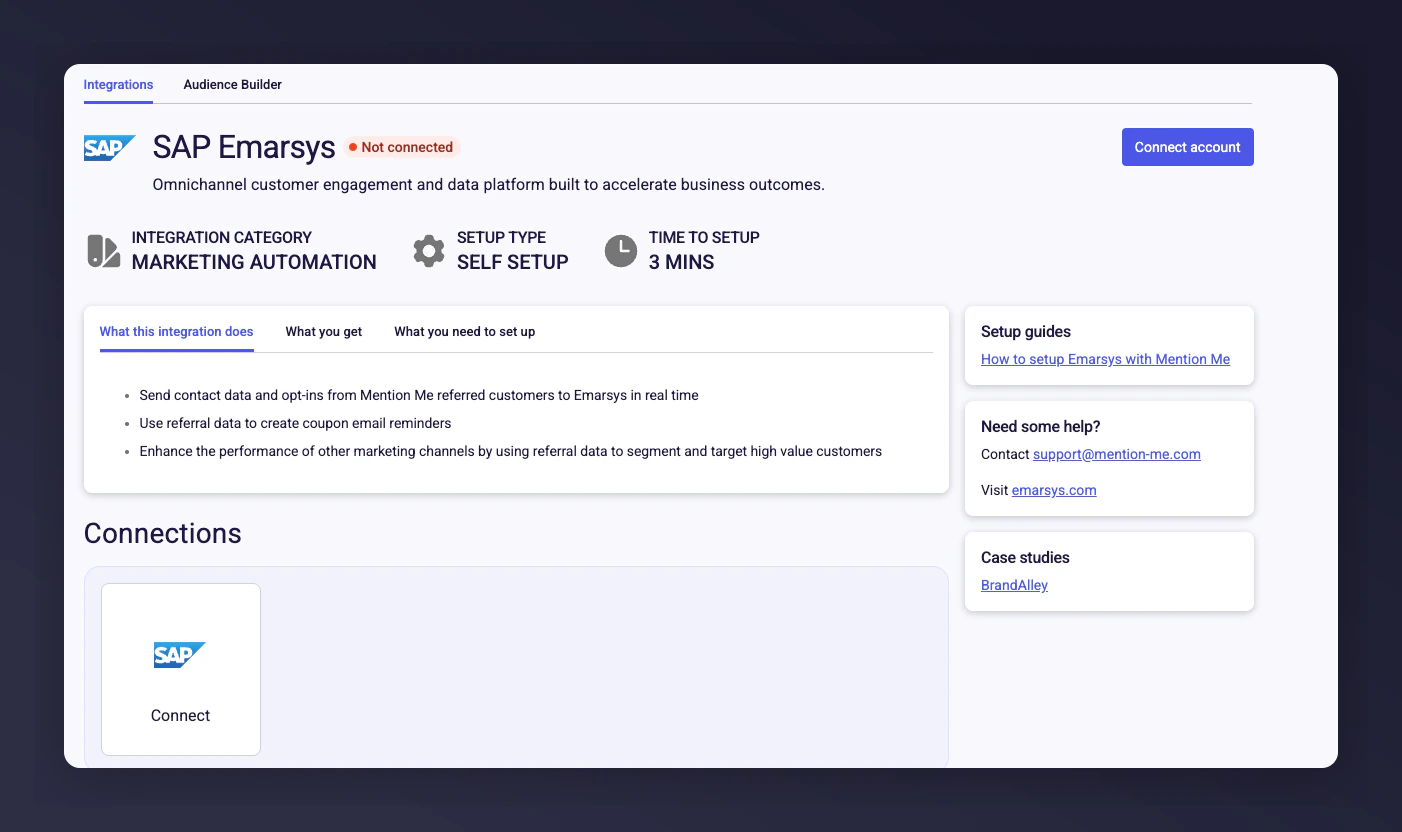
The Mention Me Emarsys integration connect page.
Accept terms and conditions
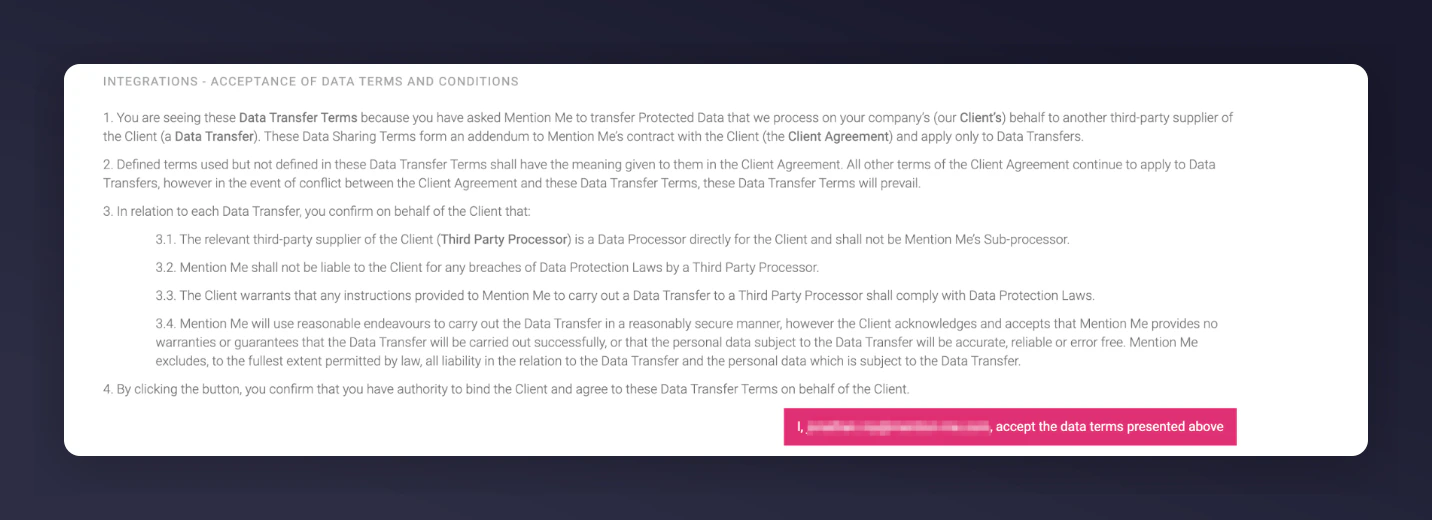
The terms and conditions acceptance screen for the Emarsys integration.
Click New authentication
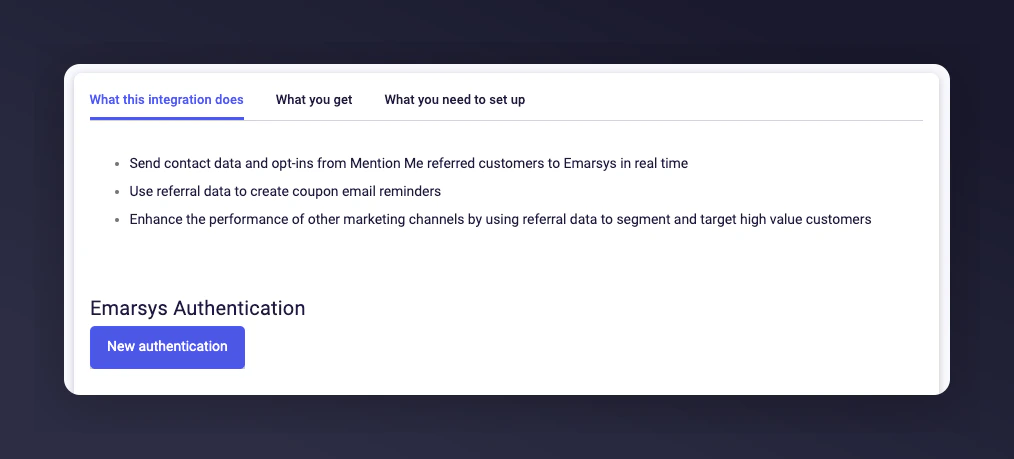
The New Authentication button in Mention Me.
Name your authentication
Enter API Key and Secret
- API Key (User)
- API Secret
Enter the Base URL
Create the authentication
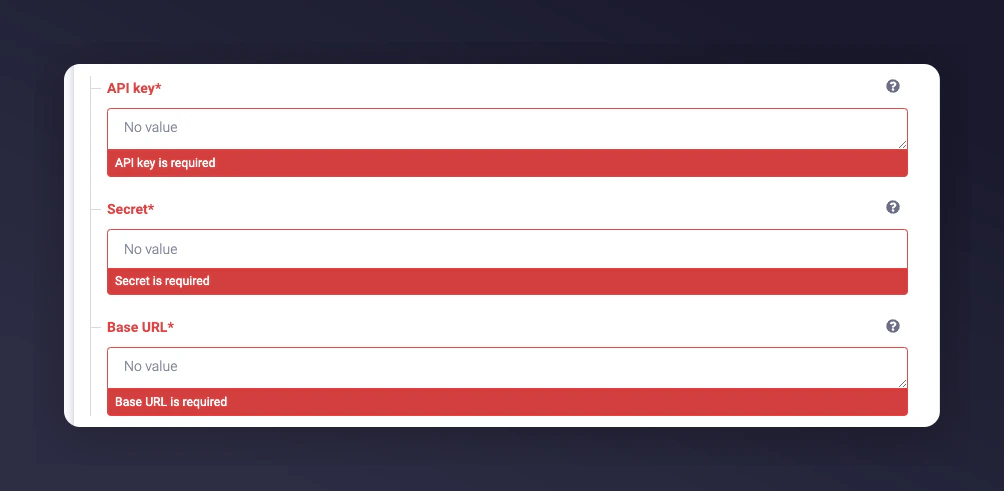
Entering Emarsys API credentials in Mention Me.
Select countries to sync
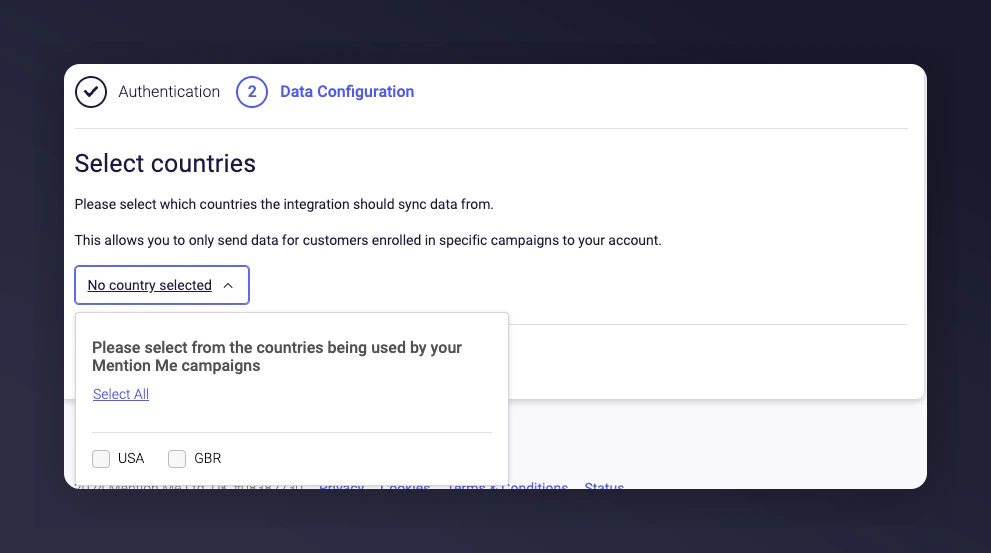
Selecting countries to sync with Emarsys.
Finalise the connection
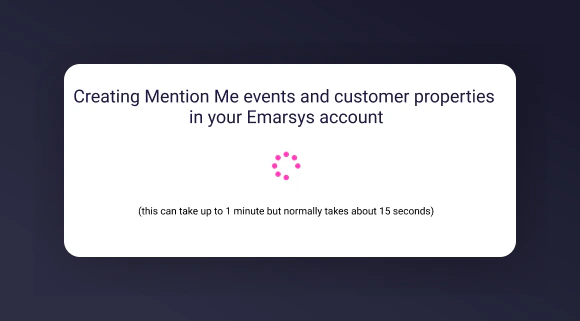
The Connect button to finalise the Emarsys integration.
Confirm successful integration
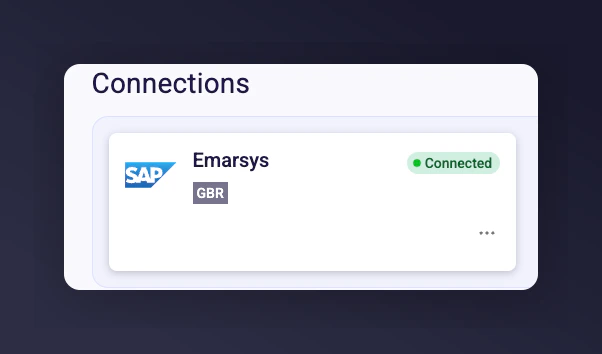
The Emarsys integration success confirmation message.
Multiple Account Setup (Optional)
If you would like to integrate another Emarsys account (e.g. for different regions such as UK/US), click Connect Another Account and repeat the above steps.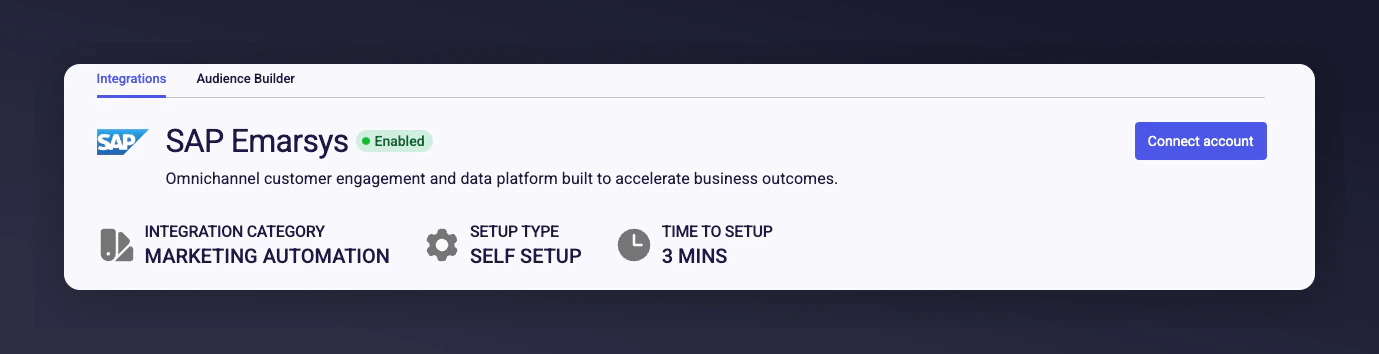
The Connect Another Account option for multiple Emarsys accounts.
Supplying Emarsys Credentials for Opt-in Triggering Rules (Optional)
Use this section if you have requested to enable checking of customers’ opt-in status before showing a newsletter sign-up overlay. This is separate from the full Emarsys integration above.Prerequisites
- Emarsys - Ability to create private API Users.
- Mention Me - Access to the Mention Me platform.
Step 1: Provide Emarsys API Key and Secret
Log in to Emarsys
Navigate to API settings
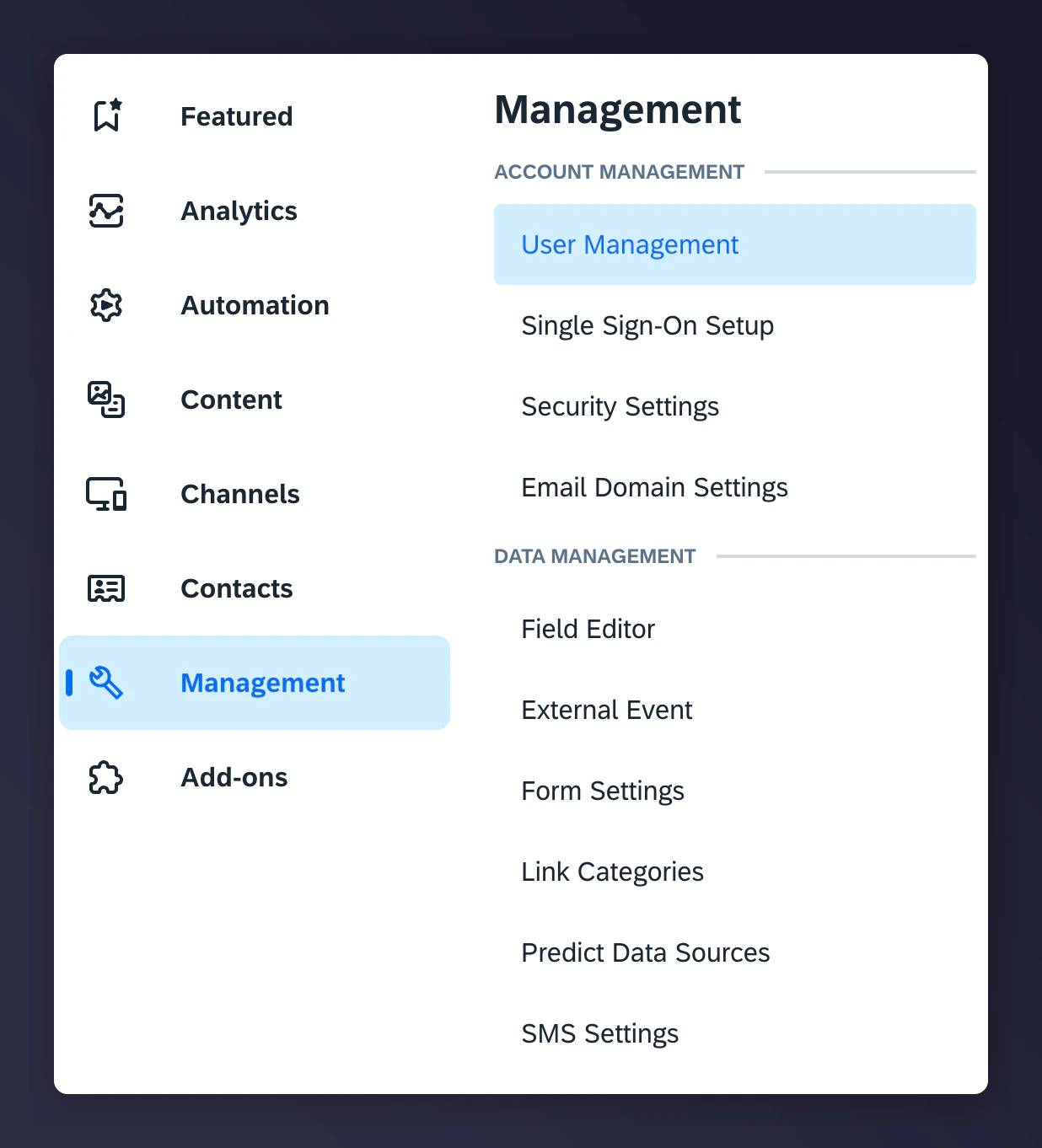
The Emarsys API navigation for opt-in triggering.
Create API credentials
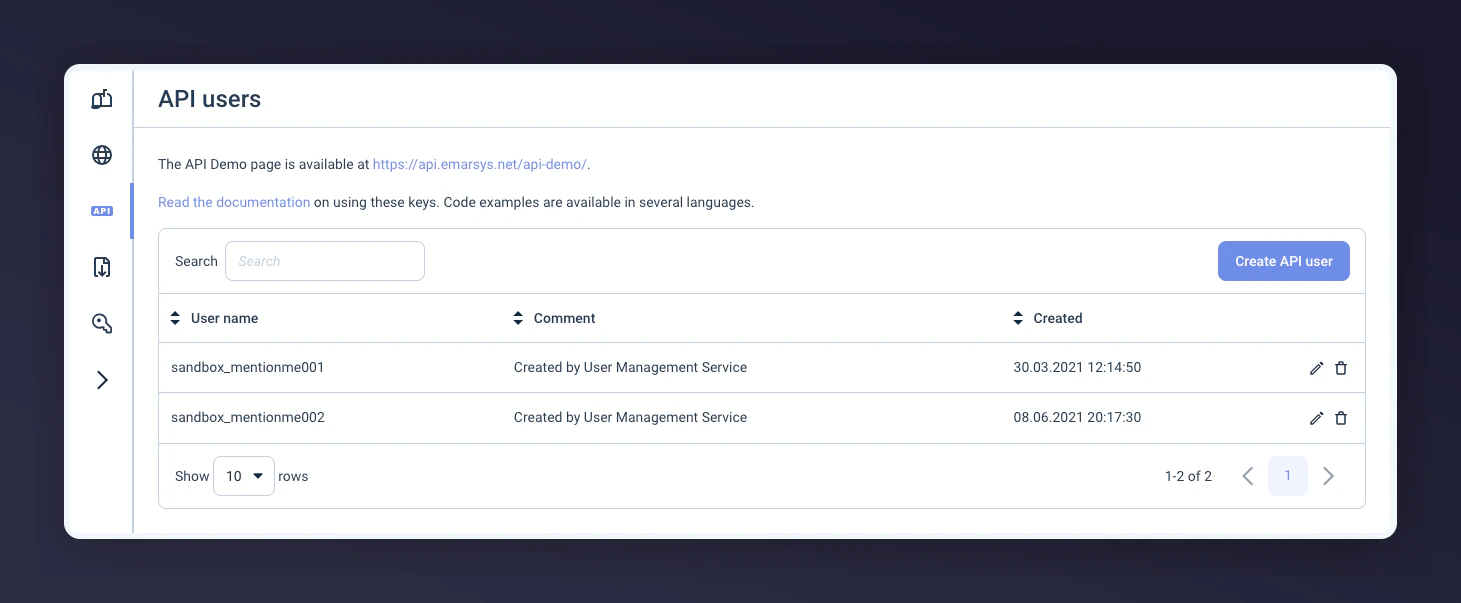
Creating an API username and secret in Emarsys.
Save credentials securely
Update API user permissions
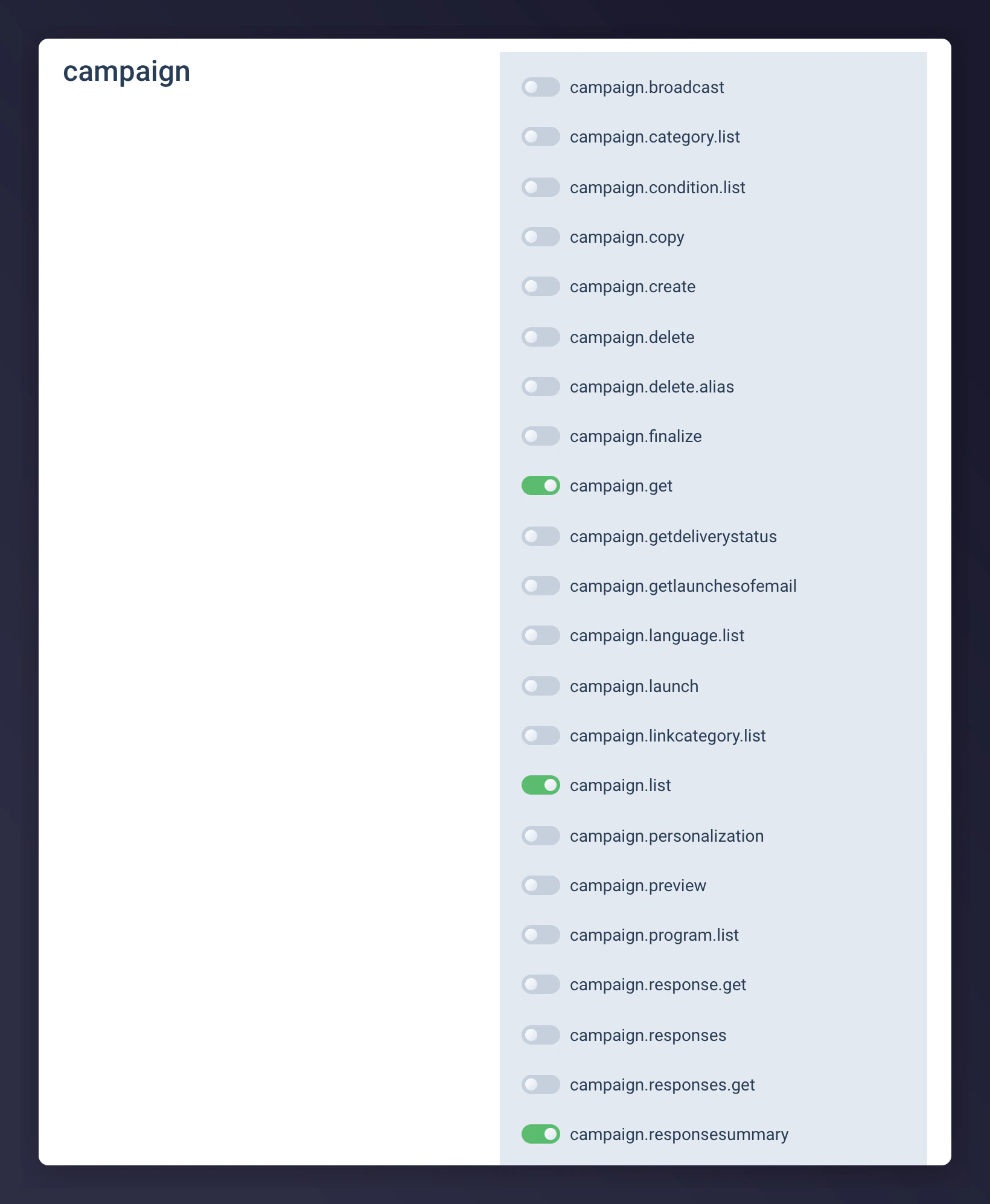
API user permissions for opt-in checking in Emarsys, part 1.
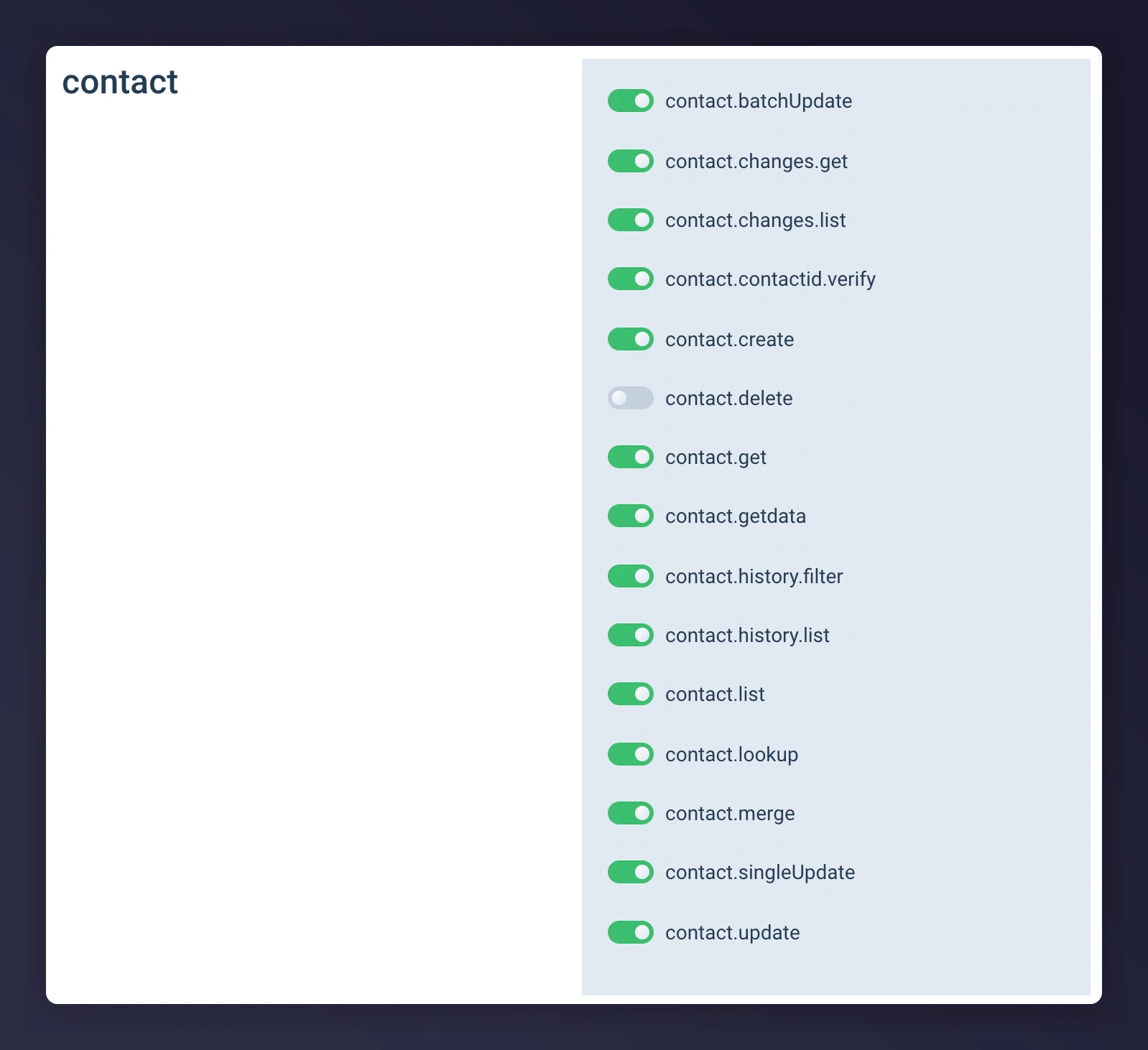
API user permissions for opt-in checking in Emarsys, part 2.
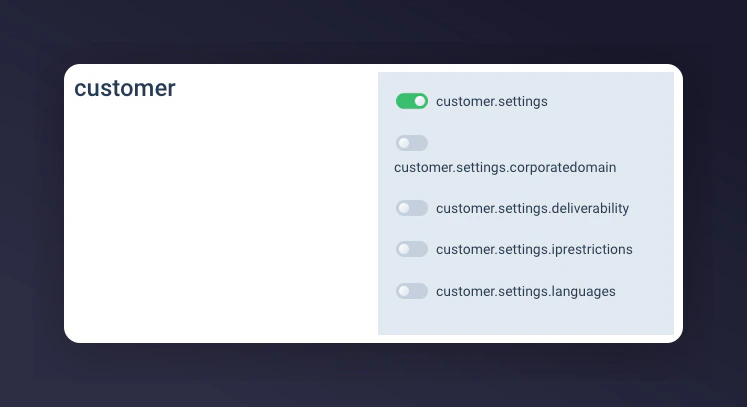
API user permissions for opt-in checking in Emarsys, part 3.
Step 2: Send the Account ID, API Key, and Secret Securely to Mention Me
Log in to Mention Me
Navigate to Secure file transfer
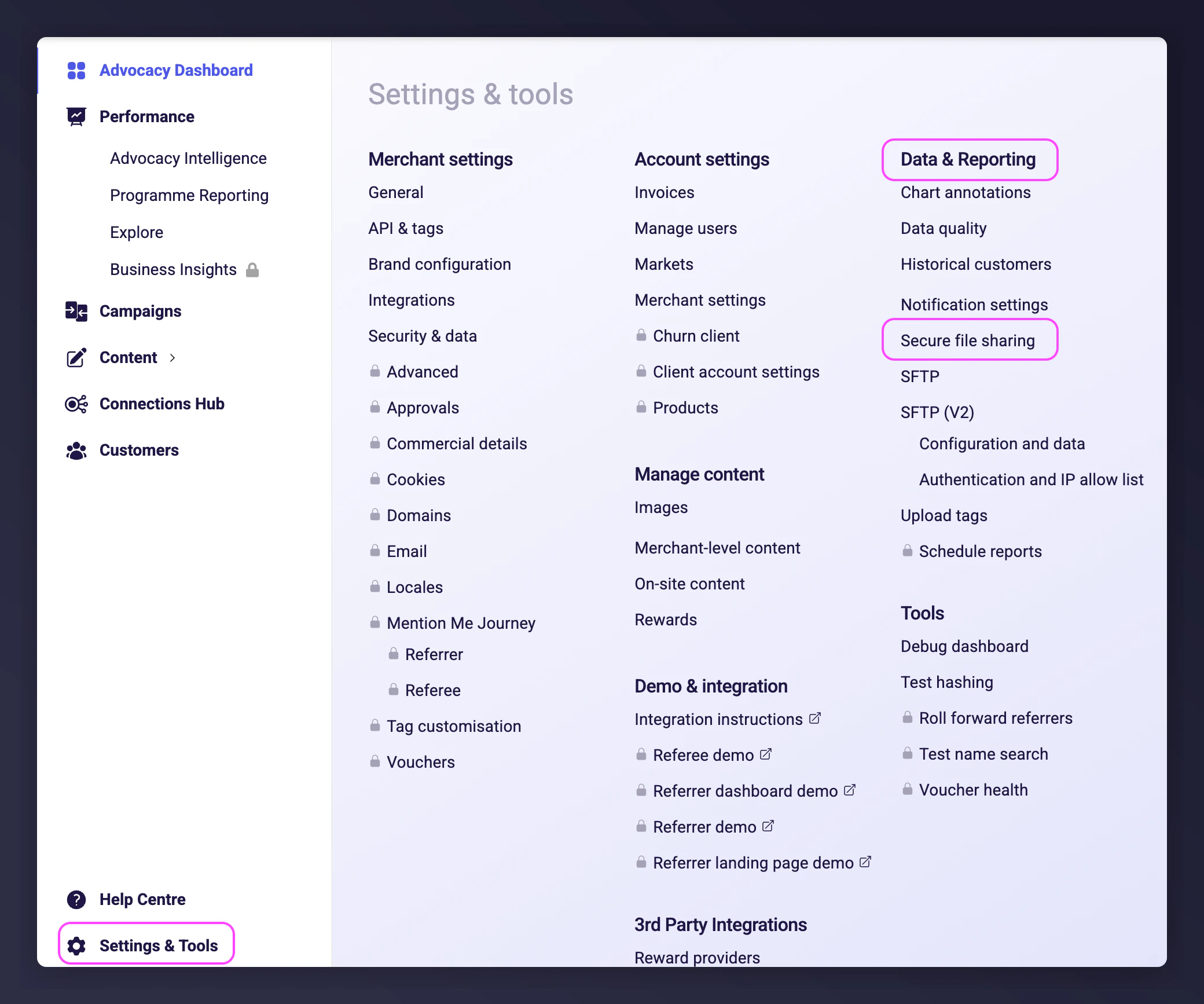
The Secure file transfer navigation in Mention Me.
Upload the credentials file
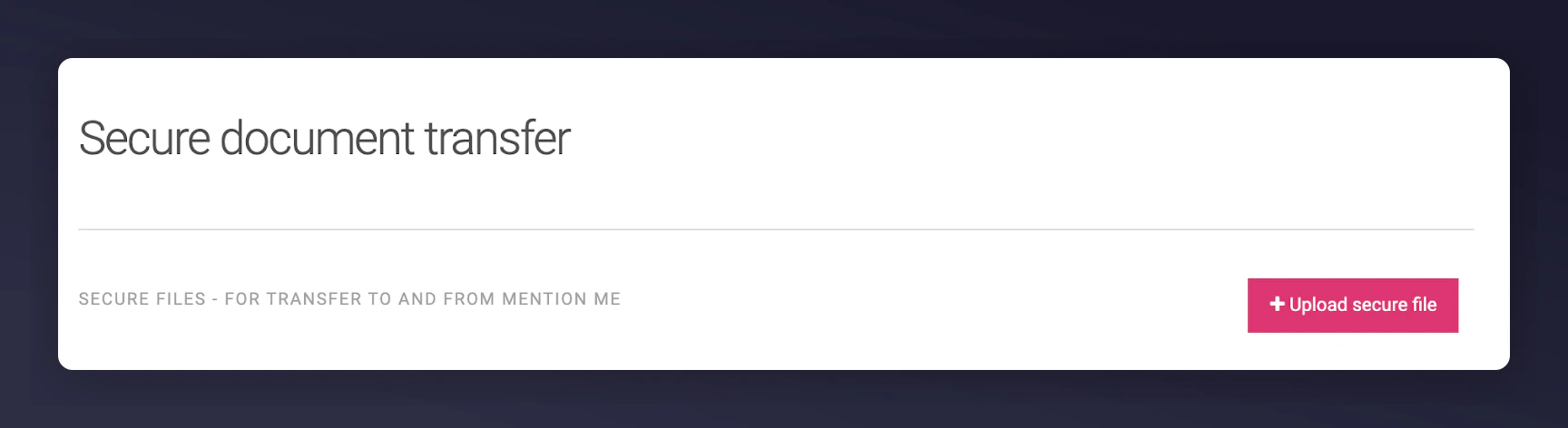
Uploading a secure file with API credentials in Mention Me.
Notify your CSM
Granting Your Mention Me CSM Access to Your Emarsys Account
Granting Mention Me view-only access to your Emarsys account allows your CSM to provide recommendations on where advocacy data can fit into your segmentation or contact strategy. The permissions are view-only for specific functions and do not include access to personally identifiable customer data.What Mention Me Will Have Permission to View
- Automation Performance
- Email Campaign Performance
- Strategic Dashboard
- Tactics Enabled
Prerequisites
You must have an Account Owner role in Emarsys to create new roles and users.Step 1: Create a New Mention Me Role in Emarsys
Learn more about creating Roles in Emarsys.Log in to Emarsys
Navigate to User Management Roles
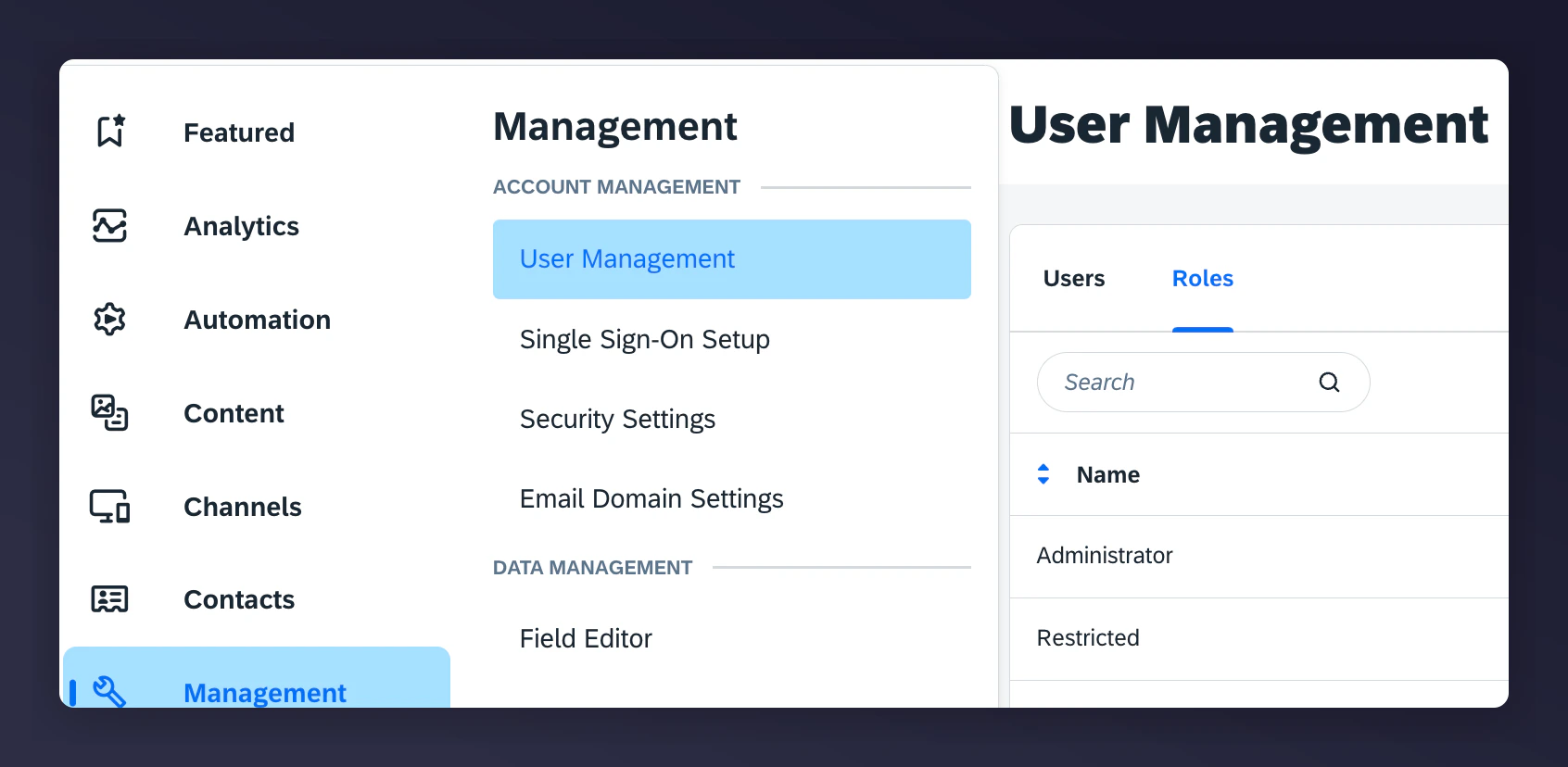
The Emarsys User Management Roles navigation.
Create a new role
Name and describe the role
Set role permissions
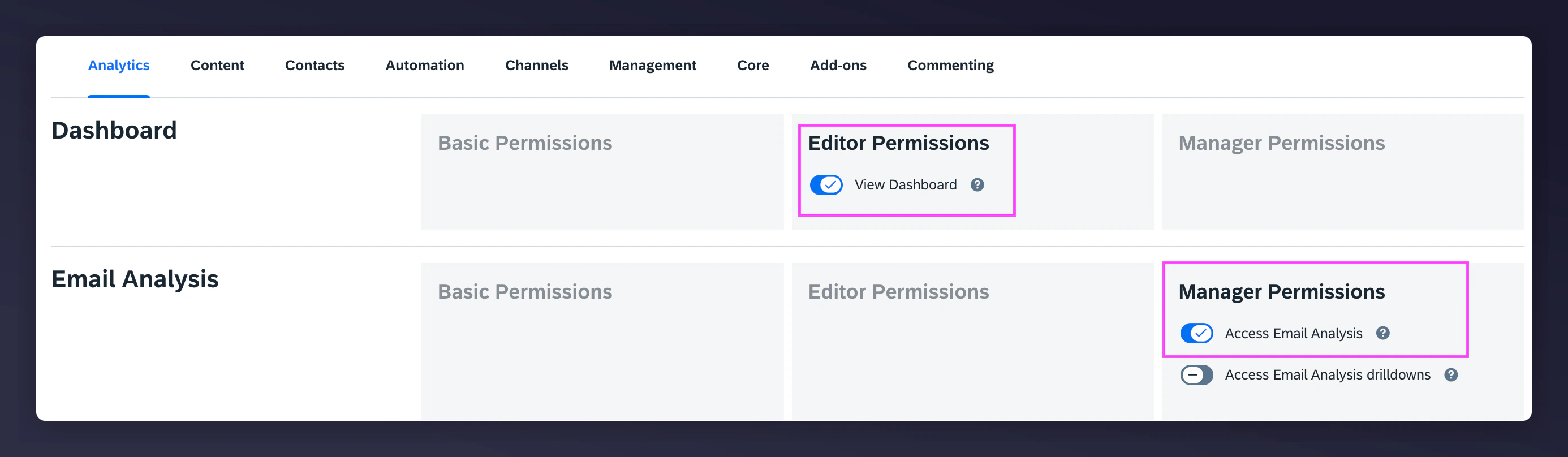
Mention Me role permissions configuration in Emarsys, part 1.
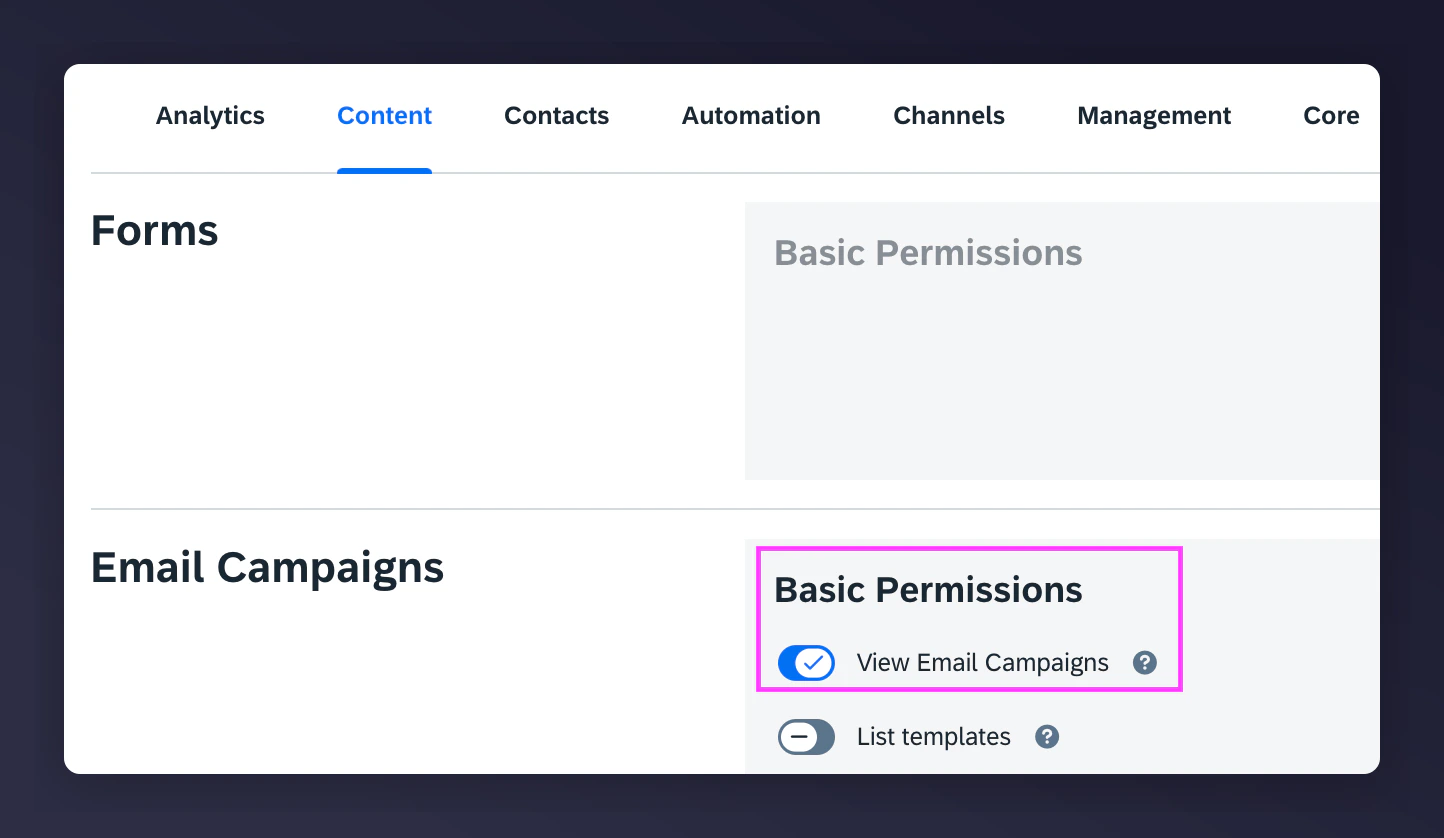
Mention Me role permissions configuration in Emarsys, part 2.
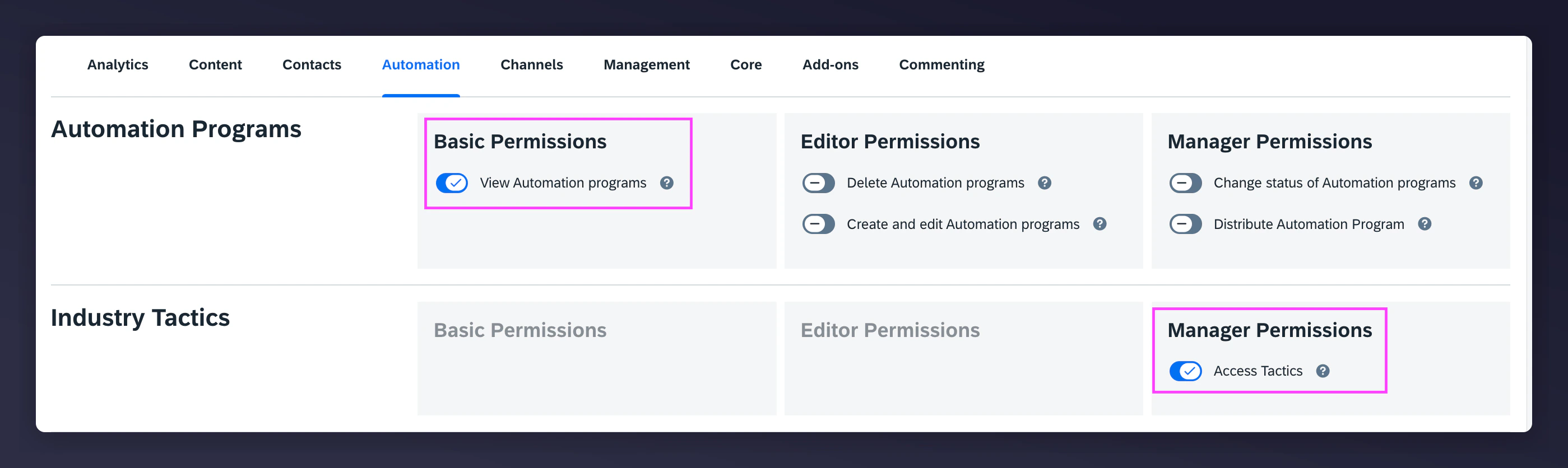
Mention Me role permissions configuration in Emarsys, part 3.
Save the role
Step 2: Create a New Mention Me User in Emarsys
Learn more about creating Users in Emarsys.Log in to Emarsys
Navigate to User Management Users
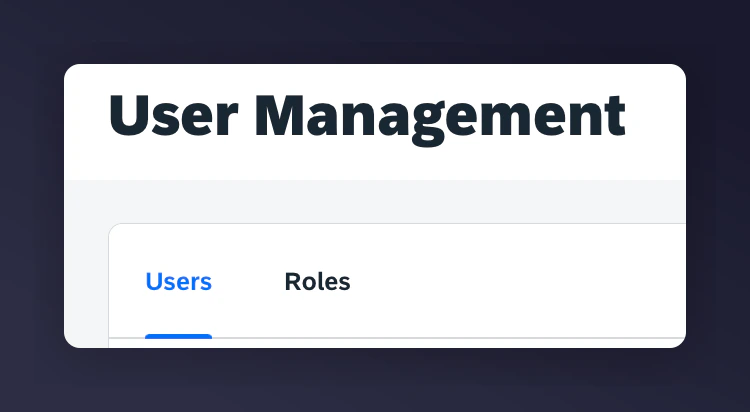
The Emarsys User Management Users navigation.
Create a new user
Enter CSM details
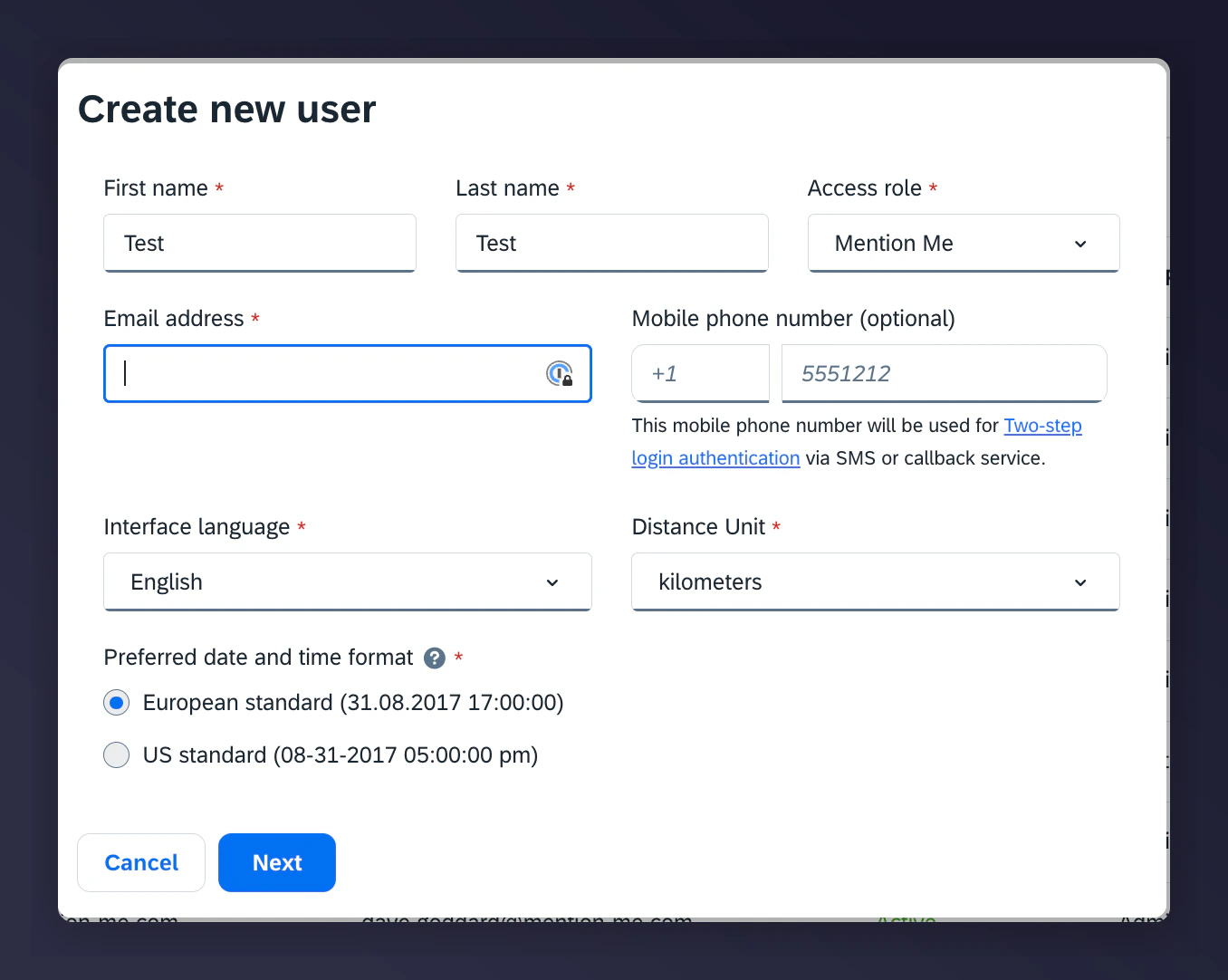
Creating a new Mention Me user in Emarsys.
Select the Mention Me role
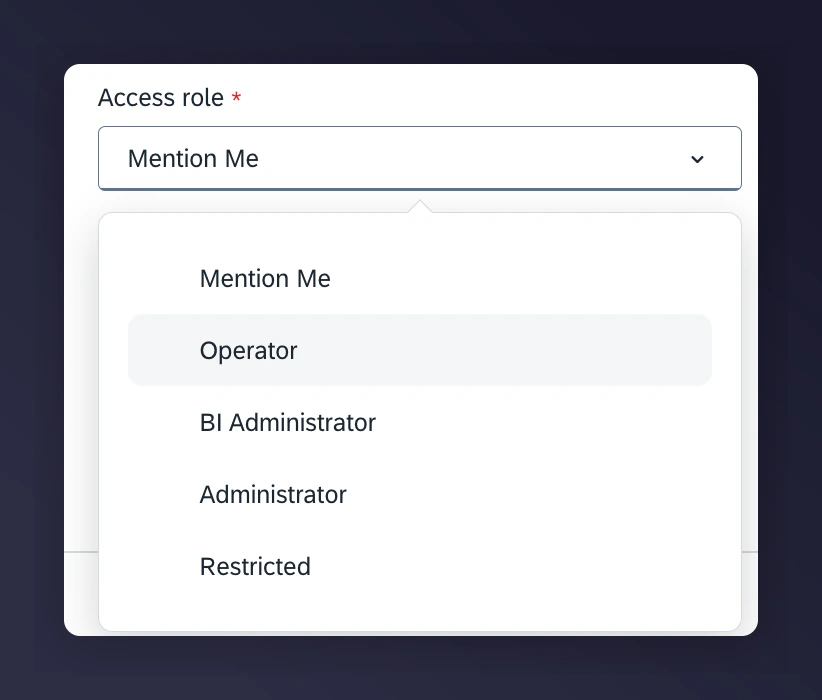
Selecting the Mention Me role for the new user in Emarsys.
Confirm user creation