

Where to Access the Upload Module
You can upload vouchers from several places in the platform:From the Campaigns Page
Open the Campaigns Section
Upload a New Batch
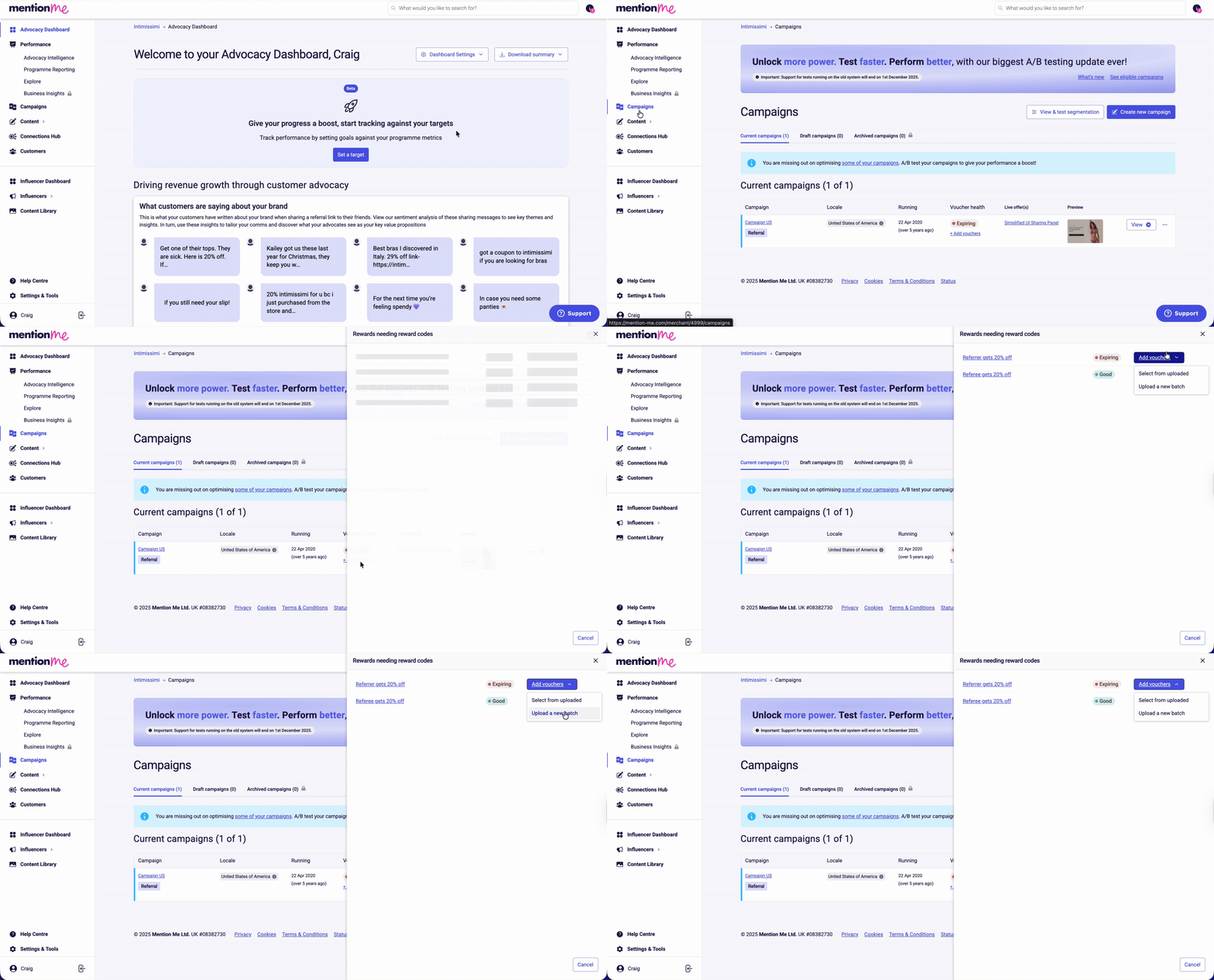
The Campaigns page showing a voucher health overview.

Adding vouchers from the Campaigns page.
From the Experiment Page
Click Campaigns, select the campaign that requires new vouchers, choose the relevant reward (e.g. “Referrer gets 20% off when they spend over £100”), then click Add vouchers > Upload a new batch.From the Reward Email Notification
When you receive an email alerting that your rewards are running low, expiring, or expired:Review the Alert Email

A reward alert email highlighting experiments needing attention.
- Critical: Stock is almost depleted
- Run Out: No vouchers remain
- Expiring: Vouchers are nearing expiry
- Expired: Vouchers are no longer being distributed
Use the Add Vouchers Now Button

The Add Vouchers Now buttons in the alert email.

Individual reward buttons for quick access.
Upload a New Batch
During Onboarding
Navigate to Rewards
The Add vouchers button during onboarding.
Upload a New Batch
Steps to Upload Your New Vouchers
Start a New Batch Upload
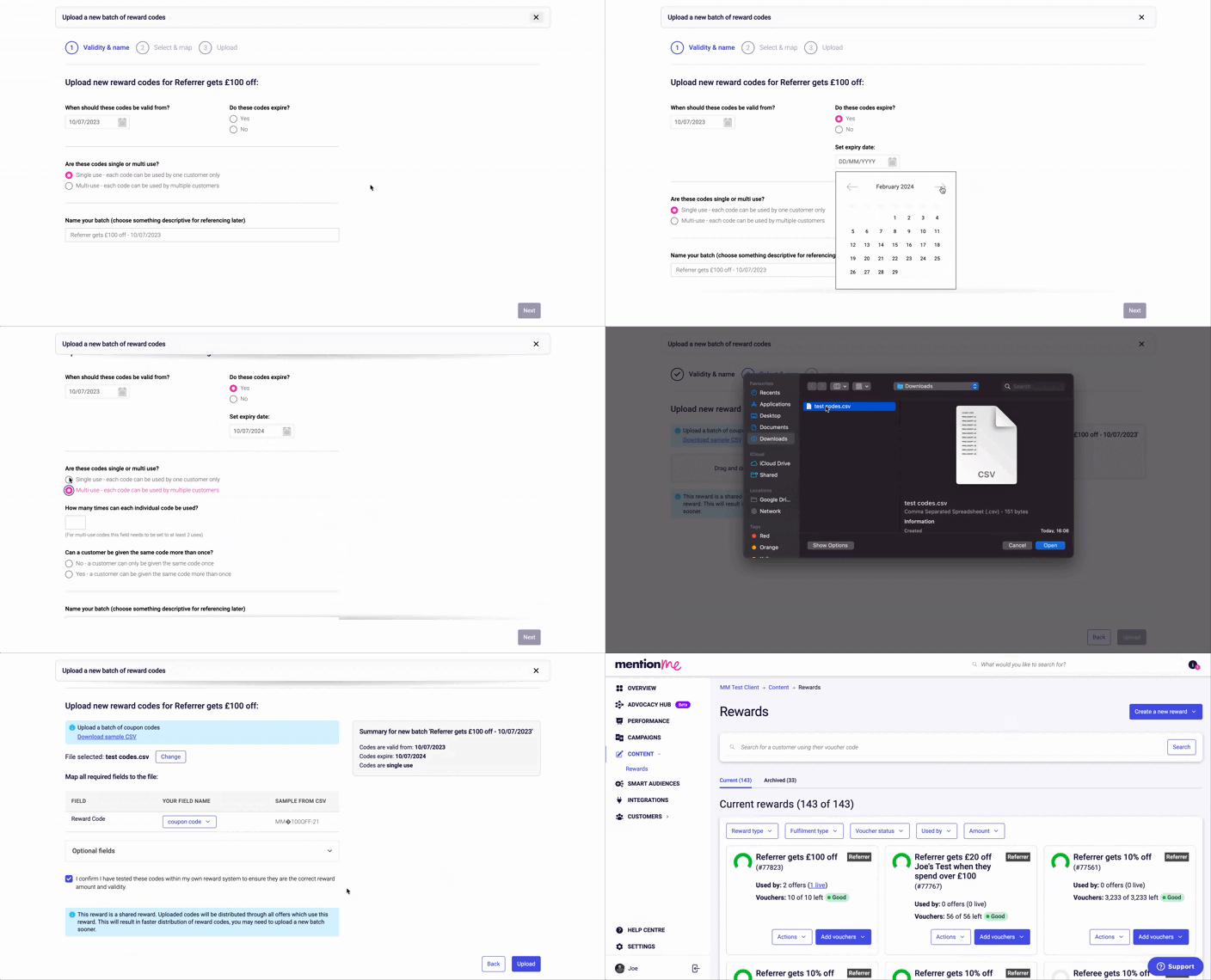
Configure Settings
- Code Validity: Start and end date for redemption
- Code Usage: Single-use or multi-use
- Case Sensitivity: Enforce uppercase/lowercase on redemption
- File Naming: Use a clear, descriptive name

The voucher upload configuration settings.
- Codes valid for at least 1 year
- Single-use codes only
- Codes should be non-stackable
- Codes set to target referrer vs referee use cases
Upload Your File

A CSV file format with a Reward Code column header.

The upload confirmation message.
Review Results

Upload progress showing success and failure counts.
Sharing Voucher Batches Between Rewards
During onboarding, you can share a single voucher batch across multiple rewards (only works when batch values match exactly):Open the Second Reward
Select Existing Batch

Selecting uploaded voucher batches to share.

Assigning shared reward codes to another reward.