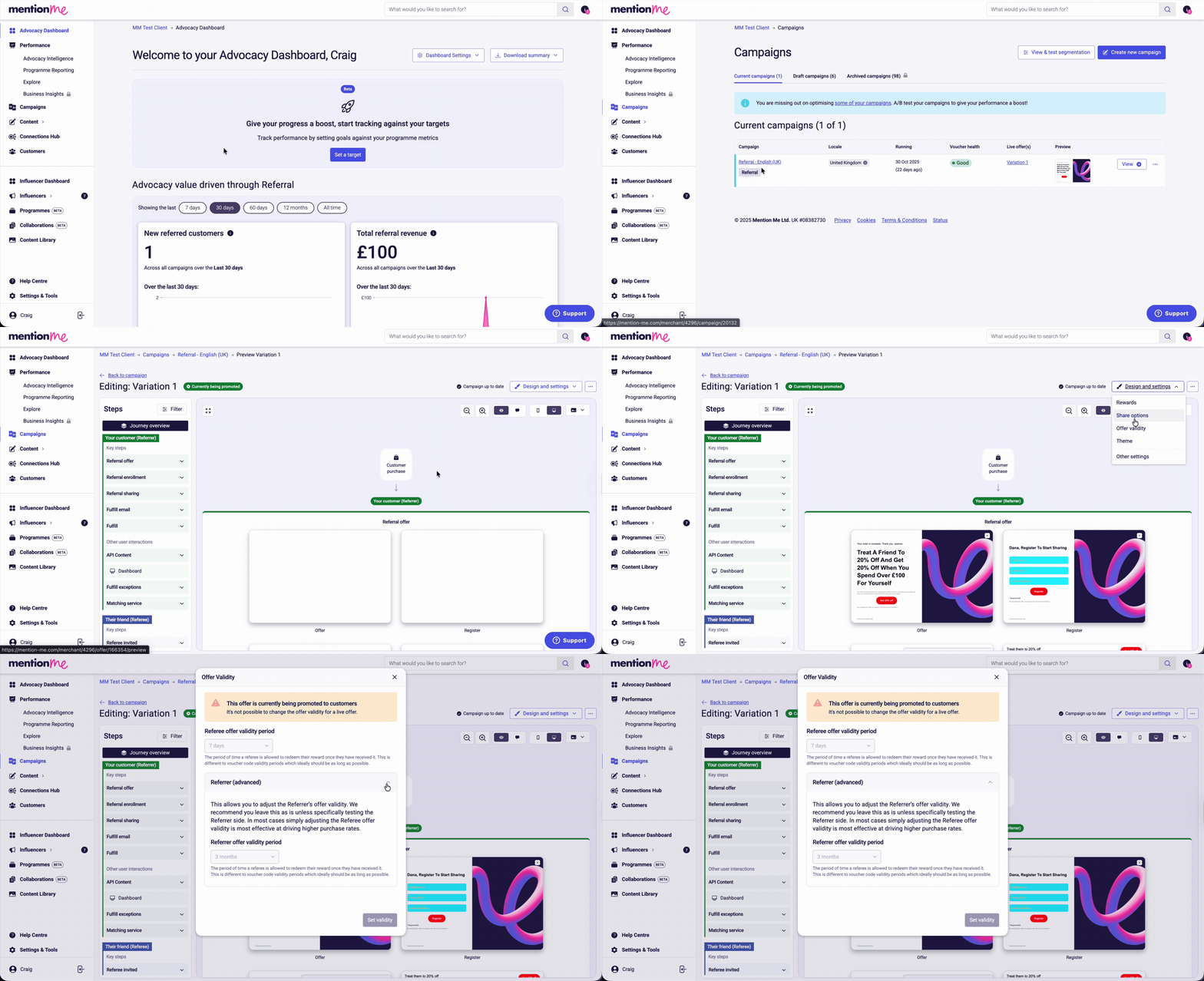
Find the referrer and referee offer validity period for any campaign in the Mention Me platform.
Validity periods can vary between campaigns and between experiments, so it’s worth checking the current setting before you plan a voucher upload or a promotion.
1
Open Campaigns
Click Campaigns.
2
Select Your Campaign
Click the name of the campaign you want to review.
3
Open the Editor
Click Preview / Edit.
4
Open Design and Settings
Click Design and settings.
5
Open Offer Validity
Click Offer validity. The Referee offer validity period is displayed immediately. Click the down arrow to see the Referrer offer validity period.
Steps to view the reward validity period in the Mention Me platform.