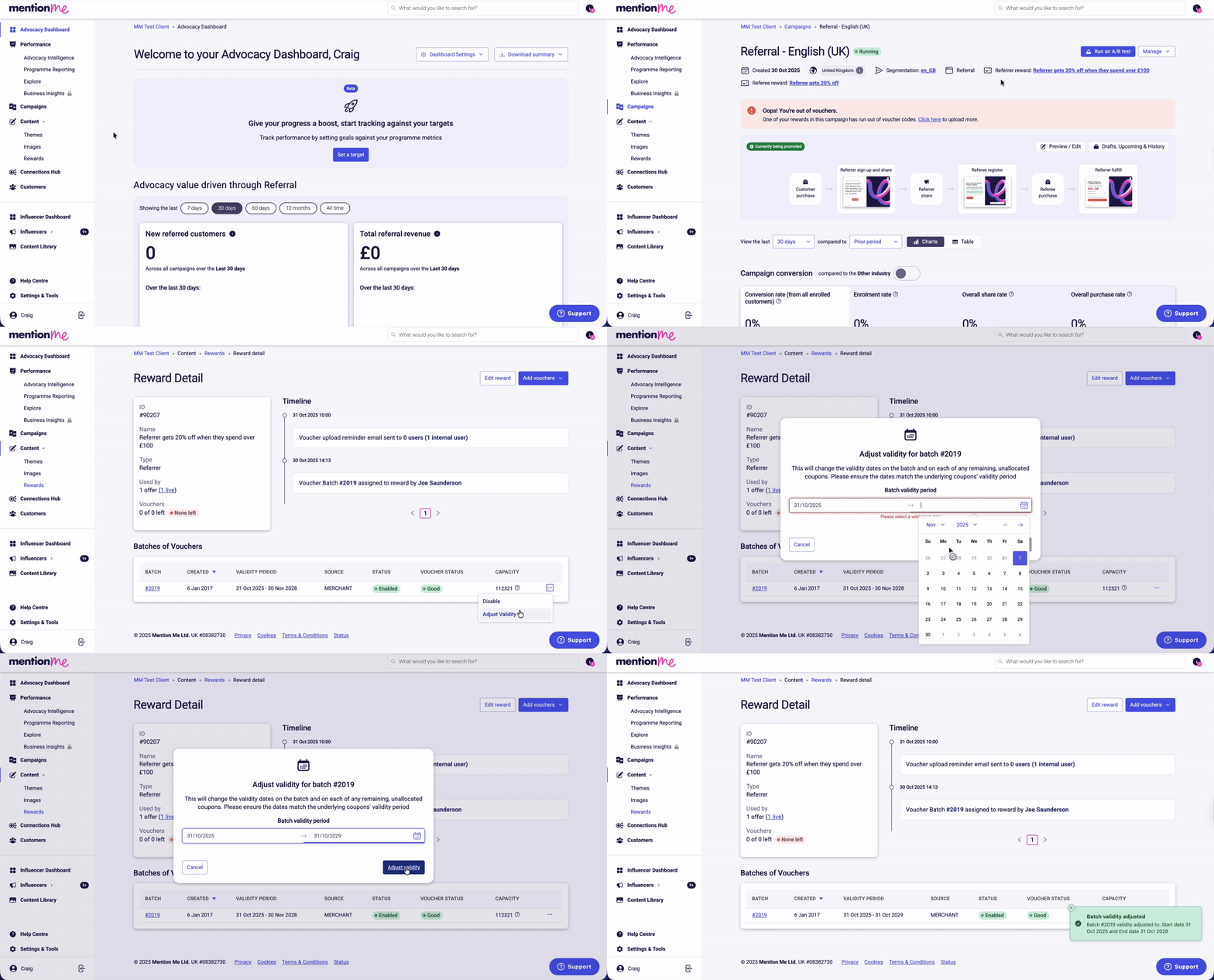
Extend the validity period for existing referral campaign vouchers instead of uploading new codes.
If vouchers are flagged as “expiring soon” and you want to continue using them, you can update their expiration date instead of uploading new codes.Only users with Marketing or Administrator access can extend voucher validity.
Click Campaigns, click the name of the relevant campaign, then click the name of the relevant reward (e.g. “Referrer gets 20% off when they spend over £100”).
2
Adjust Validity
Click batch options (the three dots) and click Adjust Validity. Enter the start date and new end date, then click Adjust Validity to save your changes.
Adjusting voucher validity from the Campaigns tab.
The email highlights experiments needing attention and shows which reward is impacted and its current status.
A reward alert email showing voucher status.
Voucher status definitions:
Critical: Stock is very low; immediate action required
Run Out: No vouchers remain
Expiring: Vouchers are close to end of valid usage
Expired: Vouchers can no longer be issued
2
Access the Affected Reward
Use the Add Vouchers Now buttons from the email. The button under each reward directly navigates to the specific reward (recommended). Click Manage next to the affected reward inside the platform.
Navigating to the specific reward from the email.
3
View Voucher Batches
Scroll to the Batches of Vouchers section. Each row shows an uploaded batch. Click the Batch ID to view individual codes, or click the 3-dot menu to manage a batch.
4
Adjust Validity
In the 3-dot menu, choose Adjust Validity. Choose the new expiration date from the calendar and click Adjust Validity to save.
The date picker for setting a new voucher expiration date.
Your validity changes are saved, and vouchers will re-enter circulation with the new expiration date.
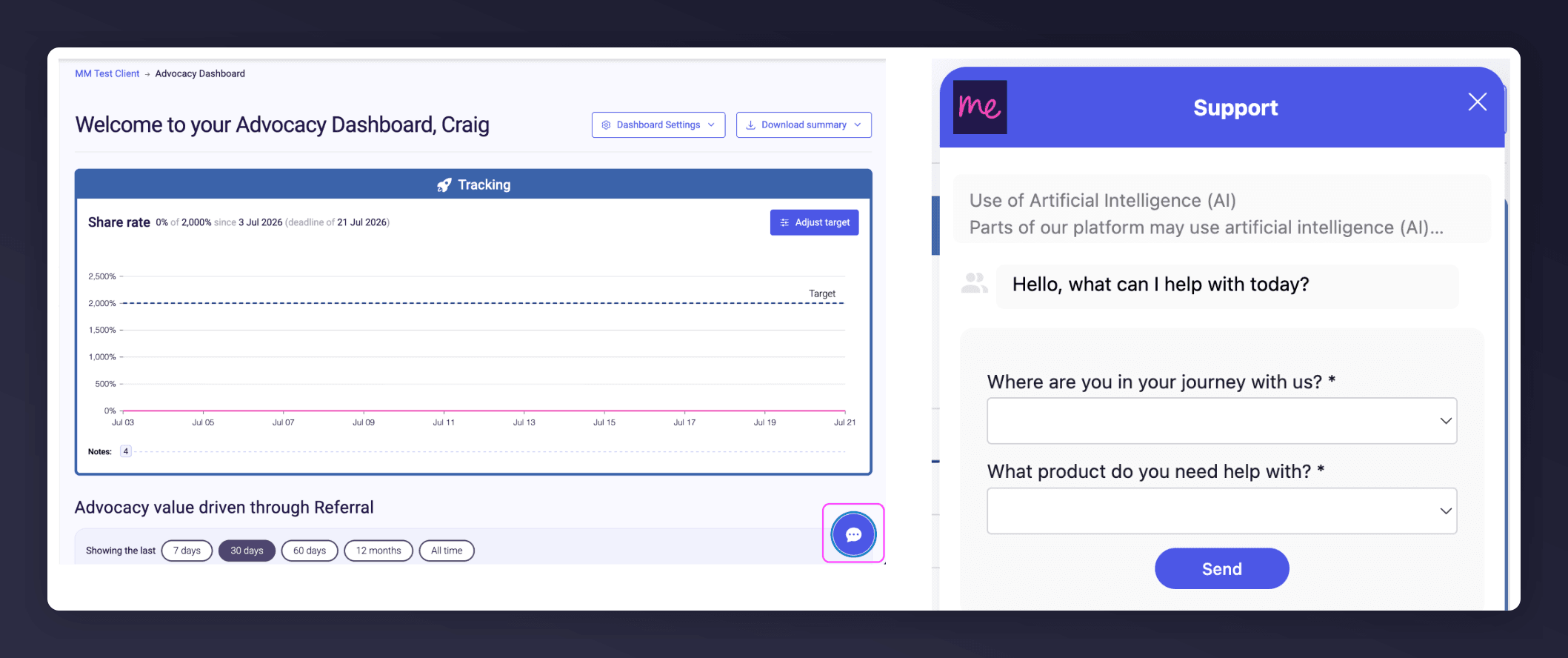
Start a conversation with the in-platform Support widget in the bottom-right corner of your dashboard - it can usually answer this straight away. If it can’t, raise a request via the request form.
The in-platform Support widget starting an AI-assisted conversation.
Last modified on August 7, 2026
Was this page helpful?
Assistant
Responses are generated using AI and may contain mistakes.