

Before You Begin
To set up Trustpilot with Mention Me, you need access to the Trustpilot API. This is only accessible on the Enterprise Plan or as a Connect add-on module on Premium or Advanced Plans. Find out more about Trustpilot plans.Step 1 - Create Authentication in Trustpilot
Navigate to API settings
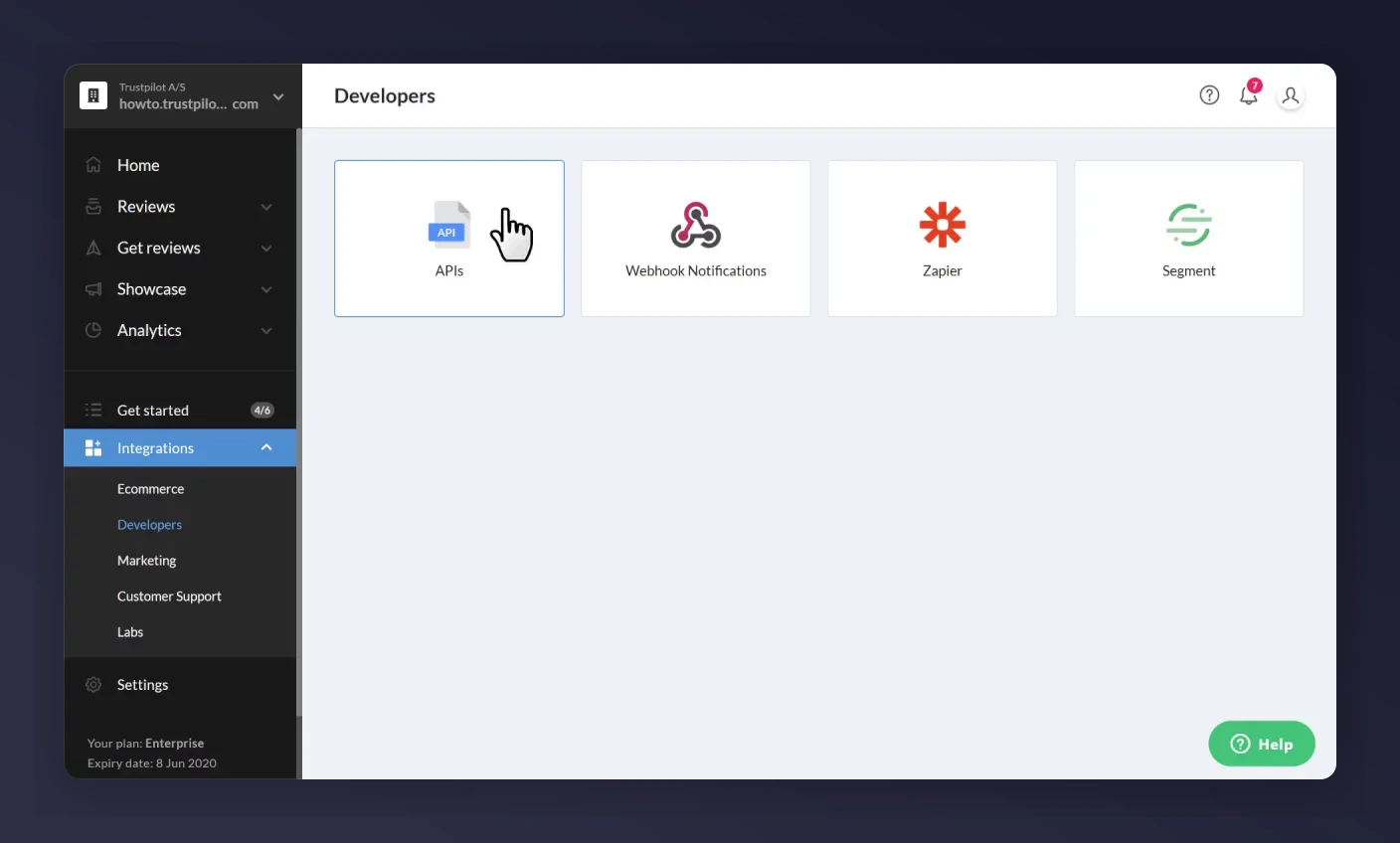
The Trustpilot Integrations page showing Developers and APIs.
Create an application
- Application Name:
Mentionme(or any name you prefer, see note below) - Redirect URLs:
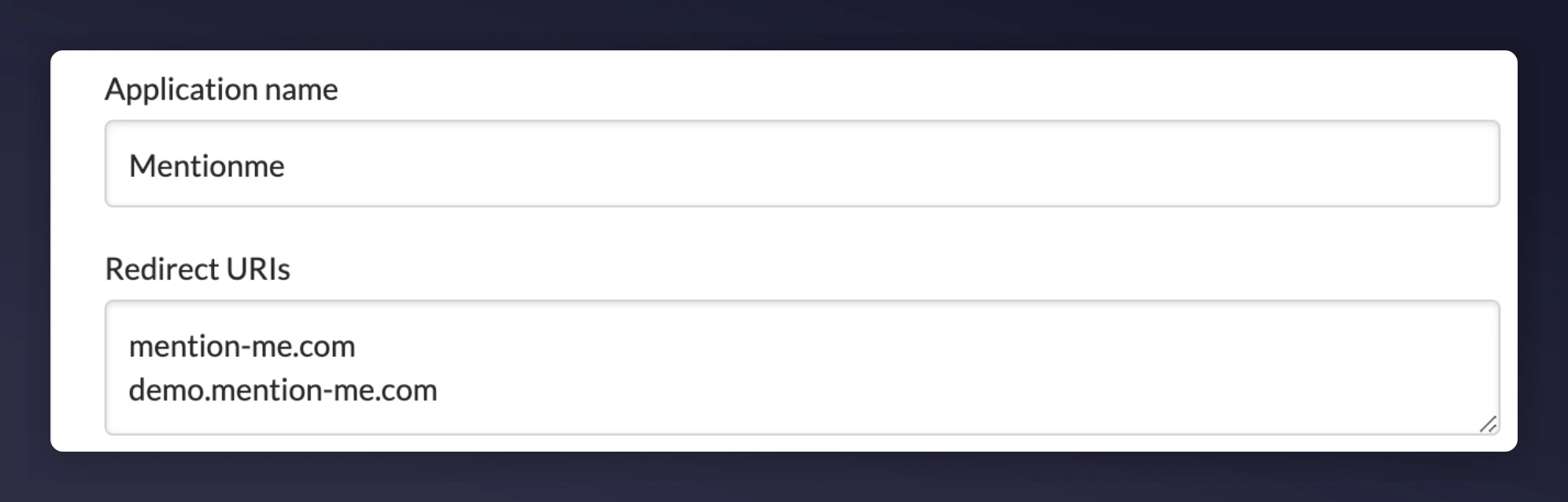
Creating a Mentionme application in Trustpilot with redirect URLs.
Save the application
Get the API key and Secret
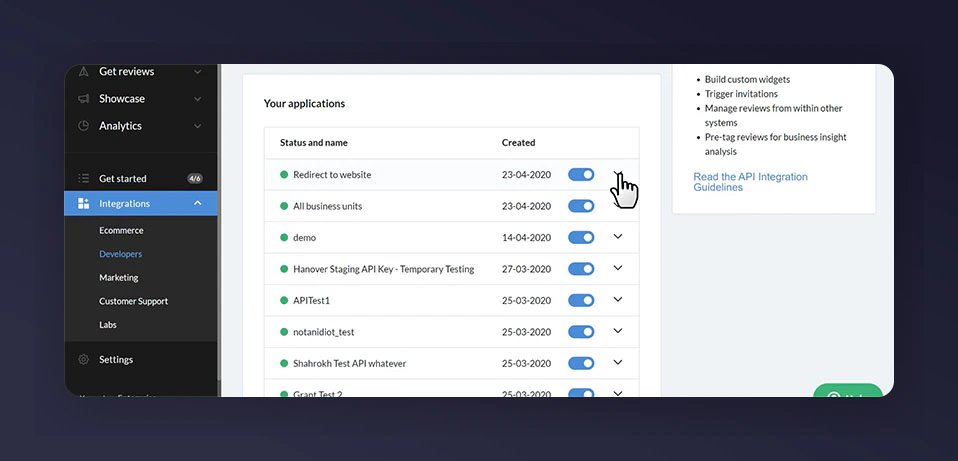
The Trustpilot Your Applications section showing the Mentionme app.
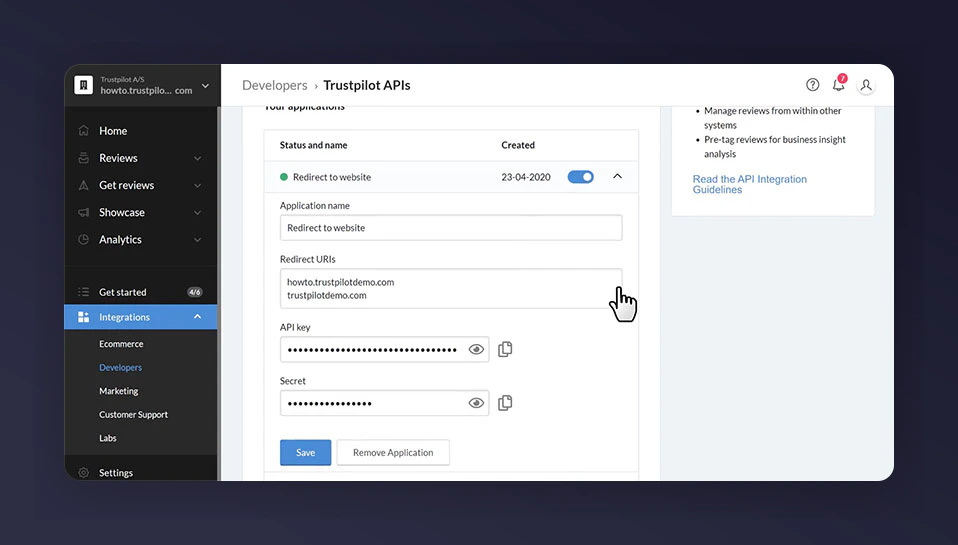
The Trustpilot API key and Secret credentials.
Get your BusinessUnitID
- Navigate to your Trustpilot review page:
https://uk.trustpilot.com/review/<your website address> - Right-click anywhere on your review page and select View Source
- Search for the text
BusinessUnitID - Copy the BusinessUnitID value (you will need it in Step 2)
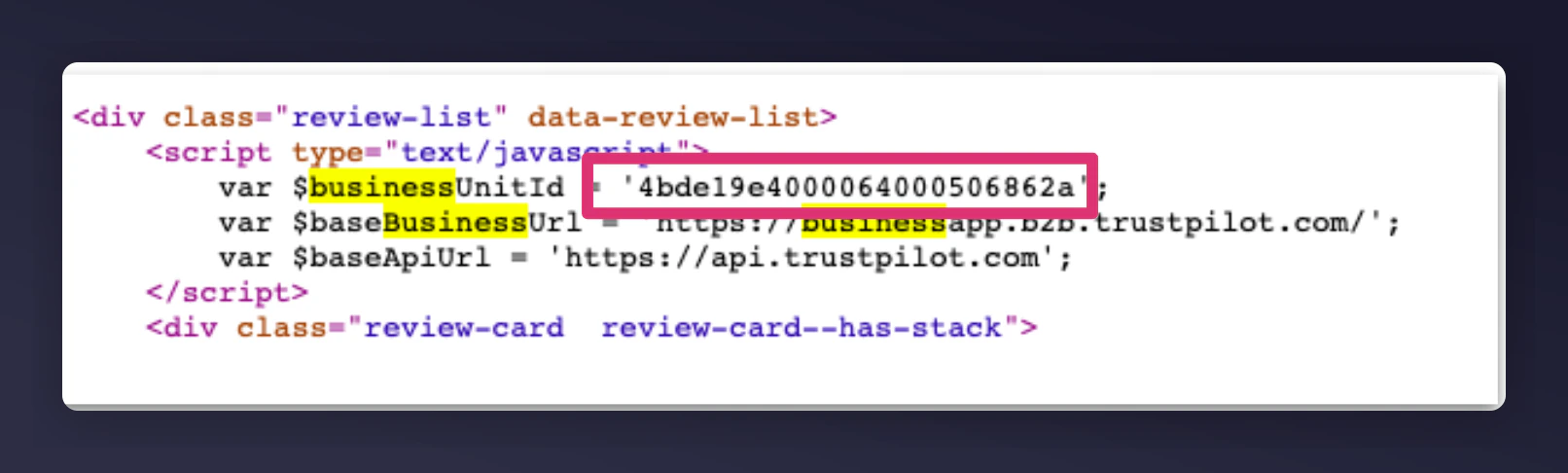
Finding the BusinessUnitID in Trustpilot page source.
Step 2 - Create Authentication in Mention Me
Add new Trustpilot Integration
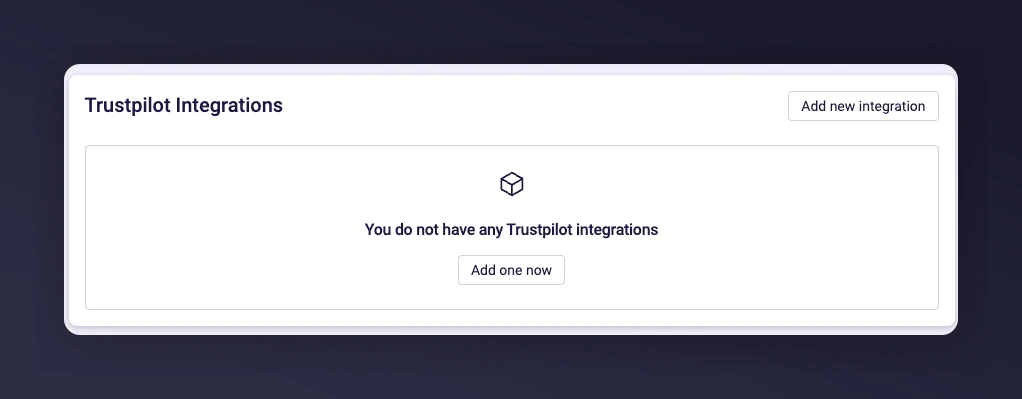
The Mention Me platform Add New Trustpilot Integration button.
Enter API Key and authenticate
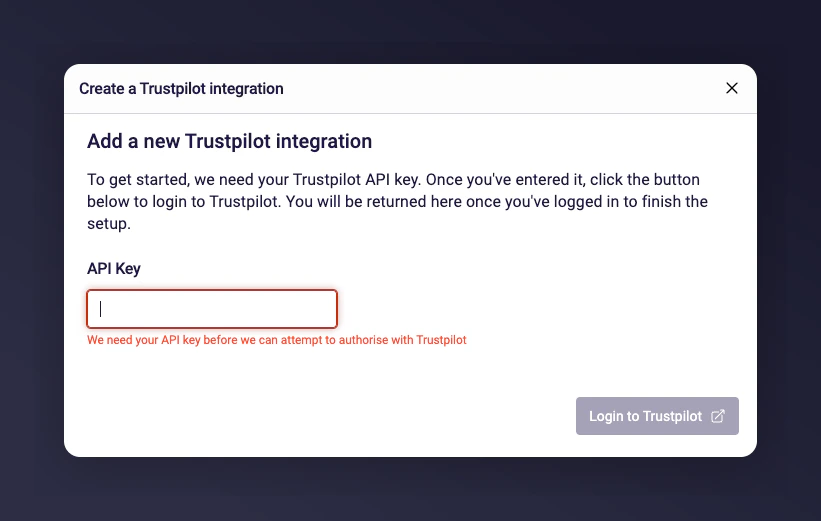
Entering the Trustpilot API Key and the Login to Trustpilot button.
Log in to Trustpilot
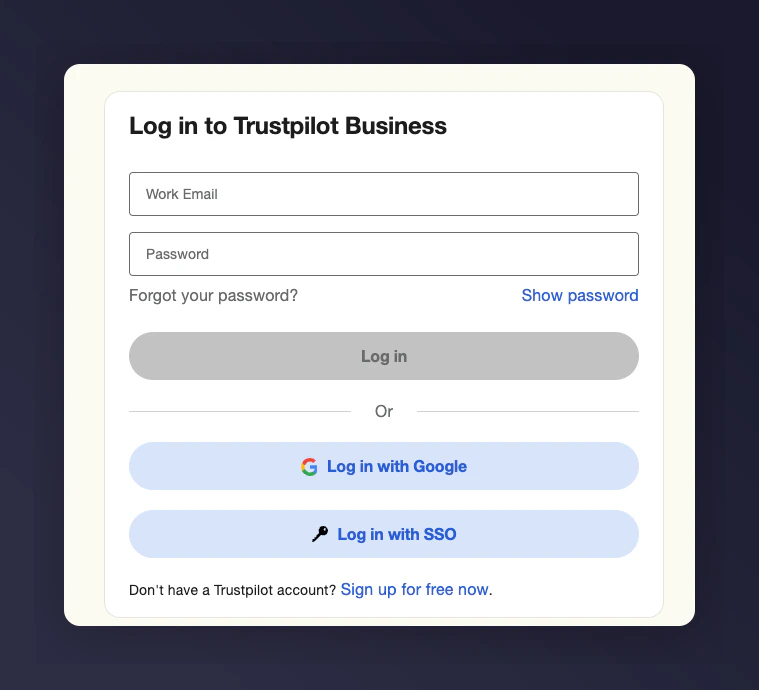
The Trustpilot authentication login screen.
Enter remaining credentials
- API Secret
- Business Unit ID
- Short Description to identify this account (e.g. “Trustpilot UK”)
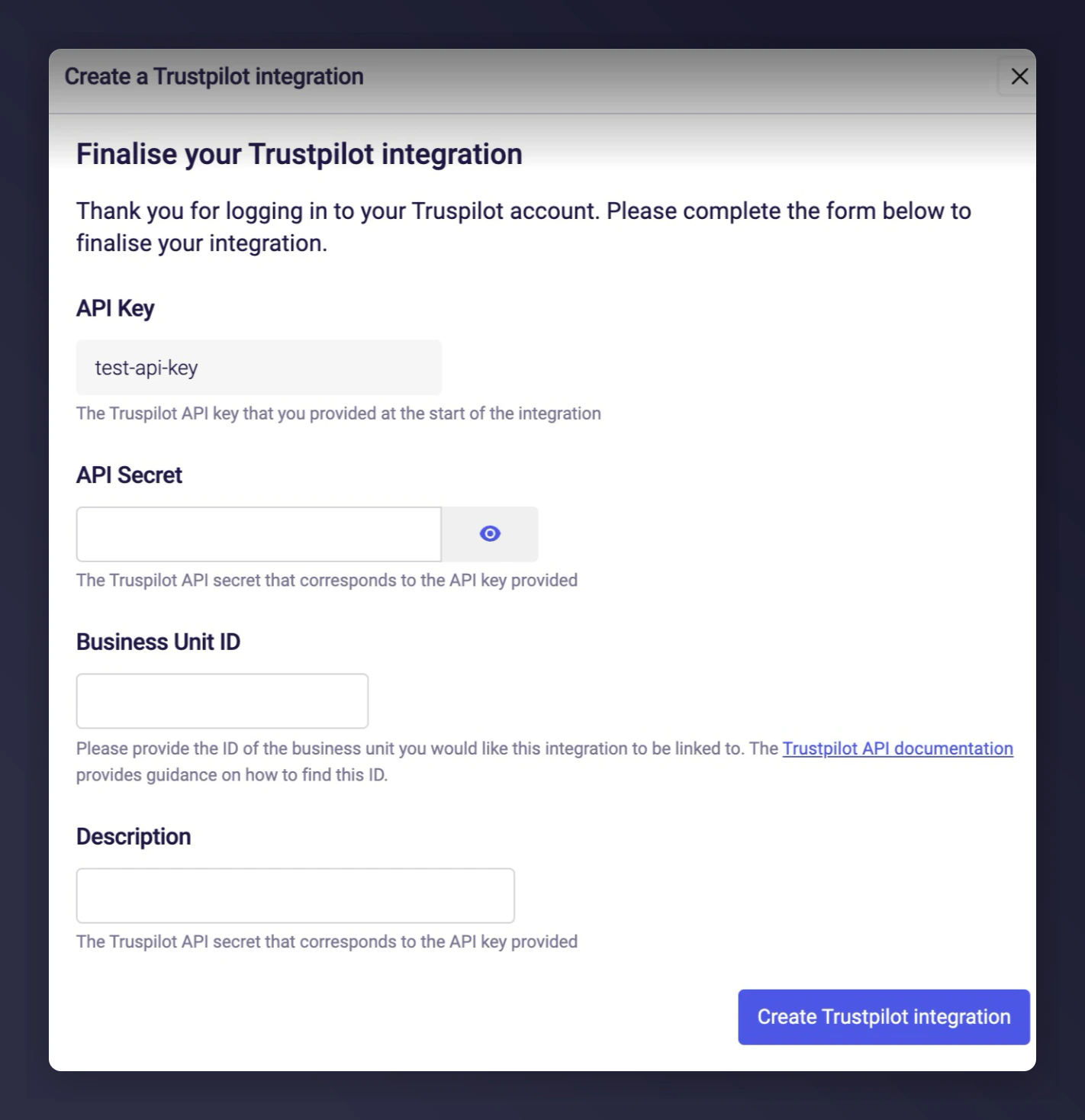
Entering the API Secret, Business Unit ID and description in Mention Me.
Notify Mention Me