Documentation Index

Fetch the complete documentation index at: https://docs.mention-me.com/llms.txt

Use this file to discover all available pages before exploring further.

About the integration

Integrating with Runa lets you choose from a selection of standard gift cards or create your own, which are then passed to the Mention Me platform as referral rewards. To proceed, you need to:
  1. Create Runa API Keys and save them in the Mention Me platform
  2. Provide voucher Product Codes to Mention Me (either as a Payout Link Template ID or a Single Product Code)
  3. Optionally provide a User Redemption Template if required
Contact your Mention Me onboarding project manager or CSM with any questions.

Step 1 — Create API Key in Runa

1

Log in to Runa

Log in to Runa with an account that has permissions to create API Keys.
2

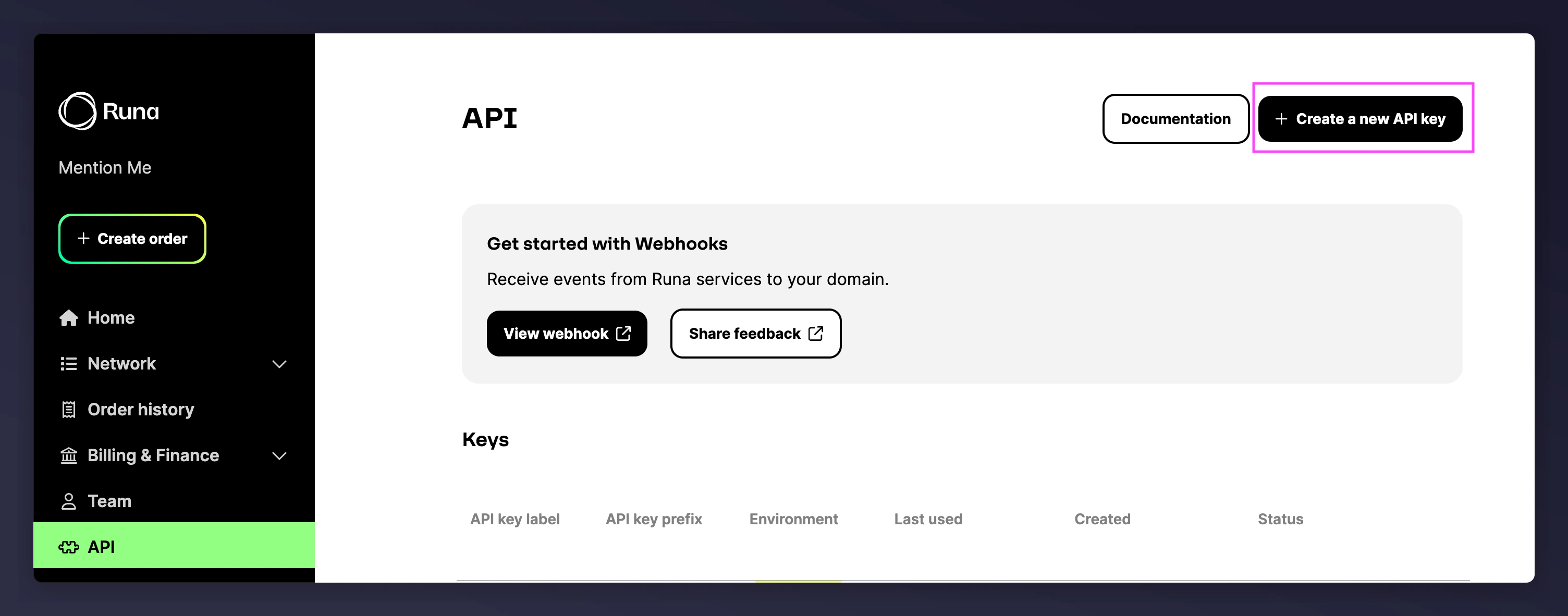
Navigate to API Key creation

Navigate to API > Create API Key. Learn more about creating API keys.Runa API Key creation page
3

Select Production Key

Select Production Key.
4

Create the key

Enter a name for the key (e.g. Mention_Me) and press Create Key.
Save the credentials immediately — you will only see them once.

Step 2 — Save Runa API Key in Mention Me

1

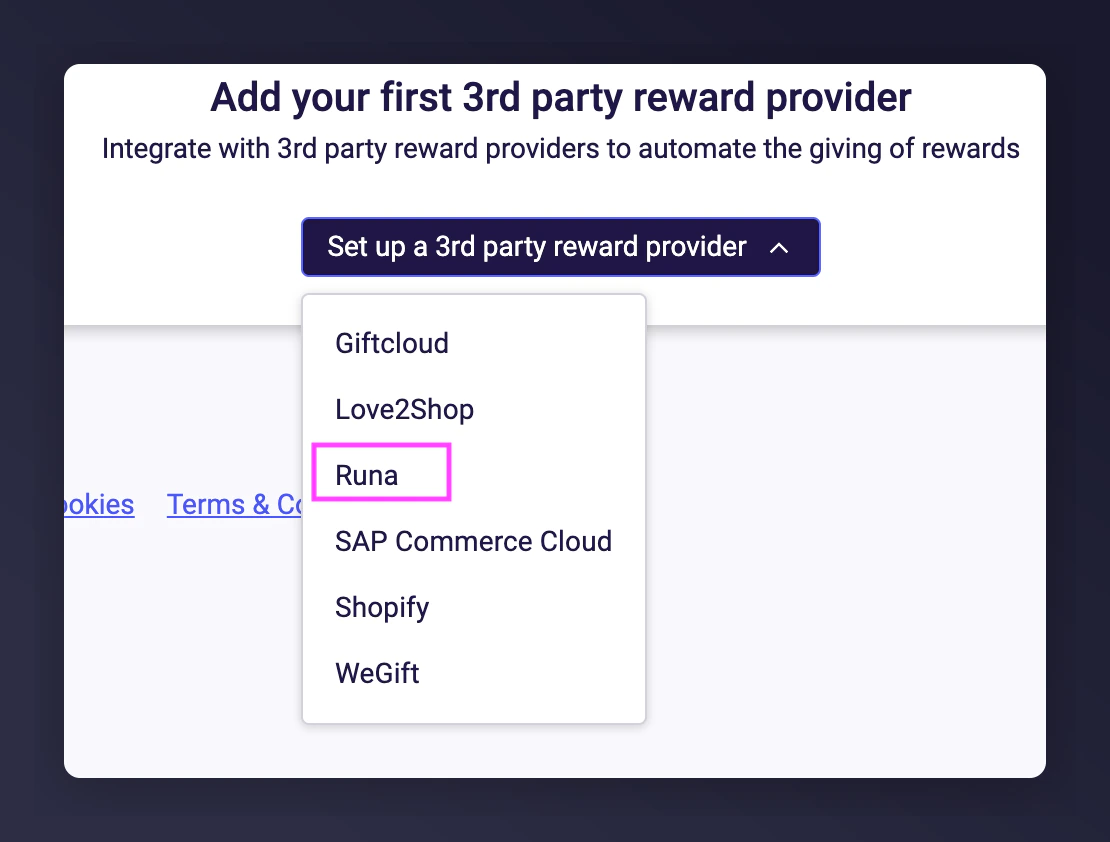
Add Runa as a provider

Go to the Mention Me platform and click Set-up new 3rd Party Provider. Select Runa.Set-up new 3rd Party Provider dialog with Runa selected
2

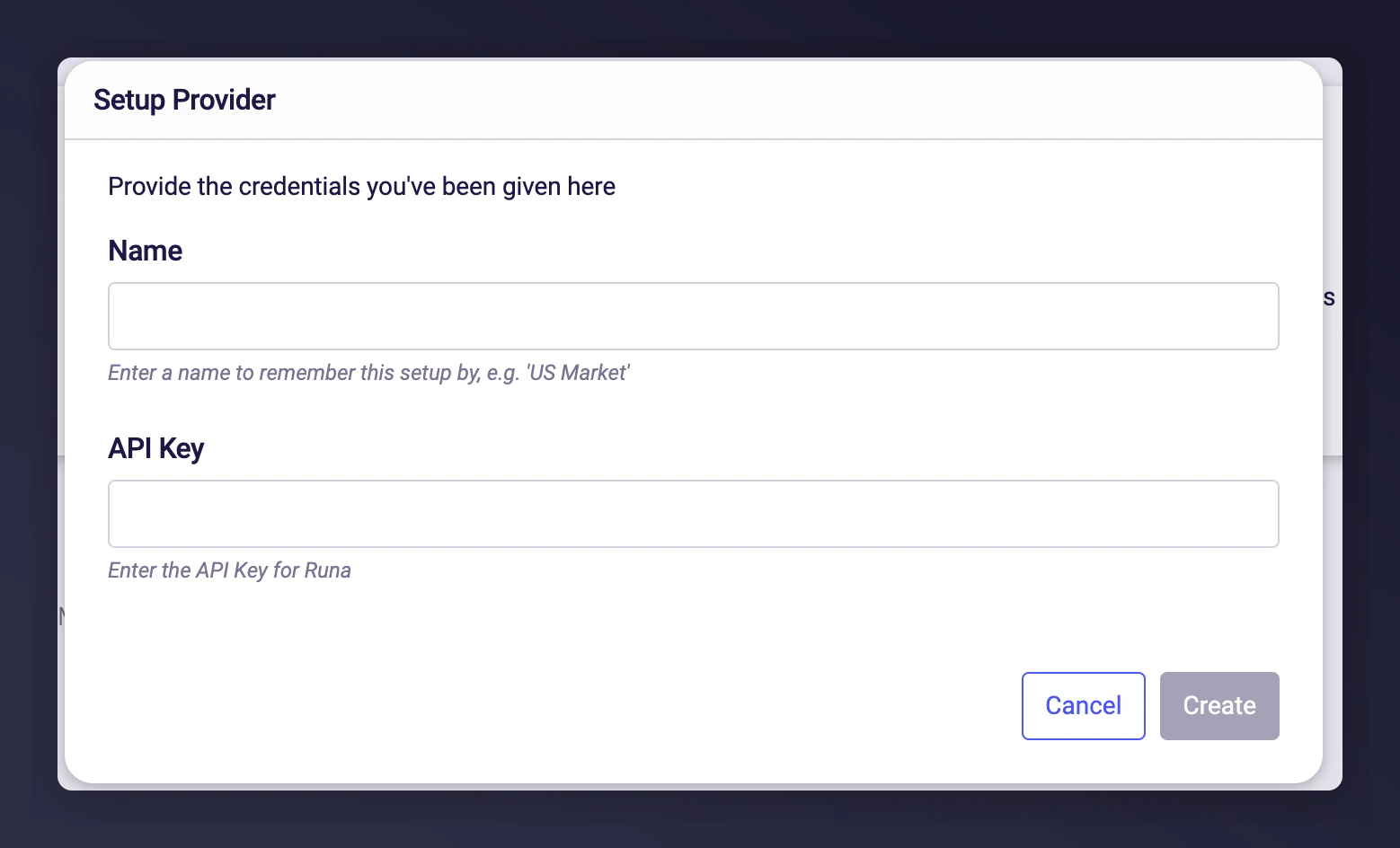
Enter API Key

Enter a name and paste the API Key from Step 1. Click Create.Runa API Key entry form in Mention Me

Step 3 — Share Runa Product Codes

Based on your campaign setup, you can use either a single product order or a payout link. Email these codes to Mention Me Support, your CSM, or Onboarding Project Manager.

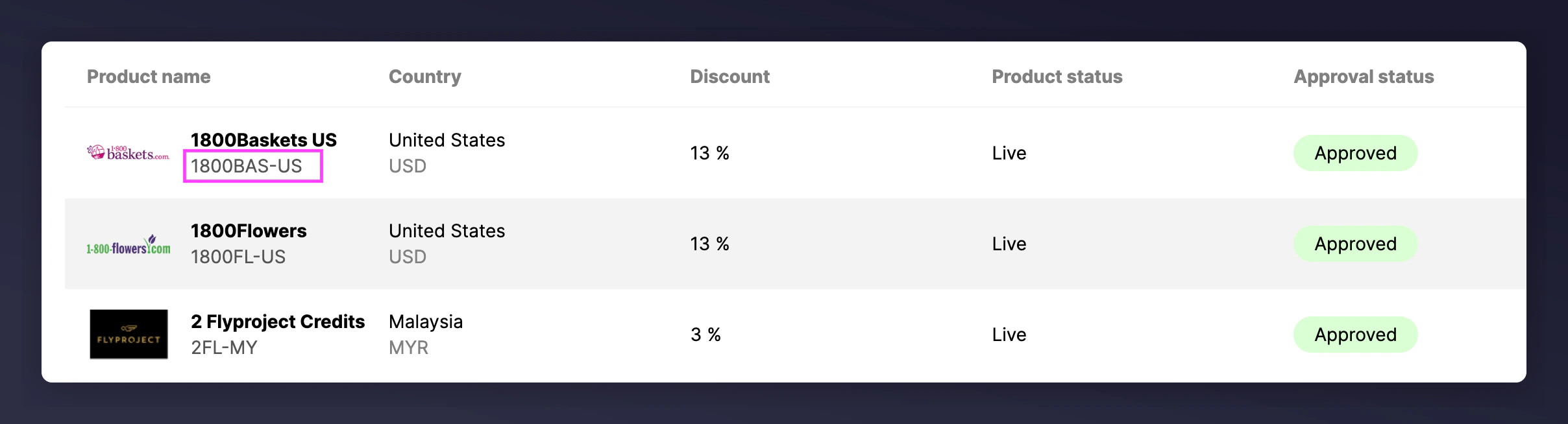
Single Product Orders

Identify and copy the product code of the specific voucher to be issued, then send to Mention Me. Runa product catalogue showing voucher product codes
1

Create a payout template

Create a payout template by following these instructions.
2

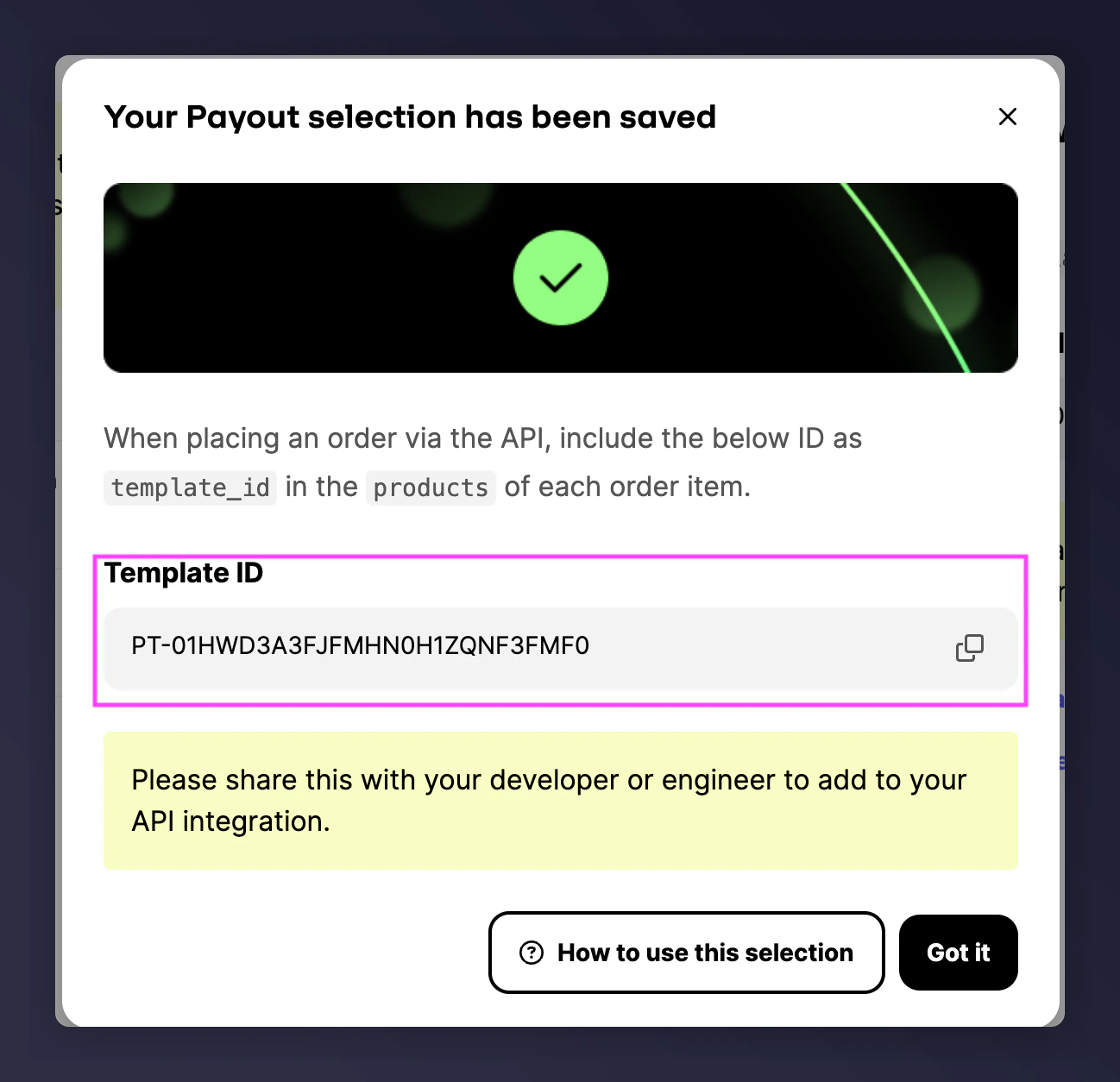
Share the Template ID

Copy the Template ID (begins with PT) and send it to Mention Me.Runa payout template with Template ID

Step 4 — Share Runa User Redemption Template ID (optional)

If using a custom redemption page:
1

Create a redemption template

Follow these steps to create a redemption template.
2

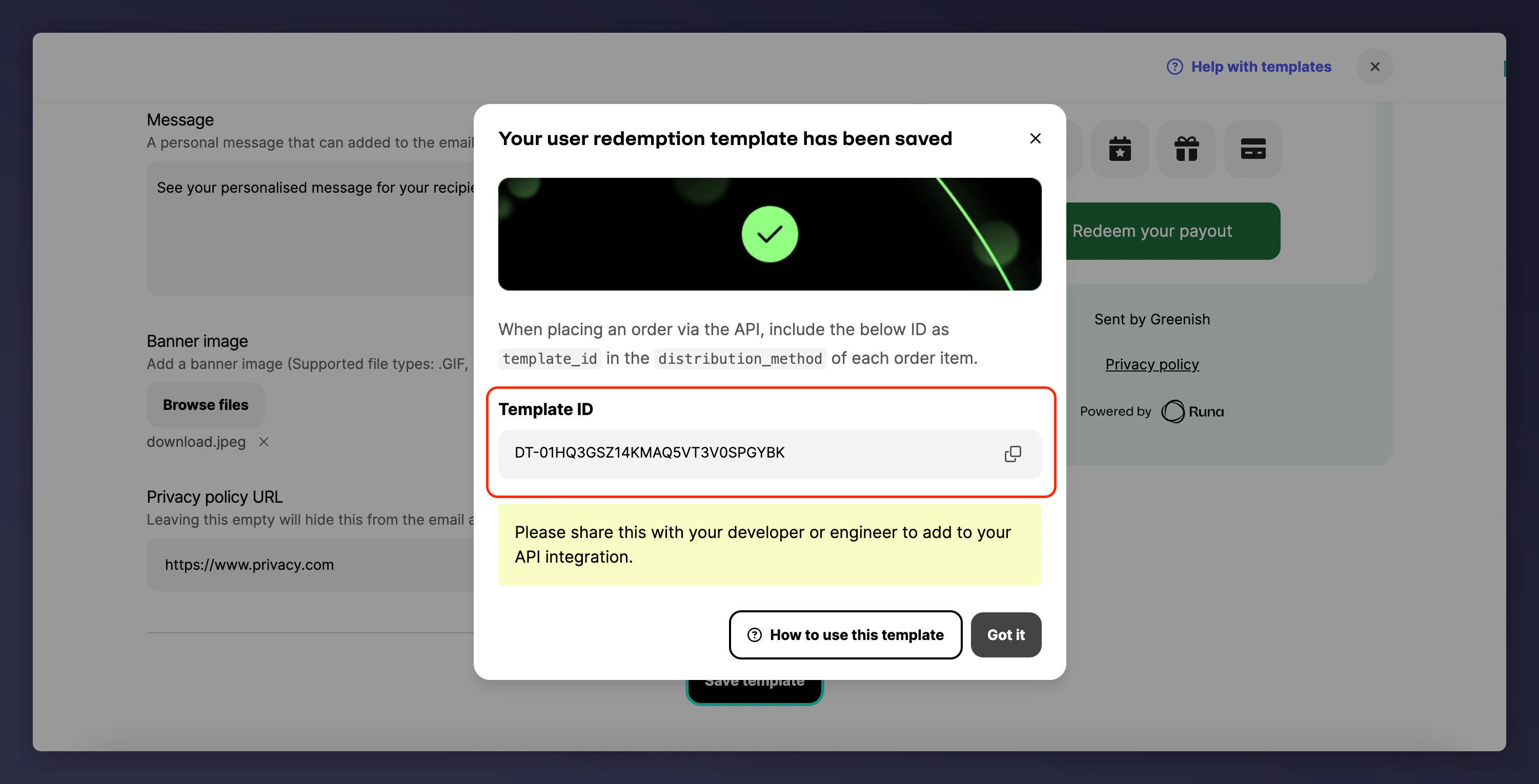
Share the Template ID

Copy the Template ID (starts with DT) and share with Mention Me.Runa user redemption template with Template ID
Send this code to Mention Me Support, your CSM, or Onboarding Project Manager so they can configure your reward.
Last modified on March 31, 2026