Documentation Index

Fetch the complete documentation index at: https://docs.mention-me.com/llms.txt

Use this file to discover all available pages before exploring further.

About the integration

The Giftcloud integration lets you automatically deliver digital gift cards as referral programme rewards, with support for standard or custom-branded options across multiple territories.

Prerequisites

Before connecting platforms, speak with your Mention Me contact and a Giftcloud representative about:
  • Which gift cards you want to use
  • Reward denominations (e.g. 10 GBP, 25 USD, 50 EUR)
  • Reward validation window (how long after friend purchase the reward is issued)
  • Territory-specific rewards if running campaigns across multiple countries or languages
Once your contract with Giftcloud is finalised, their support team will provide credentials and campaign information.

Step 1 — Add Giftcloud credentials in Mention Me

1

Add Giftcloud as a provider

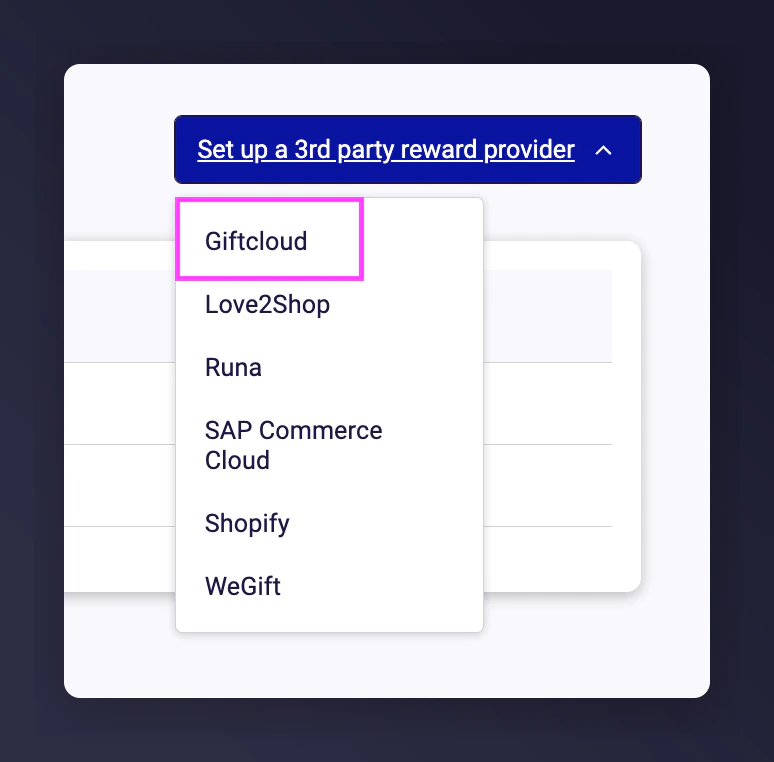
Go to the Mention Me platform and click Set-up new 3rd Party Provider. Select Giftcloud.Set-up new 3rd Party Provider dialog with Giftcloud selected
2

Enter credentials

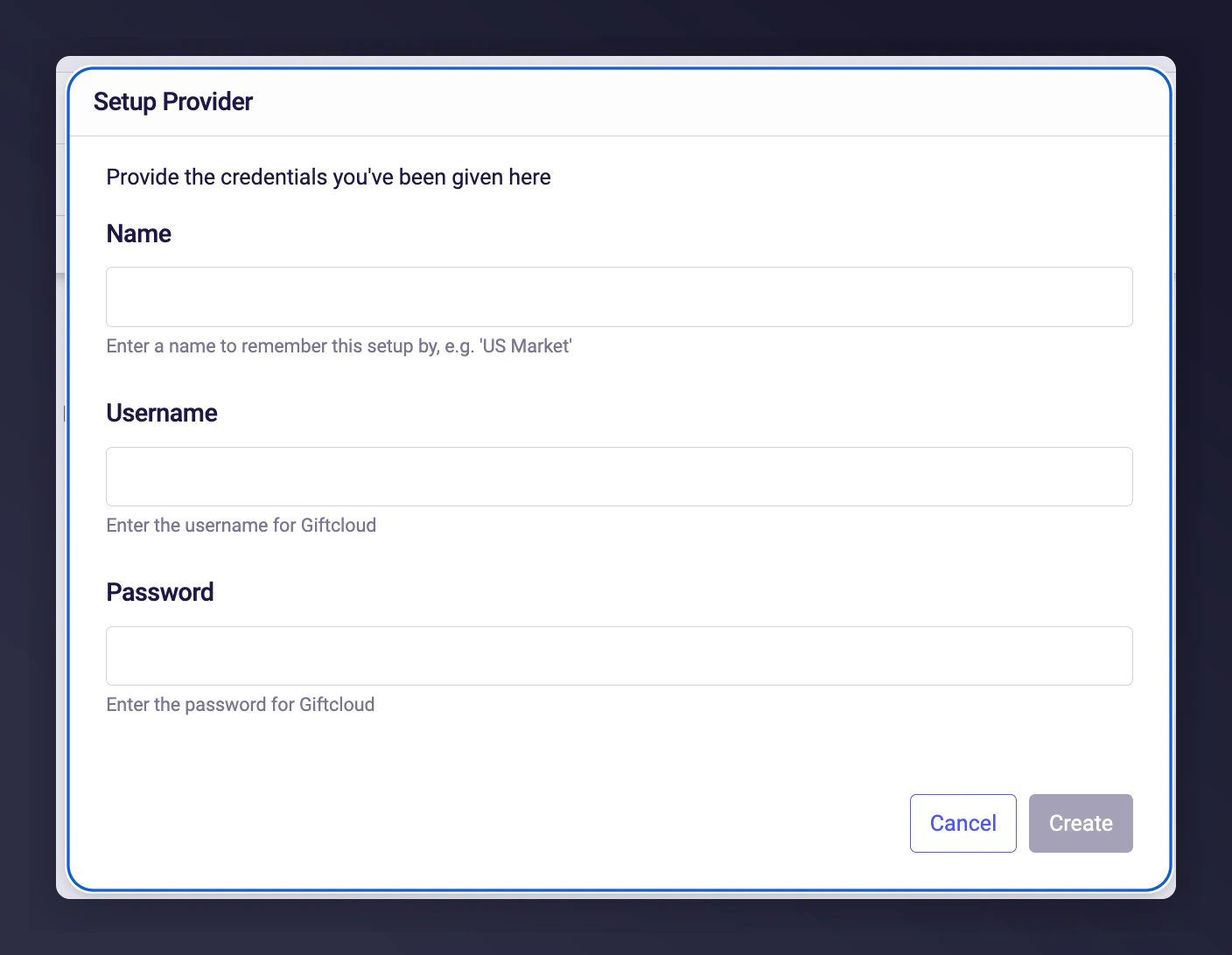
Enter the required fields:
  • Name
  • Username
  • Password Giftcloud credential entry form in Mention Me
3

Create the provider

Click Create.
If you operate in multiple locales (e.g. UK, Germany, France), repeat the process and store separate credentials for each territory.

Step 2 — Share Giftcloud Campaign ID(s)

Once credentials are saved, send your Giftcloud Campaign ID(s) to your Mention Me onboarding project manager, CSM, or the Support team. If supporting multiple locales or different reward denominations, provide a separate Campaign ID for each. Mention Me will complete the setup on your behalf, and your referral programme will be ready to issue digital gift cards.
Last modified on March 31, 2026