How influencers apply to your programme, how to review applications, approve or reject them, complete onboarding, and how influencers gain dashboard access.
This guide covers the full flow from an influencer applying to your programme to having them active with dashboard access.
1
How influencers apply
Influencers can apply to your programme in two ways:
You invite them to join directly.
They find your registration form through a public link, such as a dedicated landing page or a social media post.
Either way, they complete the same registration form: they fill in the required fields, agree to your terms and conditions, and submit their application. They then automatically receive a confirmation email with details of the next steps.See Registration form setup to configure the form fields, styling, and content shown to applicants.
2
Access influencer applications
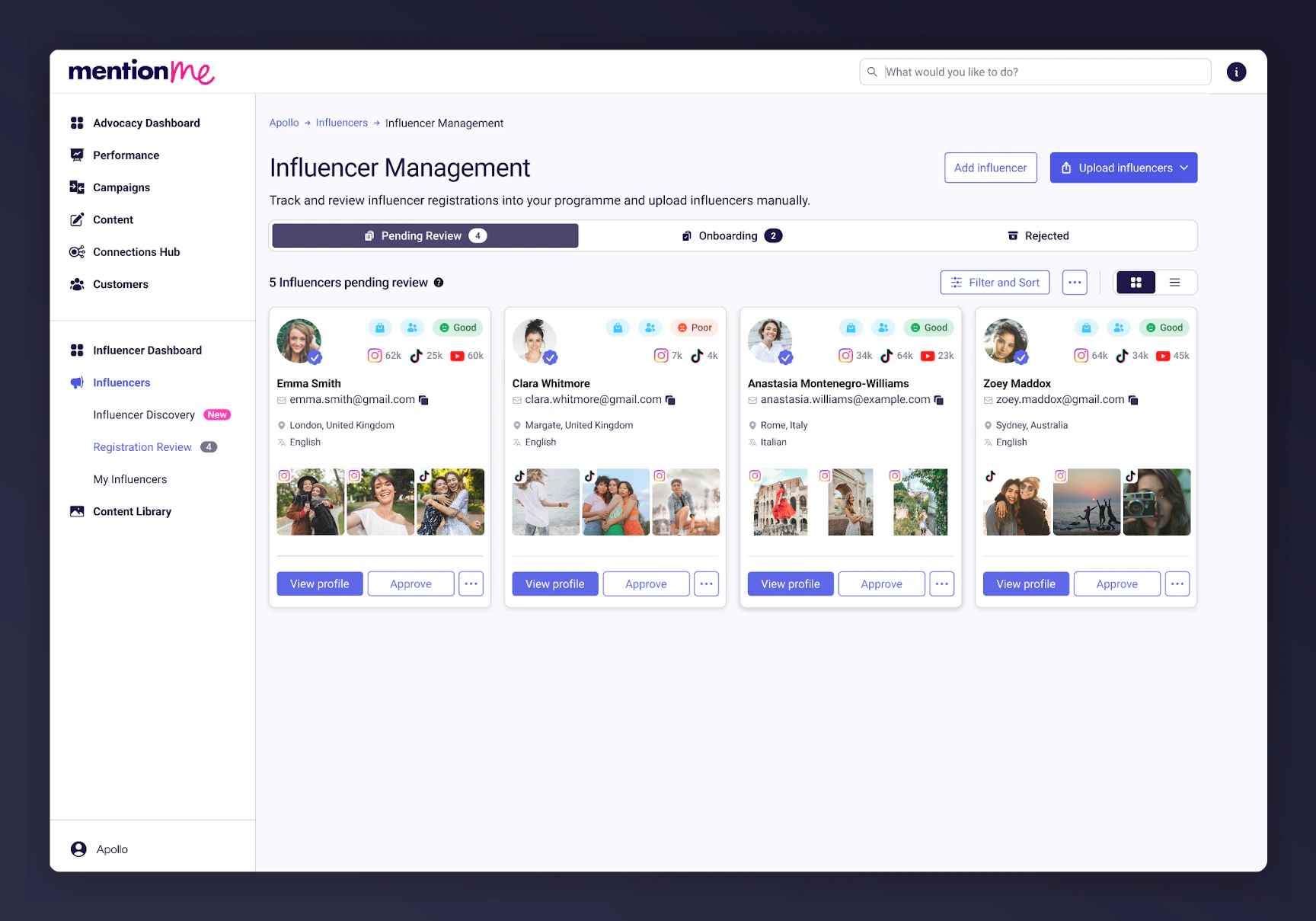
Log in to the platform and navigate to Influencers > Registration Review.
A list of pending influencer applications in Registration Review.
3
Review pending applications
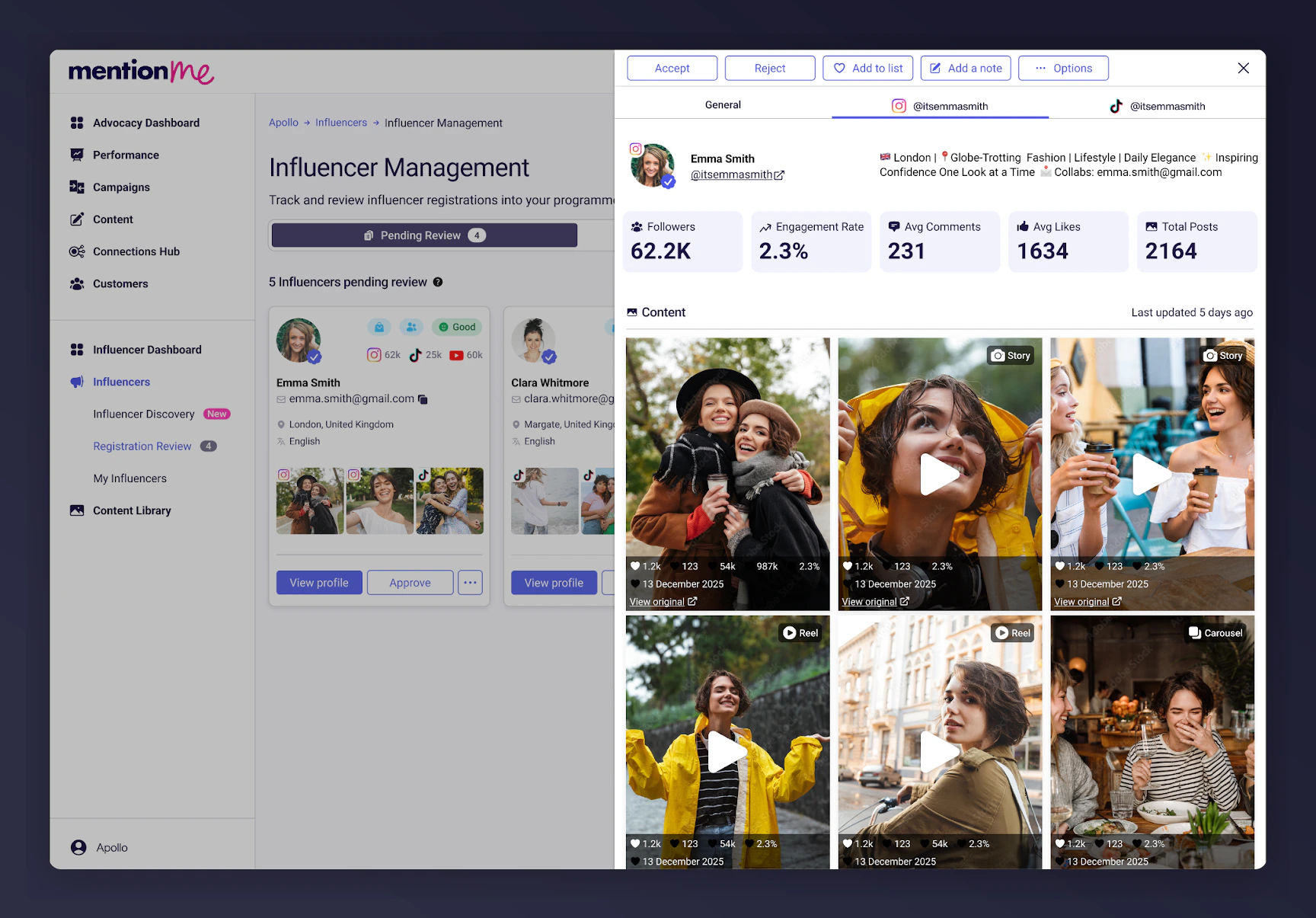
In the Pending tab, you’ll see all influencer profiles waiting for review.Click View Profile to check:
The information they submitted in their application form
Their key social stats
Their social feeds
You can also add notes to each profile.
Influencer profile review showing social stats and feed.
4
Approve or reject applicants
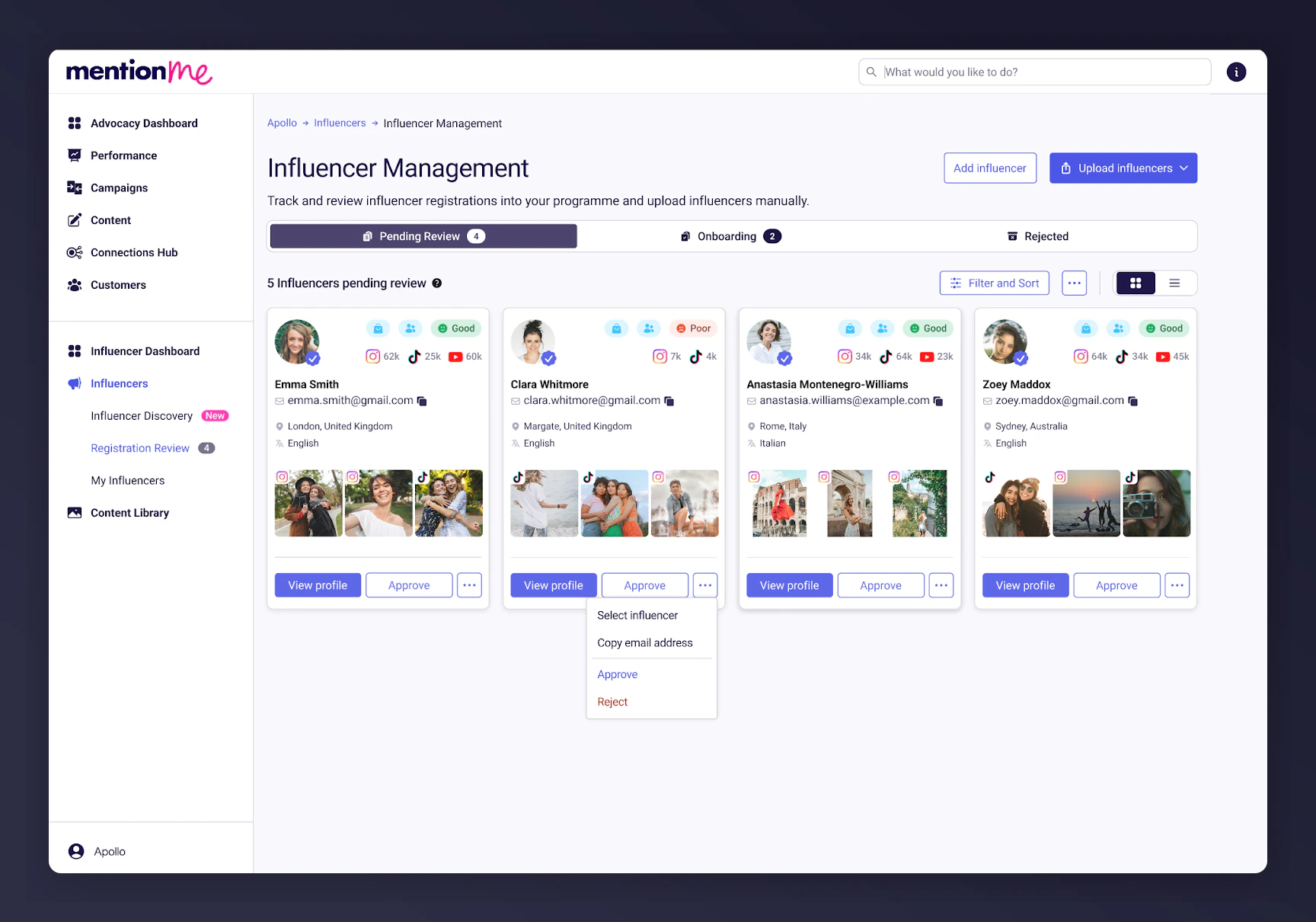
To reject a profile, click on the three dots at the bottom of the tile and select Reject.
To approve an influencer, click Approve.
Approve or reject options on an influencer application tile.
5
Complete onboarding
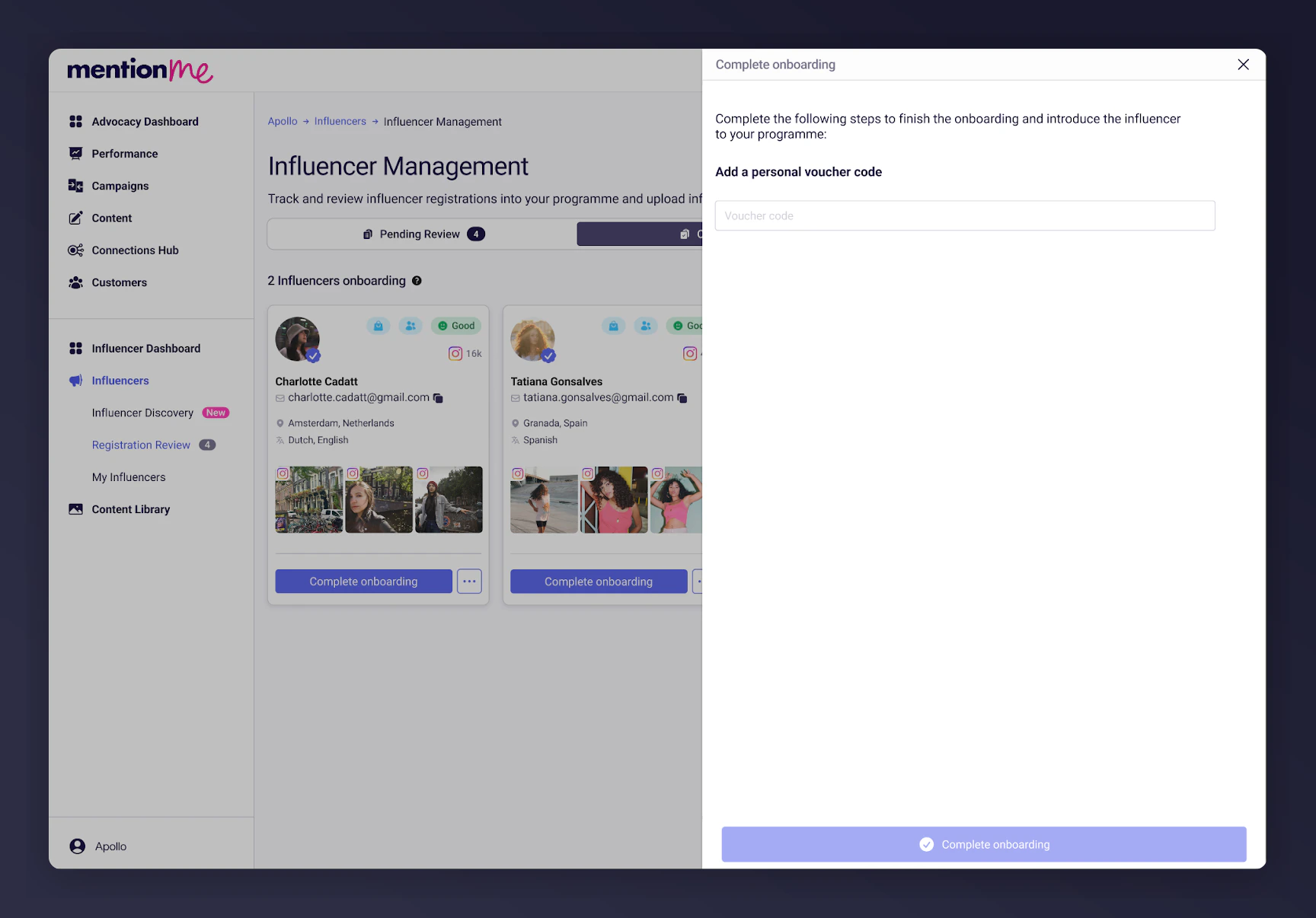
If you need to provide a discount code, the profile moves to the Onboarding stage. Click Complete Onboarding and enter the discount code when prompted. The influencer then moves to your My Influencers list.
The Onboarding stage showing the Complete Onboarding button and discount code prompt.
Influencers will not be onboarded and won’t get access to their dashboard until the discount code has been added. If you do not need to provide a discount code, the influencer is approved directly and added to My Influencers.
6
Influencer notification and dashboard access
The influencer automatically receives an email welcoming them to your programme with a link to sign into their dashboard.