

Standard Information
Every influencer dashboard includes:- Contact details for your team
- A welcome message
- Details about current collaborations available to them
Personalised Information
- Brand guidelines or briefing documents (if provided by the brand)
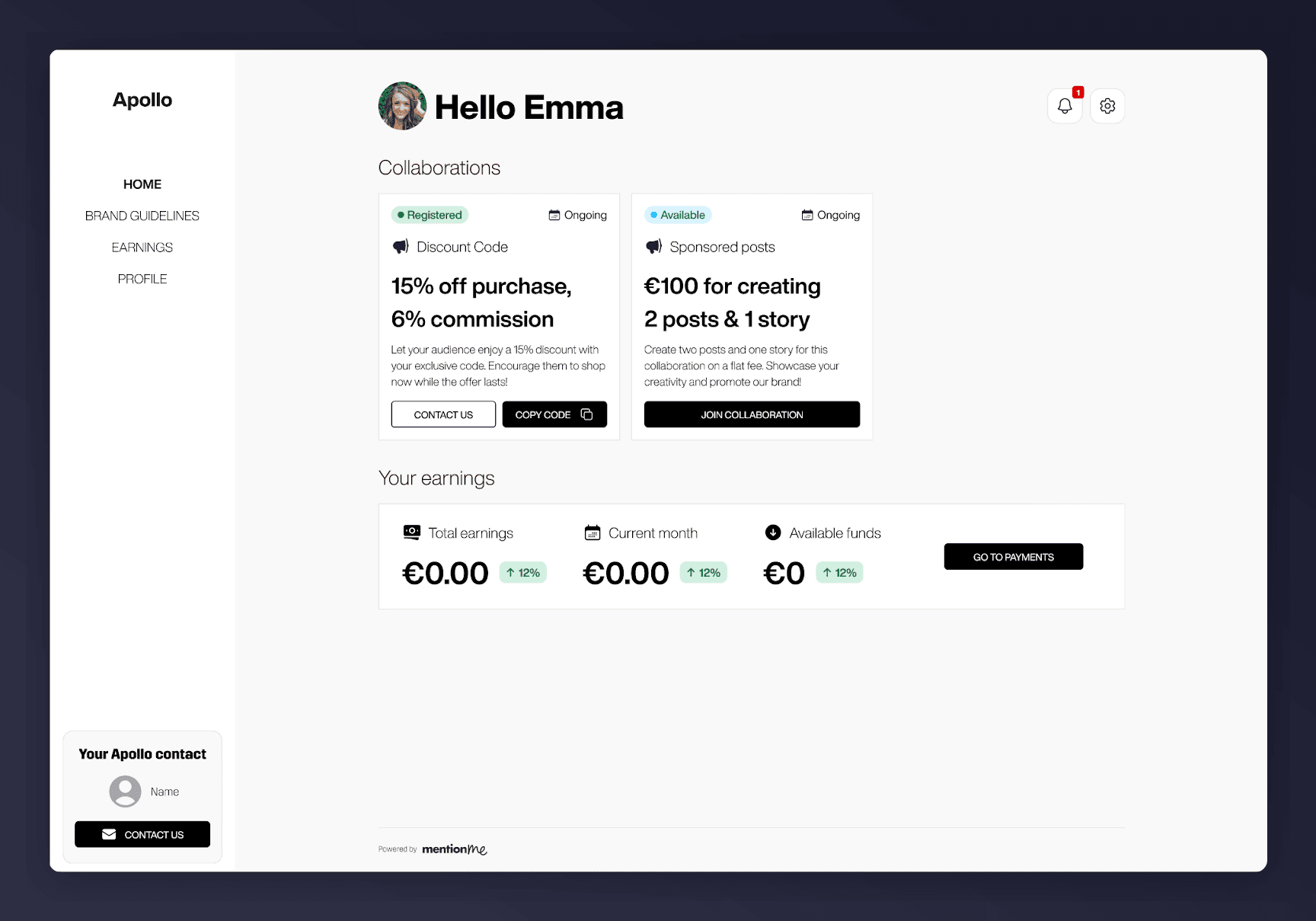
Brand guidelines link in the top left corner of the influencer dashboard
If influencers can’t see the Brand Guidelines link, guidelines may not have been shared yet. Add a link to your guidelines in the Page Content section - see Dashboard customisation.
Collaboration-Specific Information
Revenue-Driving Collaborations
- Unique discount code to share with followers
- Commission rate, if applicable
Content Collaborations
- Collaboration requirements and expected content
- Link to upload content for brand review and approval (if required)
Payment Details
- Total earnings to date
- Earnings for the current month
- Funds available for withdrawal
- Withdrawal link
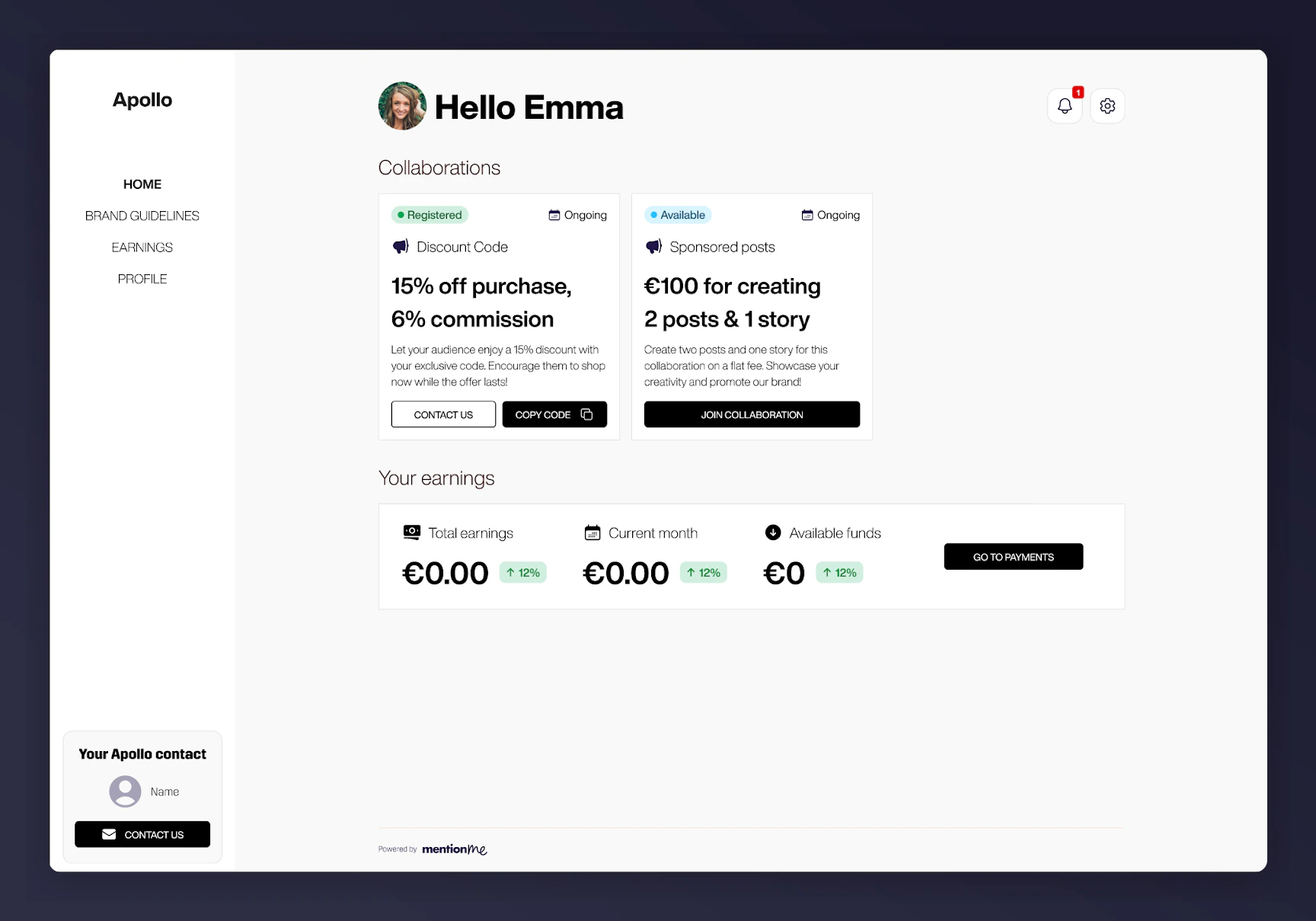
Earnings summary and withdrawal link on the influencer dashboard