

About These Journeys
These SFMC journeys remind customers to use their Mention Me coupon codes. The referee journey targets prospective customers, while the referrer journey targets existing customers who earned a reward for referring a friend. The journeys utilise data sent from Mention Me to SFMC through the integration and the Journey Builder functionality of SFMC.Prerequisites
- An active Mention Me referral program
- A Mention Me / SFMC enabled integration
- Knowledge of SFMC AMPscript Variables
Supported Channels
Referee Journey
Remind prospective customers (referees) to use their coupon codes received from being introduced to your brand. Goals:- Drive first purchase
- Increase average order value
Basic Workflow
- A prospective customer gets a coupon when their friend introduces them (email sent by Mention Me).
- A reminder email (subject to consent) is sent to use the coupon if they have not purchased yet.
- Further reminders are sent at different times to encourage coupon usage (if you have purchase events flowing into SFMC).
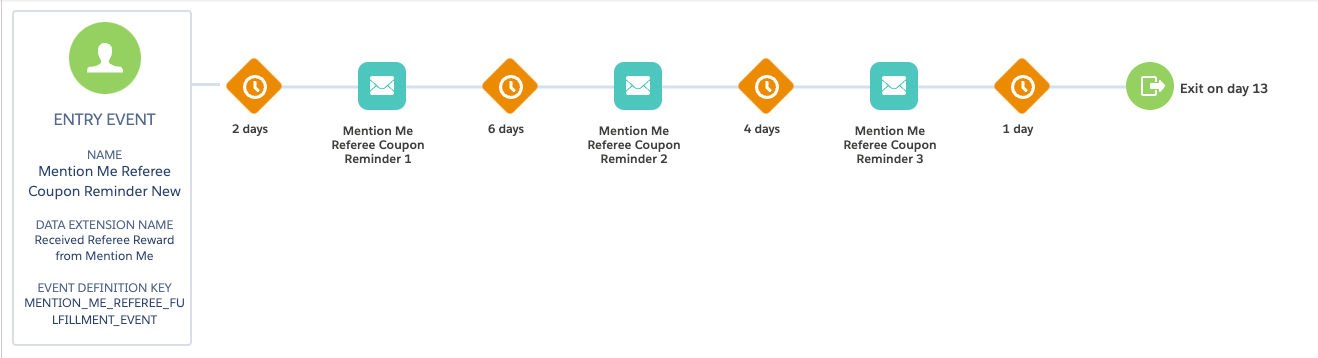
Referee coupon reminder journey flow
Step 1: Create the Journey Flow
Add the API Event trigger
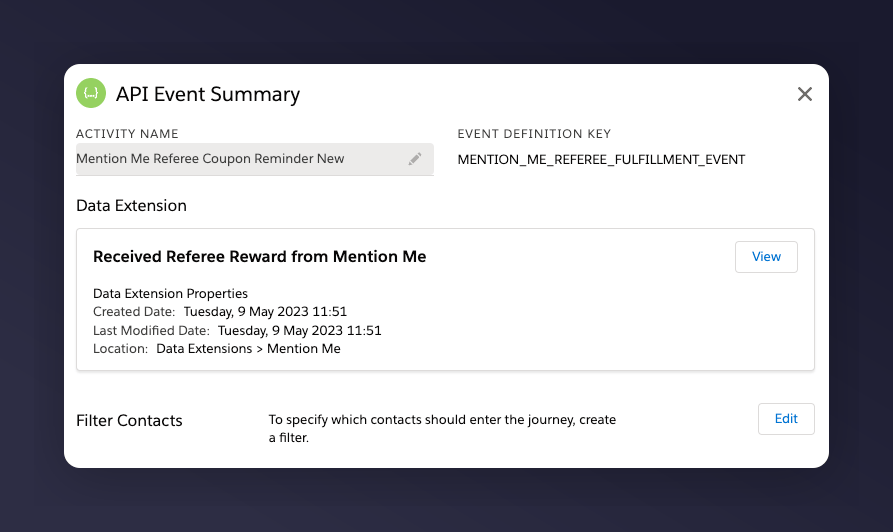
The API Event trigger configured with Received Referee reward.
Set the default email address
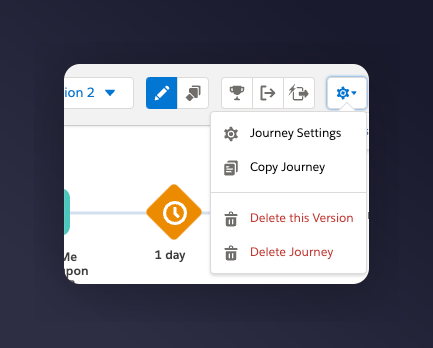
Journey Settings showing the default email address set from Entry Source.
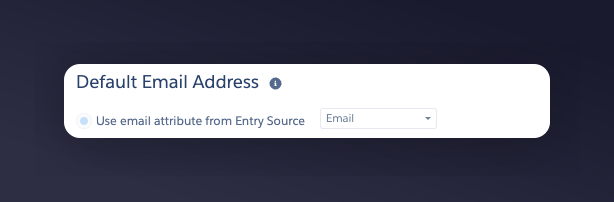
The email address Entry Source setting.
Add wait periods before each email
- 1st email - 2 days after the event trigger
- 2nd email - 6 days after the 1st email is sent
- 3rd email - 4 days after the 2nd email is sent
Add a conditional split
Step 2: Add Content to Each Email
Match your brand
Add product recommendations
Set the personalisation data extension
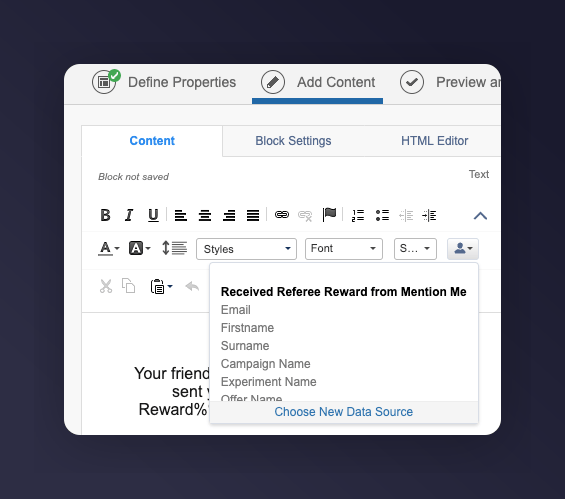
The Add content panel with the referee reward data extension selected.
Example Reminders
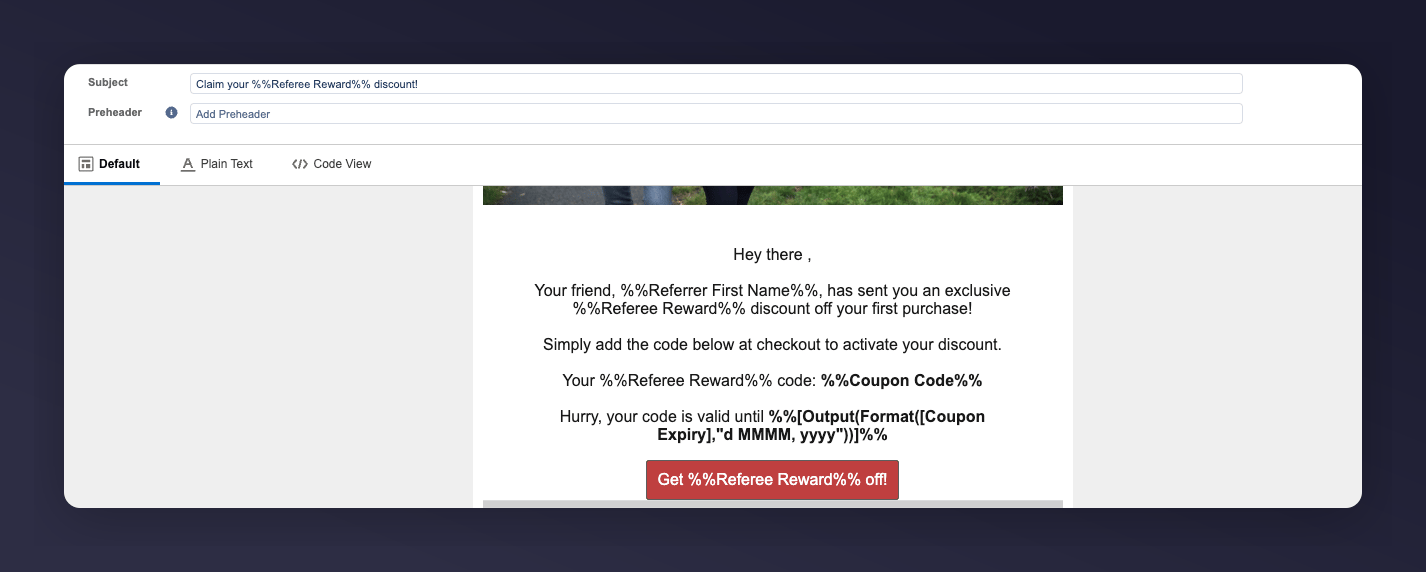
Example Reminder 1 for the referee coupon reminder journey.
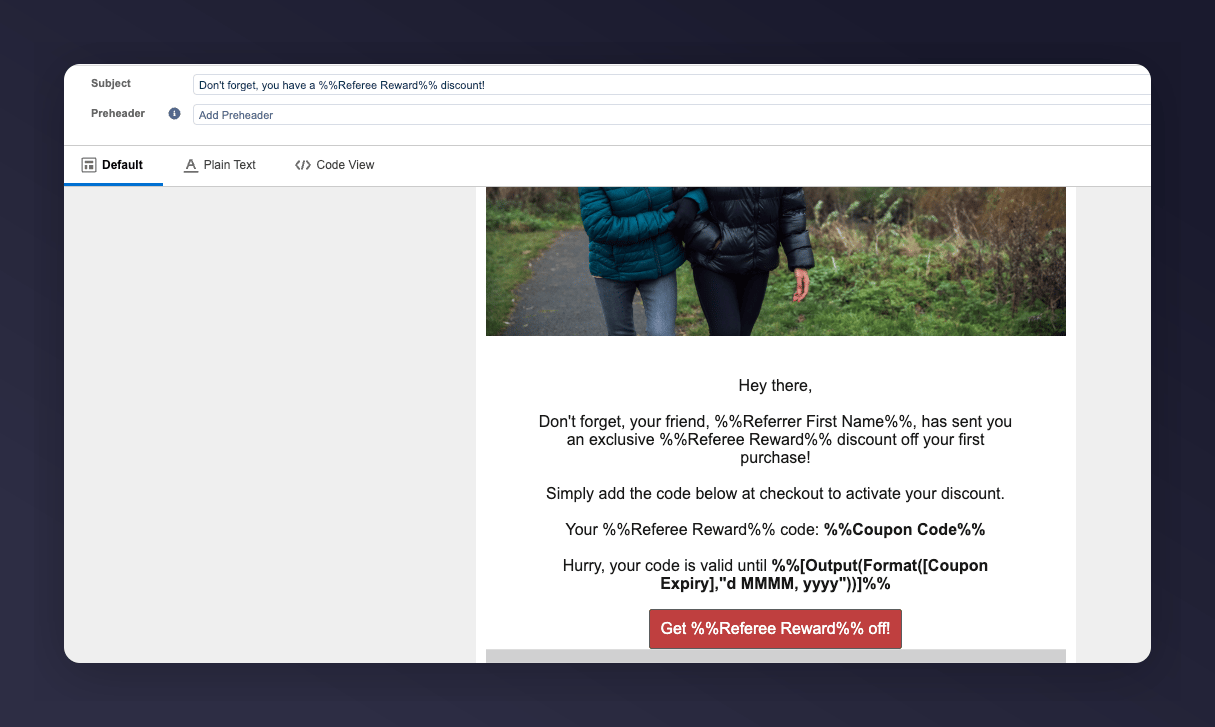
Example Reminder 2 for the referee coupon reminder journey.
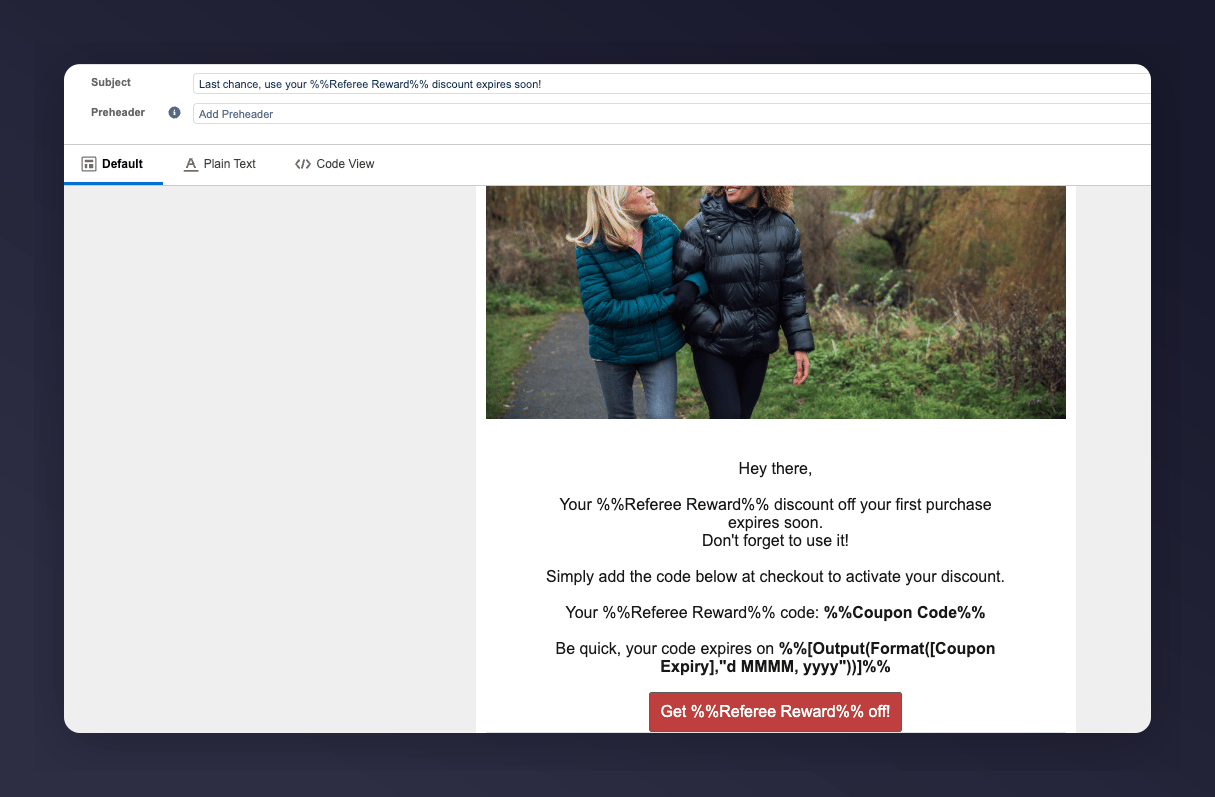
Example Reminder 3 for the referee coupon reminder journey.
SFMC Variables
Step 3: Test the Preview
Open the preview and test tab
The Preview and Test tab in the SFMC email editor.
Select a test entry
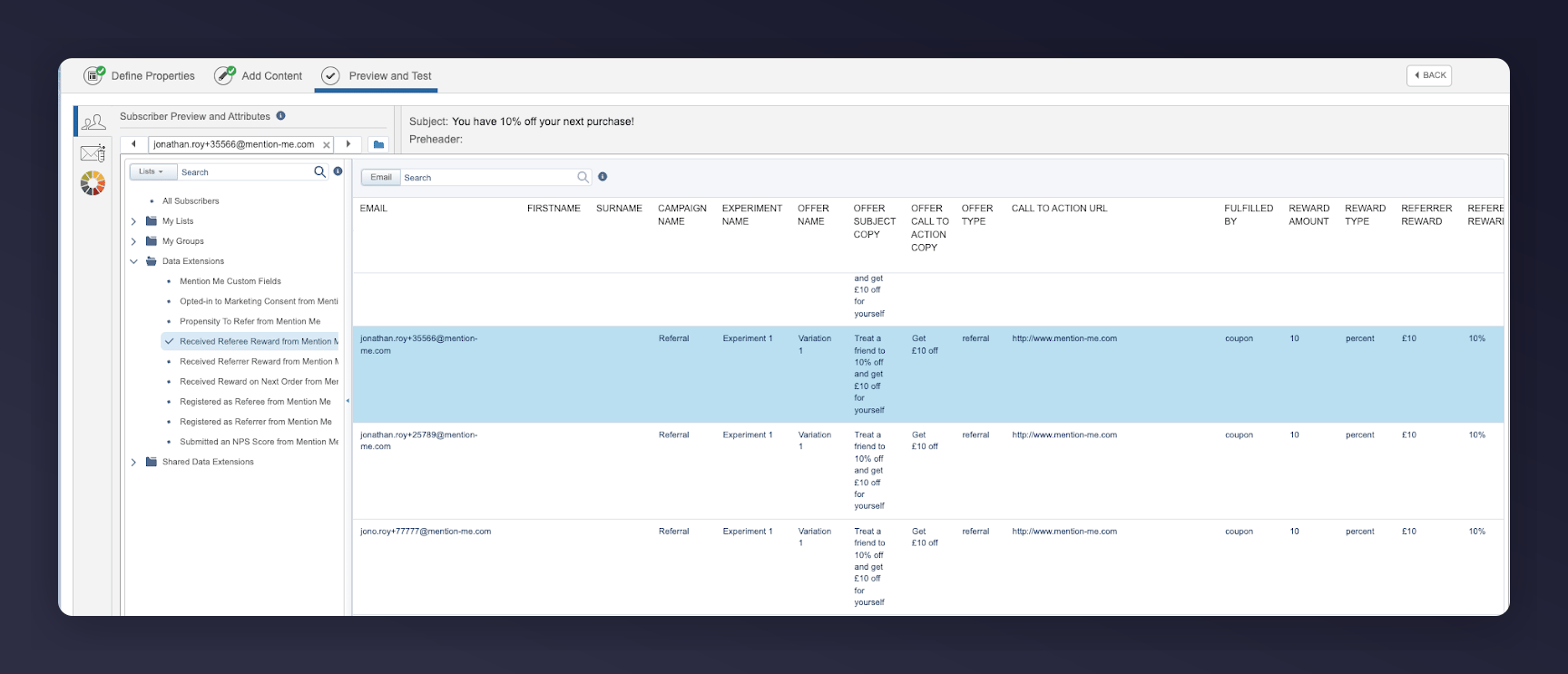
Selecting a test entry from the referee reward data extension.
Check the populated fields
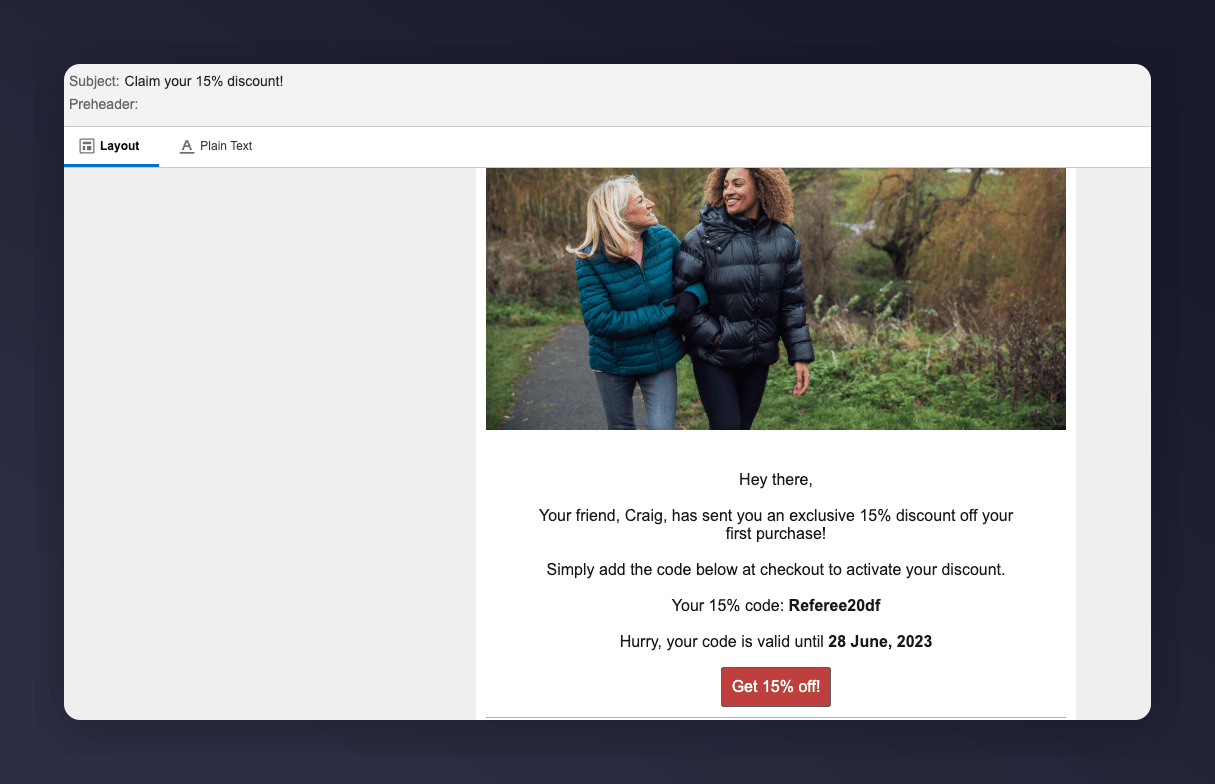
Referee reminder 1 preview with populated fields.
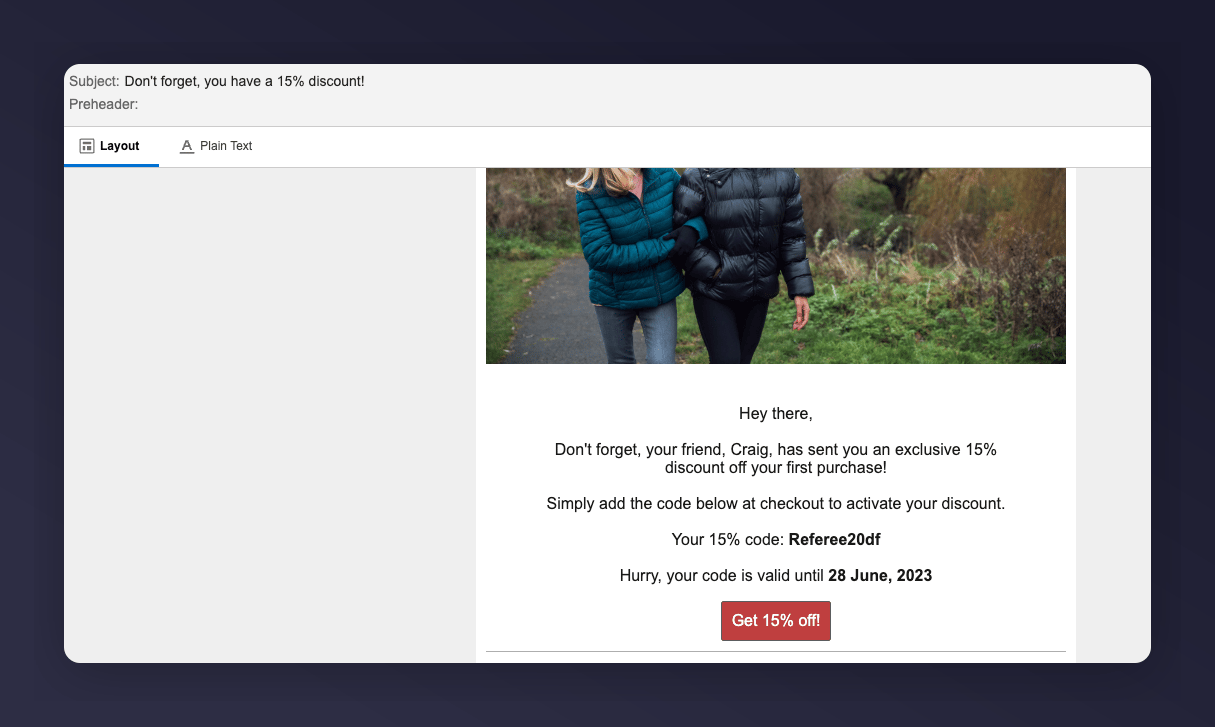
Referee reminder 2 preview with populated fields.
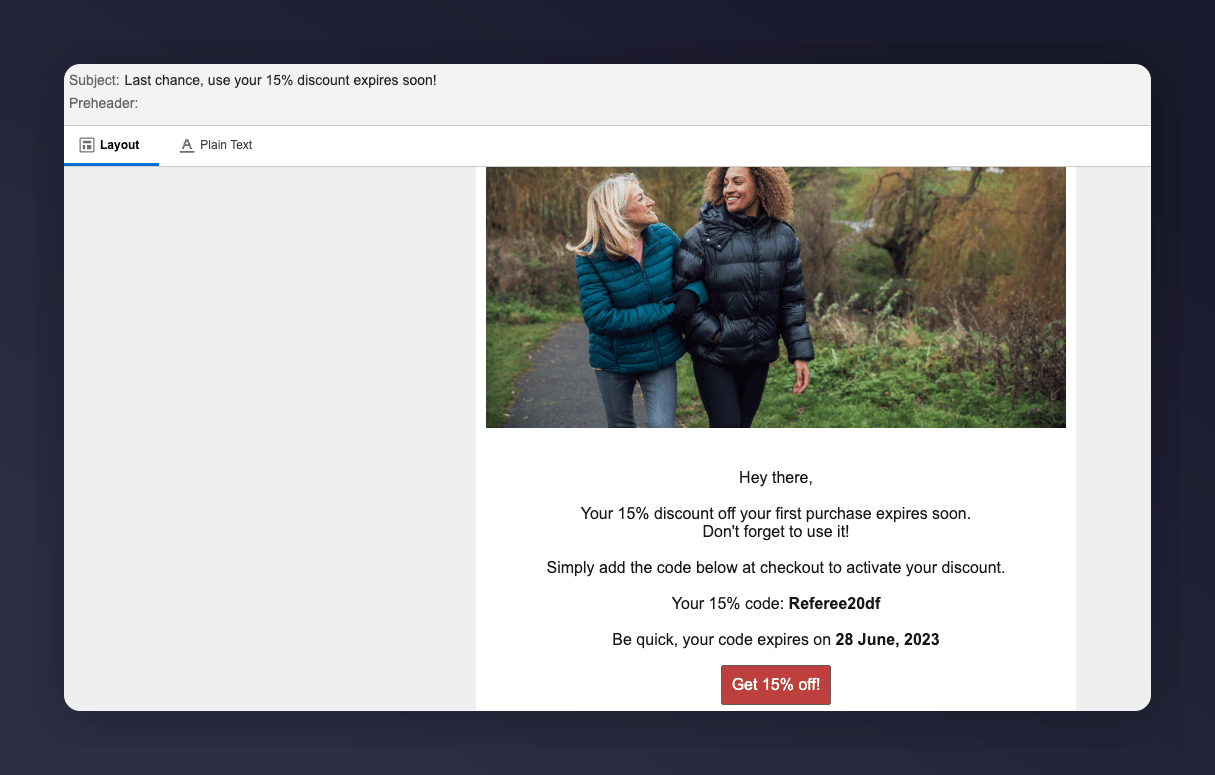
Referee reminder 3 preview with populated fields.
Step 4: Activate the Journey
Confirm everything is ready
Activate the journey
The Activate journey button in SFMC.
Referrer Journey
Remind existing customers (referrers) to use their coupon codes received from introducing a friend to your brand. Goals:- Increase active customer revenue
- Increase premium customer revenue
- Increase retention
Basic Workflow
- An existing customer gets a coupon when they introduce a friend (email sent by Mention Me).
- A reminder email (subject to consent) is sent to use the coupon if they have not purchased yet.
- Further reminders are sent at different times to encourage coupon usage.
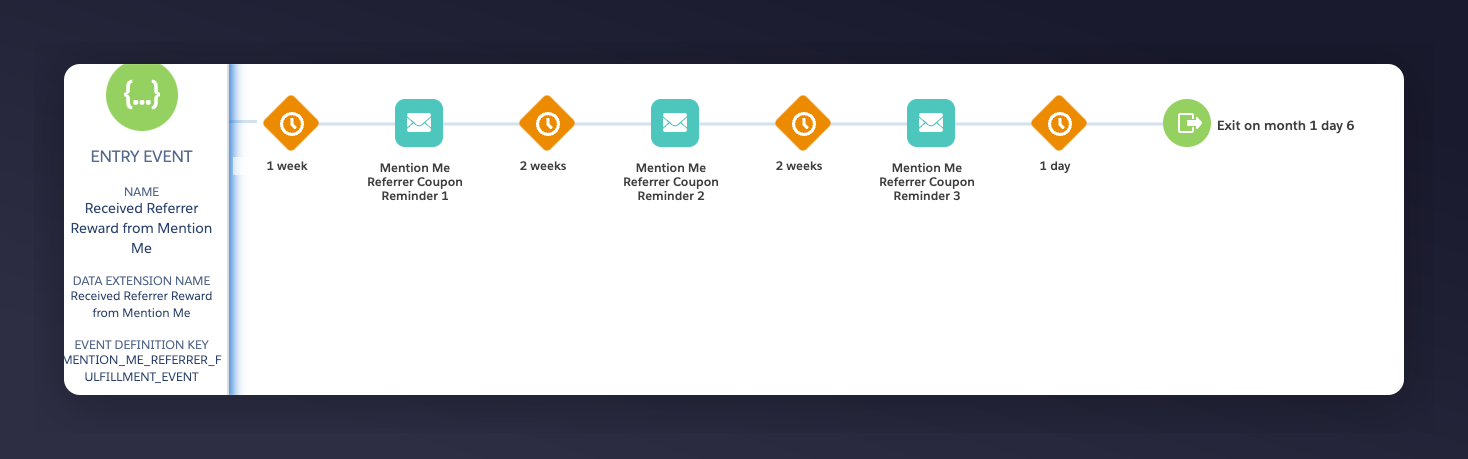
Referrer coupon reminder journey flow
Step 1: Create the Journey Flow
Add the API Event trigger
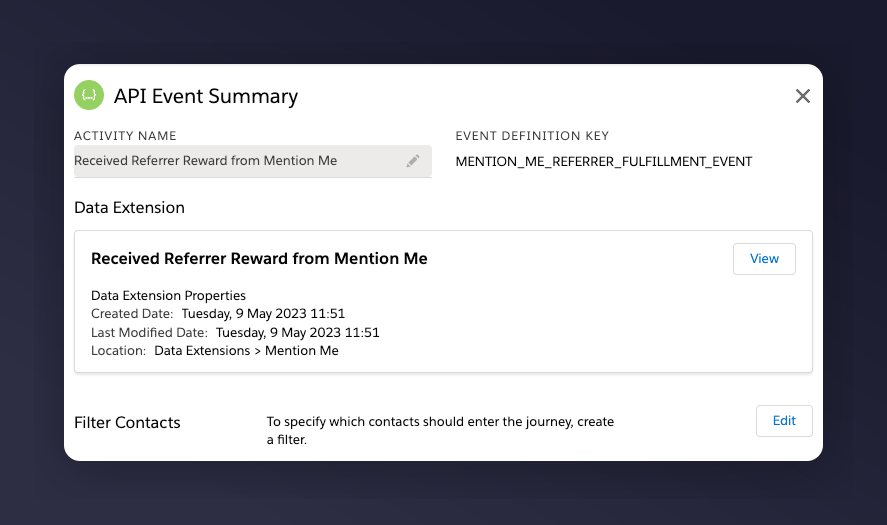
The API Event trigger configured with Received Referrer reward.
Set the default email address
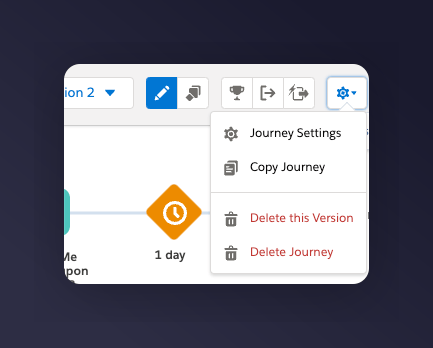
Journey Settings showing the default email address set from Entry Source for the referrer journey.
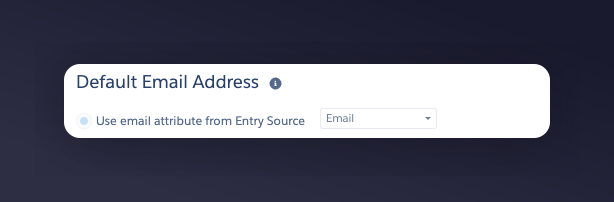
The email address Entry Source setting for the referrer journey.
Add wait periods before each email
- 1st email - 7 days after the event trigger
- 2nd email - 14 days after the 1st email is sent
- 3rd email - 14 days after the 2nd email is sent
Add a conditional split
Step 2: Add Content to Each Email
Match your brand
Add product recommendations
Set the personalisation data extension
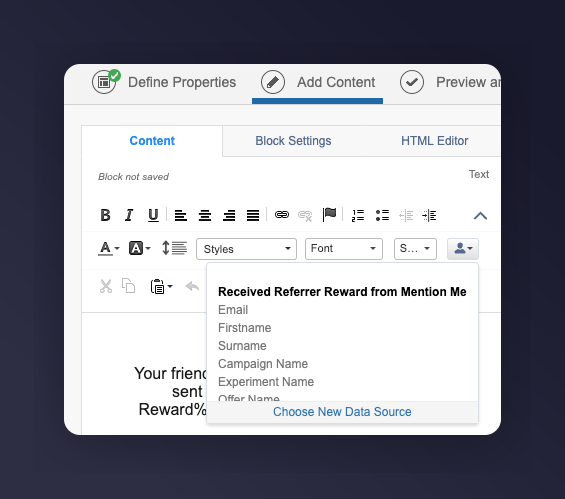
The Add content panel with the referrer reward data extension selected.
Example Reminders
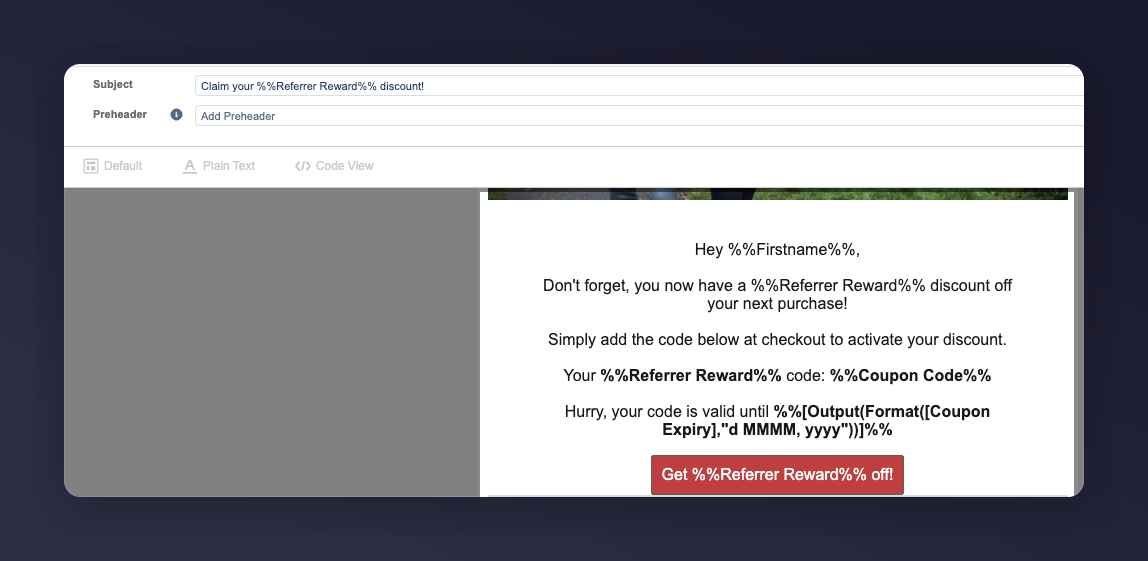
Example Reminder 1 for the referrer coupon reminder journey.
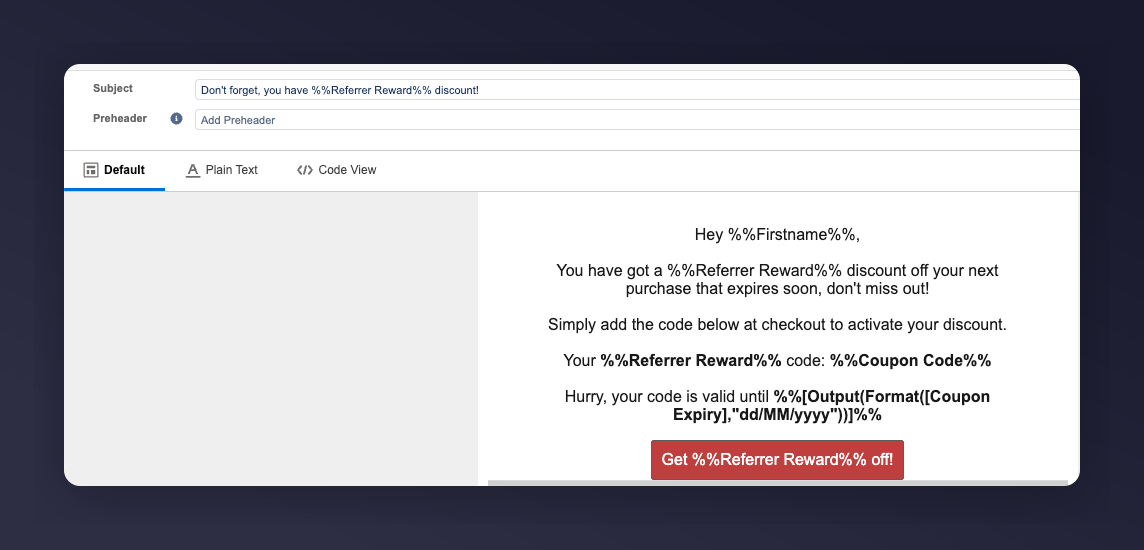
Example Reminder 2 for the referrer coupon reminder journey.
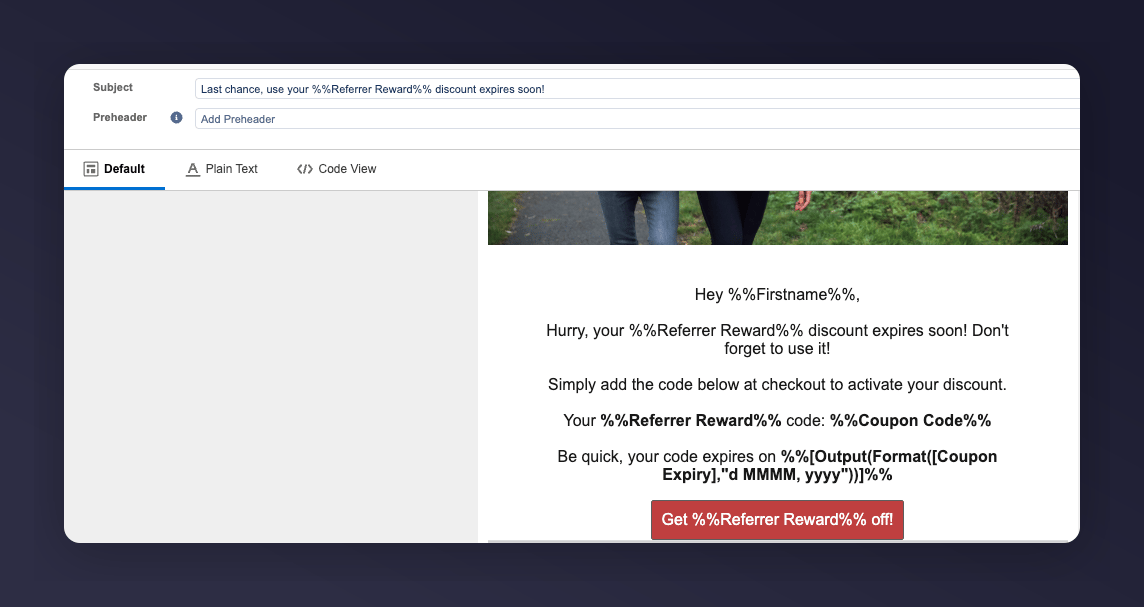
Example Reminder 3 for the referrer coupon reminder journey.
SFMC Variables
Step 3: Test the Preview
Open the preview and test tab
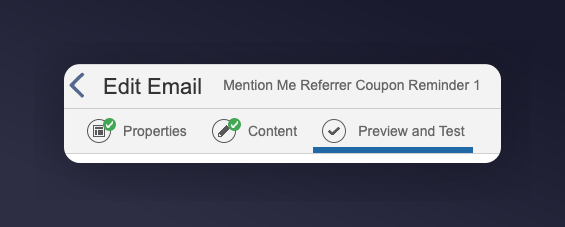
The Preview and Test tab for referrer emails.
Select a test entry
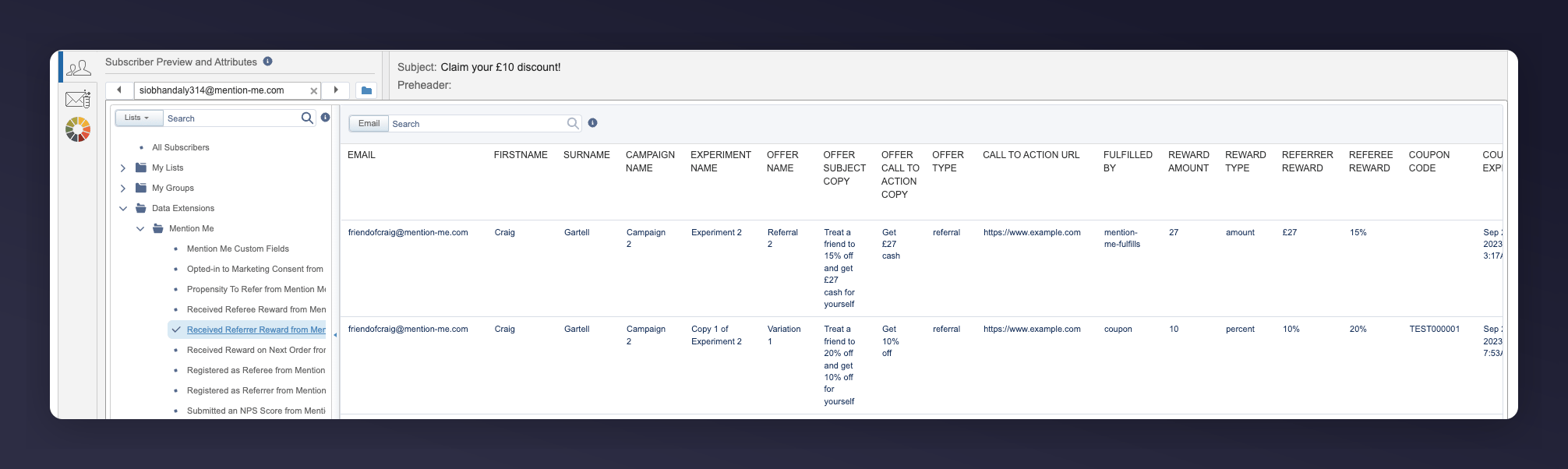
Selecting a test entry from the referrer reward data extension.
Check the populated fields
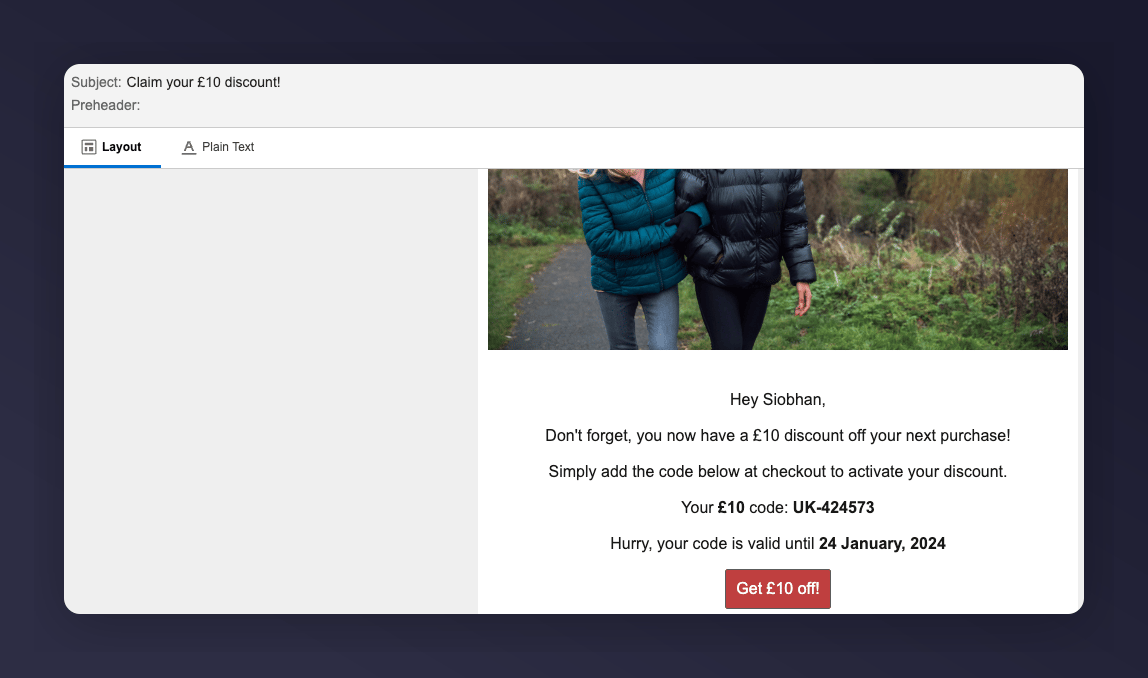
Referrer reminder 1 preview with populated fields.
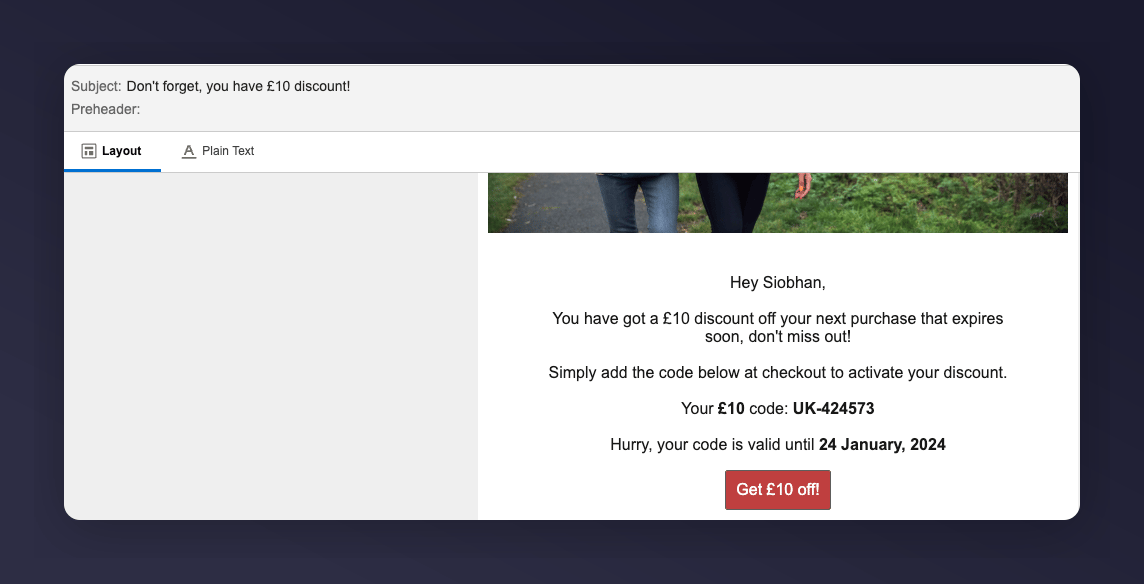
Referrer reminder 2 preview with populated fields.
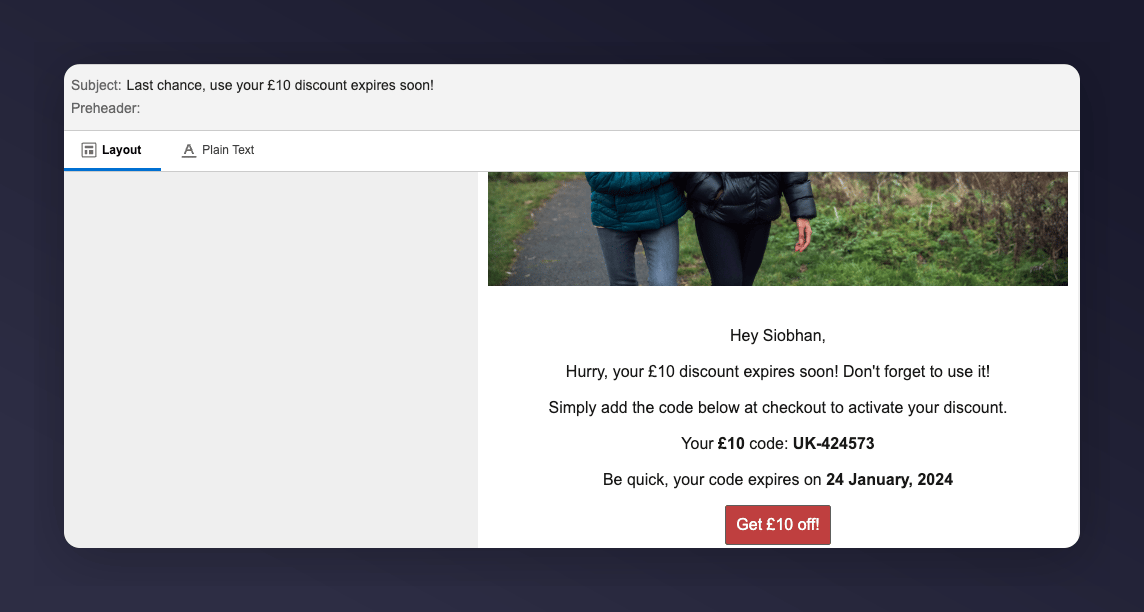
Referrer reminder 3 preview with populated fields.
Step 4: Activate the Journey
Confirm everything is ready
Activate the journey
The Activate referrer journey button in SFMC.