

About This Canvas
This Braze canvas encourages your top brand advocates to continue sharing with friends to earn additional rewards. Implementing this flow helps:- Increase active customer revenue
- Increase premium customer revenue
- Improve retention
Prerequisites
- Active Mention Me referral programme (referrer-based rewards enabled)
- Mention Me / Braze integration activated
- Familiarity with Liquid scripting
Supported Channels
Canvas Workflow Overview
- Customer successfully refers a friend.
- Reminder emails (with consent) are sent encouraging further sharing, including their personalised referral link.
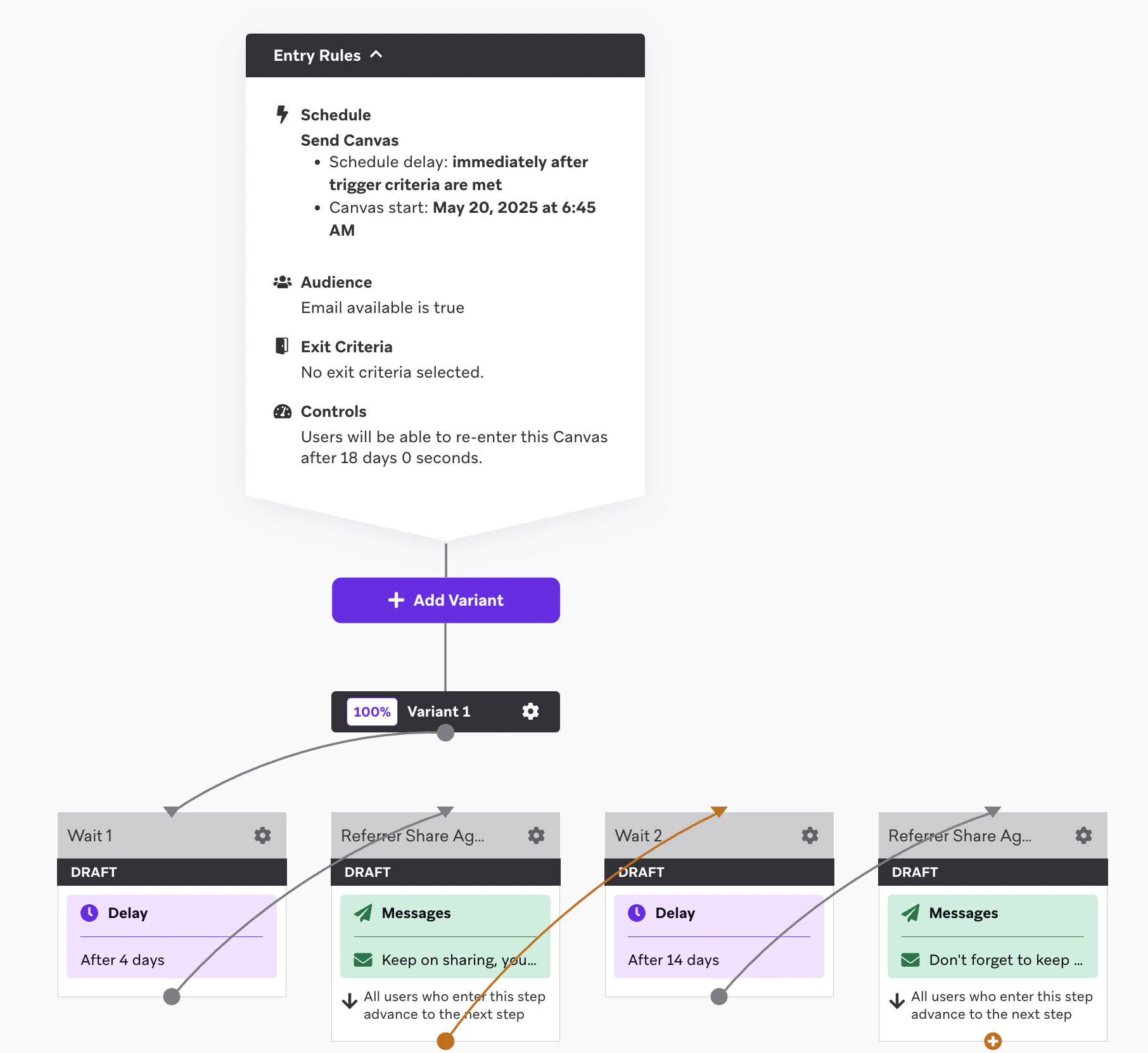
The share again canvas flow with two reminder emails.
Steps to Create the Canvas
Step 1: Build the Canvas Flow
1
Set the entry schedule
Set the Entry Schedule to trigger 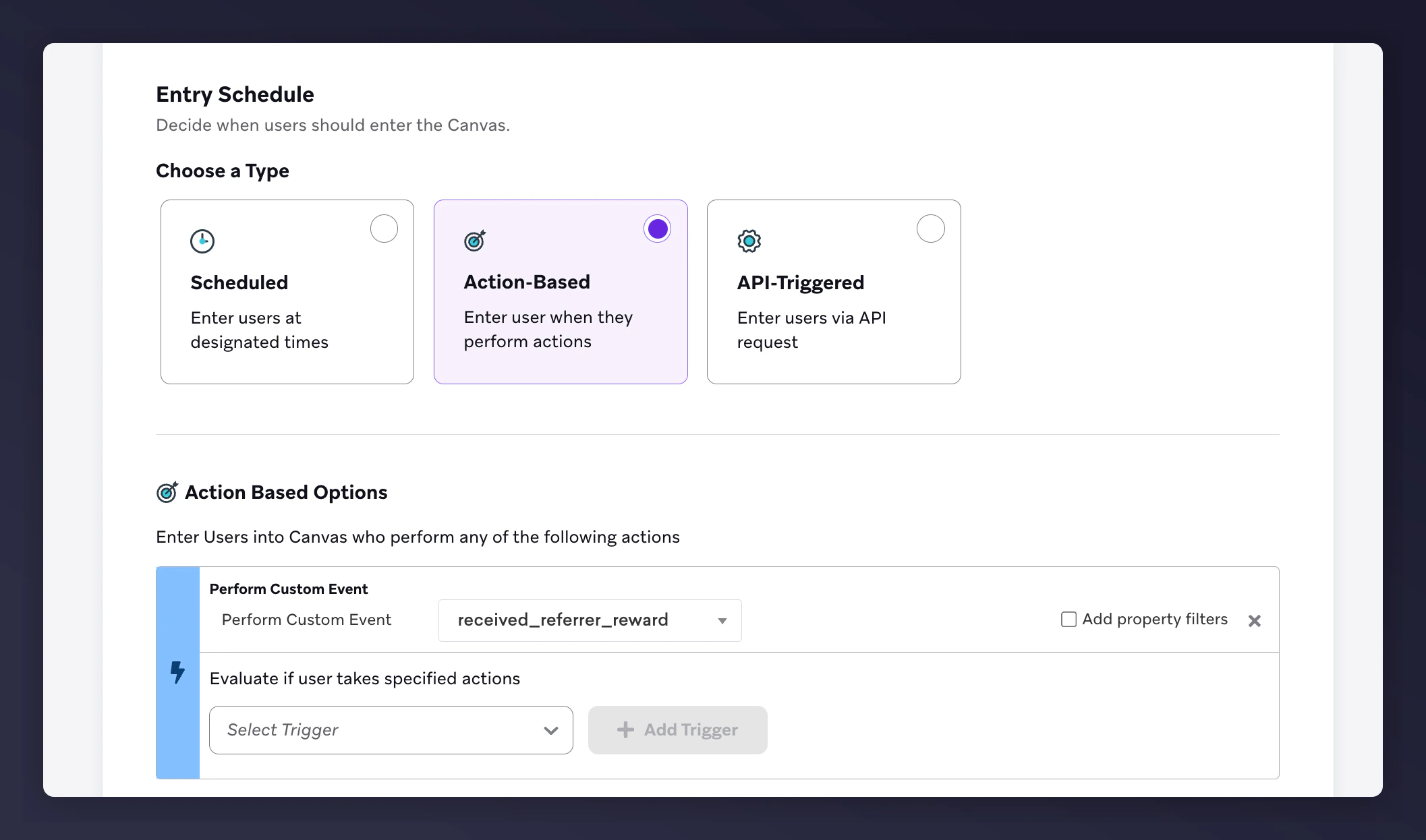
received_referrer_reward via a custom event.The Braze canvas entry schedule set to the received_referrer_reward trigger.
2
Configure the target audience
Configure the Target Audience with Email is available = true.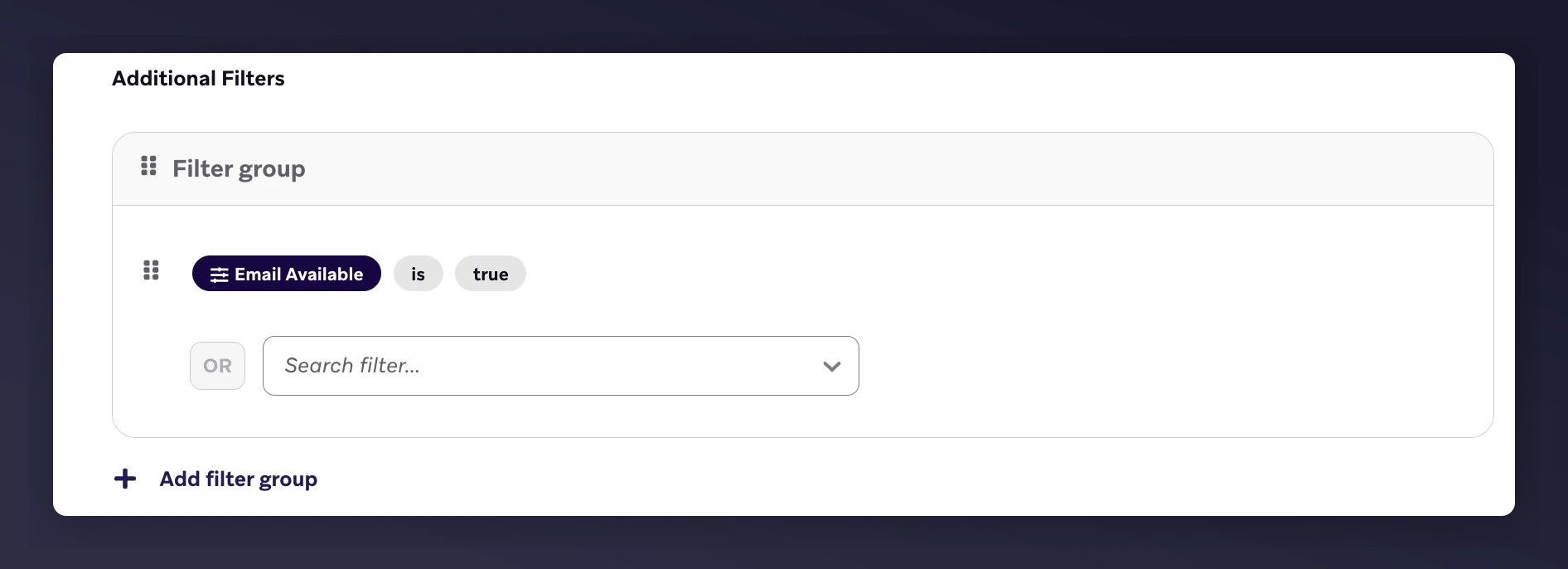
The Braze target audience with the email available filter.
3
Set the send settings
Under Send Settings, send only to opted-in users.
The Braze send settings with opted-in users only.
4
Configure the canvas editor
Configure the Canvas editor with: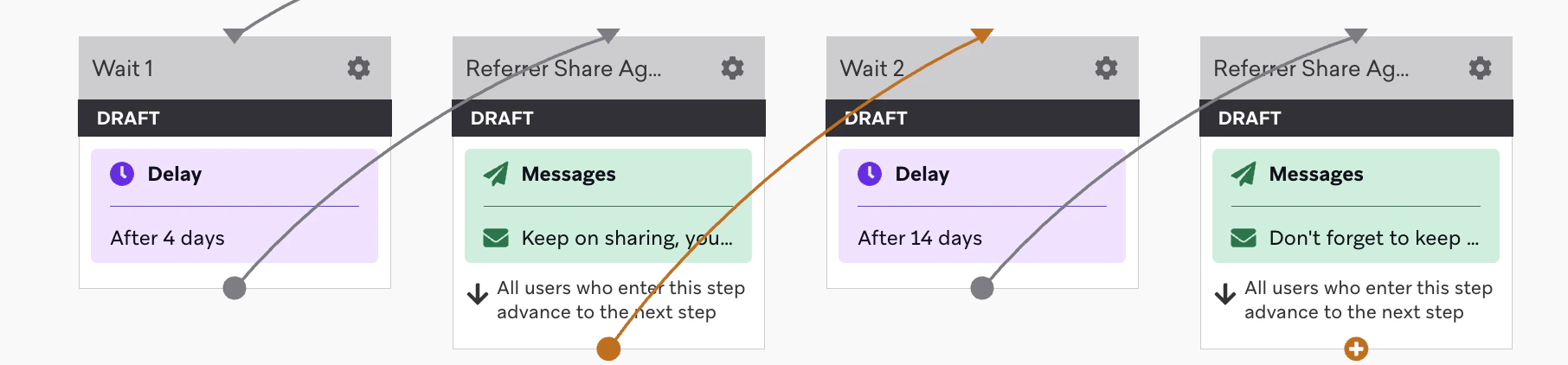
- Two email nodes
- Wait steps before each email
- Timing suggestions:
- Reminder 1 - after 4 days
- Reminder 2 - after 14 days from email 1
The Braze canvas editor with 2 reminder emails and wait steps.
Step 2: Add Email Content
- Customise content to match your brand (images, colours, fonts)
- Use Liquid variables to dynamically populate referral data
Reminder Examples with Liquid Variable Placeholders
Rendered Email Examples
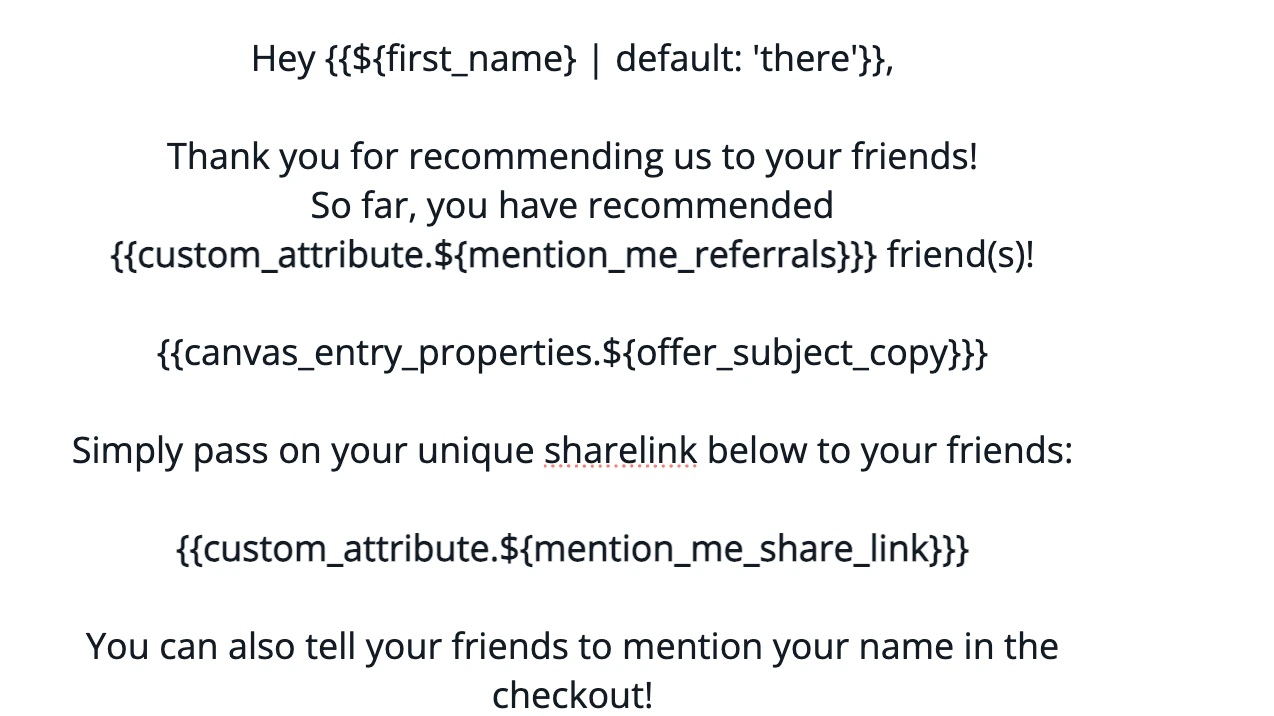
Rendered share again reminder email 1.
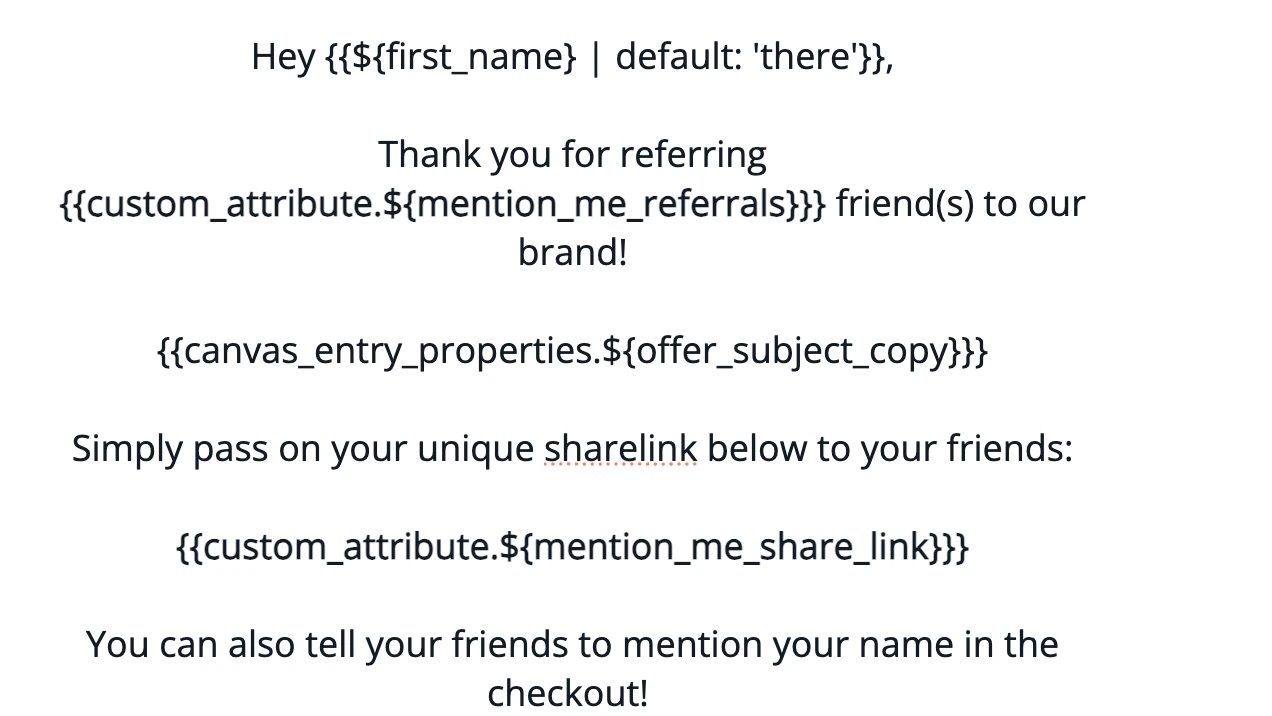
Rendered share again reminder email 2.
Supported Liquid Variables
Step 3: Test the Emails
1
Open the preview tab
Open the Canvas Editor > Preview tab.
2
Enter a test contact
Enter the email of a contact who has triggered
received_referrer_reward.3
Verify the variables
Verify variable values render correctly.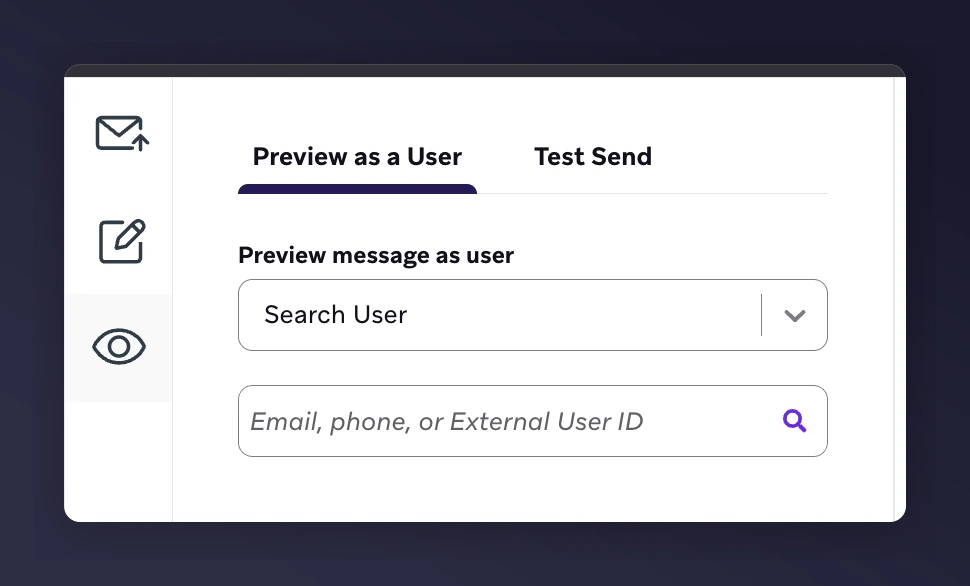
The Braze canvas editor preview tab for testing email variables.
Test Output Examples
Reminder 1:
Test output for share again reminder email 1.
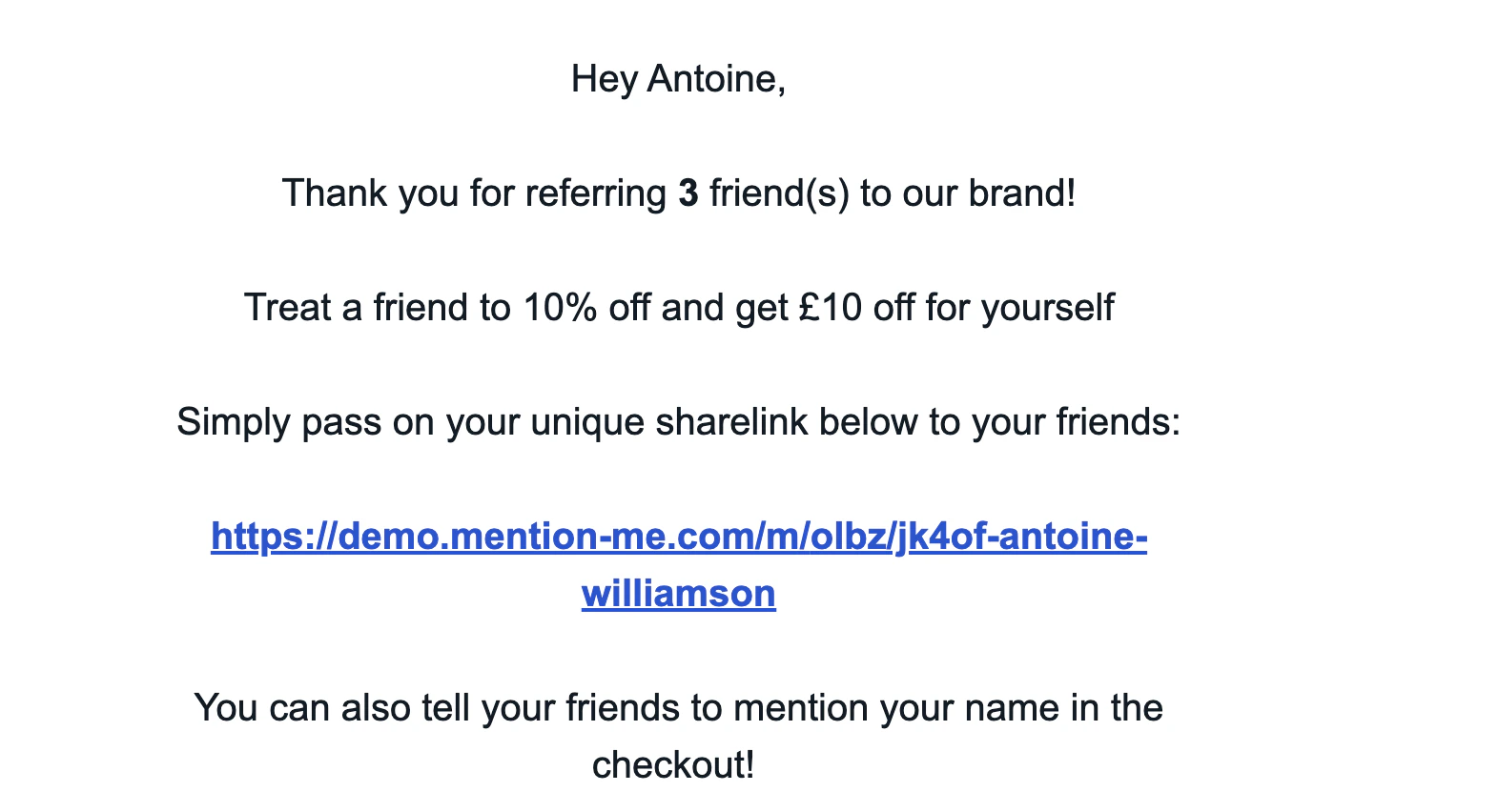
Test output for share again reminder email 2.