Boost your referral programme offline using QR codes and printed links on flyers, product boxes, and other physical materials.
1
Create or use a campaign
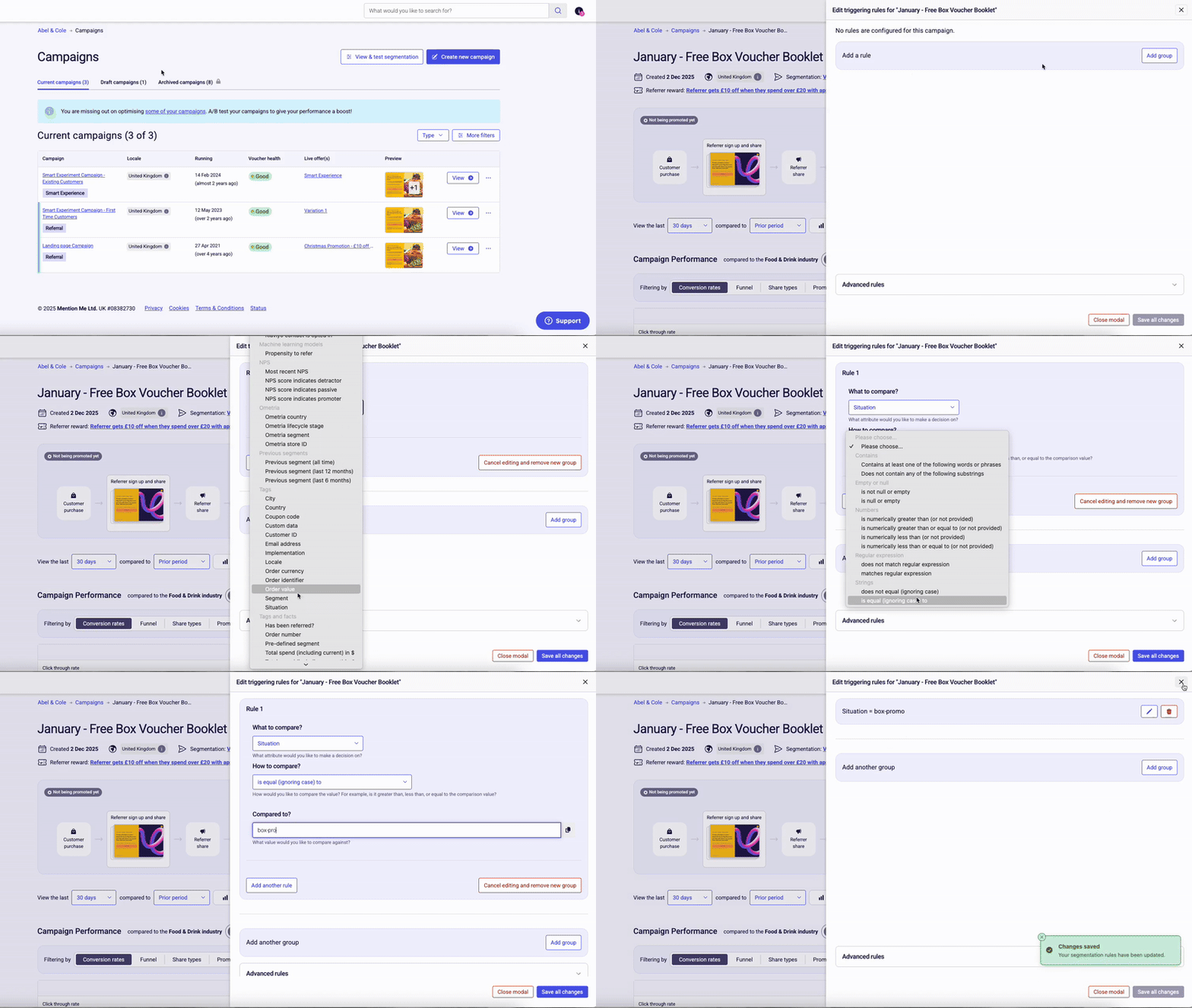
You can create a new campaign just for your leaflet promotion, or use an existing one if the offer isn’t channel-specific. Go to the Campaigns section, create a campaign and set up the rewards as usual, then use the Triggering Rules section to define who should see this offer.
2
Set up a situation parameter for tracking
Choose a unique situation parameter to track where your referrals come from. For example: situation = box-promo
Set this condition in the campaign by adding a triggering rule: Situation is equal to box-promo
If you serve multiple countries, add a locale code (e.g. en-GB) to show the campaign to the right customer group
Setting up campaign triggering rules for leaflet promotion.
3
Launch the campaign
When your campaign rules are in place, set your campaign live.
4
Get the hosted enrolment page
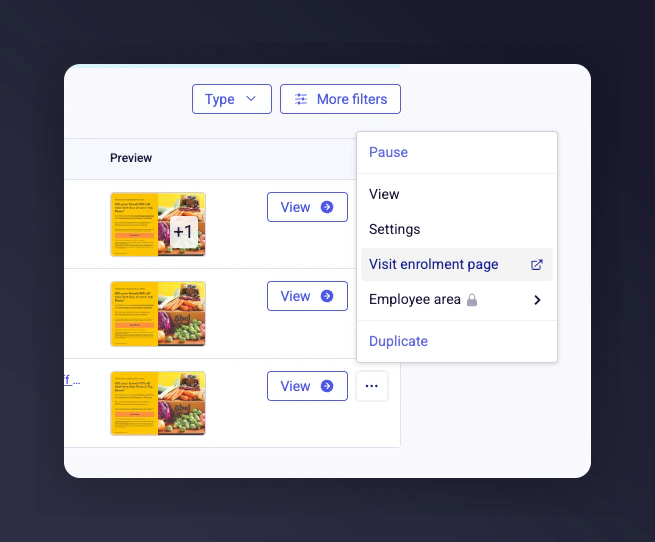
Click the three-dot menu next to your campaign and select Visit Enrolment Page to open your campaign’s hosted, shareable landing page.
The Visit Enrolment Page option in the campaign menu.
Edit the end of the URL to make sure the situation parameter is added. If you used a locale code in your triggering rules, include the locale code too.Example enrolment page URL:
The link is only accessible while the campaign is live, and only people with the link can use this specific offer (as long as you don’t use the situation elsewhere).
5
Create a QR code or use the link
Paste your enrolment page URL into a QR code generator to create a printable code for your flyer, box insert, or shop display.
Generate a QR code for your printed materials
Or copy and share the link directly
No extra segmentation, CRM steps, or email targeting needed - this is a standalone experience ideal for offline promotion.
Use your chosen situation parameter to track effectiveness. Choose situation values (like box-promo or leaflet-june24) that are clear and easy to tell apart.
Last modified on July 10, 2026
Was this page helpful?
Assistant
Responses are generated using AI and may contain mistakes.