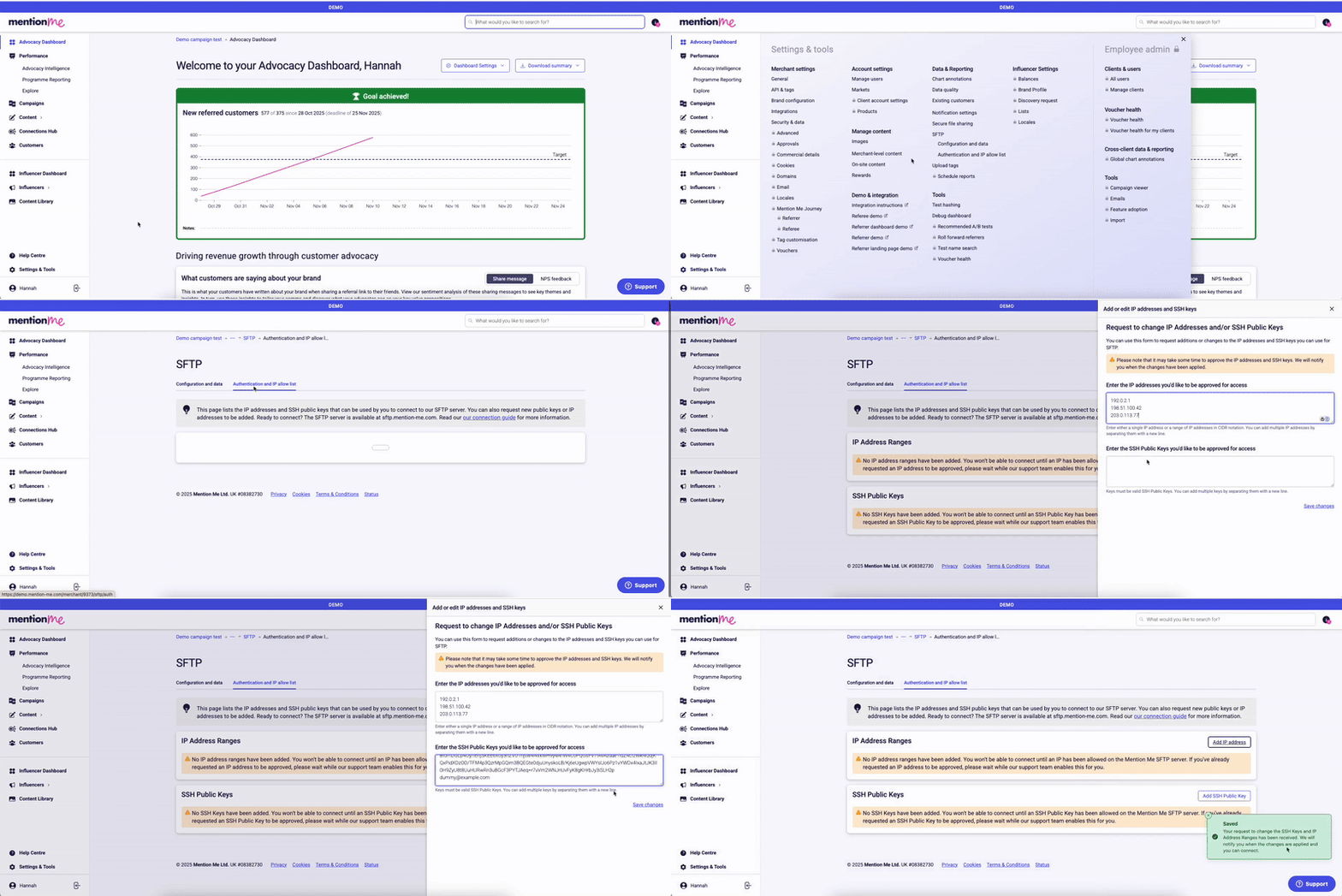
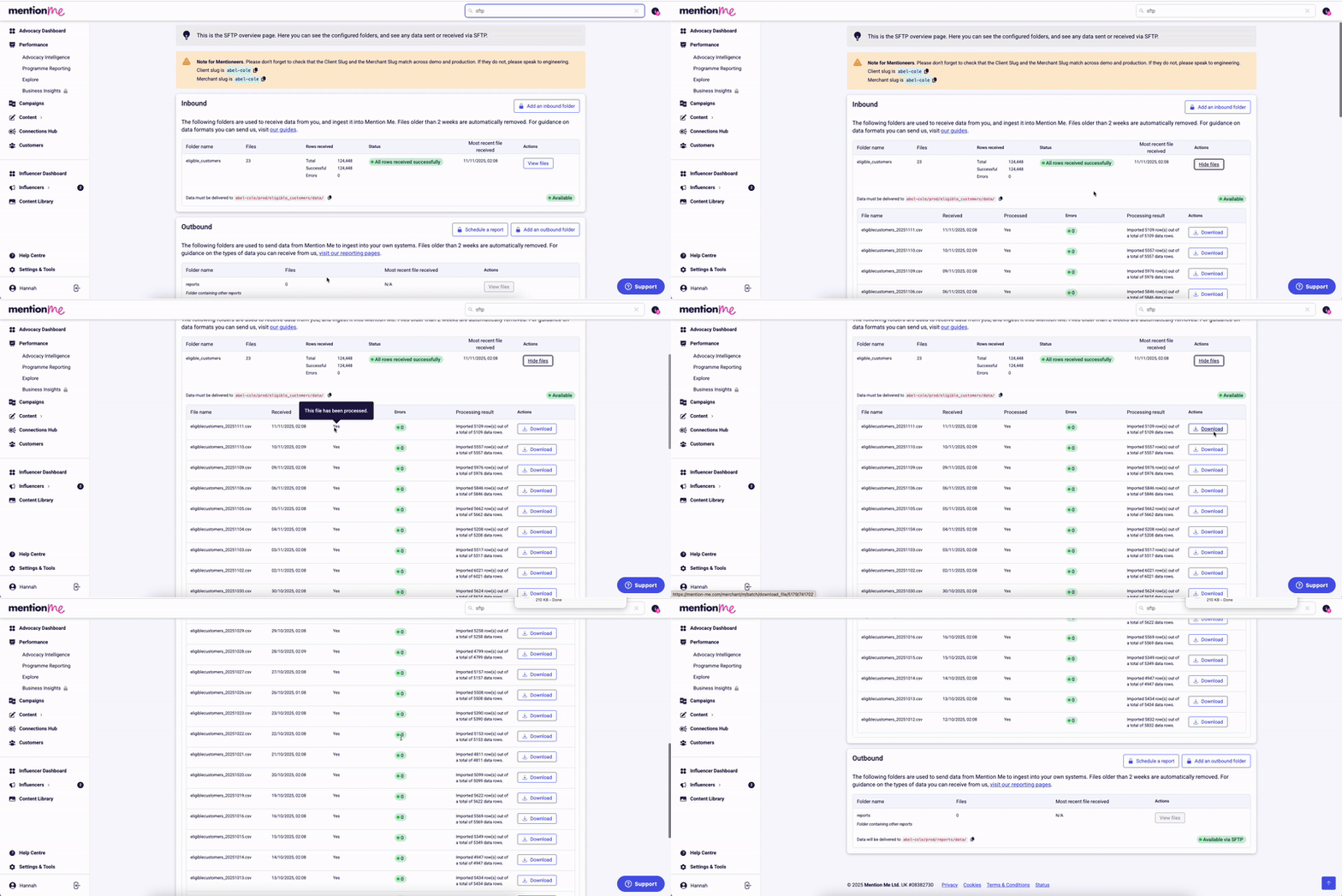
Once your authentication details are saved, add the folders for your SFTP integration yourself from the Configuration and data section of the SFTP page, using Add an inbound folder and Add an outbound folder. See SFTP data formats for folder and file examples.
Adding a folder raises a request for the Mention Me team to set it up on the SFTP server, so a new folder does not appear straight away. This usually takes up to three working days, and we will notify you once it is ready. If you are still waiting after that, email us at support@mention-me.com.
When adding a folder you can tick Mark this folder as encrypted to require PGP encryption for it. An encrypted folder rejects unencrypted files, so only turn this on for folders where every file will be encrypted.What happens next depends on the direction. An encrypted inbound folder works straight away: without a key of your own, Mention Me decrypts using its shared batch key. An encrypted outbound folder cannot deliver anything until you import a public key, because there is no shared outbound key. Either way, generate or import a key for the folder from the Encryption keys tab. See SFTP File Encryption.
Adding folders and managing encryption keys requires the Administrator role. See User Management for more on permission levels.
If you need Mention Me to generate any reports on a scheduled basis, let the Support Team know via the Help form.
Once setup is complete, your username and file paths are visible in the Configuration and data section of the SFTP page. See SFTP connection for connection details.You can track all files sent and received, check for processing confirmation, and view logs under the created inbound and outbound folders.
The SFTP configuration and data section showing username and file paths.
To update your SSH Key or IP allow list, return to the SFTP page, update the relevant information, and click Save.Our team will review the update and contact you if anything further is needed.To add a new folder, use Add an inbound folder or Add an outbound folder in the Configuration and data section of the SFTP page. To manage encryption keys for a folder, use the Encryption keys tab (see SFTP File Encryption).
Start a conversation with the in-platform Support widget in the bottom-right corner of your dashboard - it can usually answer this straight away. If it can’t, raise a request via the request form.
The in-platform Support widget starting an AI-assisted conversation.
Last modified on August 7, 2026
Was this page helpful?
Assistant
Responses are generated using AI and may contain mistakes.