

About Audience Builder
Audience Builder lets you create seed audiences from your first-party referral data, synchronise them with Meta, and target more people like them via lookalike audiences.Prerequisites
- At least Advertiser or Admin permission for your Meta Ads account with Full Control permission.
- Log in to your Meta Business Manager account settings
- Go to Users > People, select your user account
- Select the ad account you want to create audiences in
- Ensure Manage ad account is enabled
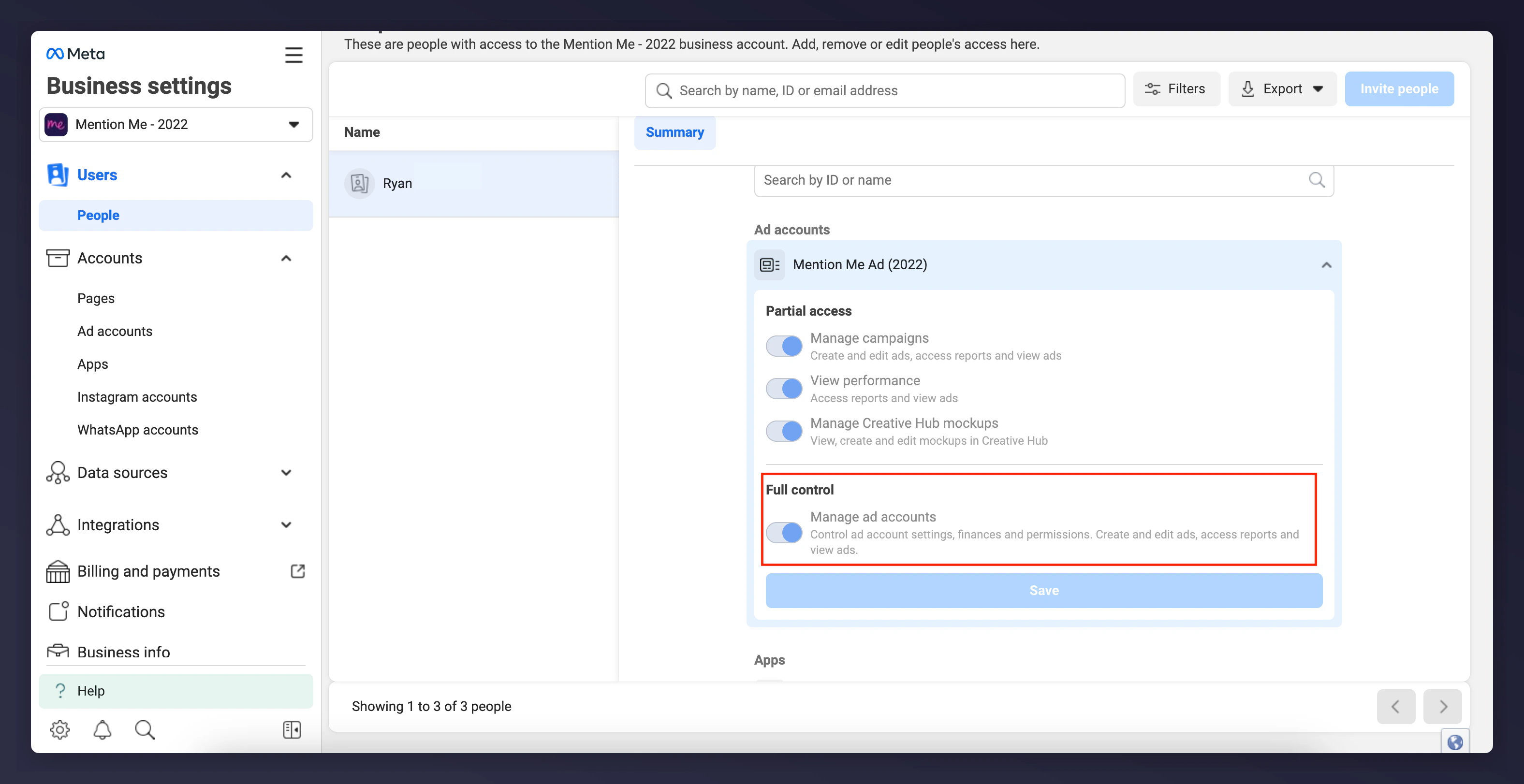
Meta Business Manager ad account permissions, with Manage ad account enabled.
- Access to the Mention Me platform (contact your CSM if you do not have access).
Step 1 - Connect Your Ads Account
On the Mention Me platform, click Connect to begin.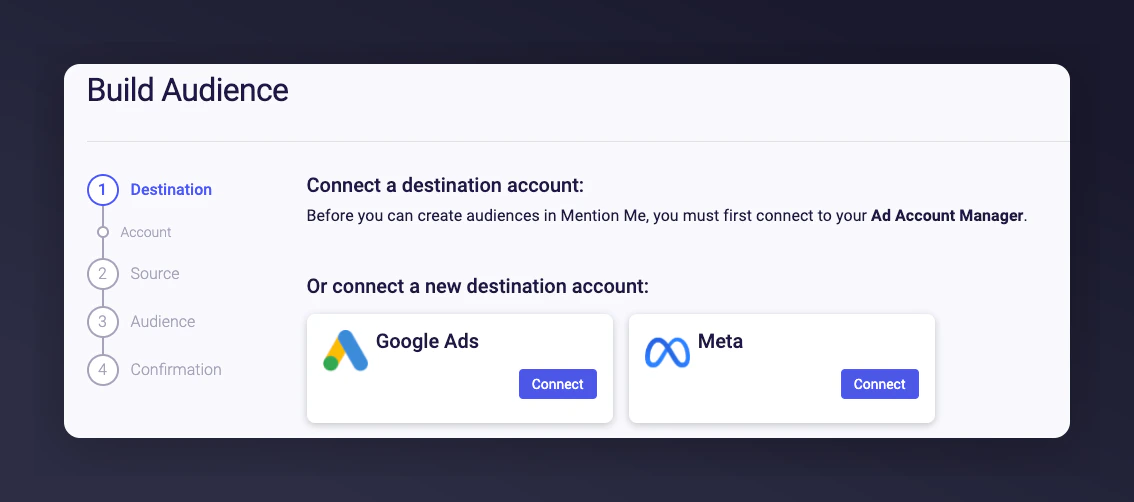
The Audience Builder connect button with Meta selected.
Agree to the Terms and Conditions
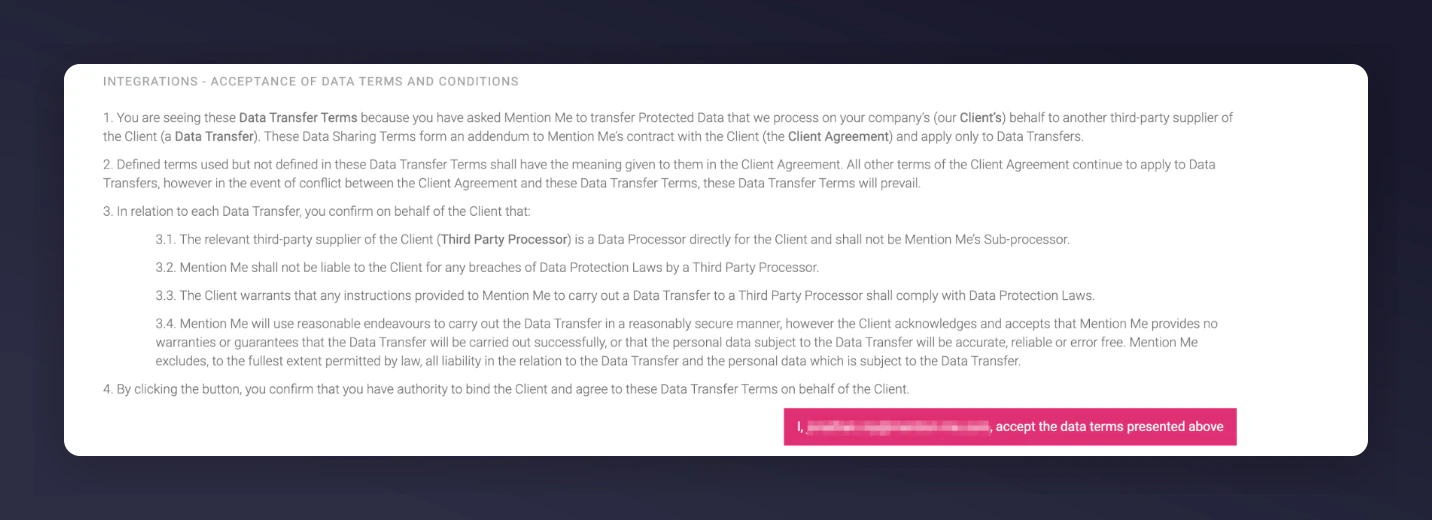
The Terms and Conditions screen for Meta data transfer.
Create a new authentication
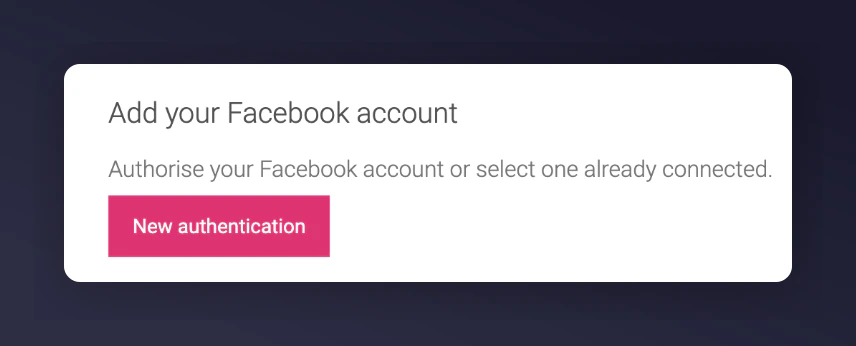
The dialog for creating a new authentication.
Name your authentication and select Create
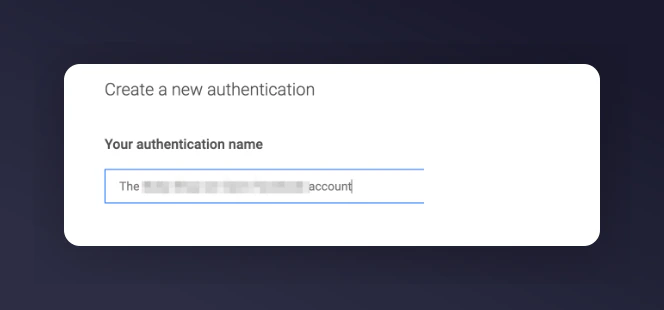
Naming the Meta authentication before creating it.
Log in with your personal Meta credentials
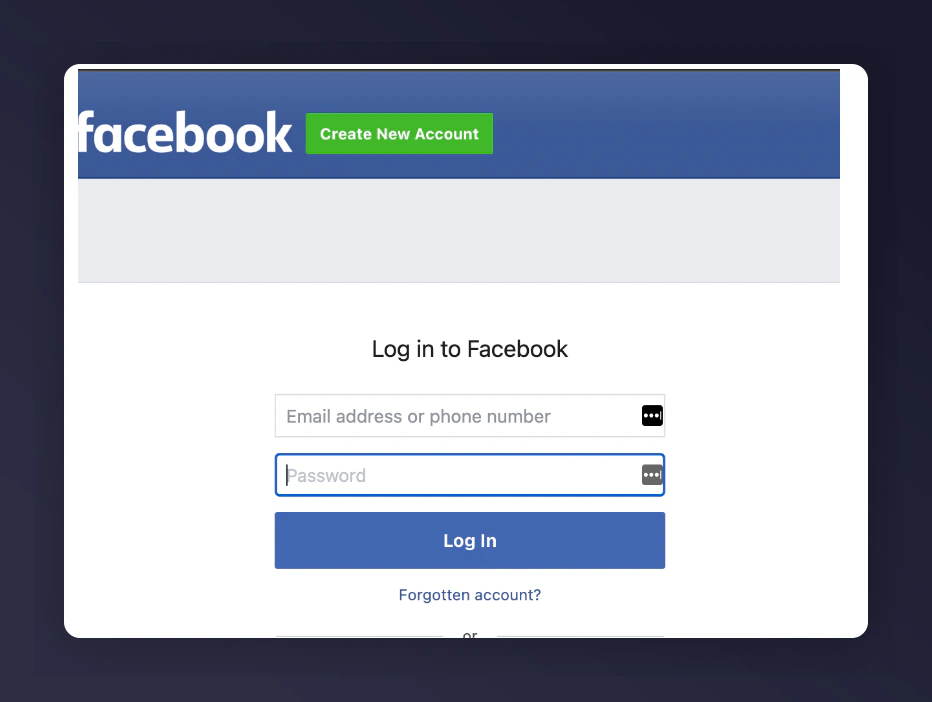
The Meta login screen.
Grant Mention Me permission
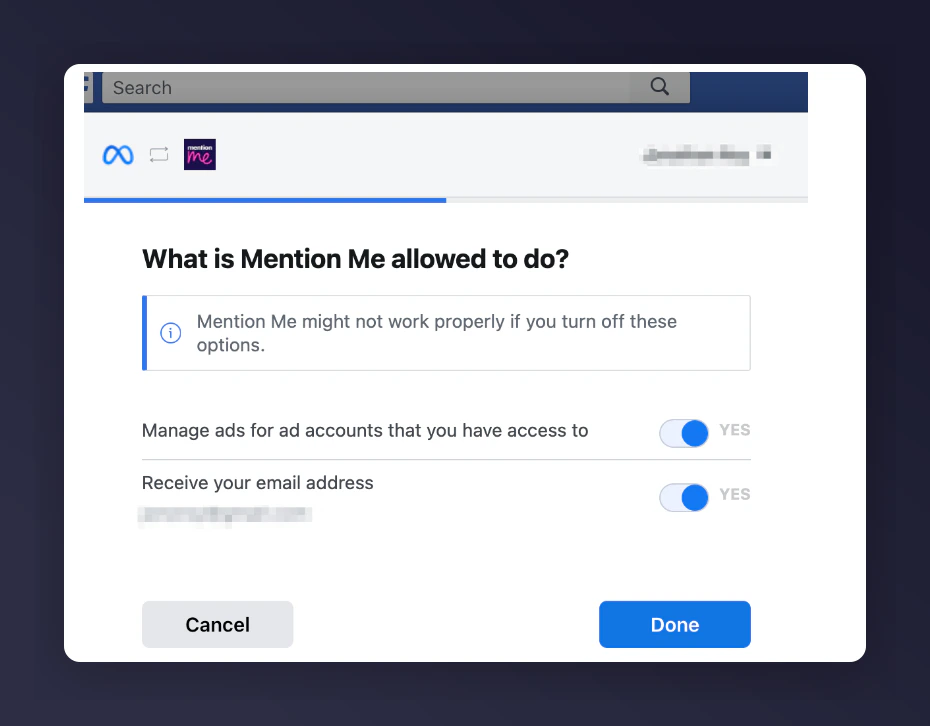
Granting Mention Me permission to access Meta.
Select the Meta Ad Account
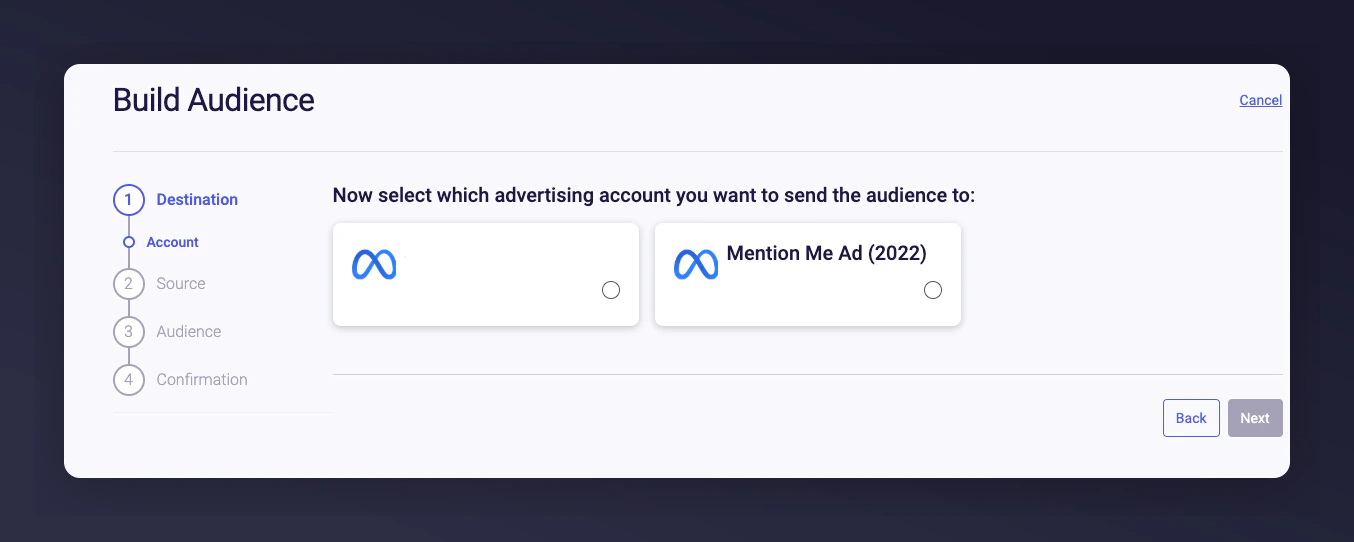
Selecting the Meta ad account to send data to.
Step 2 - Build Your Audience
Select the country(s)
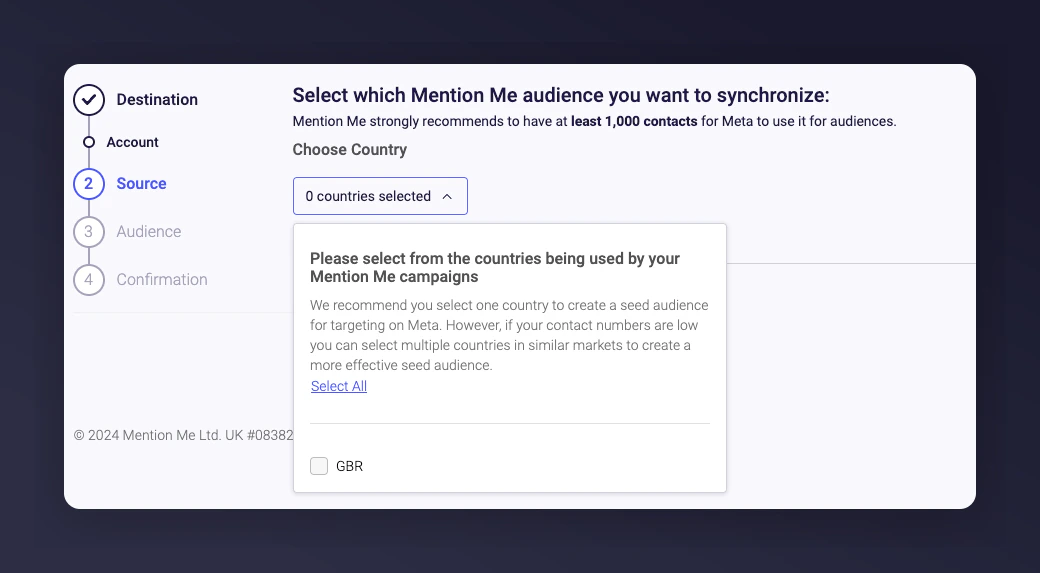
The country selection screen for building an audience.
Select the dataset and click Next
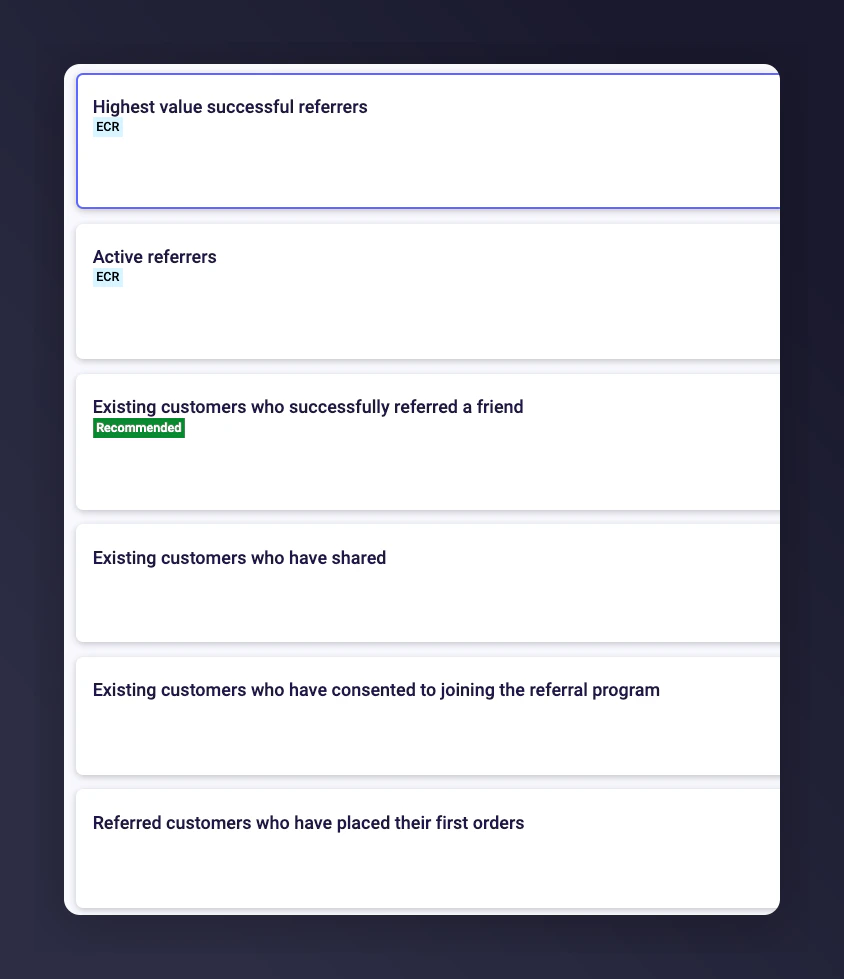
The dataset selection screen with audience options and contact counts.
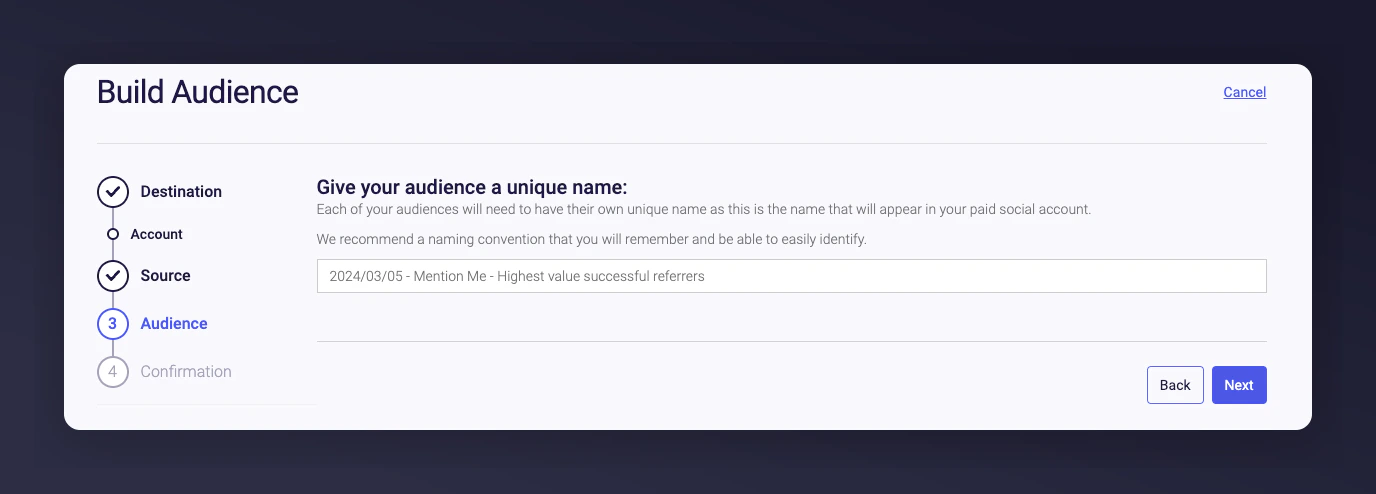
Step 3 - Name Your Audience
Name your audience and click Next.- A default name is created automatically. This name appears in Meta Ads Manager.
- The countries you selected also appear in the audience description in Meta Ads Manager.
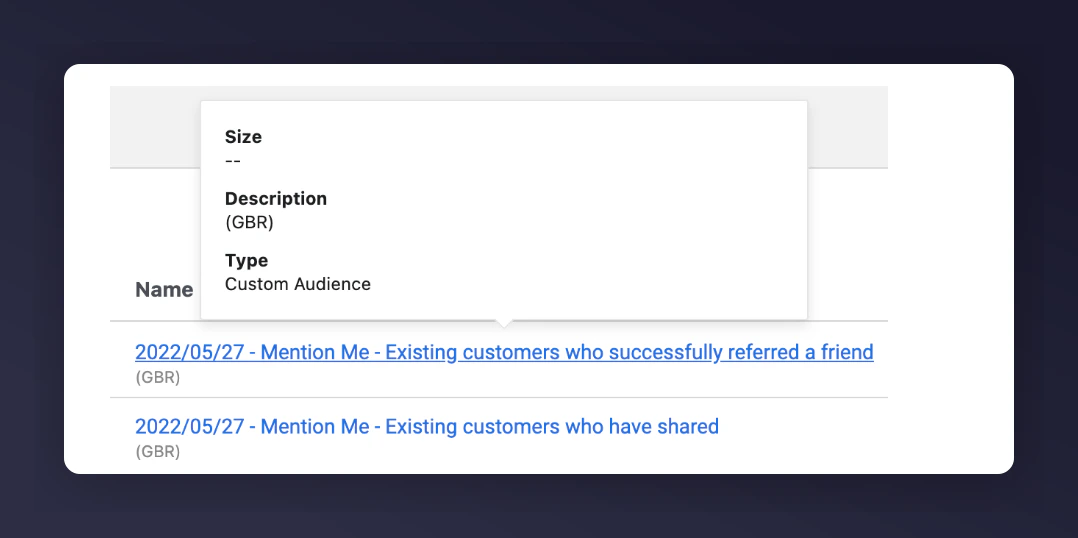
Naming the Meta audience.
An example of a clear audience naming convention.
Step 4 - Confirm Consent and Review
Confirm that you have the relevant consent required by law or Meta to enable Mention Me to process this data.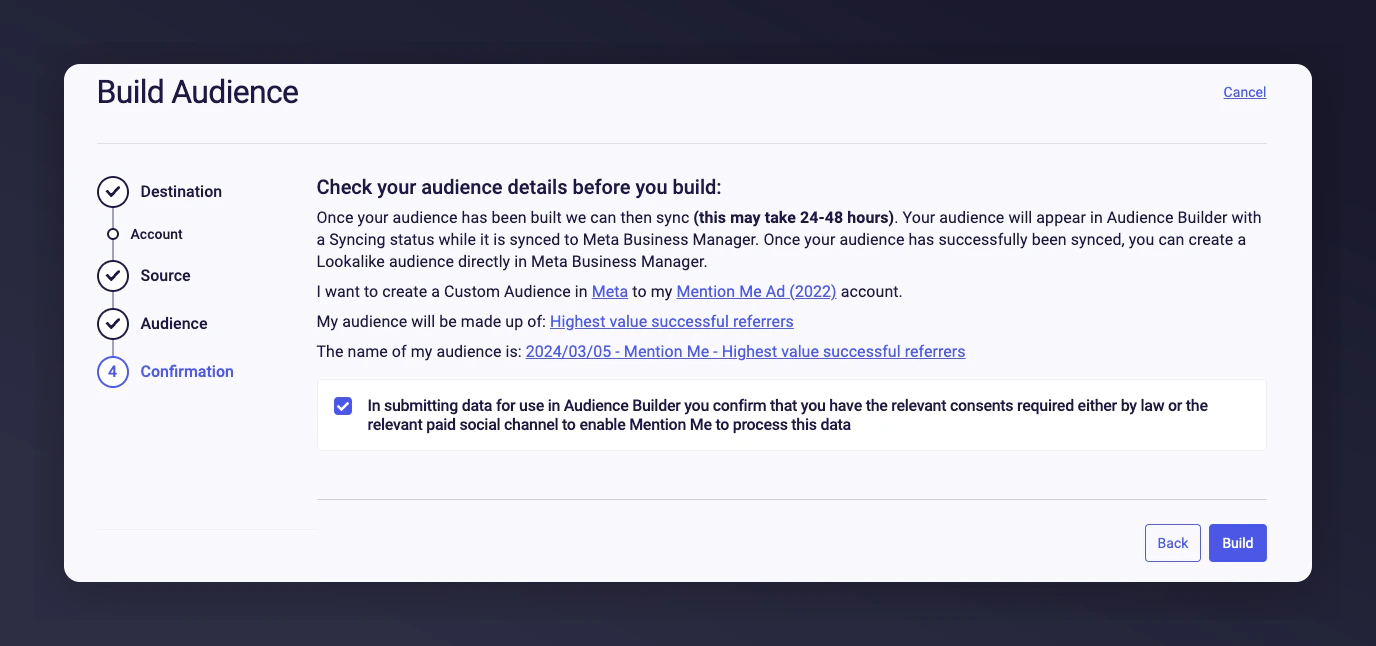
The consent confirmation and audience review screen.
- You can edit the audience name directly on this page.
- The build starts immediately but can take 24-48 hours for Meta to process.
- Email addresses are hashed before being sent to Meta.
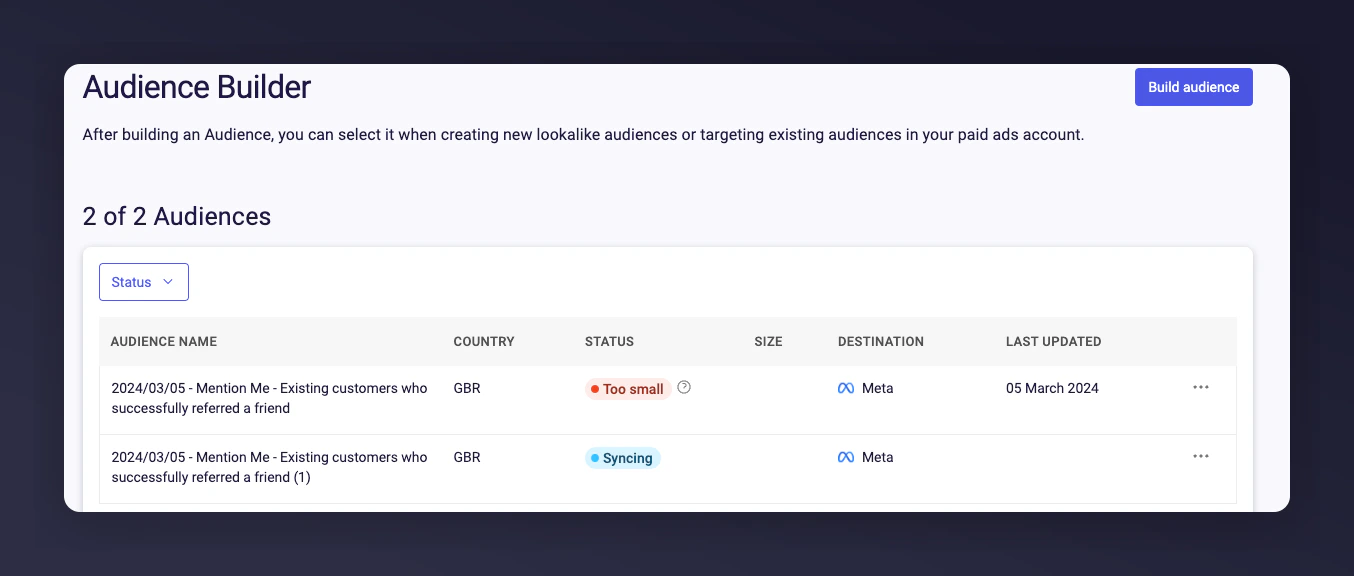
Audience summary with contact counts and build status
Step 5 - Build Lookalike Audiences in Meta
Once the audience has synced, create a lookalike audience to find new customers that “look like” your best customers.Go to your Audiences
Select Create audience > Lookalike Audience
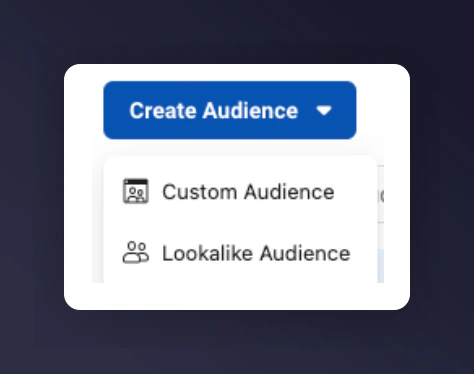
The Meta Audiences page with the Create Lookalike Audience option.
Choose the Mention Me Custom Audience
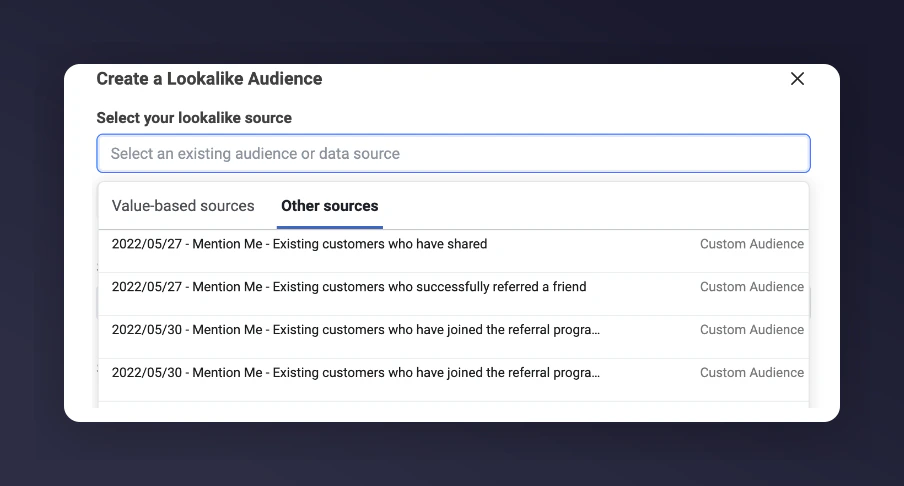
Selecting the Mention Me Custom Audience as a lookalike source.
Choose the target country
Choose your desired audience size
Select Create Audience
Step 6 - Create an Ad Using Lookalike Audiences
Create a Meta Ad using your new lookalike audience.Re-Authorising Meta Authentication
There may be occasions where your Meta authentication needs to be re-authorised. You will see an error on the Audience Builder page:“Your Meta authentication has expired and you need to re-authenticate the integration”
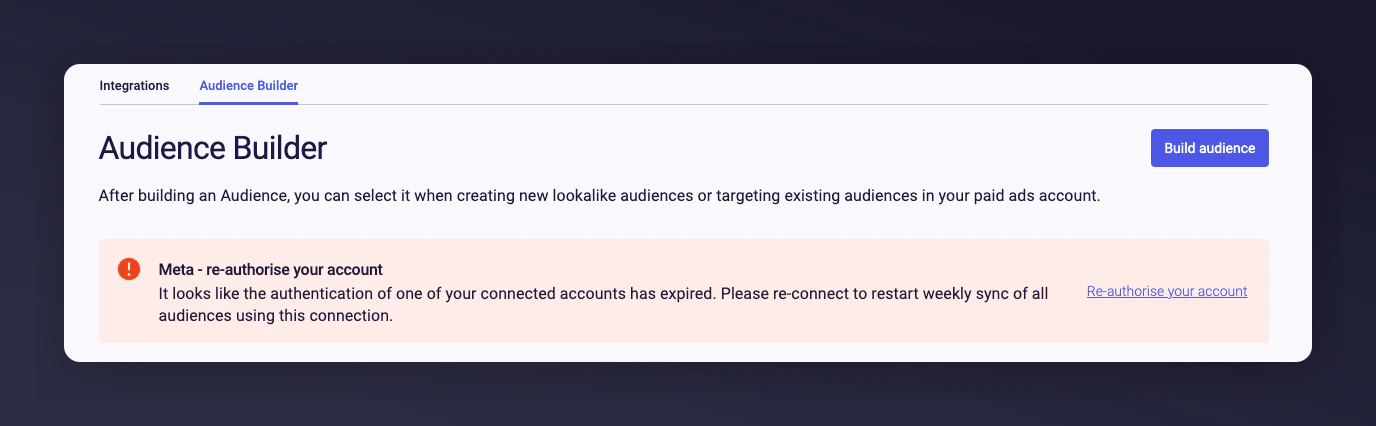
The Meta authentication expired error message.
Why Does This Happen?
- Access token expired - Meta only allows Mention Me access for 60 days at a time. You must re-authorise to keep audiences syncing.
- Password changed - Changing your Meta password requires re-authentication.
- User access revoked - The user who set up the connection no longer has access to your Meta Business Manager account.
How to Re-Authorise
Mention Me sends email notifications 10 days and 5 days before expiry, and again when it has expired. Click the Re-Authorise link directly in the email.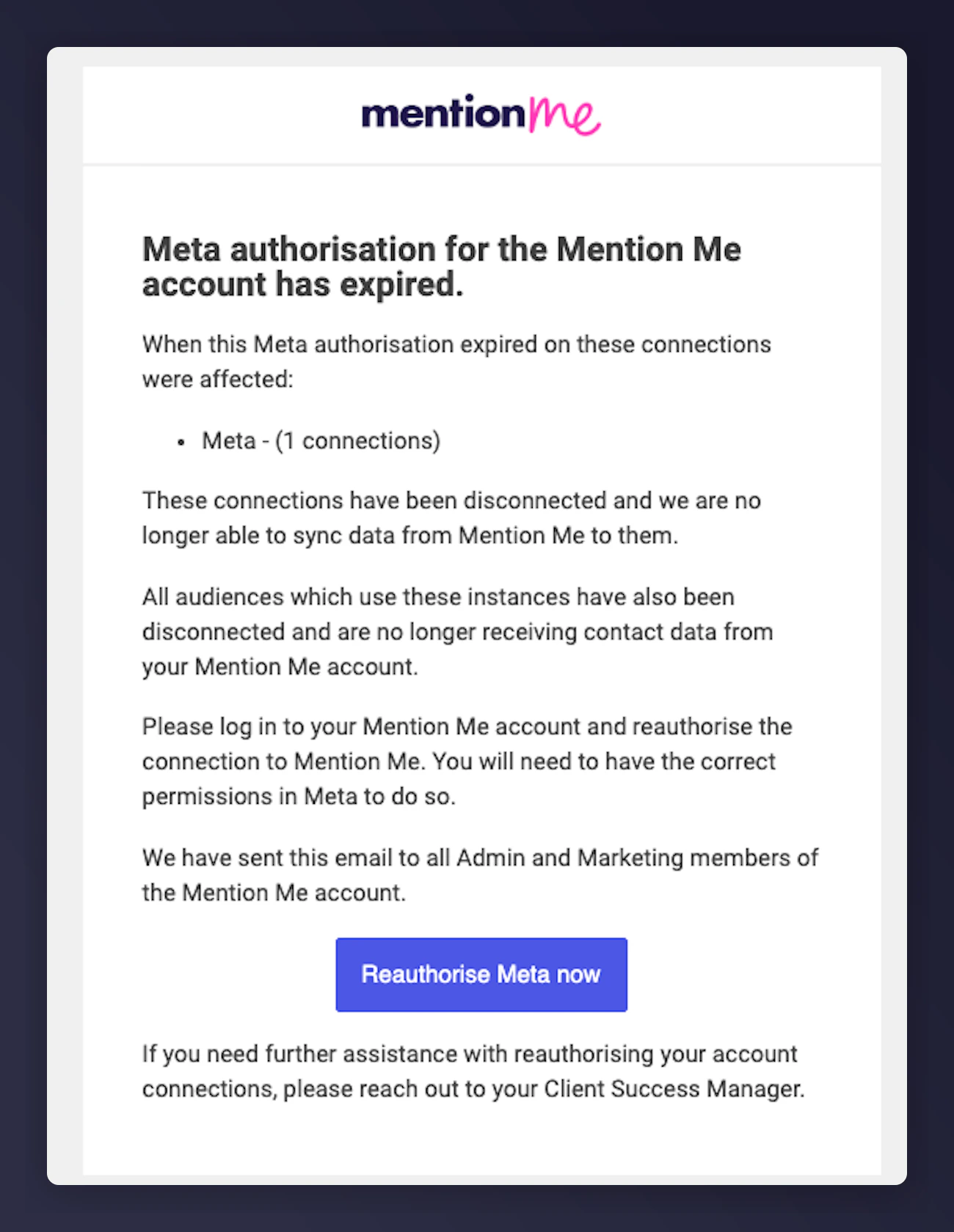
The re-authorisation email notification with link.
Manual Re-Authentication
Log in to the Mention Me Platform
Go to Connections Hub > Audience Builder
Select the Re-Authenticate link
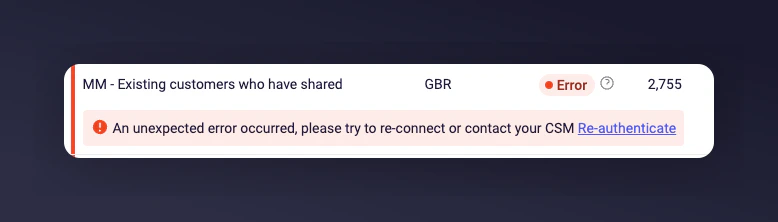
The Re-Authenticate link on the Audience Builder page.
View the authentication in edit mode
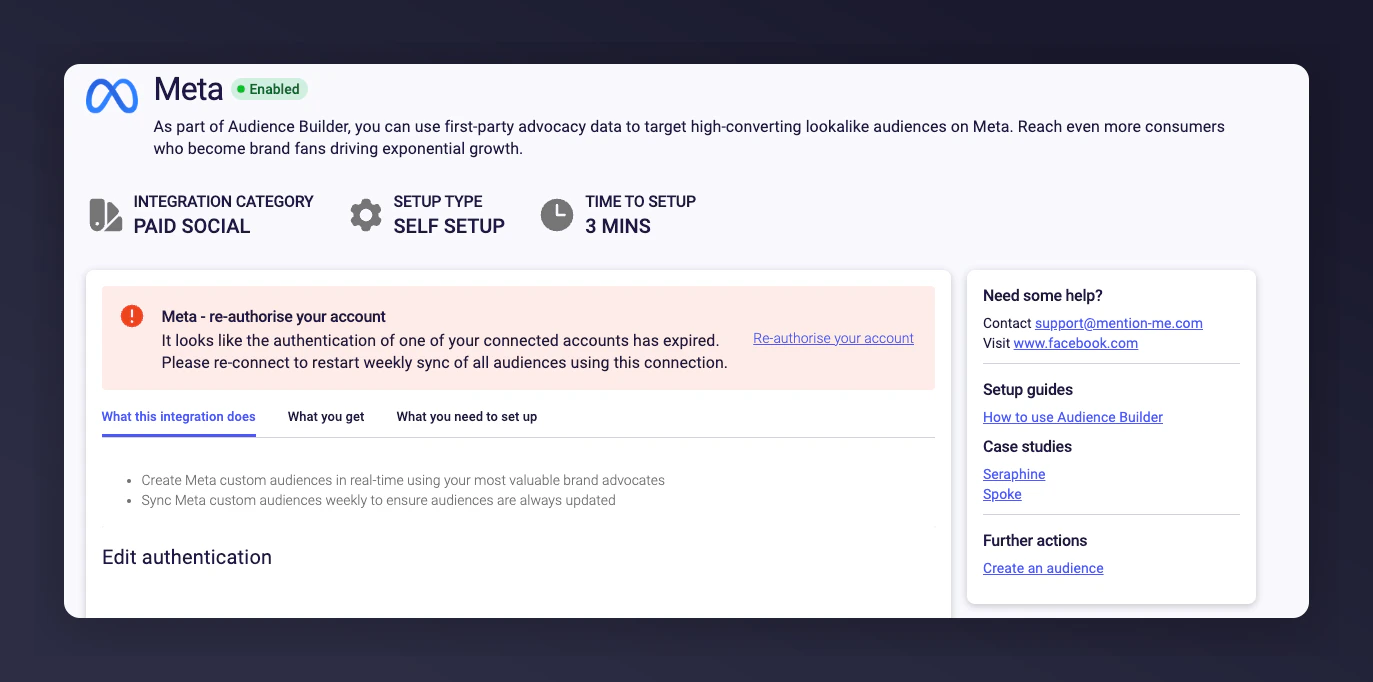
The authentication edit mode for re-authorisation.
Leave the name as-is and click Save
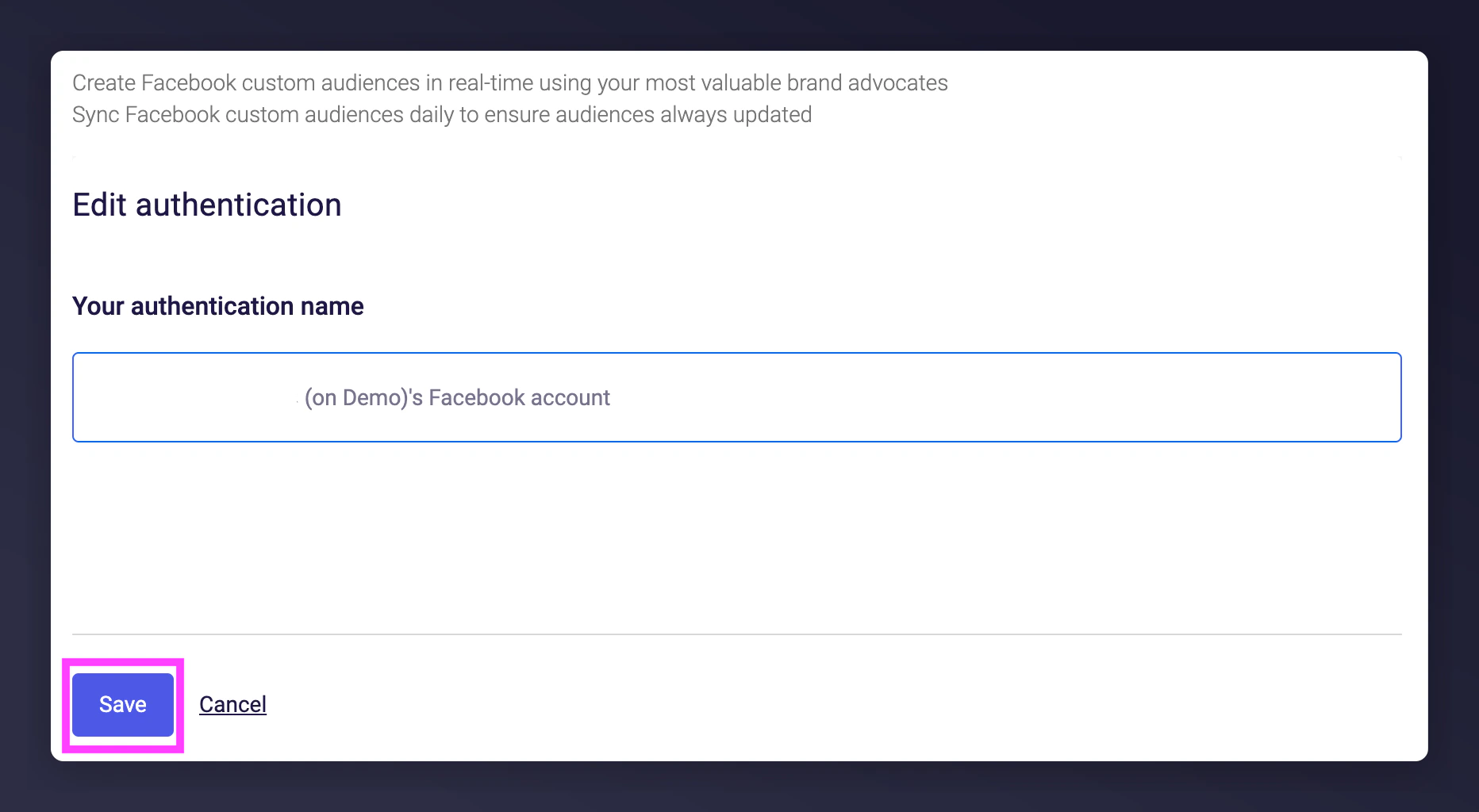
Saving the authentication to trigger the Meta login popup.
Re-authorise via the Meta popup