

Overview
The Mention Me integration with Ometria enables you to receive referral and advocacy-related events into your Ometria platform in real time.What the Integration Enables
- Send contact data and opt-ins from Mention Me referred customers to Ometria in real-time
- Use referral data to create coupon email reminders
- Enhance the performance of other marketing channels by using referral and advocacy data to segment and target high-value customers
- If a customer already exists in Ometria:
- Append their customer profile with Mention Me specific attributes
- Add Mention Me associated events to their profile
- If a customer does not exist in Ometria:
- Create the contact profile with their email address
- Append their customer profile with Mention Me specific attributes
- Add Mention Me associated events to their profile
- Set the email subscription status (only if explicitly captured via specific Mention Me journeys)
Contact Data
How Contacts Are Created
- Mention Me first checks if the customer already exists (using email as the identifier)
- If the customer does not exist, a new contact will be created
- If the customer does exist, the existing contact will be updated with only Mention Me specific fields
Customer Consent
If a customer consents to your newsletter via the Mention Me referee journey or via a newsletter post-purchase overlay, the opt-in request will automatically be sent to Ometria.
An Ometria customer profile showing newsletter opt-in consent from Mention Me.
- mention_me_referee = From the referee journey
- mention_me_newsletter = From a post-purchase journey
Customer Profile Attributes
Events
The Mention Me integration uses Ometria custom events functionality for trigger-based scenarios to generate email campaigns or segmentations. Ometria creates the Custom Events during setup. Events are associated with a customer profile based on their email address. Custom events can be used to add contacts to an Automation, trigger email campaigns, or create dynamic segments. The Mention Me data can be inserted into email campaigns using Ometria Merge Tags.Summary of Events Sent to Ometria
Registered as a Referrer (Mention Me)
Registered as a Referee (Mention Me)
Obtained a Reward as a Referee (Mention Me)
Obtained a Reward for Referring a Friend (Mention Me)
Submitted NPS Score (Mention Me)
Obtained a Reward for the Next Order (Mention Me)
Propensity to Refer (Mention Me)
Only sent if running a Mention Me Smart Experiment.Opted in to Marketing Consent (Mention Me)
ECR Data Import
Mention Me can automatically send your customers’ Extended Customer Revenue (ECR) data to your Ometria account. ECR is only calculated for customers who have made a successful referral. This data is scheduled to be sent on a weekly basis and will only send ECR data for customers whose ECR has changed from the previous week. The following steps explain how to import all your customers’ ECR data into Ometria as a one-off before Mention Me begins weekly updates.Step 1: Download ECR Data from Mention Me
Navigate to Customer Revenue
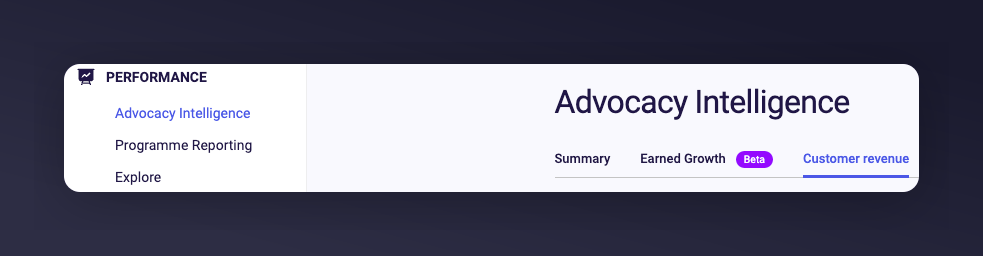
The Mention Me platform navigation to the Customer Revenue page.
Download customer segments
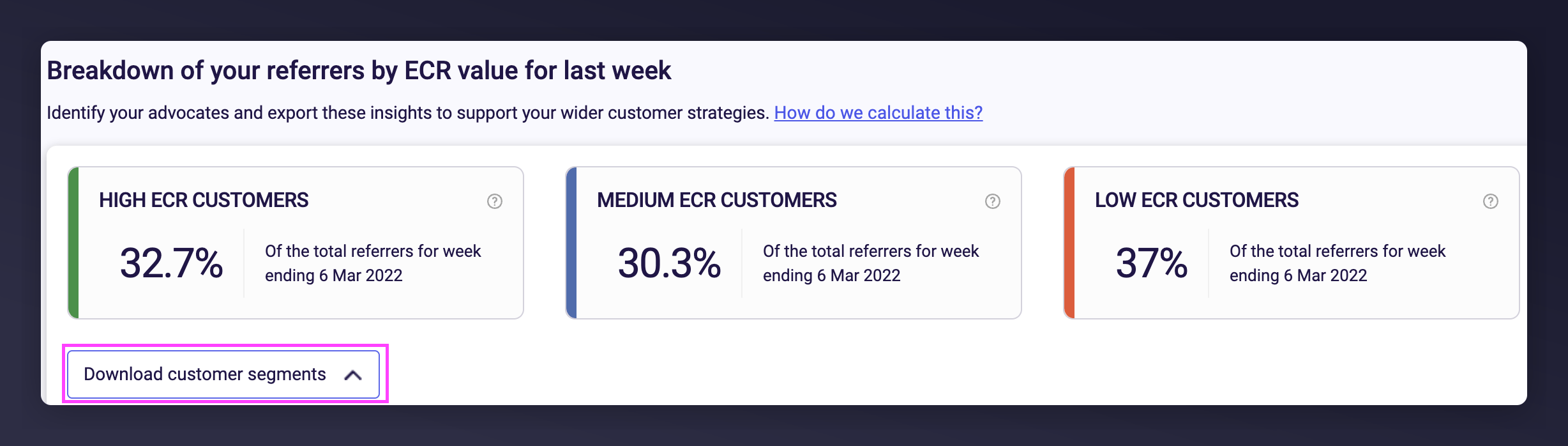
The Mention Me Download customer segments button.
Generate the segment file
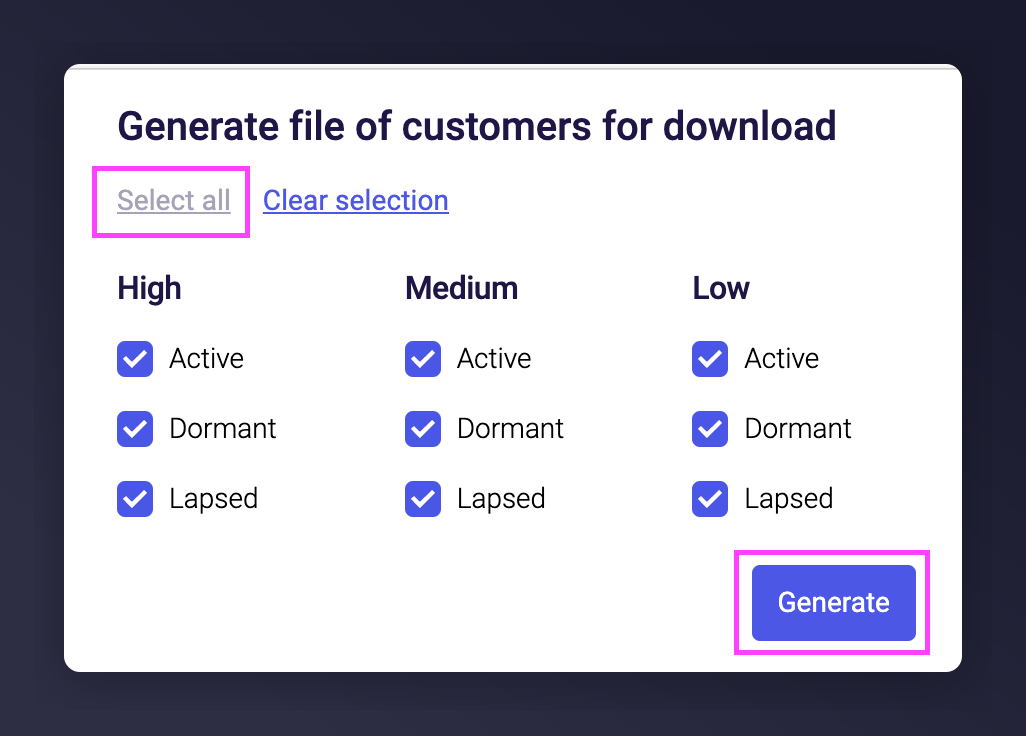
The Mention Me ECR segment selection screen with the Generate button.
Download the file
Step 2: Create a CSV File for Ometria
Open the downloaded file
Remove the header rows
Remove unused columns
Rename the remaining columns
- Email address -> email
- Activity Status -> properties.mm:ecr_activity
- Ecr Segment -> properties.mm:ecr_status
Reorder the email column
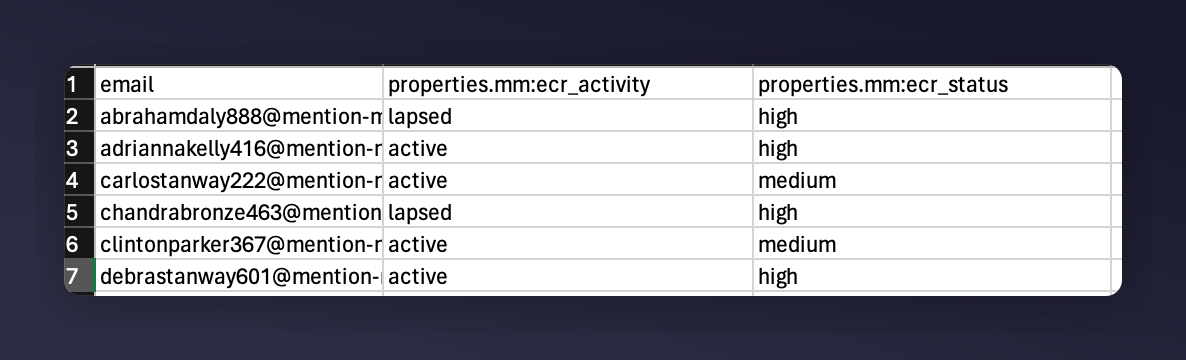
A formatted CSV file with email, ECR activity, and ECR status columns for Ometria.
Save the file
Step 3: Upload Your CSV to Ometria
For more information, read this guide.Open Contact Upload
Select your CSV file
Skip adding to a segment
Keep Merge Mode ticked
Preserve the subscription status

Ometria CSV upload settings with Merge Mode and Unchanged subscription.
Confirm data privacy checkboxes
Upload the file
Complete the import