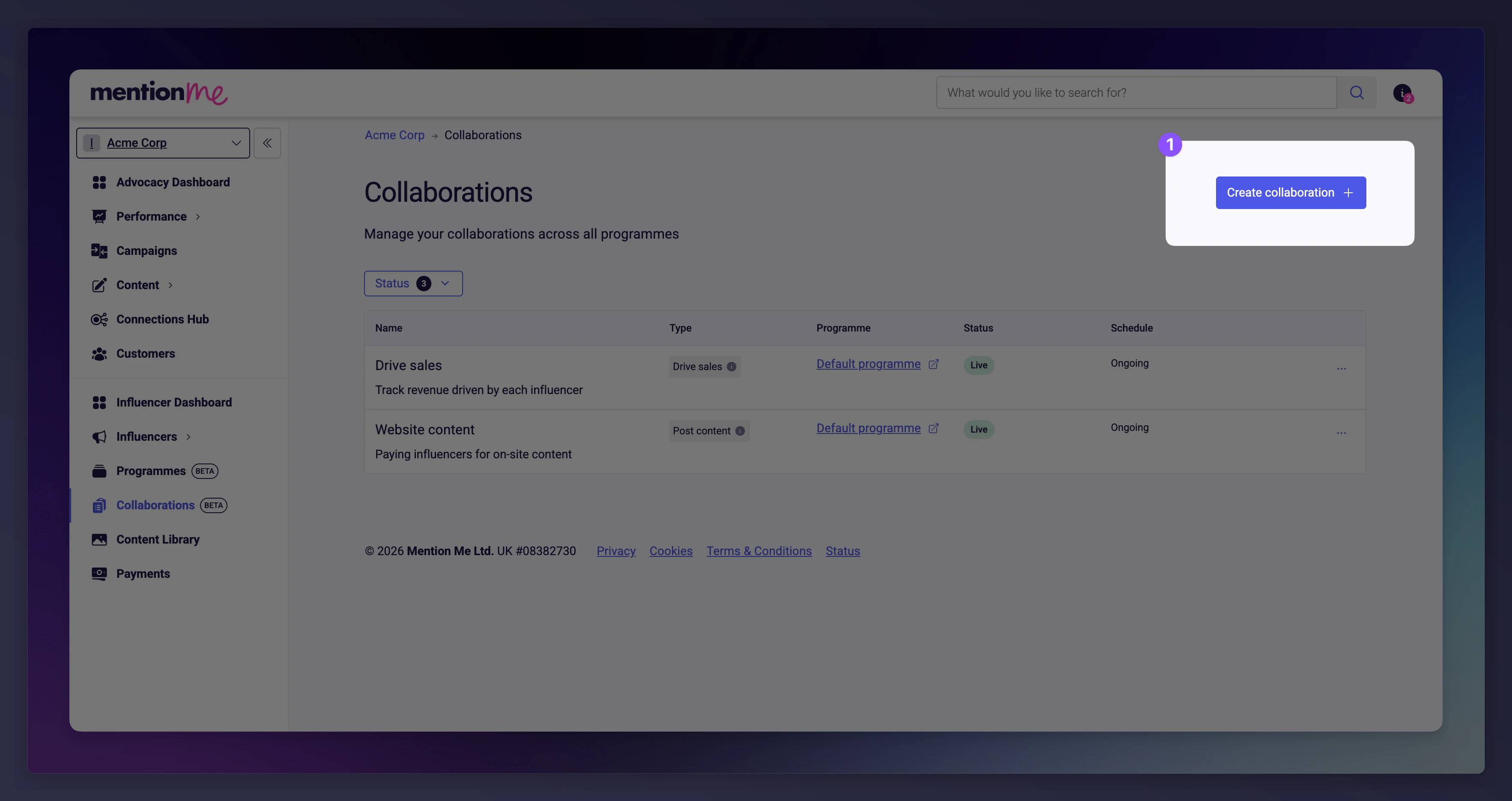
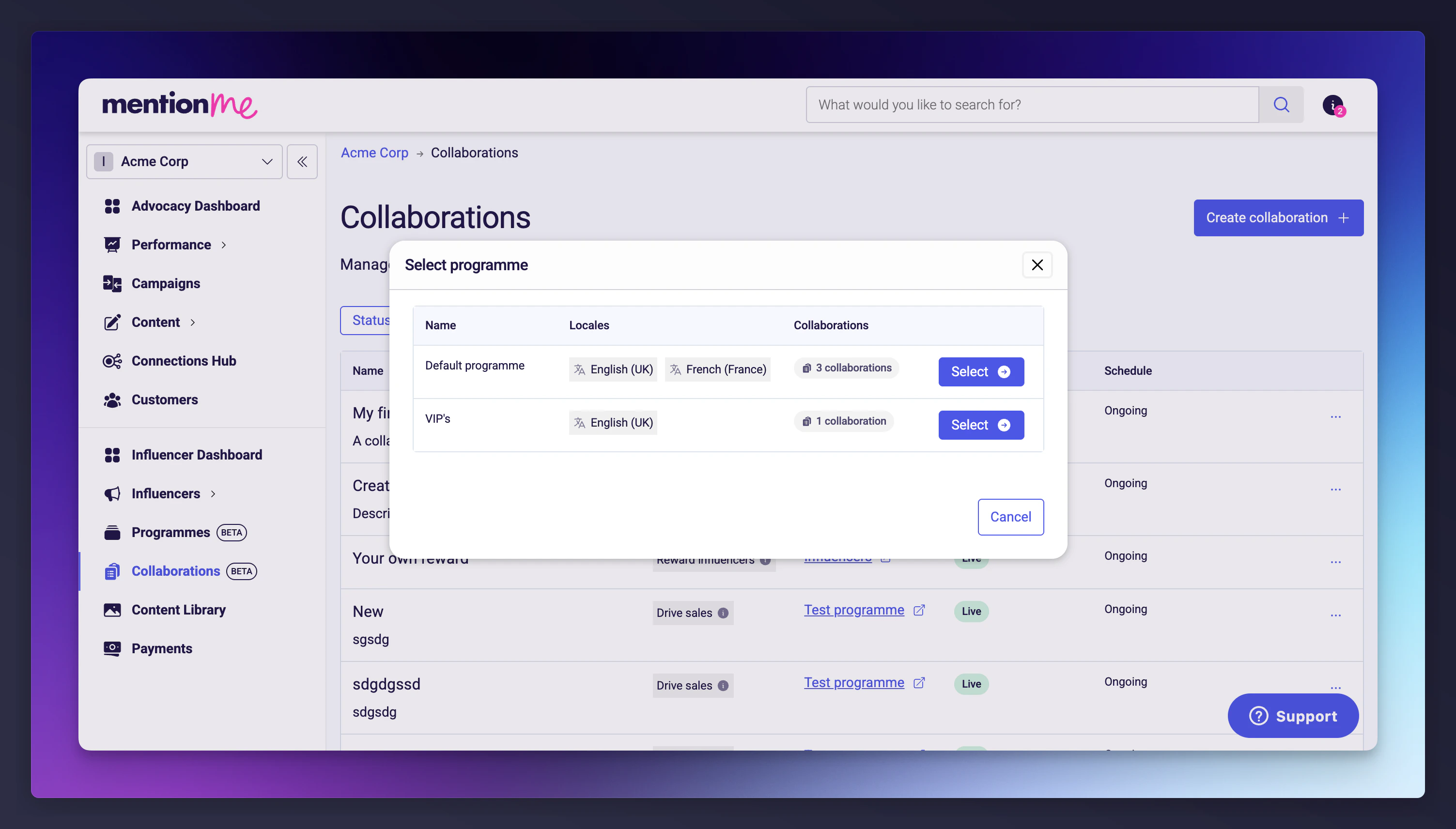
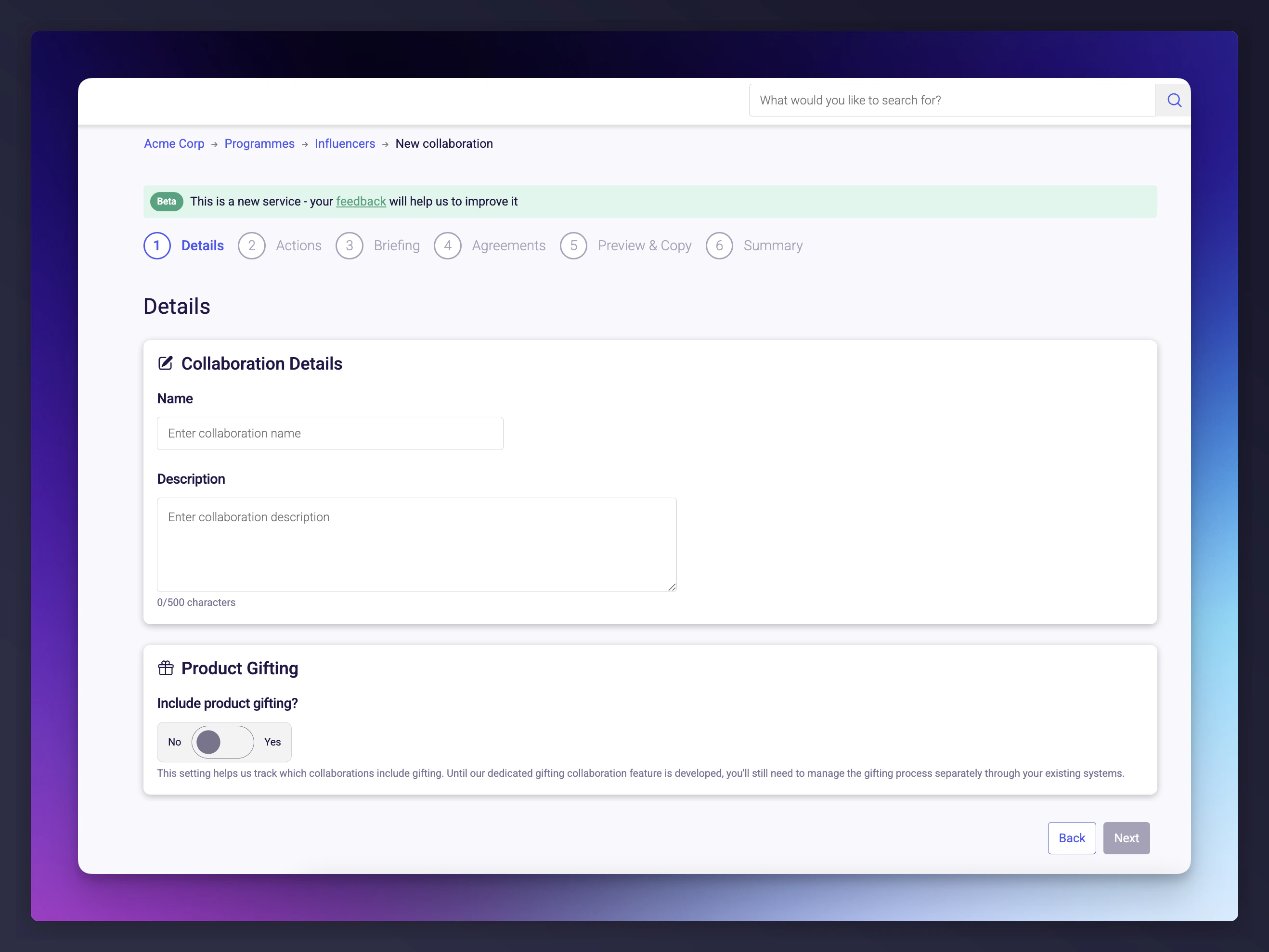
Create, configure, and manage collaborations that define the work and rewards for your influencers.
Collaborations define the work you want influencers to do for your brand, whether that’s sharing discount codes, posting content, or creating assets. Each collaboration is a self-contained brief with its own reward structure, terms, and content requirements.
Granular limits by format (Feed posts, Reels, Stories).
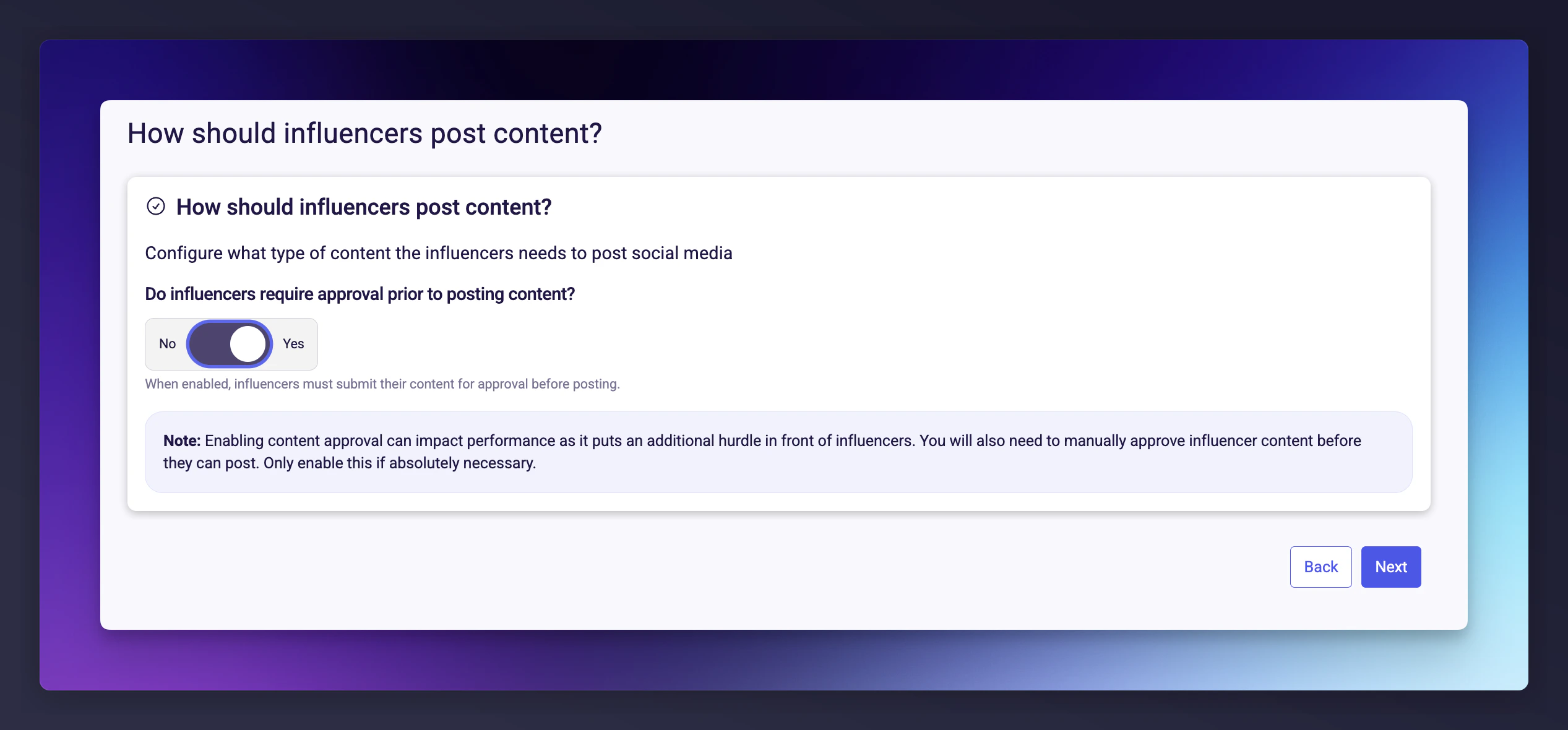
Toggle content approval to require influencers to submit content for review before publishing.
Content requirements and approval settings.
3
Briefing
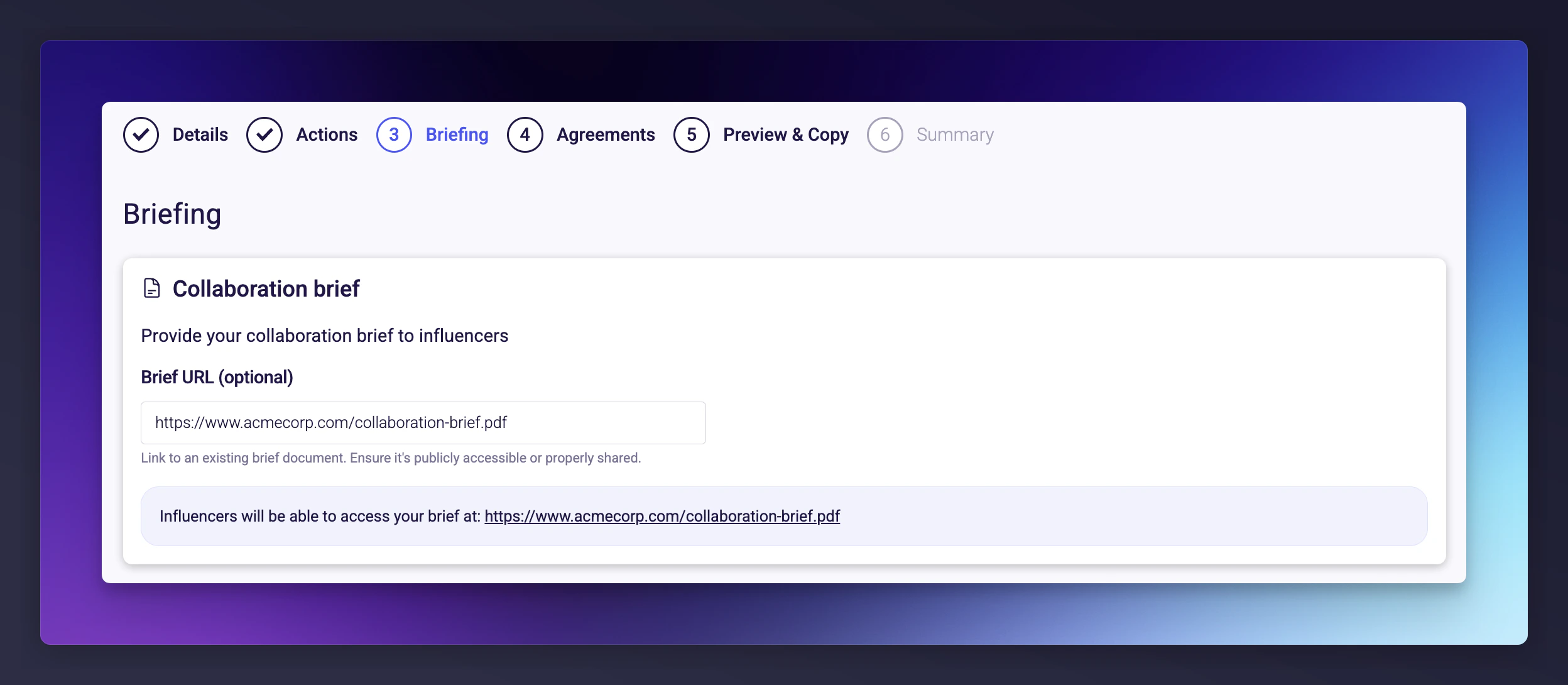
Provide influencers with a creative brief. You can link to an external document (Google Doc, Notion page, PDF, or any publicly accessible URL).A strong brief includes brand guidelines, key messages, do’s and don’ts, and example content.
The Briefing step with an external document link.
4
Agreements
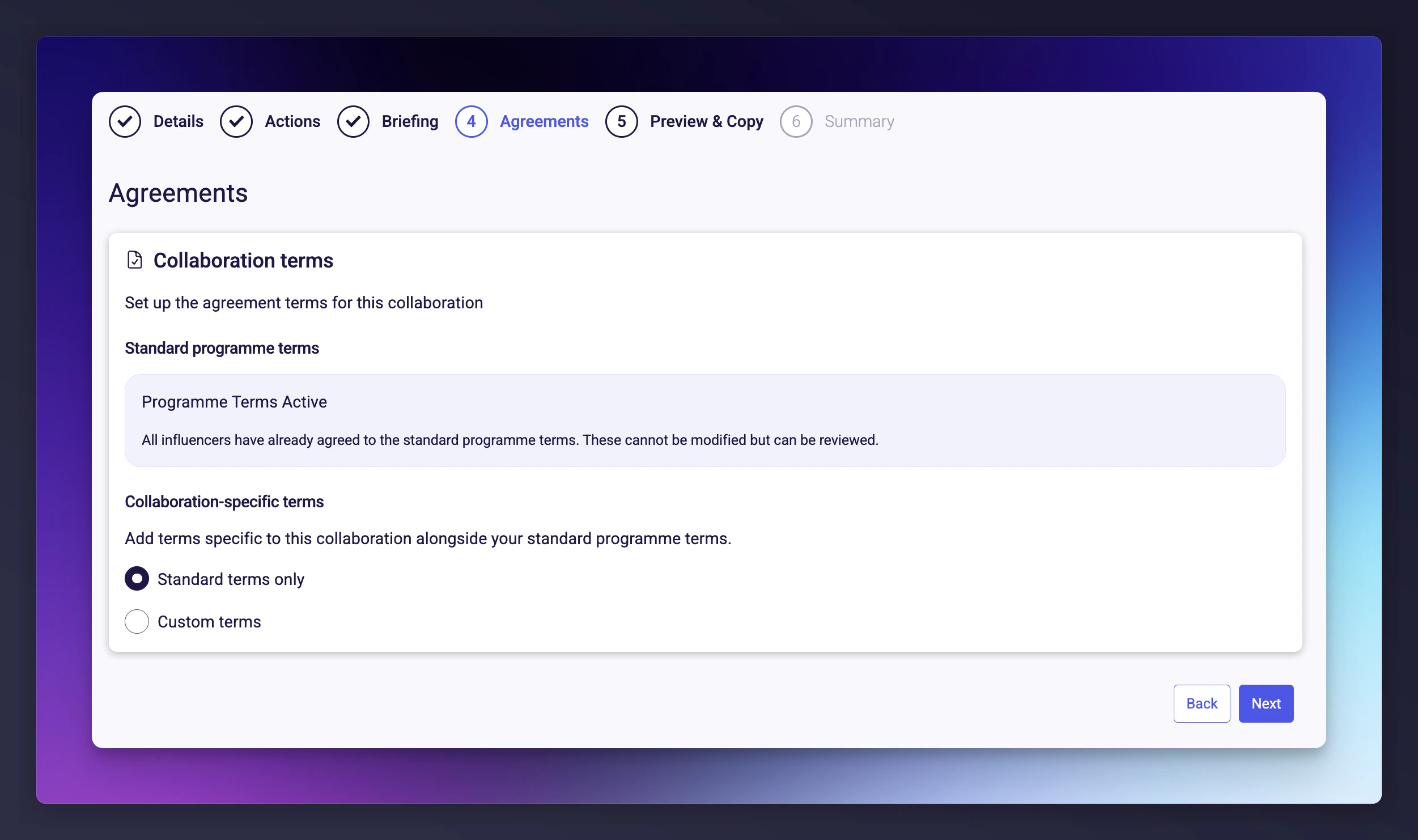
Define the terms that govern this collaboration. When an influencer accepts, it creates a binding agreement.
Option
Description
Standard programme terms
Default terms set at the programme level.
Custom terms
Additional collaboration-specific terms on top of standard terms.
Custom terms with free text
Both structured terms and a free-text field for unique requirements.
When using custom terms, you must confirm that you have reviewed and approved the terms, have the authority to bind your organisation, and that influencers can begin work immediately upon accepting.
Once an influencer accepts a collaboration, the agreement becomes binding. Finalise your terms before setting the collaboration live.
The Agreements step with custom terms configuration.
5
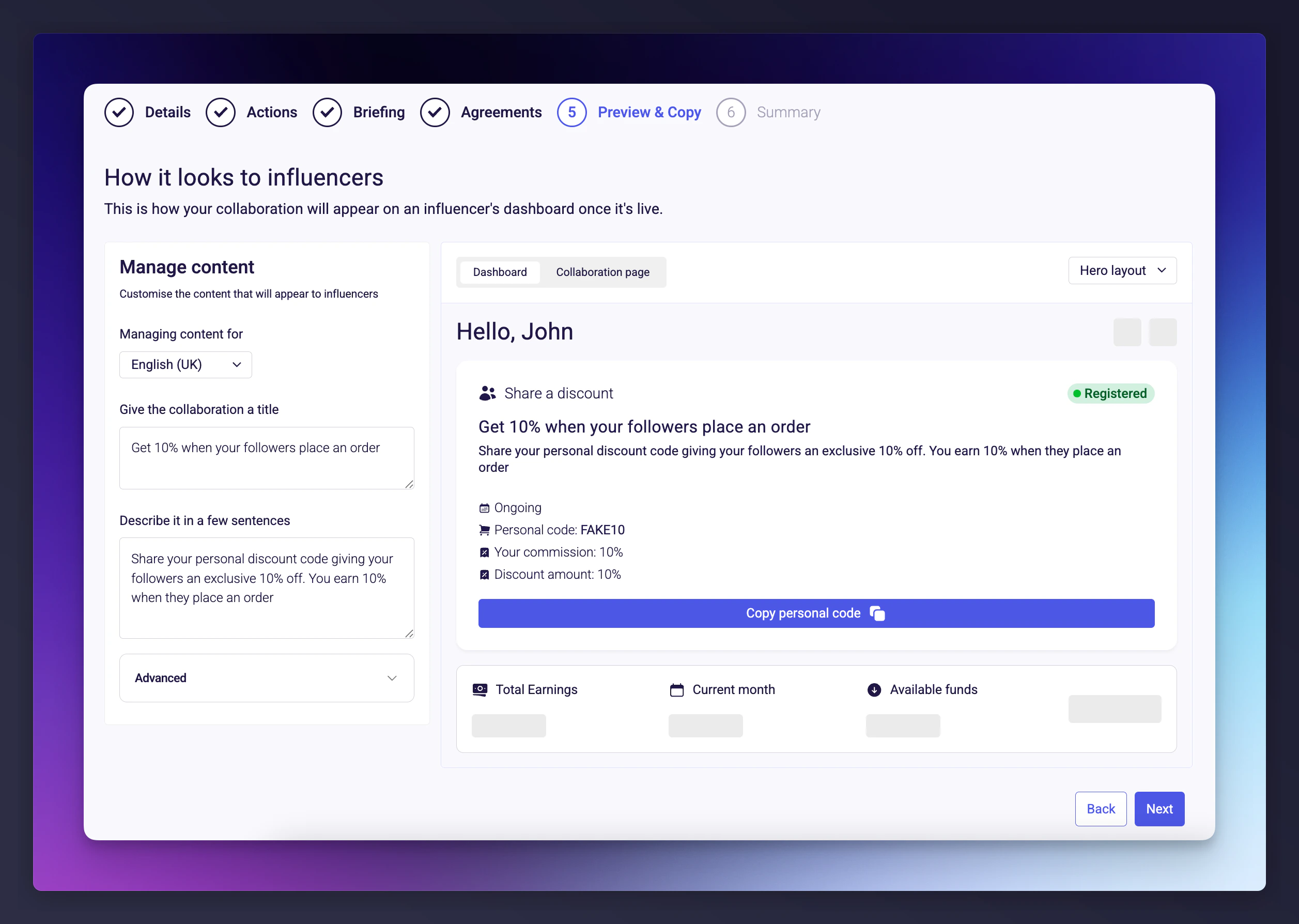
Preview and Copy
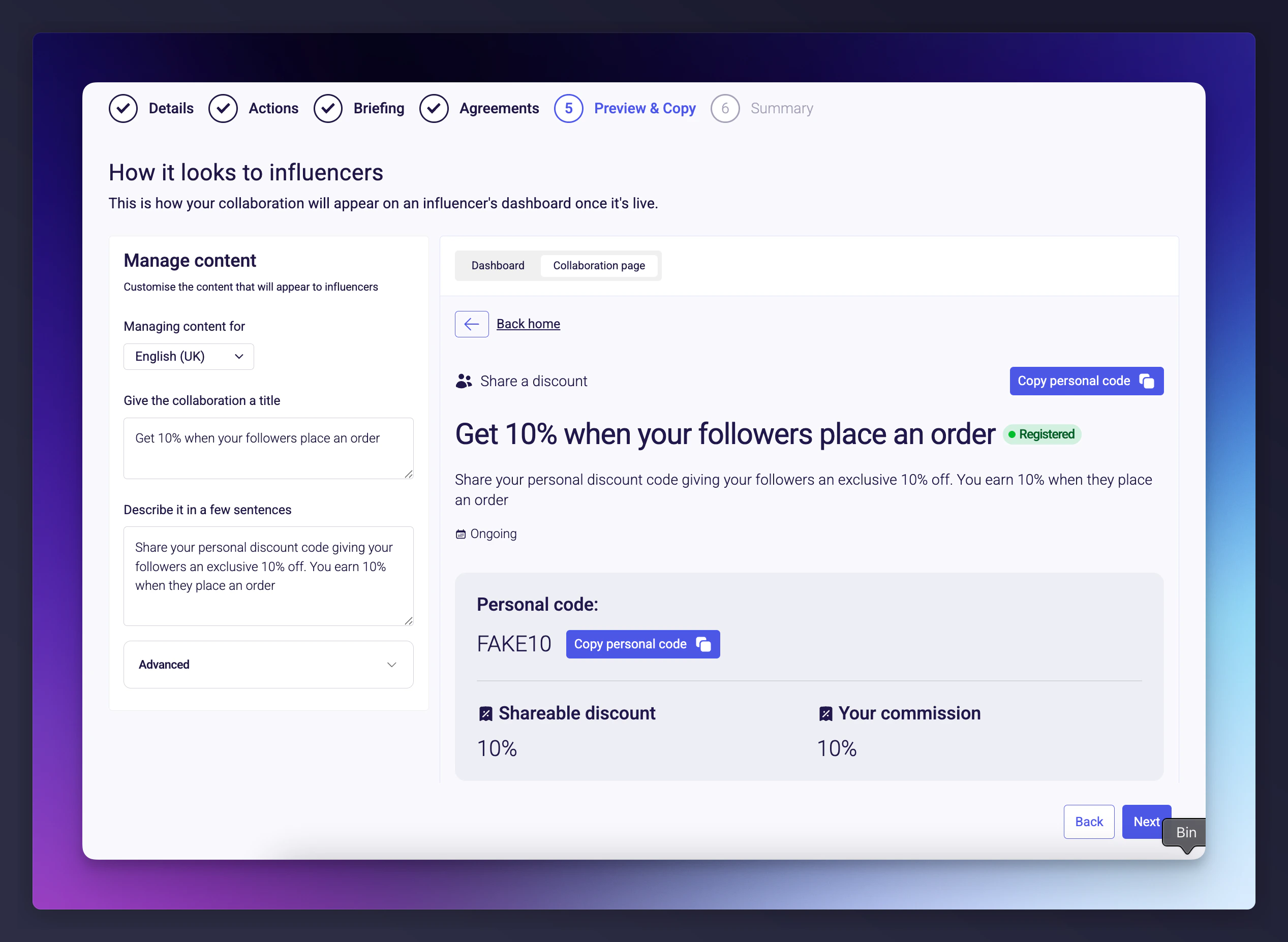
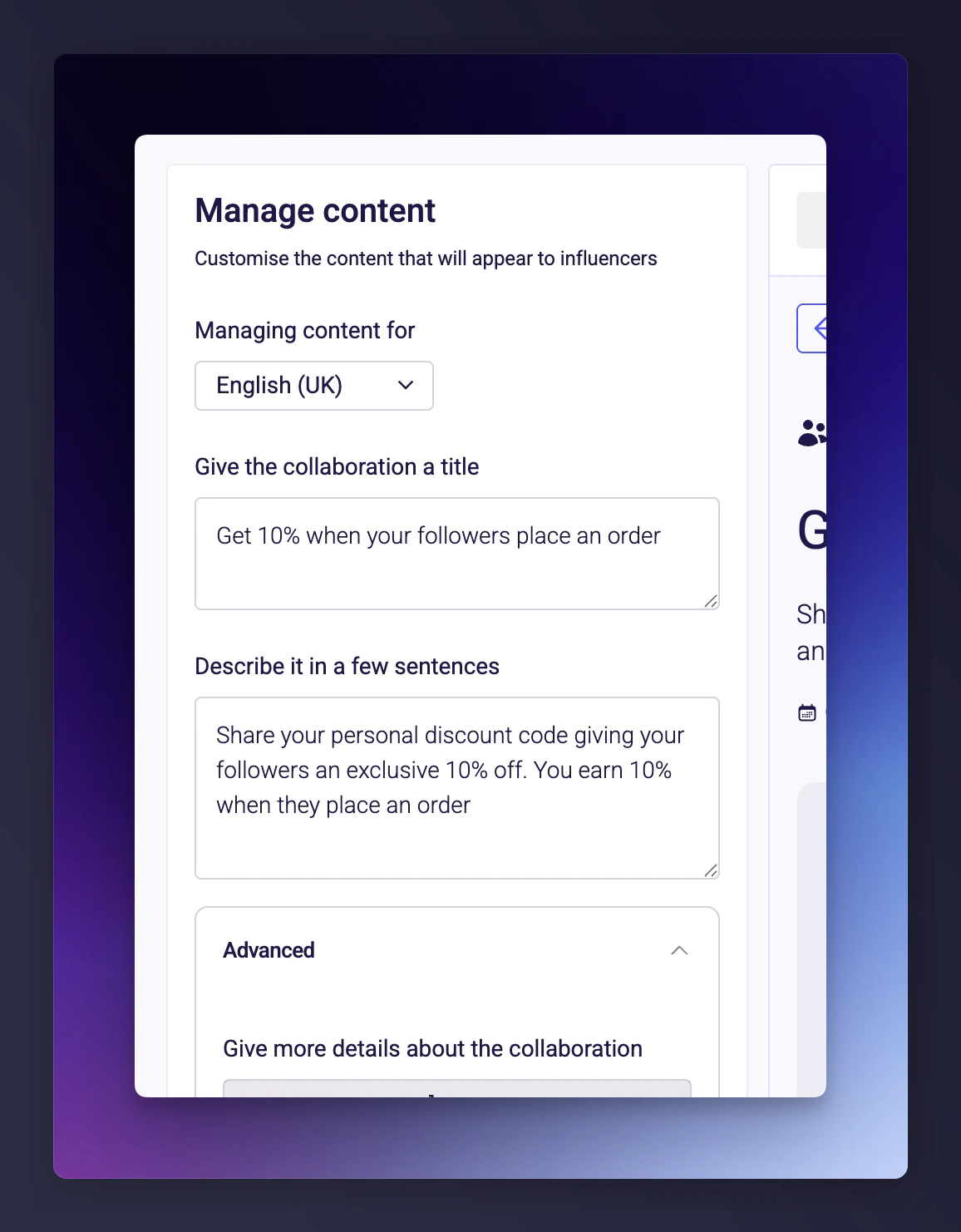
See how your collaboration will appear to influencers and customise the copy for each locale.You can switch between Dashboard view (how it appears in the collaboration list) and Collaboration page view (the full detail page).Every piece of text shown to influencers is editable: title, description, action type label, reward and commission info, tooltips, call-to-action button text, and “Learn more” content (supports markdown).If your programme supports multiple locales, tailor the copy per locale.
Dashboard view preview of a collaboration.
The collaboration page view shows the same content as it appears on the influencer’s full detail page:
Collaboration page view with editable copy.
6
Summary
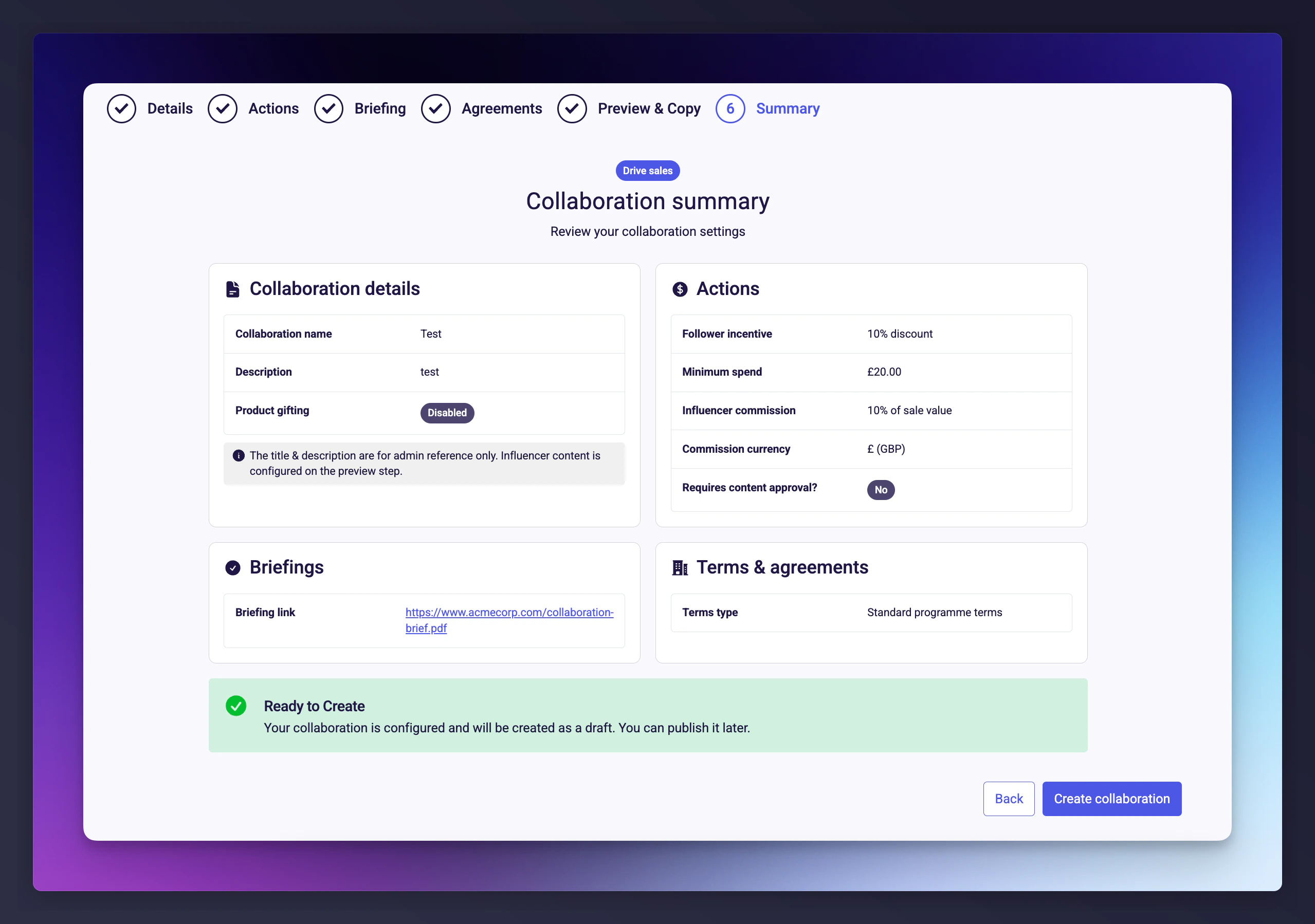
Review all settings across four cards: Details, Actions, Briefing, and Agreements. Click Create collaboration to save in Draft status. It won’t be visible to influencers until you explicitly set it live.
The Summary step showing all collaboration settings.
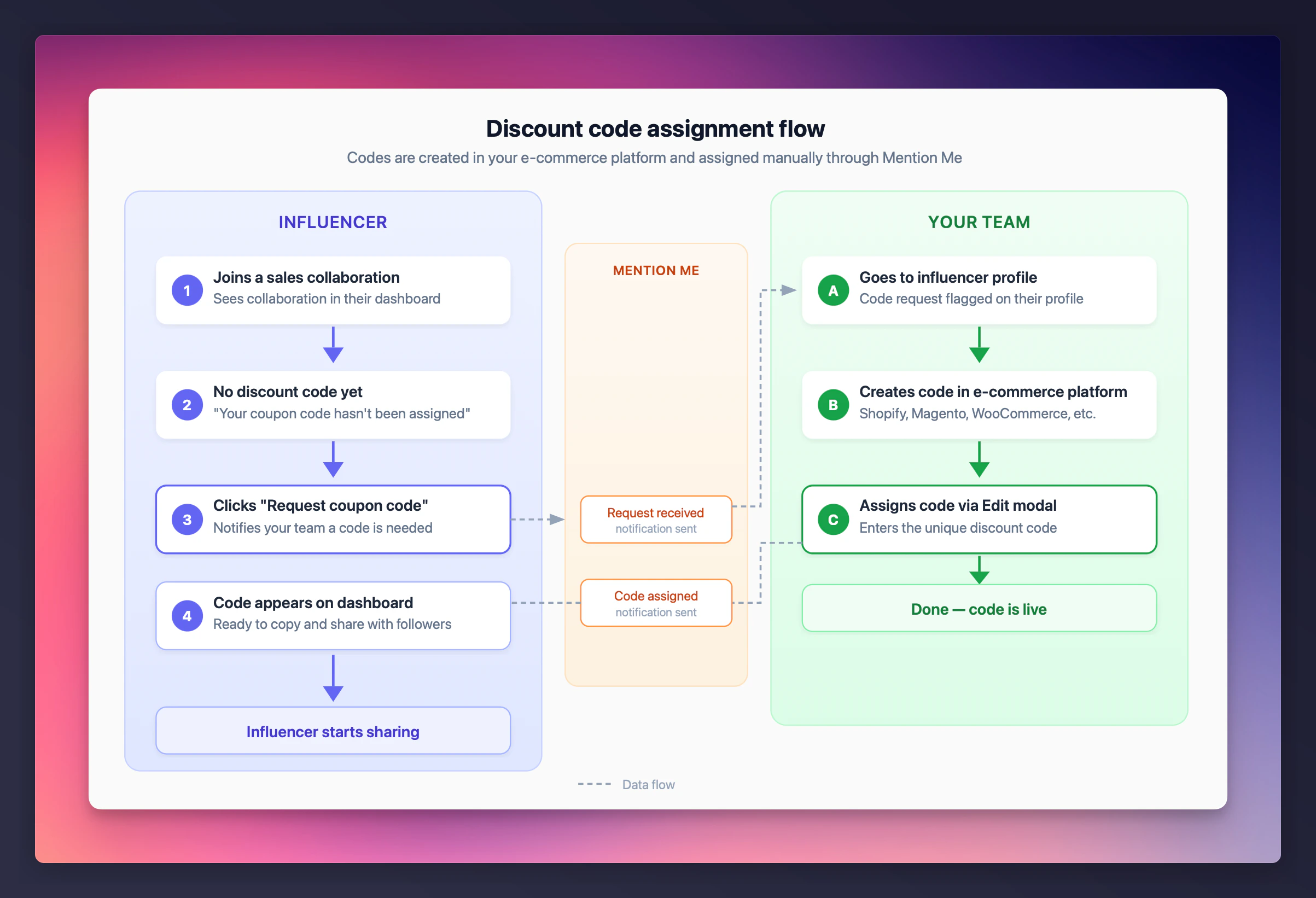
For sales collaborations, each influencer gets a personal discount code. Codes are not generated automatically by default - they are assigned by your team from your e-commerce platform (Shopify, Magento, etc.). If you use Shopify, you can enable automatic discount code generation.
Discount code assignment for a sales collaboration.
The influencer’s code request is visible on their profile.
2
Navigate to the influencer's profile
Go to the influencers page, select View profile on the influencer, then click View full profile from the sidebar that opens.
3
Assign the discount code
Click to open the Edit discount code modal, enter the unique discount code from your e-commerce platform, and save. The code is immediately visible to the influencer.
The influencer profile page with the Edit discount code modal.
Enter the code in the modal:
Entering the unique discount code for the influencer.
Each discount code must be unique. The system validates this to prevent duplicates.
Keep collaboration names descriptive. Names are internal, so use them to help your team distinguish similar collaborations. For example: “Summer 2025 - Instagram Reels - 20% off” is more useful than “Summer collab”.
Set up your brief before going live. Influencers see the brief immediately when a collaboration goes live.
Use custom terms sparingly. Standard programme terms cover most scenarios. Extra complexity can slow down influencer acceptance.
Assign discount codes promptly. Influencers can’t start driving sales until they have their code.
Review before going live. Double-check compensation amounts, content requirements, and terms - once live, you’ll need to create a new collaboration to make changes.
Last modified on July 10, 2026
Was this page helpful?
Assistant
Responses are generated using AI and may contain mistakes.