

Fastest Path: Funnel Performance Template
The Funnel Performance template is built exactly for this. Create a dashboard from it and the funnel chart is there, alongside per-stage metrics.Build It Yourself
1. Add a Funnel Chart
- Add tile > Chart, chart subtype Funnel.
- Add these metrics in order (widest to narrowest):
- Impressions
- Sharers
- Share Responses
- Incented Friends
- New Customers
- Save.
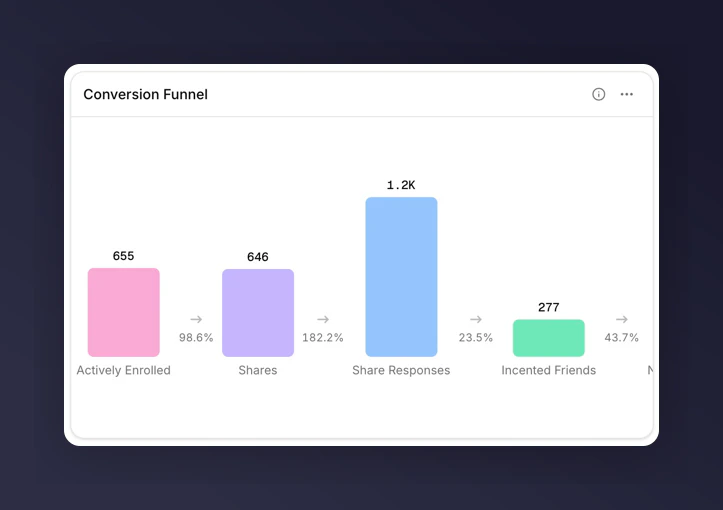
Funnel chart showing drop-off at each stage
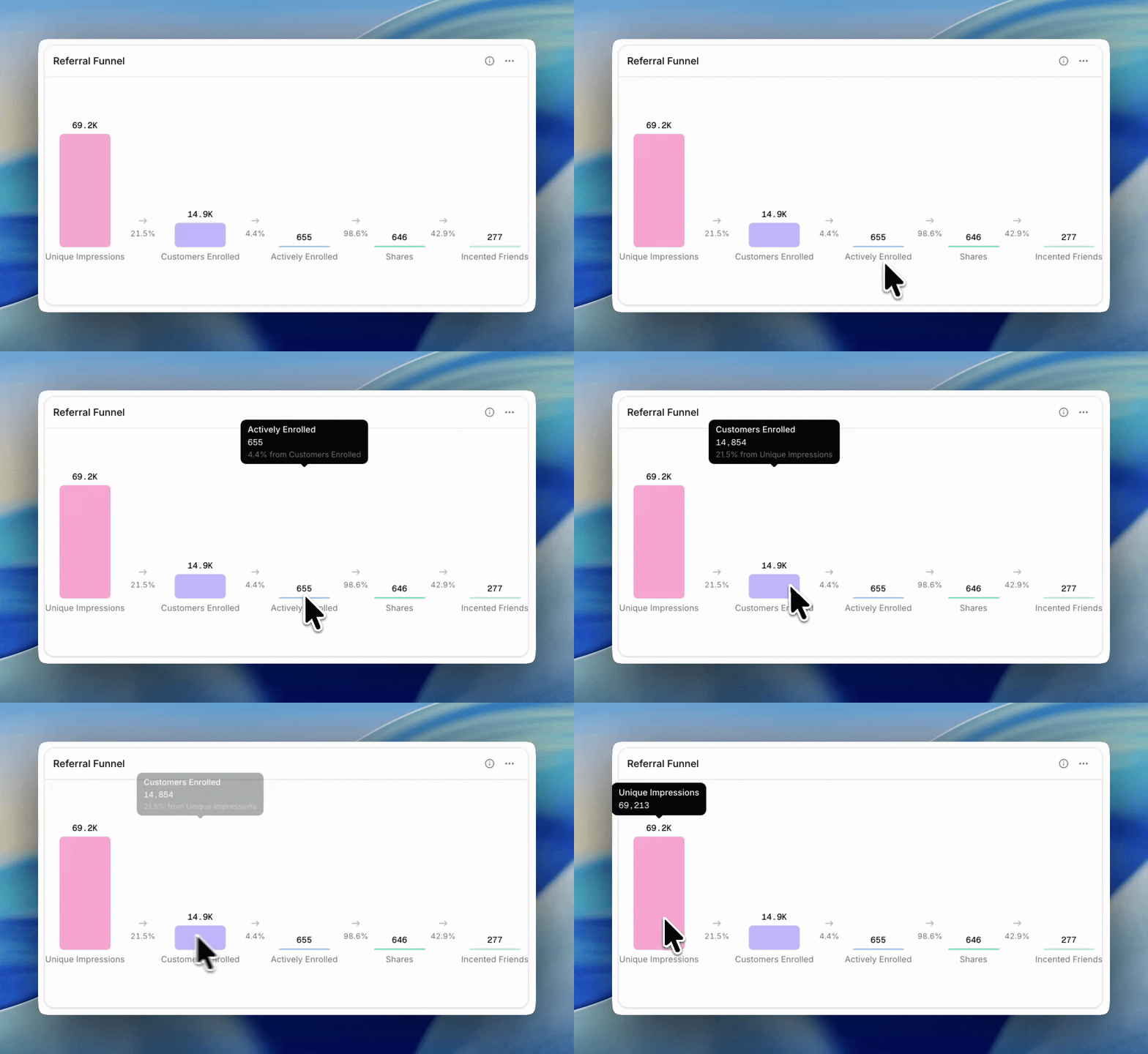
Hovering a funnel bar reveals conversion tooltips
2. Read the Drop-off
- Impressions → Sharers tells you whether your offer is landing. Under 2% usually points at placement; above 6% means the offer copy is working.
- Sharers → Share Responses tells you about the content of shares and the recipient’s interest.
- Share Responses → Incented Friends tells you how well the landing experience converts.
- Incented Friends → New Customers tells you whether the incentive is strong enough to close.
When to Reach for a Breakdown
A funnel chart itself doesn’t support breakdowns. To see whether drop-off is worse for certain campaigns or markets, add a separate chart or table tile next to the funnel:- Line chart of Share Rate broken down by Campaign
- Table of Share Rate, Purchase Rate, and Overall Conversion Rate broken down by Market
Next
Metrics glossary
See what each funnel metric counts.
Comparisons
Compare each stage’s conversion rate to the industry benchmark (for eligible metrics).
Track campaign performance
Use once you know which stage is leaking.