

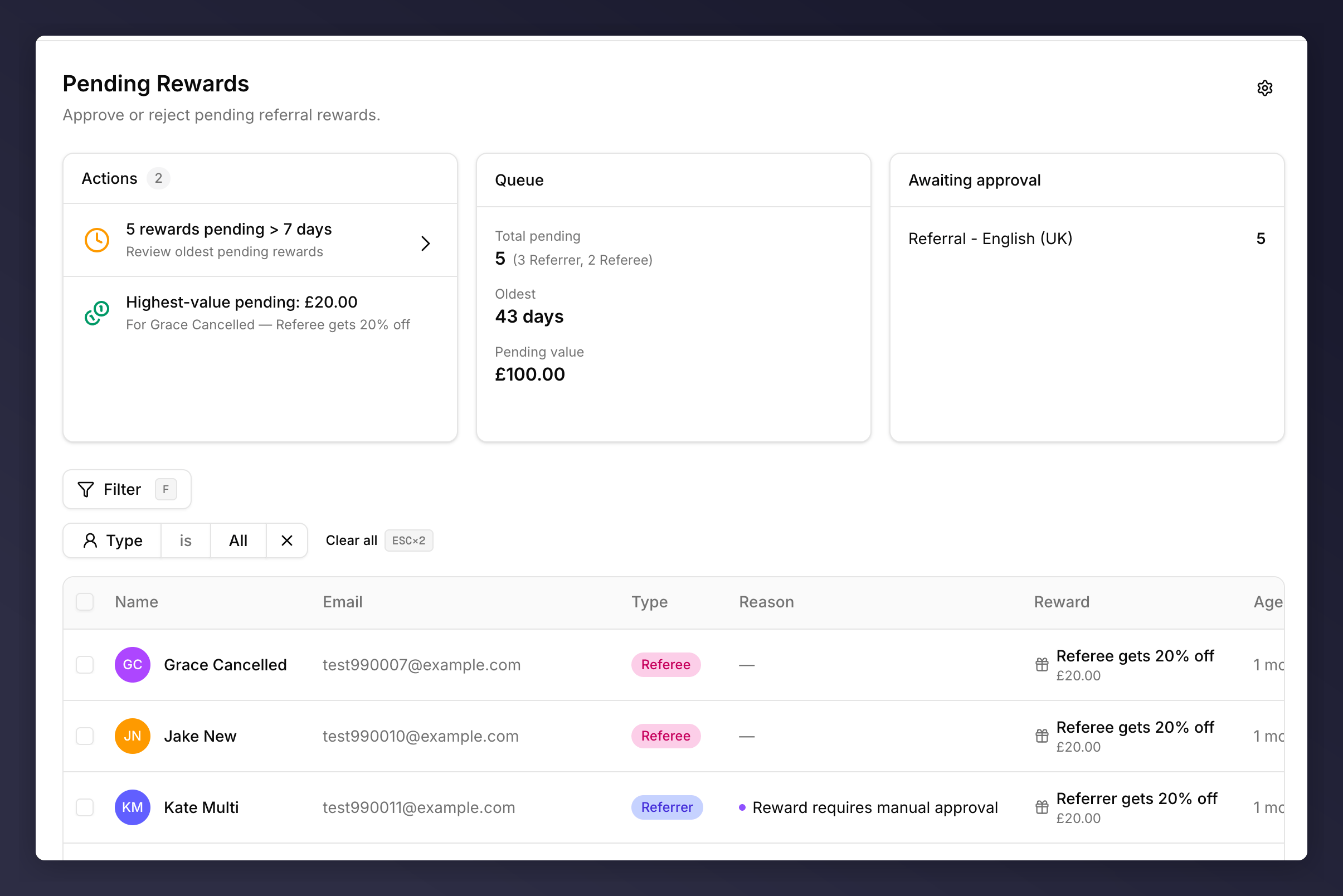
The Pending Rewards queue
Top-of-Page Panels
- Actions. Smart suggestions based on the current queue (for example “6 rewards pending > 7 days” or “Highest-value pending: £20.00”). Click an action to jump to a pre-filtered view.
- Queue. The numbers in aggregate: total pending (split by Referrer / Referee), age of the oldest, total monetary value waiting.
- Awaiting approval. Pending counts broken down by campaign.
Reading the Table
Rewards held for any reason other than reward-side approval (fraud score, velocity, eligibility, etc.) go to Fraud Review instead. For the full catalogue of reward-side rules, see the approval rules reference.
Approving a Reward
1
Click the row
The approval review sheet slides in from the right with the full context: customer profile, every fired reason, the underlying reward, and the linked referral.
2
Approve
Hit Approve in the sheet (or use the inline Approve button on the row if you don’t need the detail). The reward fulfilment email is sent automatically and the row leaves the queue.
Declining a Reward
Decline opens a confirmation dialog with a note field and a notification choice.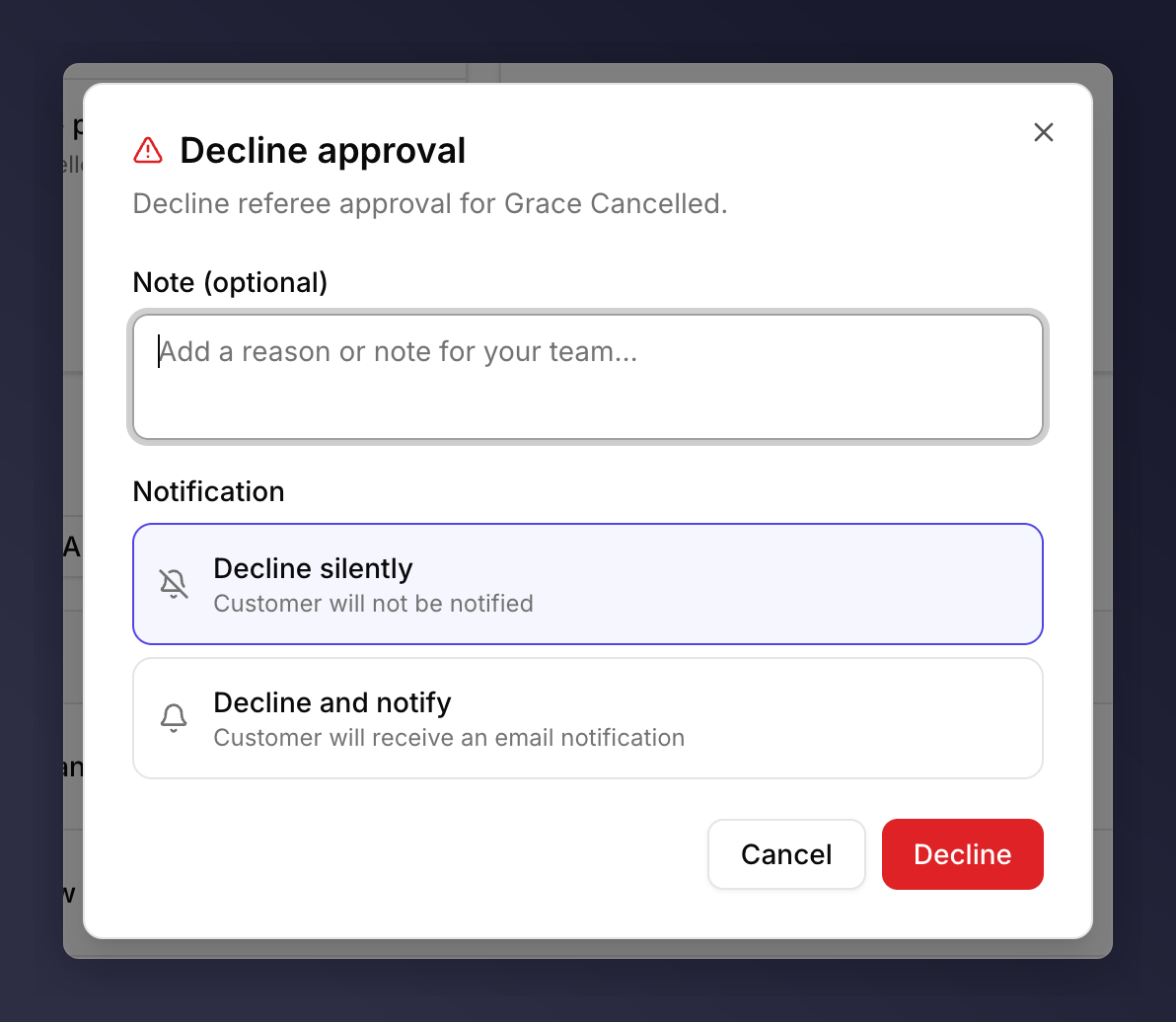
Decline dialog
The destination of the note is visible to your team only, never to the customer.
Stacked Rewards
When a customer has more than one pending reward, the row collapses into a single line with a disclosure (e.g. “2 rewards”). Click the caret to expand; Approve / Decline apply to each underlying reward individually. Or open the review sheet and act on the whole bundle with Approve all / Decline all.Bulk Approve or Decline
Tick multiple checkboxes to action rewards in bulk. A floating pill appears at the bottom centre of the screen showingN selected · Clear · Decline N · Approve N. Decline in bulk opens the same dialog (silently / notify) but applies the choice to every selected row.
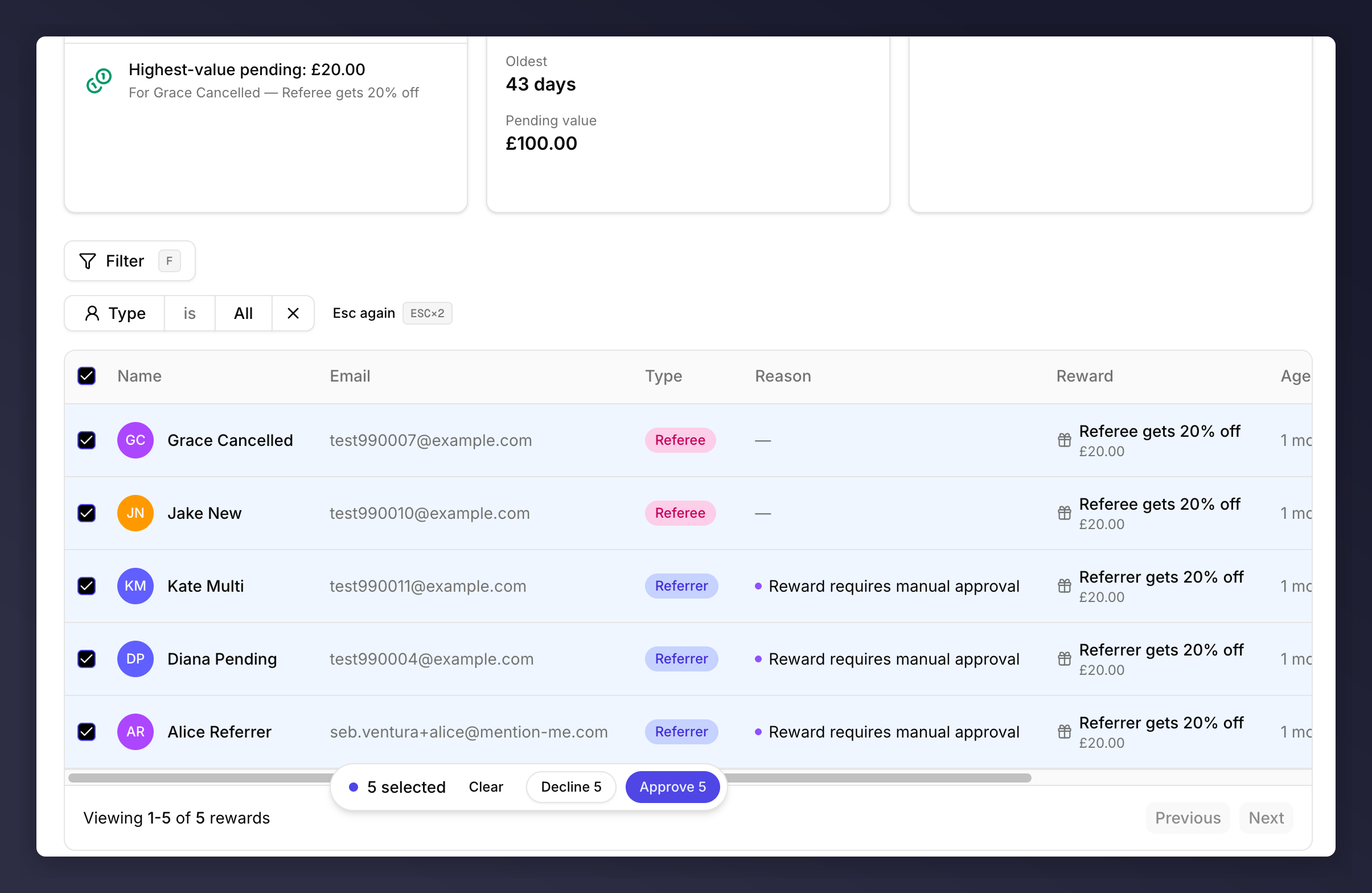
Multiple rewards selected with the floating bulk action bar
Filter
The Filter button exposes Type (All / Referrer / Referee). Press F anywhere on the page to focus the filter button.See Also
Fraud Review
Anything flagged for gaming goes there, not here.
Approval review sheet
The shared side sheet both queues use.
Approval rules reference
The catalogue behind the Reason column.
Customer profile
Open the profile to see the underlying activity before approving.