

Early access. This section documents Customers in Mention Me,
currently available as a beta. If you see a “Customers beta” banner on the
Customers pages in Classic, click the call-to-action to try it. For Classic
docs, see Understanding the Customers
Section.
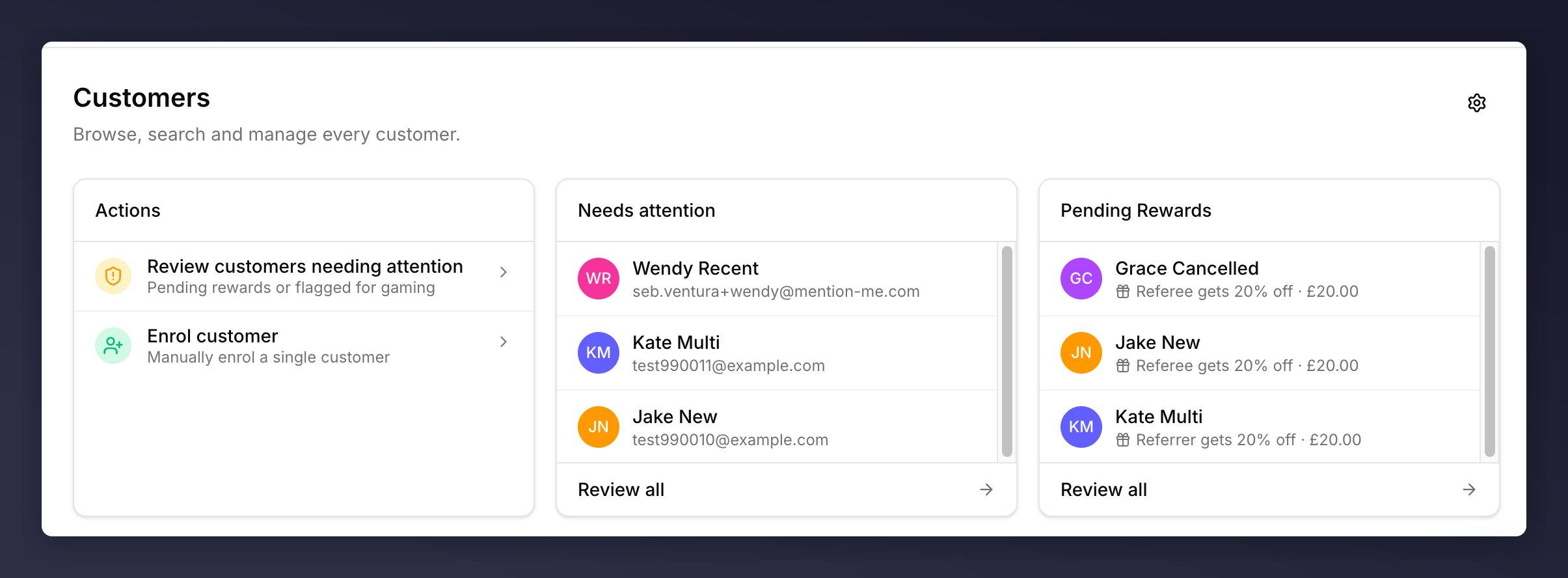
The Customers landing page
Three Things You Do Here
Browse and search
Find any customer by name, email, customer ID, or share link. Open their
profile to see every interaction.
Action approvals
Clear the Pending Rewards queue and review anything flagged for fraud before
it ages out.
Enrol customers
Add one customer by hand, or upload a CSV
when you have a list.
Key Concepts
- Automatic enrolment. By default, customers are enrolled into your programme immediately after purchase. See Understanding Automatic Enrolment at Post-Purchase.
- Referrer. A customer who has shared your programme with at least one friend.
- Referee. A customer who arrived through someone else’s share link.
- Paying vs non-paying. Paying customers have a confirmed purchase on file.
- Signal. An automatic flag on a customer’s profile (for example “suspicious activity”). Signals appear as a banner on the profile and as a “Needs attention” entry on the landing page.
- Insights. A short AI summary on each profile explaining who this customer is and what they’ve been doing. Useful as a starting point before you dig into the activity timeline.
What’s on the Landing Page
- Actions card. Shortcuts to the three most common jobs: review attention, upload, enrol.
- Needs attention panel. Up to three customers with an open signal. Click Review all for the full list.
- Pending Rewards panel. Up to three rewards waiting on approval. Click Review all for the queue.
- Customer table. Every customer in your account, with filter, search, and role columns. Pagination at the bottom.
- Customer settings (gear icon, top right). Opens the data retention and reactivation rules.
Sub-Sections
- Pending Rewards. Queue of rewards awaiting manual approval.
- Fraud Review. Queue of referrals flagged as suspicious.