

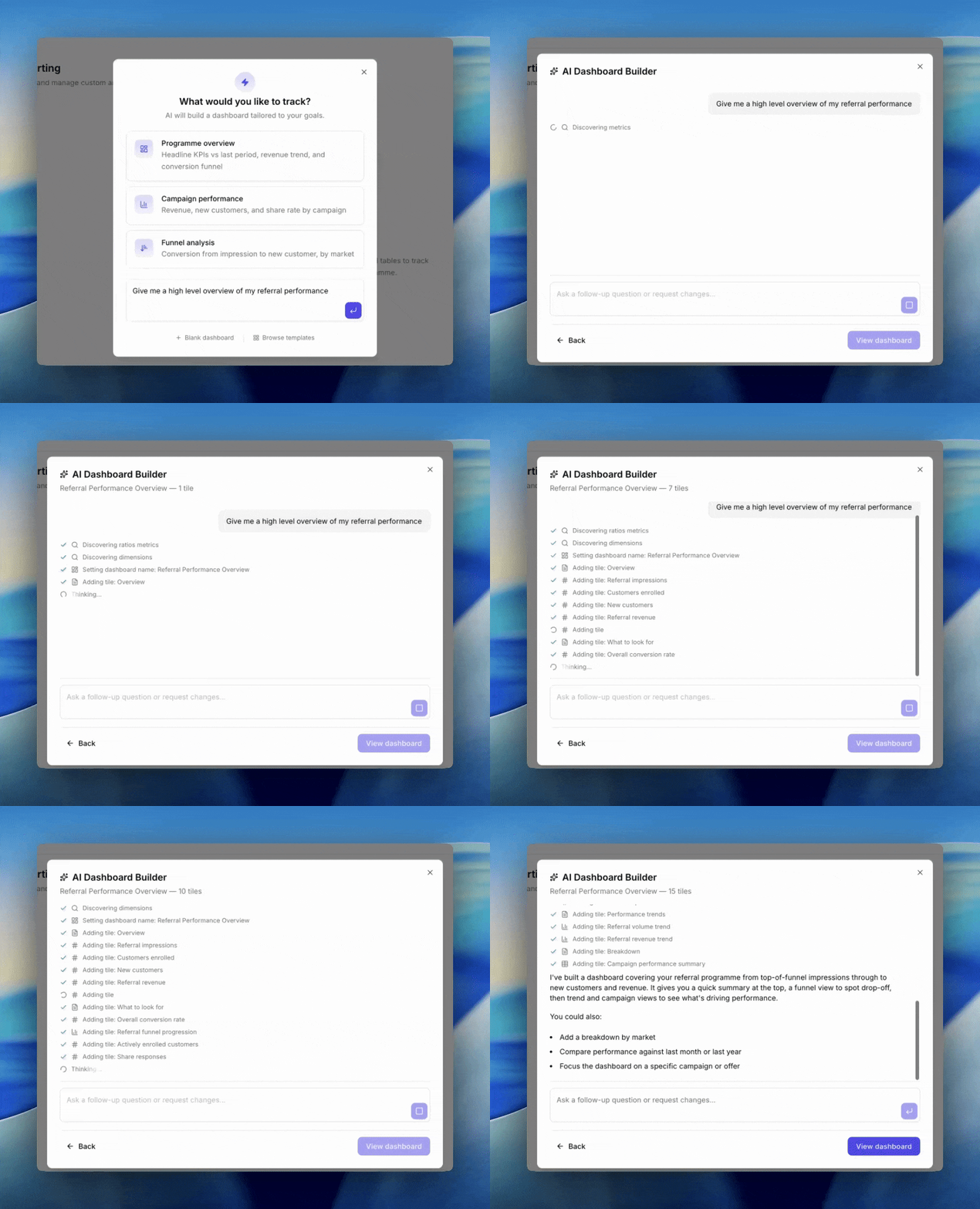
AI Dashboard Builder: prompt to finished dashboard
When to Use It
AI works best for big-picture asks and exploratory questions:- “Show me how the programme is doing overall vs last month.”
- “Where am I losing customers in the funnel?”
- “Which markets are growing fastest?”
How to Start
Go to Referral > Reporting and click New dashboard. The dialog opens with three paths: a prompt textarea, three suggestions, and links to Blank or Browse templates underneath. You have two ways to kick off AI:- Click a suggestion. Three starters are ready to go.
- Type your own prompt in the textarea.
The Three Suggestion Starters
- Programme overview. Headline KPIs vs last period, revenue trend, and conversion funnel.
- Campaign performance. Revenue, new customers, and share rate by campaign.
- Funnel analysis. Conversion from impression to new customer, by market.
Writing a Good Prompt
The AI gets better results with a little specificity. Include:- Time period. “For the last 30 days”, “year to date”, “this quarter vs last quarter”.
- The decision you are making. “I want to know whether campaign X is outperforming campaign Y.”
- Breakdowns of interest. “Split by market”, “by share type”, “per campaign”.
During the Conversation
Once you submit, the dialog switches to chat mode. You’ll see the AI stream its reasoning and tile-building steps. The header shows a running count of tiles in the draft. You can keep chatting to refine:- “Add a market breakdown to the revenue chart.”
- “Swap the time period to year to date.”
- “Remove the markdown intro tile.”
Limitations
- Review the result before saving. The AI sometimes picks the wrong metric or the wrong chart type. Use choosing a chart as a sanity check.
- Anything you can do by hand, you can still do afterwards. AI is a starting point, not a sealed result.
- The AI can only use metrics and breakdowns that exist in Reporting. If you ask for something we do not measure, it will substitute the closest available.
Next
Choosing a chart
Which of the five chart types fits the question you’re asking.
Editing the layout
Drag, resize, and arrange tiles on the dashboard grid.